Freedom251 › Kubernetes Security Software
Monokle
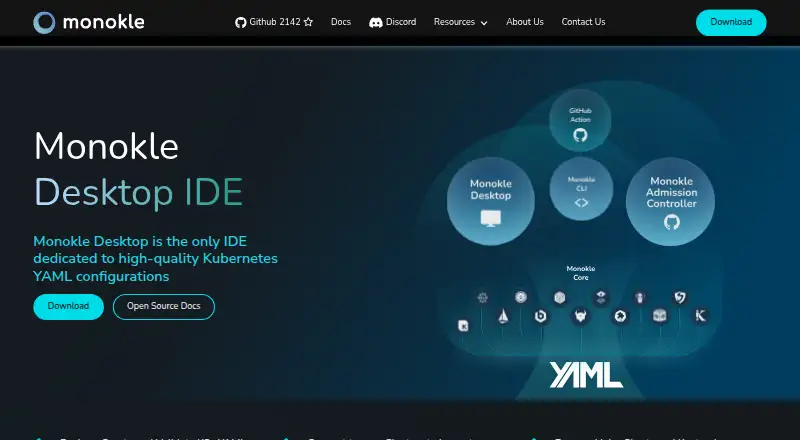
What Monokle is
Monokle Desktop is a free, open-source IDE for creating, exploring, and validating Kubernetes YAML configurations. It supports template-based resource creation, forms, Kubernetes-aware editors, schemas, and CRDs. Users can compare Git branches or repositories, resources across namespaces and clusters, and local configuration against running cluster state. Real-time validation shows configuration issues; custom policies and output from CLI tools can also be checked. Helm charts and Kustomize overlays can be dry-run and previewed before deployment. For cluster inspection, Monokle can show resources, dependencies, Kubernetes events, and pod logs to assist troubleshooting. Listed integrations include Flux, Argo CD, Istio CRDs, Cert-Manager CRDs, Sealed Secrets, CDK8s, Tanka, and KPT. The download page positions it as a manifest creation and validation tool for developers and a cluster inspection tool for SREs. Kubeshop announced that Monokle Cloud and its accompanying GitHub app would be shut down, while open-source products would continue in their GitHub repositories. Desktop is available for Linux, macOS, and Windows.
Who it suits
It suits developers creating, validating, and reviewing Kubernetes manifests, as well as SREs inspecting clusters and troubleshooting configuration issues.
What it does well
- Free and open-source under the MIT license
- Real-time validation and custom policy support
- Previews Helm charts and Kustomize overlays
- Compares local configuration with running cluster state
- Inspects events, resources, dependencies, and pod logs
What to know first
- Monokle Cloud and its GitHub app were slated for shutdown
Plans
| Plan | Billed and limits | Price |
|---|---|---|
| Monokle Desktop | Open-source MIT license | Free |
As monokle.io lists them, read 3 Oct 2026. The maker's own page has the final word.
Getting started
- Visit the Monokle website.
- Choose the Desktop download for Linux, macOS, or Windows, or use the extension.
- Create or explore Kubernetes YAML with templates, forms, and Kubernetes-aware editors.
- Validate configuration and preview Helm charts or Kustomize overlays before deployment.
Monokle Desktop is a free, open-source IDE for Kubernetes configuration, with tools for inspecting and troubleshooting clusters. It is best suited to developers who author manifests and SREs who work with live resources. Its main strength is covering both sides of that workflow in one desktop product.
Overview
Monokle brings manifest creation, validation, comparison, and cluster inspection together. Developers can create resources from templates or forms and edit them in Kubernetes-aware editors that support schemas and CRDs. For operational work, it exposes cluster resources, dependencies, events, and pod logs to help investigate configuration issues.
This breadth is useful when a team needs to relate proposed configuration to what is running. It is less suitable for teams looking only for a dedicated security or policy tool. The commercial Monokle Cloud is also ending: Kubeshop announced that the application and its accompanying GitHub app would be shut down over the coming weeks, while its open-source products would continue in their GitHub repositories.
Key features
Authoring and validation
Real-time validation makes configuration errors visible during editing. Custom policies and validation of CLI-generated output extend checks beyond manifests authored in the IDE. Helm chart and Kustomize overlay dry-runs and previews let teams review rendered configuration before deployment, a useful safeguard when those tools form part of the delivery workflow.
Comparison and cluster inspection
Monokle compares Git branches or repositories, resources across namespaces and clusters, and local configuration against running cluster state. That range helps developers and SREs trace differences across the path from source configuration to deployment. Cluster inspection includes resources and dependencies as well as Kubernetes events and pod logs, giving it practical troubleshooting scope beyond manifest editing.
Integrations and related tools
Support described for Flux, Argo CD, Istio CRDs, Cert-Manager CRDs, Sealed Secrets, CDK8s, Tanka, and KPT broadens its relevance to teams using those tools and formats. The continuing open-source products also include the Monokle CLI, Monokle VS Code Extension, and Monokle Admission Controller; these are distinct from the discontinued Cloud application.
Pricing
Monokle Desktop costs free and is distributed under an open-source MIT license. There are no paid Desktop tiers or seat limits in this plan. That makes it an accessible option for individuals and teams who want its authoring and cluster workflows without a subscription; it does not provide the commercial Monokle Cloud, whose end of life has been announced.
Platforms
Monokle Desktop is available as an extension and for Linux, macOS, and Windows. The product is therefore relevant across the main desktop operating systems, with an extension option for users who prefer that form factor.
Who it's for
Developers creating and validating Kubernetes manifests are the clearest fit, particularly when they use Helm, Kustomize, custom policies, or CLI-generated configuration. SREs who need to inspect cluster state and investigate events or pod logs also have a reason to choose it. Teams seeking only runtime security, a focused policy engine, or the discontinued commercial Cloud service should look elsewhere.
Pros and cons
- Pros: Editing, validation, Git and cluster comparison, and live-cluster troubleshooting sit in one desktop tool, reducing the need to separate those workflows.
- Pros: MIT-licensed Desktop software is free, and its validation covers custom policies and CLI output as well as editor work.
- Pros: Helm and Kustomize previews support review of rendered configuration before deployment.
- Cons: Monokle spans development and operations rather than focusing on one security discipline, so teams wanting a narrow policy or runtime tool may find a better fit elsewhere.
- Cons: The announced end of Monokle Cloud and its GitHub app rules out choosing the commercial cloud service as a continuing option.
Alternatives
Kubernetes Security Software is a useful category starting point for comparing options beyond an IDE that combines configuration work and cluster inspection.
Fairwinds Polaris is a free, open-source policy engine aimed at small teams; choose it when focused policy checks matter more than Monokle's editing and cluster-inspection breadth.
Kubescape offers a free, self-hosted open-source option with a CLI and Kubernetes operator. It may suit teams that want those deployment forms rather than a desktop IDE.
CloudSploit has a free self-hosted open-source version and a hosted commercial version with custom pricing. Choose it when that hosted or self-hosted CloudSploit offering is the fit you need.
Kyverno is a free, open-source project; consider it when that project is a better match than a combined authoring and inspection desktop tool.
Falco is free and open source, with Linux and self-hosted platforms. It is an alternative to consider when those platform options suit your needs.
KSPM Pro has a free plan for one Kubernetes cluster with real-time scans and CIS coverage. It is worth considering when that cluster-scanning scope is the priority.
KubeArmor is a free, open-source runtime security project; workload and platform support varies by its support matrix. Choose it when runtime security is the focus.
KubeLinter is a free, Apache-licensed option with no paid tiers listed, for readers comparing other tools in this space.
Verdict
Choose Monokle Desktop if you create Kubernetes configuration and also need to compare it with cluster state or investigate live resources. Its strongest case is the combination of editing, validation, previews, and troubleshooting in free MIT-licensed software. Look elsewhere if you need a focused security tool or a continuing commercial cloud service: Monokle Cloud and its accompanying GitHub app are being shut down.
Verdict
Monokle Desktop combines manifest editing and validation with cluster inspection and troubleshooting. The announced end of Monokle Cloud is relevant: the continuing products are the open-source tools in their GitHub repositories.
Questions
How much does Monokle Desktop cost?
The listed Monokle Desktop plan is free.
Is Monokle open source?
Yes. Monokle Desktop is listed under the Open-source MIT license.
Which platforms does Monokle support?
The listed platforms are Linux, macOS, Windows, and extension.
What can Monokle validate?
It provides real-time configuration validation, supports custom policies, and can validate output from CLI tools.
Is Monokle Cloud available?
Kubeshop announced that Monokle Cloud and its accompanying GitHub app would be shut down over the coming weeks. It said open-source products would continue in their GitHub repositories.
Who makes Monokle?
Monokle is made by Kubeshop, which describes itself as focused on the cloud-native ecosystem.
Facts from Monokle's own pages
- Cloud product status
- Kubeshop announced that support for the commercial Monokle Cloud application was ending; Monokle open-source products would continue in their GitHub repositories. · monokle.io, 3 Oct 2026
- Cloud shutdown
- The end-of-life announcement said Monokle Cloud and its accompanying GitHub app would be shut down over the coming weeks. · monokle.io, 3 Oct 2026
- Cluster inspection
- It can inspect cluster resources, dependencies, Kubernetes events, and pod logs, and can help troubleshoot or fix configuration issues. · monokle.io, 3 Oct 2026
- Comparison
- It can compare Git branches or repositories, resources across namespaces and clusters, and local configuration with running cluster state. · monokle.io, 3 Oct 2026
- Editing
- It supports template-based resource creation, forms, Kubernetes-aware source editors, schemas, and CRDs. · monokle.io, 3 Oct 2026
- Founded
- 2021 · monokle.io, 28 Sept 2026
- Helm and Kustomize
- It can dry-run and preview Helm charts and Kustomize overlays before deployment. · monokle.io, 3 Oct 2026
- Integrations
- The site describes support for Flux, Argo CD, Istio CRDs, Cert-Manager CRDs, Sealed Secrets, CDK8s, Tanka, and KPT. · monokle.io, 3 Oct 2026
- Intended users
- The download page describes Monokle as a manifest creation, validation, and compliance IDE for developers and a cluster inspection and troubleshooting tool for SREs. · monokle.io, 3 Oct 2026
- Maker
- Monokle is made by Kubeshop, which describes itself as focused on the cloud-native ecosystem. · monokle.io, 3 Oct 2026
- Other open-source tools
- The announcement lists Monokle CLI, the Monokle VS Code Extension, and Monokle Admission Controller among the open-source products continuing in their repositories. · monokle.io, 3 Oct 2026
- Platforms
- The download page offers desktop downloads for macOS, Windows, and Linux, and links to a Chrome extension. · monokle.io, 3 Oct 2026
- Product
- Monokle Desktop is an IDE for creating, exploring, and validating Kubernetes YAML configurations. · monokle.io, 3 Oct 2026
- Validation
- It provides real-time validation and configuration error visibility, supports custom policies, and can validate output from CLI tools. · monokle.io, 3 Oct 2026
Where Monokle stands on Freedom251
- Kubernetes Security Software#11 of 27