Freedom251 › Window Management Software
Monocle
What Monocle is
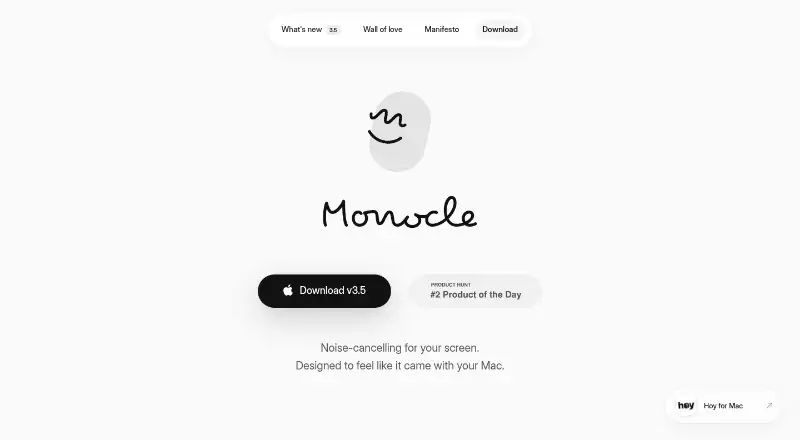
Monocle is a paid macOS focus tool that dims everything outside the window you are using. It detects Stage Manager and keeps its window strip visible beside the focused application. App Groups let multiple apps share one focus treatment, while multi-screen settings apply highlighting per screen or globally. Appearance controls include adjustable blur, grayscale, custom tint colors, and a blur-free mode with tint, grain, and monochrome. Cursor gestures provide quick access: shaking the cursor toggles Monocle or enables a peek, while flicking toward a screen corner reveals the area beneath the overlay. Apple Shortcuts and other automation tools can control it, with scripting commands for blur, monochrome, tint, grain, display mode, and app-wide focus. A seven-day trial is available. Single seat costs 14.00 USD once with free updates; Three seats costs 25.00 USD once with free updates. A license can be activated across multiple user profiles on one Mac. Homebrew installation is supported.
Who it suits
It suits Mac users who want to reduce visual distractions while working, writing, browsing, or thinking, including people using multiple displays or automation.
What it does well
- Dims inactive screen areas
- Stage Manager support
- Per-screen or global highlighting
- App Groups for shared focus
- Apple Shortcuts and scripting
What to know first
- macOS only
- No free plan
- Paid license required after trial
- Three-seat license costs 25.00 USD once
Plans
| Plan | Billed and limits | Price |
|---|---|---|
| Single seat | Pay once · 1 seat · Free updates | $14, paid once |
| Three seats | Pay once · 3 seats · Free updates | $25, paid once |
As heyiam.dk lists them, read 11 Oct 2026. The maker's own page has the final word.
Verdict
Monocle offers configurable screen dimming, multi-display behavior, cursor gestures, and automation controls for focused Mac work. Its one-time licenses include free updates, with a seven-day trial to evaluate the workflow.
Facts from Monocle's own pages
- Appearance
- Monocle offers adjustable blur, grayscale, custom tint colors, and blur-free mode with tint, grain, and monochrome. · heyiam.dk, 11 Oct 2026
- App groups
- App Groups let multiple apps share focus as one group. · heyiam.dk, 11 Oct 2026
- Automation
- Monocle supports control through Apple Shortcuts and other automation tools, and its scripting commands cover blur, monochrome, tint, grain, display mode, and app-wide focus. · heyiam.dk, 11 Oct 2026
- Gestures
- Users can shake the cursor to toggle Monocle or peek, and can flick the cursor to a screen corner to peek under the overlay. · heyiam.dk, 11 Oct 2026
- Installation
- Monocle supports Homebrew installation with the command brew install --cask monocle-app. · heyiam.dk, 11 Oct 2026
- Intended user
- Monocle is presented as a focus tool for people who want to quiet visual distractions while working, writing, browsing, or thinking. · heyiam.dk, 11 Oct 2026
- License limit
- A license can be activated on multiple user profiles on the same Mac. · heyiam.dk, 11 Oct 2026
- Multiple displays
- Multi-screen settings let users choose Per Screen or Global highlighting. · heyiam.dk, 11 Oct 2026
- Stage Manager
- Monocle detects Stage Manager and keeps its window strip visible alongside the focused app. · heyiam.dk, 11 Oct 2026
- Support
- The app's Settings includes an Ideas / Issues button for bug reports and feature suggestions. · heyiam.dk, 11 Oct 2026
- What it does
- Monocle softly dims everything except the window you are using. · heyiam.dk, 11 Oct 2026
Where Monocle stands on Freedom251
- Window Management Software#51 of 65