Freedom251 › Window Management Software

ActiveDock
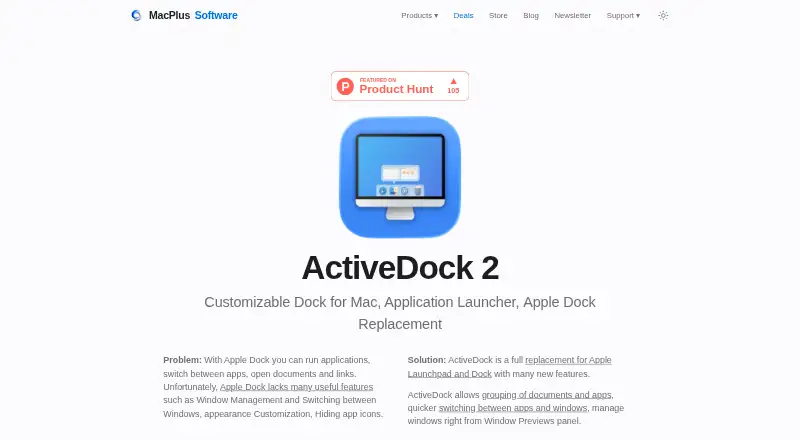
What ActiveDock is
ActiveDock 2 is a customizable Mac dock and application launcher positioned as an alternative to Apple Dock and Launchpad. Window Preview helps locate, position, and switch to windows. Groups and folders organize apps and documents by topic, while Folder Views, custom icons, and a customizable Start Menu provide access to apps, files, and folders. Themes and icon sets change the dock’s appearance, and the maker says multiple monitors are supported. ActiveDock requires macOS 14.6 or later; the maker says macOS 26 Tahoe and Apple Silicon M1–M5 are fully supported. It says the app does not replace system files or require disabling System Integrity Protection, and compatible macOS versions are notarized before distribution. The current version does not support the MacBook Pro Touch Bar or several dock panels. FastSpring handles orders and downloads. The Single License costs $19.99, paid once for one Mac with one year maintenance/free updates; Pro Lifetime costs $59.99, paid once for three Macs with lifetime updates/maintenance.
Who it suits
ActiveDock suits Mac users who manage many applications and windows and want organized switching, grouping, and multi-monitor support.
What it does well
- Window previews for locating and switching
- Groups and folders reduce dock clutter
- Supports multiple monitors
- Custom themes and icon sets
- Start Menu and Folder Views
What to know first
- Requires macOS 14.6 or later
- No MacBook Pro Touch Bar support
- Cannot create several dock panels
- Prices exclude VAT or sales tax
Plans
| Plan | Billed and limits | Price |
|---|---|---|
| ActiveDock 2 Single License | One-time fee; 1 Mac; 1 year maintenance/free updates · 1 Mac · 1 year maintenance/free updates · excludes VAT/sales tax if applicable | $19.99, paid once |
| ActiveDock 2 Pro Lifetime | One-time fee; 3 Macs; lifetime updates/maintenance · 3 Macs · lifetime updates/maintenance · excludes VAT/sales tax if applicable | $59.99, paid once |
As noteifyapp.com lists them, read 5 Oct 2026. The maker's own page has the final word.
Verdict
ActiveDock 2 focuses on organizing apps, documents, and windows in a customizable Mac dock. Check the macOS requirement and panel limitations before buying.
Facts from ActiveDock's own pages
- Appearance
- Custom themes and icon sets change the dock’s appearance and help users find apps. · noteifyapp.com, 5 Oct 2026
- Compatibility
- The product page requires macOS 14.6 or later and says macOS 26 Tahoe and Apple Silicon M1–M5 are fully supported. · noteifyapp.com, 5 Oct 2026
- Documentation
- ActiveDock documentation covers folders, groups, themes, pinned apps, and troubleshooting. · noteifyapp.com, 5 Oct 2026
- Founded
- 2011 · noteifyapp.com, 28 Sept 2026
- Intended users
- The maker describes ActiveDock as useful for people working with many applications and windows who want faster switching and a more organized dock. · noteifyapp.com, 5 Oct 2026
- Limits
- The current version does not support the MacBook Pro Touch Bar and does not allow creating several dock panels. · noteifyapp.com, 5 Oct 2026
- Multiple monitors
- The maker’s FAQ says ActiveDock supports multiple monitors. · noteifyapp.com, 5 Oct 2026
- Notarization
- The maker says each compatible macOS version is notarized by Apple before distribution. · noteifyapp.com, 5 Oct 2026
- Organization
- Groups and folders organize apps and documents by topic and reduce dock clutter. · noteifyapp.com, 5 Oct 2026
- Privacy
- The maker’s privacy policy says it collects information users provide and device or website usage information, and says it does not use precise geographic location or advertising companies. · noteifyapp.com, 5 Oct 2026
- Product
- ActiveDock 2 is a customizable Mac dock and application launcher presented as a replacement for Apple Dock and Launchpad. · noteifyapp.com, 5 Oct 2026
- Purchase provider
- The maker says orders and downloads are handled by FastSpring, including downloads of updates and upgrades. · noteifyapp.com, 5 Oct 2026
- Start menu
- A customizable Start Menu, custom icons, Folder Views, and Groups provide access to apps, files, and folders. · noteifyapp.com, 5 Oct 2026
- Support
- The maker invites questions, feedback, and support requests by email. · noteifyapp.com, 5 Oct 2026
- System safety
- The maker says ActiveDock does not replace system files or require disabling System Integrity Protection. · noteifyapp.com, 5 Oct 2026
- Window previews
- Its Window Preview lets users find a window, position it, and switch to it. · noteifyapp.com, 5 Oct 2026
Where ActiveDock stands on Freedom251
- Window Management Software#53 of 65
- App Launcher Software#39 of 40
- App Launchers#40 of 40
- App launchers#40 of 40