Freedom251 › Window Management Software

MaxTo
What MaxTo is
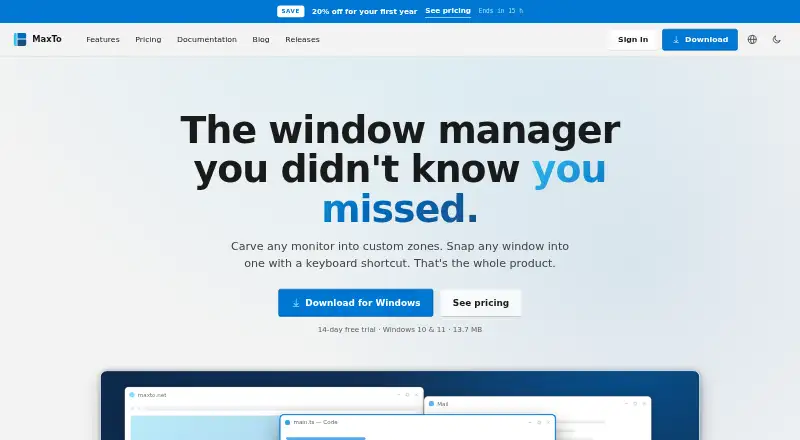
MaxTo is a Windows window manager that divides each monitor into custom zones and snaps windows into them with keyboard shortcuts. Rows and columns can be set independently for every monitor, and layouts can be saved as presets. Multiple monitors with mixed resolutions and scaling are supported. In MaxTo 3.1, holding Shift while snapping can remember a position for a particular application, so later windows from that application move there automatically. Dragging a window shows the zones, and the product describes snapping as zero-lag and built for 120 Hz. MaxTo runs in the background without telemetry and is translated into 32 languages, including right-to-left text. Downloads cover Windows 10 and 11 in x64, x86, and ARM64 versions, with portable builds. A 14-day trial provides full functionality without signup; afterward, layouts remain editable but snapping needs a license. Home licenses are for personal computers, while Business supports work-managed devices.
Who it suits
MaxTo suits Windows users who arrange windows across one or more monitors and want saved layouts or application-specific positions. Businesses using domain, Entra ID, or MDM-managed computers need the Business plan.
What it does well
- Custom rows and columns per monitor
- Supports mixed-resolution multi-monitor setups
- Application rules remember window positions
- 14-day full trial requires no signup
- No telemetry and 32-language translation
What to know first
- Windows-only software
- Snapping requires a license after the trial
- Home licenses exclude work-managed PCs
- Home Yearly costs €19 a year
Plans
| Plan | Billed and limits | Price |
|---|---|---|
| Home Yearly | Billed yearly · €19 · Personal use · Up to 5 personal PCs · Unlimited presets and monitors · Priority email support · Not for work-managed PCs | €19 a year |
| Business Yearly | €3.25 /month · Billed yearly · €39 · One license per PC · Work-managed PCs allowed · Volume licensing · Priority email support | €39 a year |
| Home Lifetime | €79 once · Personal use · Up to 5 personal PCs · Unlimited presets and monitors · Priority email support · Not for work-managed PCs | €79, paid once |
As maxto.net lists them, read 11 Oct 2026. The maker's own page has the final word.
Verdict
MaxTo provides configurable monitor zones, presets, and remembered application positions for Windows. Its trial lets you evaluate full snapping, but work-managed computers require Business licensing and continued snapping is paid.
Facts from MaxTo's own pages
- Business eligibility
- Home licenses do not work on work-managed computers joined to a domain, Entra ID, or MDM; the Business plan supports those devices. · maxto.net, 11 Oct 2026
- Custom layouts
- Users can choose rows and columns independently for each monitor and save frequently used positions as presets. · maxto.net, 11 Oct 2026
- Headquarters
- Norway · maxto.net, 28 Sept 2026
- Installation
- The installer runs for the user's account and does not require admin rights. · maxto.net, 11 Oct 2026
- Languages
- MaxTo is translated into 32 languages and supports right-to-left text. · maxto.net, 11 Oct 2026
- Maker
- The site identifies Domi.no AS as MaxTo's developer and licensor and says the company is based in Norway. · maxto.net, 11 Oct 2026
- Multi-monitor
- MaxTo supports multiple monitors with mixed resolutions and scaling. · maxto.net, 11 Oct 2026
- Privacy
- The privacy policy says payment card and bank details are processed by Paddle and are not stored on MaxTo's servers. · maxto.net, 11 Oct 2026
- Product
- MaxTo is a Windows window manager that divides monitors into custom zones and snaps windows into them with keyboard shortcuts. · maxto.net, 11 Oct 2026
- Refunds
- The purchase terms offer a no-questions-asked 60-day refund policy. · maxto.net, 11 Oct 2026
- Security and compliance
- The privacy policy describes HTTPS/TLS in transit, secure password hashing, access controls, and GDPR data rights. · maxto.net, 11 Oct 2026
- Snap behavior
- The site describes dragging windows with live zone highlighting and zero-lag snapping, built for 120 Hz. · maxto.net, 11 Oct 2026
- Support
- The site provides documentation and support by email, and paid plans list priority email support. · maxto.net, 11 Oct 2026
- Supported OS
- The download page lists Windows 10 and Windows 11, with x64, x86, and ARM64 downloads and portable builds. · maxto.net, 11 Oct 2026
- Telemetry
- The product page says MaxTo runs quietly in the background and has no telemetry. · maxto.net, 11 Oct 2026
- Trial
- The download page offers a free 14-day trial with full functionality and no signup required; after the trial, layouts remain editable but snapping requires a license. · maxto.net, 11 Oct 2026
- Window positioning
- In MaxTo 3.1, snapping a window while holding Shift lets MaxTo remember that position for the application and move new windows there automatically. · maxto.net, 11 Oct 2026
Where MaxTo stands on Freedom251
- Window Management Software#50 of 65