Freedom251 › AI Motion Capture Software
MocapX
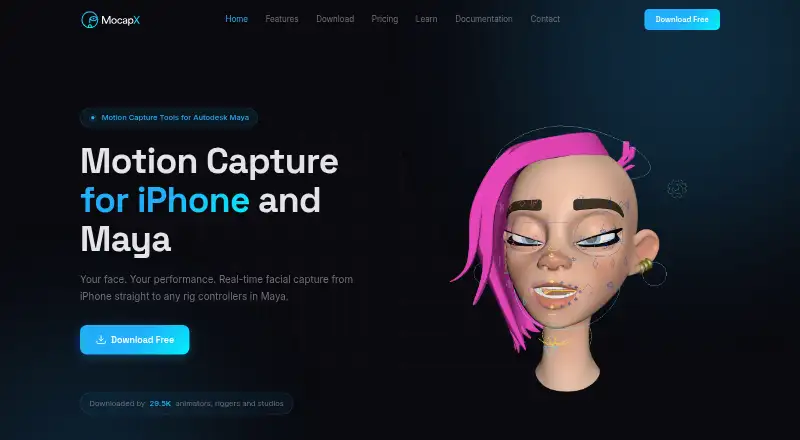
What MocapX is
MocapX uses an iPhone or iPad as a motion-capture source for character animation in Autodesk Maya. Its facial capture tracks 52 ARKit-compatible expressions, plus head movement, gaze direction, and blinks in real time. MocapX says supported devices can capture at 60 frames per second. Captured performances can drive custom, commercial, controller-based, blendshape, or hybrid Maya rigs; the maker says Advanced Skeleton works out of the box. A Maya plug-in includes a Pose Library for mapping expressions to rig controllers and can bake performances into Maya keyframes. Other described tools include 2D character tracking, iPhone-based virtual camera tracking, game-controller input, and full-body tracking.
The free Maya plug-in receives live data from the iOS app over WiFi or USB and supports Maya 2024, 2025, and 2026 in version 2.2.2. The subscription is for the iOS app. Plans are $19.99 a month, $199 a year, or 499.00 USD one-time. All plans include commercial usage rights, with no restrictions on using captured motion in projects. Facial capture requires iOS or iPadOS 15.0 or later and a Face ID TrueDepth camera. MocapX describes itself as designed for professional animators and studios.
Who it suits
MocapX suits professional animators and studios that want to capture facial or other motion with an iPhone or iPad and use it in Autodesk Maya. It is also relevant to Maya users working with supported rigs or looking for camera, body, or 2D tracking features.
What it does well
- Tracks 52 expressions, head movement, gaze, and blinks in real time.
- Supports custom, commercial, controller-based, blendshape, and hybrid Maya rigs.
- Free Maya plug-in streams over WiFi or USB.
- All plans include commercial usage rights.
- Recorded performances can be baked to Maya keyframes.
What to know first
- Facial capture requires an iOS or iPadOS device with Face ID TrueDepth.
- The iOS app requires iOS or iPadOS 15.0 or later.
- Complex rigs may reduce real-time performance depending on computer hardware.
Limits
Facial capture requires iOS or iPadOS 15.0 or later and a Face ID TrueDepth camera. Complex rigs may reduce real-time performance depending on the computer's processing power and graphics card.
Plans
| Plan | Billed and limits | Price |
|---|---|---|
| Yearly | Yearly · Real-time facial capture · Offline recording · Camera tracking · Body tracking · 2D motion tracking · WiFi & USB support | $199 a year |
| Monthly | Monthly · Real-time facial capture · Offline recording · Camera tracking · Body tracking · 2D motion tracking · WiFi & USB support | $19.99 a month |
| Lifetime | One-time · All current features · All future features · Lifetime updates · No recurring fees · WiFi & USB support | $499, paid once |
As mocapx.com lists them, read 29 Sept 2026. The maker's own page has the final word.
Getting started
- Visit https://www.mocapx.com/ to review the app and plans.
- Install the iOS app on an iPhone or iPad running iOS or iPadOS 15.0 or later.
- For facial capture, use a device with a Face ID TrueDepth camera.
- Download the free Maya plug-in and connect the app to Maya over WiFi or USB.
- Choose the monthly, yearly, or lifetime app plan that fits your billing preference.
Verdict
Choose MocapX if you need iPhone or iPad motion capture for an Autodesk Maya animation workflow, including real-time facial tracking and multiple rig types. Look elsewhere if you cannot meet the facial-capture device requirements or if complex rigs make real-time performance unsuitable on your computer.
Questions
Is MocapX free?
The Maya plug-in is free to download, and the app has a free plan. Paid app plans are $19.99 a month, $199 a year, or 499.00 USD one-time.
Which platforms does MocapX support?
The listed platforms are iOS, macOS, and Windows. Facial capture runs on iOS or iPadOS 15.0 or later and needs a Face ID TrueDepth camera.
Does MocapX work with Autodesk Maya?
Yes. Its plug-in supports Maya 2024, 2025, and 2026 in version 2.2.2, and receives data over WiFi or USB.
What does MocapX capture?
It describes real-time facial capture, 2D character tracking, iPhone-based virtual camera tracking, game-controller input, and full-body tracking.
Can captured motion be used commercially?
The maker says all plans include commercial usage rights and do not restrict use of captured motion data in projects.
Facts from MocapX's own pages
- Animation workflow
- The Maya plug-in includes a Pose Library for mapping expressions to rig controllers and can bake captured performances to Maya keyframes. · mocapx.com, 29 Sept 2026
- Capture rate
- MocapX states that it captures at 60 frames per second on supported devices. · mocapx.com, 29 Sept 2026
- Commercial use
- The maker says all plans include commercial usage rights and place no restrictions on use of captured motion data in projects. · mocapx.com, 29 Sept 2026
- Data connection
- The Maya plug-in receives live data over WiFi or USB, and its documentation describes saving recorded clips directly to disk for local playback. · mocapx.com, 29 Sept 2026
- Device requirements
- The app requires iOS or iPadOS 15.0 or later, and facial capture requires a device with a Face ID TrueDepth camera. · mocapx.com, 29 Sept 2026
- Facial capture
- The app tracks 52 ARKit-compatible facial expressions, head movement, gaze direction, and blinks in real time. · mocapx.com, 29 Sept 2026
- Free plug-in
- The Maya plug-in is free to download; the pricing page says the subscription is for the iOS app. · mocapx.com, 29 Sept 2026
- Headquarters
- Prague, Czech Republic · mocapx.com, 28 Sept 2026
- Integrations
- The maker documents streaming between its iOS app and Autodesk Maya over WiFi or USB and says the plug-in supports Maya 2024, 2025, and 2026 in version 2.2.2. · mocapx.com, 29 Sept 2026
- Intended users
- The maker describes MocapX as designed for professional animators and studios. · mocapx.com, 29 Sept 2026
- Other capture
- MocapX describes 2D character tracking, iPhone-based virtual camera tracking, game-controller input, and full-body tracking features. · mocapx.com, 29 Sept 2026
- Performance limit
- The maker says complex rigs may reduce real-time performance depending on the computer's processing power and graphics card. · mocapx.com, 29 Sept 2026
- Privacy
- The privacy policy says TrueDepth camera images and depth data are used to determine facial-feature positions and are not stored on MocapX servers or used to identify users. · mocapx.com, 29 Sept 2026
- Product
- MocapX captures motion on iPhone or iPad and sends it to Autodesk Maya for character animation. · mocapx.com, 29 Sept 2026
- Rig support
- Captured data can drive custom, commercial, controller-based, blendshape, or hybrid Maya rigs; the maker says Advanced Skeleton works out of the box. · mocapx.com, 29 Sept 2026
- Support
- MocapX provides installation guides, device requirements, tutorials, documentation, and contact by email at [email protected]. · mocapx.com, 29 Sept 2026
Where MocapX stands on Freedom251
- AI Motion Capture Software#7 of 27