Freedom251 › Predictive Analytics Software
MLJAR AutoML
What MLJAR AutoML is
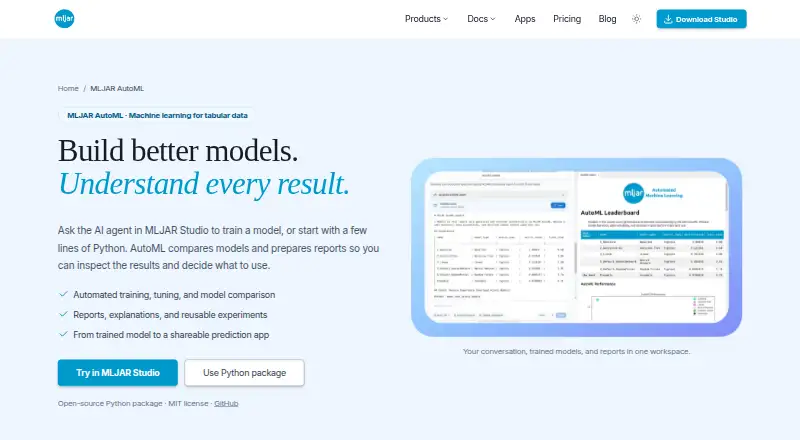
MLJAR AutoML automates supervised machine learning for tabular data, covering binary and multiclass classification and regression. You can use it in MLJAR Studio notebooks or run its open-source Python package in scripts and notebooks. The package is licensed under MIT and costs nothing. Its four modes—Explain, Perform, Compete, and Optuna—let users configure algorithms, validation, metrics, time budgets, and explanations. Depending on the chosen mode and settings, it can preprocess data, select and tune models, engineer and select features, and create ensembles. Experiments can include model comparisons, validation results, training times, explanations, and saved artifacts, with summaries in Markdown and JSON. Fairness-aware training evaluates models against a selected metric and threshold and can try sample reweighting, but does not guarantee a fair model. The Python package integrates with Mercury to create apps for single or batch CSV predictions; those apps can be previewed locally, published through MLJAR Platform, or self-hosted with Docker. Reports and explanations vary by task and configuration.
Who it suits
It suits people building supervised models from tabular data who want configurable training workflows and experiment reports. Mercury integration may also suit users who want to present single or batch CSV predictions through an app.
What it does well
- MIT-licensed Python package costs nothing.
- Four training modes offer configurable workflows.
- Experiment summaries are available in Markdown and JSON.
- Mercury apps support single and batch CSV predictions.
What to know first
- Designed for supervised tabular tasks.
- Reports and explanations depend on task and settings.
- Privacy policy advises against unauthorized sensitive or regulated data in AI features.
Limits
The free Python package is for supervised tabular tasks. Reports and explanations depend on the task, mode, algorithms, and explanation settings; fairness-aware training does not guarantee a fair model.
Plans
| Plan | Billed and limits | Price |
|---|---|---|
| mljar-supervised Python package | Open-source · MIT license | Free |
| Free | 50 prompts / month · 10 published conversations · 1 public Mercury web app | Free |
| Perpetual license | one payment · yours forever · 1 year of updates · local LLMs with Ollama · bring your own provider keys | $199, paid once |
| Pro | 500 prompts / month · 50 published conversations · 3 public Mercury web apps · 1 private Mercury web app | $20 a month |
| Business | 2,000 prompts / month · 200 published conversations · 10 public Mercury web apps · 3 private Mercury web apps | $60 a month |
As mljar.com lists them, read 9 Oct 2026. The maker's own page has the final word.
Getting started
- Open the MLJAR AutoML website.
- Choose MLJAR Studio notebooks or the open-source Python package.
- Run the package in a script or notebook, or use MLJAR Studio notebooks.
- Select Explain, Perform, Compete, or Optuna and configure training settings.
- For prediction apps, use the Mercury integration and preview locally, publish through MLJAR Platform, or self-host with Docker.
MLJAR AutoML gives Python users a configurable route through supervised machine learning on tabular data. It is most useful for classification and regression workflows where model evaluation and reusable experiment summaries matter. Its main boundary is firm: it is not built for forecasting or time-series modeling.
Overview
You can run MLJAR AutoML in MLJAR Studio notebooks or use its open-source Python package in scripts and notebooks. Depending on the selected mode and settings, it can preprocess data, select and tune models, engineer and select features, and create ensembles. That can automate a substantial part of a modeling workflow, but users remain responsible for choosing algorithms, validation, metrics, and a time budget appropriate to the task.
Experiments can provide model comparisons, validation results, training times, explanations, and reusable saved artifacts. Structured summaries can be produced in Markdown and JSON. The reports and explanations vary with the task, mode, algorithms, and explanation settings, so the output is not identical for every run.
Key features
Four configurable training modes
Explain, Perform, Compete, and Optuna offer different modes of training, with configurable algorithms, validation, metrics, time budget, and explanations. This makes the tool adaptable to different modeling priorities; it also means users need enough machine-learning judgment to set up a meaningful comparison rather than relying on one fixed recipe.
Fairness-aware evaluation
Fairness-aware training evaluates models against a chosen metric and threshold and can try sample reweighting to mitigate disparities. That provides a way to bring fairness considerations into a workflow, but it does not guarantee a fair model; users should treat it as an evaluation and mitigation aid, not a certification.
Prediction apps and deployment
The Python package integrates with Mercury to generate apps for single predictions and batch CSV predictions. Those apps can be previewed locally, published through MLJAR Platform, or self-hosted with Docker. The deployment path is useful when a trained model needs a simple prediction interface, though it centers on generated Mercury apps rather than a general forecasting workflow.
Pricing
The mljar-supervised Python package is free and open source under the MIT license. It is the direct choice for users who want the AutoML package itself without a subscription. The separately priced Mercury plans add prompt, published-conversation, and public or private web-app allowances; those quotas apply to Mercury, not to the package's training modes.
- Free: free, with 50 prompts / month, 10 published conversations, and 1 public Mercury web app. It gives a limited way to use Mercury, with no private app allowance stated.
- Pro: $20 a month, with 500 prompts / month, 50 published conversations, 3 public Mercury web apps, and 1 private Mercury web app. This suits an individual or small project that needs more Mercury capacity and a private app.
- Business: $60 a month, with 2,000 prompts / month, 200 published conversations, 10 public Mercury web apps, and 3 private Mercury web apps. It fits heavier Mercury use or a larger set of published apps.
- Perpetual license: $199, paid once, billed as one payment, yours forever, with 1 year of updates, local LLMs with Ollama, and bring your own provider keys. This is a separate Mercury license option, not a replacement price for the open-source package.
The free package is the lowest-cost way to run AutoML, while Mercury's free tier is capped at 50 prompts / month and 1 public app. There is no free trial. The published plan terms give quotas and update coverage where stated, but no seat limits or renewal terms to weigh.
Platforms
MLJAR AutoML supports Linux, macOS, and Windows, and can be used through web and self-hosted options. The Python package, notebook workflow, and Docker self-hosting make it relevant to users who want to work locally or manage deployment themselves. MLJAR's privacy policy describes SSL/TLS encrypted connections, access controls, and authentication mechanisms; it also advises against submitting sensitive or regulated data to AI features unless authorized.
Who it's for
This is a good fit for analysts and Python users working on supervised tabular classification or regression who want automated preprocessing, model selection, tuning, and experiment comparison without surrendering control over training settings. It is less suitable for teams whose core need is time-series modeling, forecasting, or a fairness guarantee. MLJAR identifies Aleksandra Płońska as Founder and Executive Director and Piotr Płoński as Founder and CTO; its About page invites users to contact the team with questions.
Pros and cons
- Pro: Four configurable training modes let users align workflows with different modeling goals instead of accepting a single fixed pipeline.
- Pro: Model comparisons, validation results, timings, explanations, and saved artifacts make experiments easier to review and reuse.
- Pro: The open-source Python package costs nothing and supports both scripts and notebooks.
- Con: Its scope is supervised tabular data; forecasting and time-series modeling are not supported.
- Con: Report and explanation coverage depends on task and configuration, while users must still choose appropriate validation and metrics.
- Con: Fairness-aware evaluation can attempt mitigation but cannot ensure that the resulting model is fair.
Alternatives
For a free open-source Python library, AutoGluon is a relevant alternative. If you want a free, open-source visual analytics platform, consider KNIME Analytics Platform; Orange Data Mining is another free software option. For forecasting specifically, Prophet is an open-source forecasting tool with R and Python implementations, a closer fit than MLJAR AutoML's tabular classification and regression scope.
Weka, Aible, and Amazon SageMaker Autopilot are also alternatives to consider. ZebraDesigner is another listed option.
Browse more tools in AutoML Software or Predictive Analytics Software.
Verdict
Choose MLJAR AutoML if you need configurable supervised learning for tabular classification or regression, with experiment reports and a free open-source Python package. Its combination of automation and adjustable training settings is the reason to choose it. Look elsewhere if your work depends on forecasting or time-series models, or if you need fairness guarantees rather than an evaluation and mitigation attempt.
Verdict
MLJAR AutoML combines configurable training modes with tabular model workflows and experiment reporting. Its task scope and variable reports are worth considering before choosing it.
Questions
How much does MLJAR AutoML cost?
The mljar-supervised Python package is free and is open source under the MIT license.
Is there a free plan or trial?
The Python package is free. A free trial is not offered.
Which platforms does it support?
Listed platforms are Linux, macOS, self-hosted, web, and Windows.
What types of machine learning tasks does it handle?
It automates supervised tabular machine learning for binary classification, multiclass classification, and regression. Forecasting and time-series modeling are not supported.
Can models be deployed as prediction apps?
The Python package integrates with Mercury for single predictions and batch CSV predictions. Apps can be previewed locally, published through MLJAR Platform, or self-hosted with Docker.
Who makes MLJAR AutoML?
MLJAR is headquartered in Łapy, Poland. Aleksandra Płońska is Founder and Executive Director, and Piotr Płoński is Founder and CTO.
Facts from MLJAR AutoML's own pages
- Automated workflow
- AutoML can preprocess data, select and tune models, engineer and select features, and create ensembles when enabled by the selected mode and configuration. · mljar.com, 9 Oct 2026
- Company
- MLJAR identifies Aleksandra Płońska as Founder and Executive Director and Piotr Płoński as Founder and CTO. · mljar.com, 9 Oct 2026
- Deployment
- Generated Mercury apps can be previewed locally, published through MLJAR Platform, or self-hosted with Docker. · mljar.com, 9 Oct 2026
- Fairness
- Fairness-aware training evaluates models against a chosen metric and threshold and can try mitigation through sample reweighting, but does not guarantee a fair model. · mljar.com, 9 Oct 2026
- Headquarters
- Łapy, Poland · mljar.com, 28 Sept 2026
- Integrations
- The Python package integrates with Mercury to generate prediction apps that support single predictions and batch CSV predictions. · mljar.com, 9 Oct 2026
- Models and reports
- Experiments include model comparisons, validation results, training times, explanations, and reusable saved artifacts, with structured summaries available in Markdown and JSON. · mljar.com, 9 Oct 2026
- Notable limits
- MLJAR AutoML is designed for supervised tabular tasks, and the available reports and explanations depend on the task, mode, algorithms, and explanation settings. · mljar.com, 9 Oct 2026
- Purpose
- MLJAR AutoML automates supervised machine learning for tabular data, including binary classification, multiclass classification, and regression. · mljar.com, 9 Oct 2026
- Security and privacy
- The privacy policy says MLJAR uses SSL/TLS encrypted connections, access controls, and authentication mechanisms, and advises users not to submit sensitive or regulated data to AI features unless authorized. · mljar.com, 9 Oct 2026
- Support
- MLJAR’s About page invites users to contact the team with questions and says they are happy to help. · mljar.com, 9 Oct 2026
- Training modes
- The four modes are Explain, Perform, Compete, and Optuna, with defaults that users can configure for algorithms, validation, metrics, time budget, and explanations. · mljar.com, 9 Oct 2026
- Ways to use
- Users can run AutoML through MLJAR Studio notebooks or use the open-source Python package in scripts and notebooks. · mljar.com, 9 Oct 2026
Where MLJAR AutoML stands on Freedom251
- Predictive Analytics Software#7 of 37
- AutoML Software#12 of 30