Freedom251 › AI Audio-to-MIDI Software
MIDIFLOW
What MIDIFLOW is
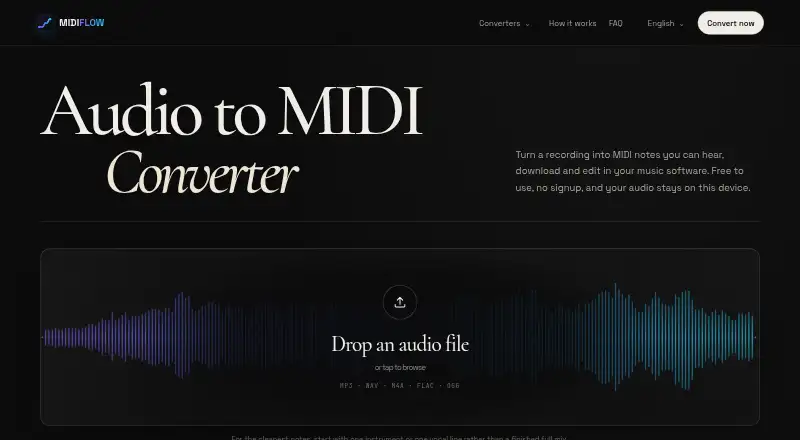
MIDIFLOW turns recordings into editable MIDI files that you can download and continue working with in music software. It accepts MP3, WAV, M4A, FLAC and OGG files. The browser downloads Spotify’s open-source Basic Pitch model and processes audio on your device rather than sending it to an audio-processing server. After transcription, you can listen to the original alongside a synthesized MIDI preview and adjust the note threshold to exclude quieter or fewer notes. Output may include detected pitches, note timing and duration, velocity, and eligible pitch-bend events. MIDIFLOW provides import guidance for Ableton Live, Logic Pro and FL Studio. The project characterizes the result as a starting point for editing, with dense arrangements less reliable than a single melody. It is free forever at no cost, with no signup, watermark, payment or credit system. Musicians can use the MIDI to change sounds, reharmonize or continue an AI-generated idea in a DAW.
Who it suits
MIDIFLOW suits musicians who want to turn audio into editable MIDI for a DAW, including those working from an AI-generated music idea. It is also a fit for users who prefer local audio processing in a browser.
What it does well
- Accepts five common audio formats.
- Processes selected audio on the user’s device.
- Preview MIDI alongside the original recording.
- MIDI can include velocity and pitch-bend events.
- Free forever, with no signup or watermark.
What to know first
- Dense arrangements are less reliable than melodies.
- Very large files may exceed device memory.
- No free trial is listed.
Limits
There is no signup, payment, credit system or server upload limit. Transcriptions are an editable first pass, with dense arrangements less reliable than a single melodic line; very large files can run out of device memory, especially on phones.
Plans
| Plan | Billed and limits | Price |
|---|---|---|
| Free | Free forever · No signup · no watermark · no payment, credit system or server upload limit | Free |
As audiomidi.org lists them, read 9 Oct 2026. The maker's own page has the final word.
Getting started
- Open https://audiomidi.org/ in a web browser.
- Choose an MP3, WAV, M4A, FLAC or OGG recording.
- Review the transcription against the synthesized MIDI preview and adjust the note threshold if needed.
- Download the MIDI and follow the site's import instructions for Ableton Live, Logic Pro or FL Studio.
Verdict
MIDIFLOW offers a free, browser-based route from audio to editable MIDI, with preview and note-threshold controls. Its results are an initial pass, and large files or dense recordings may be less suitable.
Questions
How much does MIDIFLOW cost?
The Free plan costs nothing, billed Free forever.
Do I need an account or can I try a free trial?
No signup is required. MIDIFLOW has no free trial because it is free to use.
Which audio formats can it process?
It accepts MP3, WAV, M4A, FLAC and OGG files.
Does MIDIFLOW upload recordings to a processing server?
The browser downloads Spotify’s open-source Basic Pitch model and processes the selected recording on the user's device, without uploading the audio to an audio-processing server.
Which music software does it support?
The site provides MIDI import instructions for Ableton Live, Logic Pro and FL Studio.
Facts from MIDIFLOW's own pages
- Accuracy limits
- The site describes results as an editable first pass and says dense arrangements are less reliable than a single melodic line. · audiomidi.org, 9 Oct 2026
- DAW compatibility
- The site gives import instructions for Ableton Live, Logic Pro and FL Studio. · audiomidi.org, 9 Oct 2026
- Device limit
- Very large files can run out of device memory, especially on a phone. · audiomidi.org, 9 Oct 2026
- Editing controls
- Users can compare the original audio with a synthesized MIDI preview and adjust a note threshold to include fewer or quieter notes. · audiomidi.org, 9 Oct 2026
- Input formats
- It accepts MP3, WAV, M4A, FLAC and OGG audio files. · audiomidi.org, 9 Oct 2026
- Intended users
- The site describes MIDI as useful for reharmonizing, replacing sounds or continuing an AI-generated music idea in a DAW. · audiomidi.org, 9 Oct 2026
- Local processing
- The browser downloads the model and processes the selected recording on the user’s device without uploading the audio to an audio-processing server. · audiomidi.org, 9 Oct 2026
- MIDI output
- The downloaded MIDI can include detected note pitches, start times, durations, velocity and eligible pitch-bend events. · audiomidi.org, 9 Oct 2026
- Model
- Transcription uses Spotify’s open-source Basic Pitch model, which runs in the browser. · audiomidi.org, 9 Oct 2026
- Privacy
- The policy says MIDIFLOW does not currently run advertising, behavioral tracking or a first-party analytics service. · audiomidi.org, 9 Oct 2026
- Purpose
- MIDIFLOW converts audio recordings into editable MIDI notes that can be downloaded and edited in music software. · audiomidi.org, 9 Oct 2026
- Security
- The policy says local processing reduces audio exposure but that no website or network transmission can be guaranteed completely secure. · audiomidi.org, 9 Oct 2026
- Support
- Users can contact MIDIFLOW at [email protected]. · audiomidi.org, 9 Oct 2026
Where MIDIFLOW stands on Freedom251
- AI Audio-to-MIDI Software#15 of 29