Freedom251 › Disk Diagnostic Software
MHDD
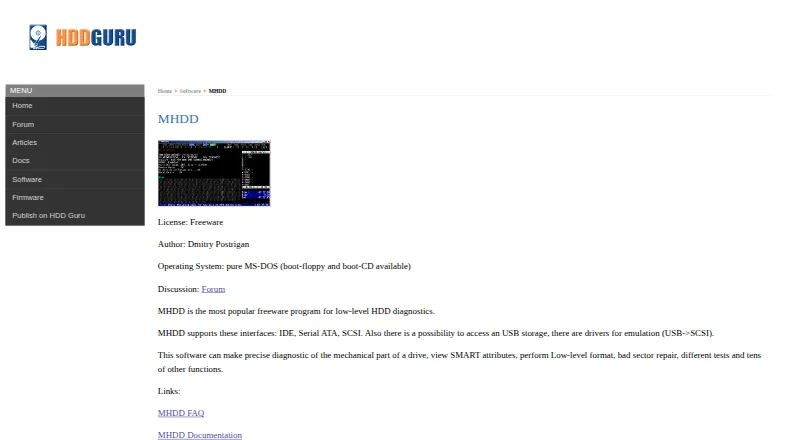
What MHDD is
MHDD is a free tool for low-level hard drive diagnostics and management. It scans drives, displays SMART attributes, tests drives, and records scan results. It supports IDE, Serial ATA, and SCSI drives, and can access USB storage through USB-to-SCSI emulation drivers. Drive commands include erasing at a low level, reading and writing sectors, remapping bad sectors, and changing drive size with HPA. A simple scripting engine and batch-file support can run tests without an operator. The maker offers the software as a CD image, a self-extracting floppy image, or an executable archive. Its manual lists an Intel Pentium or later, 4 megabytes of RAM, a keyboard, and DR-DOS or MS-DOS 6.22 or later. Some AHCI controllers may not be recognized; the manual suggests switching to IDE or Legacy mode if needed. MHDD can damage a drive or cause data loss, so the manual advises backing up before erase or remap operations. Its documentation says the tool is difficult for people without deep knowledge of disk drives.
Who it suits
MHDD suits users who need drive scanning, SMART checks, or low-level drive operations and already understand disk drives. It is a poor fit for users without that technical knowledge.
What it does well
- Freeware with no listed charge.
- Scans drives and views SMART attributes.
- Supports IDE, Serial ATA, and SCSI.
- Batch files can run tests unattended.
- Includes low-level erase and bad-sector remapping.
What to know first
- Some AHCI controllers may not be recognized.
- Erase or remap operations can cause data loss.
- The manual warns it is difficult for inexperienced users.
Limits
MHDD is free, with the listed plan at no cost. Some AHCI controllers may not be recognized, and the manual says the utility is difficult for users without deep knowledge of disk drives.
Plans
| Plan | Billed and limits | Price |
|---|---|---|
| MHDD | Freeware · runs on pure MS-DOS · supports IDE, Serial ATA and SCSI | Free |
As hddguru.com lists them, read 29 Sept 2026. The maker's own page has the final word.
Getting started
- Visit the MHDD product page.
- Choose the CD image, self-extracting floppy image or executable archive.
- Prepare a system matching the manual’s listed hardware and DOS requirements.
- If an AHCI controller is not recognized, switch it to IDE or Legacy mode if needed.
- Back up the drive before erase or remap operations.
Verdict
MHDD offers a broad set of low-level diagnostics and drive commands at no cost. Its potential for data loss and steep learning curve make preparation and drive knowledge important.
Questions
Is MHDD free?
Yes. It is freeware, and the listed plan costs nothing.
Which drives can MHDD access?
It supports IDE, Serial ATA and SCSI. USB storage can be accessed using USB-to-SCSI emulation drivers.
What operating system does MHDD use?
The listed platform is Linux, while the plan describes it as running on pure MS-DOS. The manual names DR-DOS or MS-DOS 6.22 or later among its requirements.
What can MHDD do?
It can scan drives, view SMART attributes, test drives and log scan results. It also supports low-level erase, sector reading and writing, bad-sector remapping and HPA drive-size changes.
How is MHDD distributed?
The maker offers a CD image, self-extracting floppy image or archive of executable files.
Who makes MHDD?
The product page links to an MHDD discussion forum, FAQ and documentation, but the listed facts do not name its maker.
Facts from MHDD's own pages
- Compatibility limits
- The manual says some AHCI controllers may not be recognized and suggests switching them to IDE or Legacy mode if needed. · hddguru.com, 29 Sept 2026
- Data safety
- The manual warns that MHDD can cause damage or data loss and advises backing up a drive before erase or remap operations. · hddguru.com, 29 Sept 2026
- Diagnostics
- It can scan drives, view SMART attributes, test drives and log scan results. · hddguru.com, 29 Sept 2026
- Distribution
- The maker offers MHDD as a CD image, self-extracting floppy image, or archive of executable files. · hddguru.com, 29 Sept 2026
- Drive access
- It supports IDE, Serial ATA and SCSI, and can access USB storage using USB-to-SCSI emulation drivers. · hddguru.com, 29 Sept 2026
- Drive operations
- Commands include low-level erase, sector reading and writing, bad-sector remapping, and changing drive size with HPA. · hddguru.com, 29 Sept 2026
- Hardware requirements
- The manual lists an Intel Pentium or higher, 4 megabytes of RAM, DR-DOS or MS-DOS 6.22 or higher, and a keyboard. · hddguru.com, 29 Sept 2026
- Intended users
- The manual says MHDD is not easy for users without deep knowledge of how disk drives work. · hddguru.com, 29 Sept 2026
- Purpose
- MHDD is a freeware tool for low-level hard drive diagnostics and management. · hddguru.com, 29 Sept 2026
- Scripting
- MHDD includes a simple scripting engine and supports batch files for running tests without an operator. · hddguru.com, 29 Sept 2026
- Support
- The product page links to an MHDD discussion forum, FAQ and documentation. · hddguru.com, 29 Sept 2026
Where MHDD stands on Freedom251
- Disk Diagnostic Software#13 of 26