Freedom251 › Podcast Transcription Software

mercuryScribe
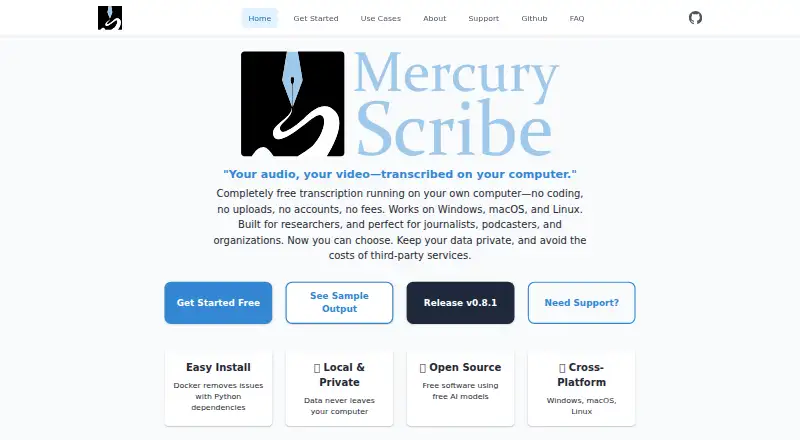
What mercuryScribe is
mercuryScribe is a locally run web interface for transcribing audio and video files. It uses Faster Whisper for speech transcription and pyannote models to distinguish speakers. Users can edit transcripts in a browser, save changes to VTT files, and generate HTML or DOCX output with speaker names and timestamps. The FAQ says audio, transcripts, and metadata are not sent to external services, while models are obtained from Hugging Face. Users need a Hugging Face access token and must accept the required model terms. MAXQDA support is included by default, and custom integrations can be developed. Documented installation options include Docker, a Windows package, and a Python package. The software is free and open source under the MIT license for personal, academic, or commercial use. It supports Linux, macOS, Windows, and web access. The maker describes it as built for researchers and also suitable for journalists, podcasters, organizations, educators, accessibility groups, and professionals. Professional services include installation help, training, workshops, and private server setup with GPUs; enterprise support may include priority support, custom installations, SLAs, and pre-configured solutions.
Who it suits
mercuryScribe suits researchers and others transcribing audio or video, including journalists, podcasters, educators, and accessibility groups. Its local operation and browser editing may appeal to users who want to manage transcripts without sending their audio, transcripts, or metadata to external services.
What it does well
- Free and open source under the MIT license.
- Audio, transcripts, and metadata are not sent to external services.
- Supports speaker distinction and transcript editing.
- Exports VTT, HTML, and DOCX files.
- Runs on Linux, macOS, Windows, and web.
What to know first
- Requires a Hugging Face access token.
- Users must accept terms for required models.
- HIPAA or GDPR suitability depends on implementation.
Plans
| Plan | Billed and limits | Price |
|---|---|---|
| Free | No licensing fees · Personal, academic, and commercial use · core software free and open-source | Free |
As mercuryscribe.com lists them, read 15 Oct 2026. The maker's own page has the final word.
Getting started
- Visit https://www.mercuryscribe.com/.
- Choose a documented installation route: Docker, the Windows package or the Python package.
- Obtain a Hugging Face access token and accept the terms for the required models.
- Run the locally hosted web interface and provide audio or video files for transcription.
- Edit the transcript in the browser and save changes as VTT, or generate HTML or DOCX output.
mercuryScribe is a locally run transcription tool for people who need to turn audio and video into editable, speaker-attributed text. It is best suited to researchers and teams who want control over media processing, rather than a managed cloud workflow.
Overview
Faster Whisper handles transcription, while pyannote models distinguish speakers. Users can edit transcripts in a browser, save changes to VTT files, and export HTML or DOCX files with speaker names and timestamps. That combination is practical for interviews, research recordings, and caption work where attribution and editable output matter.
The FAQ says audio, transcripts, and metadata are not sent to external services, but the models are downloaded from Hugging Face. Users must obtain an access token and accept the terms for the required models, adding a setup step before use. Local processing is not by itself a compliance guarantee: HIPAA or GDPR suitability depends on the user's implementation and should be assessed with their compliance team.
MAXQDA support is included by default, and custom integrations can be developed. Installation routes include Docker, a Windows package, and Python package installation. Professional services cover installation help, team training, workshops, and private server setup with GPUs; enterprise support may include priority support, custom installations, SLAs, and pre-configured solutions.
Key features
- Transcription and speaker distinction: Faster Whisper and pyannote provide the core workflow for turning recordings into speaker-labelled text, useful when separating voices is important to review or analysis.
- Transcript editing and caption export: Browser editing and VTT saves let users revise the transcript and retain caption output.
- Document output: HTML and DOCX exports include speaker names and timestamps, making the result easier to use as a readable record.
- Local workflow: The FAQ says media, transcripts, and metadata stay off external services. Users still need to arrange model access through Hugging Face.
- Integration and deployment: Default MAXQDA support and Docker, Windows, and Python installation choices suit users prepared to manage their own setup.
Pricing
The software is free and open-source under the MIT license. The Free plan costs nothing and permits personal, academic, or commercial use. There is no free trial because the software itself is free. No paid software tier is required for the core product; professional services and enterprise support are separate options for users who need installation, training, private GPU server setup, or support arrangements such as SLAs.
The absence of a software charge makes mercuryScribe appealing for individuals, academic groups, and organizations able to handle setup themselves. The trade-off is operational: users must secure model access, install the software, and determine whether their deployment meets their own requirements.
Platforms
mercuryScribe supports Linux, macOS, web, and Windows. Documented installation options include Docker, a Windows package, and Python package installation.
Who it's for
Researchers are the clearest fit, particularly those working with interviews or recordings that benefit from speaker labels and editable transcripts. Journalists, podcasters, educators, accessibility groups, and other professionals may also value the local workflow and several output formats. It is less suitable for buyers who want a fully managed service or do not want to take responsibility for installation, model access, and compliance assessment.
Pros and cons
Pros
- No software charge: The MIT-licensed Free plan allows personal, academic, and commercial use.
- Useful transcript outputs: Speaker labels, timestamps, browser editing, VTT saves, and HTML or DOCX exports support both captioning and readable records.
- Local processing: The FAQ says audio, transcripts, and metadata are not sent to external services, which may suit users prioritizing control of their media.
- Research workflow support: Default MAXQDA support gives researchers a ready integration point, with custom integrations also possible.
Cons
- Setup is the user's responsibility: Hugging Face token access and acceptance of model terms are prerequisites, alongside installation.
- Compliance is deployment-specific: Local operation does not settle HIPAA or GDPR suitability; users must consult their compliance team.
- Paid help is separate: Teams needing installation, training, private GPU infrastructure, or enterprise support may need professional services.
Alternatives
For other tools to compare, see Podcast Transcription Software.
- Simon Says is worth considering for users who want a freemium option with a free trial and pay-as-you-go pricing.
- Happy Scribe may suit users who prefer a freemium service with a free plan that includes unlimited meeting recordings, 45 minutes per recording, and a 10-minute AI trial.
- OpenWhispr is an alternative for users seeking a free plan with weekly transcription and monthly meeting-recording limits alongside local AI models and cloud transcription.
- Speechmatics may fit users looking for API, self-hosted, or web deployment and a free plan with credits and real-time sessions.
- Rev is an option for users who want a freemium service with English-only AI transcription and caption minutes in its free plan.
- AssemblyAI is a paid alternative with free credits, suited to users considering API or self-hosted transcription.
- AudioPod AI is a freemium alternative with a free basic plan and pay-as-you-go credits.
- Whipscribe offers a freemium option with a free first transcript and a free trial.
Verdict
Choose mercuryScribe if you want free, locally run transcription with speaker distinction, editable VTT captions, and document exports, and are prepared to manage installation and model access. Look elsewhere if you need a managed workflow or expect local processing alone to establish compliance suitability.
Verdict
mercuryScribe offers local transcription, speaker distinction, transcript editing, and several output formats without a software charge. Users need to arrange Hugging Face model access, and compliance suitability depends on their implementation.
Questions
Is mercuryScribe free?
Yes. The software is free and open source under the MIT license, with personal, academic and commercial use allowed.
Does it offer a free trial?
No. It is free software, and no free trial is offered.
Which platforms does it support?
It supports Linux, macOS, Windows and the web. Documented installation options include Docker, a Windows package and a Python package.
What does it do with audio and transcripts?
Its FAQ says audio, transcripts and metadata are not sent to external services. Models are obtained from Hugging Face.
What is needed to access the models?
Users need a Hugging Face access token and must accept terms for the required models.
What integrations does it support?
MAXQDA support is the default, and custom integrations can be developed.
Facts from mercuryScribe's own pages
- Accuracy statement
- The FAQ says Faster Whisper Base typically reaches above 80% accuracy on clear English audio, depending on recording quality and language. · mercuryscribe.com, 15 Oct 2026
- API extensibility
- Professional services include API integrations with existing tools, but the public pages do not document a standalone public API. · mercuryscribe.com, 15 Oct 2026
- Batch processing
- The companion command-line interface supports batch transcription from the command line. · github.com, 15 Oct 2026
- Compliance
- The FAQ says suitability for HIPAA or GDPR depends on the user's implementation and advises consulting their compliance team. · mercuryscribe.com, 3 Oct 2026
- Custom integrations
- The provider offers custom integrations with content-management systems, analysis software, and other tools. · mercuryscribe.com, 15 Oct 2026
- Docker distribution
- A multi-architecture Docker web image is published through GitHub Container Registry. · pypi.org, 15 Oct 2026
- DOCX output
- The software generates DOCX files containing speaker and timestamp information. · github.com, 15 Oct 2026
- Editing
- Users can edit transcripts in a browser and save changes to VTT files. · github.com, 3 Oct 2026
- GPU deployment
- Enterprise deployments can use GPU acceleration for initial transcription and cheaper instances for editing and inspection. · mercuryscribe.com, 15 Oct 2026
- Headquarters
- Nashville, Tennessee, USA · mercuryscribe.com, 28 Sept 2026
- HTML output
- Transcription produces an HTML page containing the transcript and synchronized media playback. · github.com, 15 Oct 2026
- Install options
- The maker documents Docker, a Windows package, and Python package installation. · mercuryscribe.com, 3 Oct 2026
- Integration
- MAXQDA support is the default, and custom integrations can be developed. · mercuryscribe.com, 3 Oct 2026
- Intended users
- The maker describes it as built for researchers and suitable for journalists, podcasters, organizations, educators, accessibility groups, and professionals. · mercuryscribe.com, 3 Oct 2026
- Licence
- The maker states that mercuryScribe is open source under the MIT licence. · mercuryscribe.com, 15 Oct 2026
- Limit: model access
- Required Hugging Face models may require account creation, access requests, and acceptance of model terms. · github.com, 15 Oct 2026
- Limit: setup complexity
- The FAQ warns that installing Python dependencies can be difficult and recommends Docker for most users. · mercuryscribe.com, 15 Oct 2026
- Limit: Windows testing
- The project documentation says Windows support is not well tested. · pypi.org, 15 Oct 2026
- Local processing
- The application runs on the user’s computer or private server rather than requiring cloud transcription. · mercuryscribe.com, 15 Oct 2026
- MAXQDA integration
- DOCX timestamps are designed to be compatible with MAXQDA, which the maker identifies as the default integration. · mercuryscribe.com, 15 Oct 2026
- Model access
- Users need a Hugging Face access token and must accept terms for the required models. · mercuryscribe.com, 3 Oct 2026
- Output
- The tool generates HTML and DOCX files with speaker names and timestamps. · github.com, 3 Oct 2026
- Paid services
- Enterprise support may include priority support, custom installations, SLAs, and pre-configured solutions; the software itself is free. · mercuryscribe.com, 3 Oct 2026
- Performance statement
- The maker reports approximately real-time processing on tested Intel Linux and Intel or M2 Mac systems. · mercuryscribe.com, 15 Oct 2026
Where mercuryScribe stands on Freedom251
- Podcast Transcription Software#1 of 25