Freedom251 › Music Transcription Software

Melody Scanner
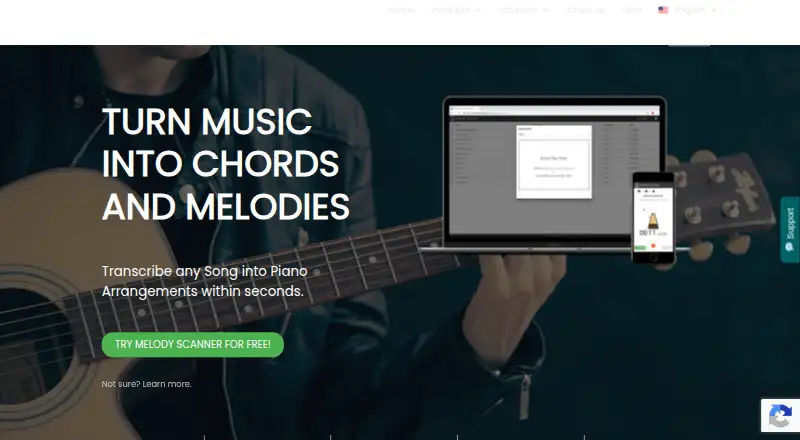
What Melody Scanner is
Melody Scanner turns music into piano arrangements, chords and melodies. Users can record music, upload MP3 or WAV files, or paste a YouTube link for transcription. Results can be reviewed and edited as sheet music, pianoroll or guitar TAB. Arrangement Mode creates piano arrangements matched to a player's difficulty and offers different styles. Lead Sheet Mode transcribes melody and chords for an instrument, while Universal Mode transcribes hearable notes from solo recordings of various instruments. Listed export formats include PDF sheet music and guitar TABs, MusicXML, MIDI and GuitarPro. The free plan allows recordings up to one minute and sheets up to 40 bars, with PDF export. The FAQ says the core feature is transforming songs into notes rather than providing an accurate transcription, a limitation to bear in mind when choosing it. Melody Scanner is available on Android, iOS and the web. Its paid options are $499 a month or $3,999 a year. Klangio, the maker, is based in Karlsruhe, Germany.
Who it suits
Melody Scanner suits musicians who want to turn recordings or YouTube links into editable notation, piano arrangements, chords or guitar TAB. The stated transcription limitation matters for users who need accuracy rather than a conversion into notes.
What it does well
- Accepts recordings, MP3, WAV and YouTube links
- Offers three transcription modes
- Edit results as sheet music, pianoroll or guitar TAB
- Exports PDF, MIDI, MusicXML and GuitarPro
- Free plan includes PDF export
What to know first
- Free recordings are limited to one minute
- Free sheets are limited to 40 bars
- FAQ cautions that transcription is not necessarily accurate
Limits
The Free plan limits recordings to one minute and sheets to 40 bars, and includes PDF export. The listed paid plans allow recordings up to five minutes, audio uploads, full sheets, custom PDF export, and MIDI and MusicXML export.
Plans
| Plan | Billed and limits | Price |
|---|---|---|
| Free | YouTube import · Composition using AI · Record up to 1 minute · Sheets limited to 40 bars · PDF Export | Free |
| Yearly Subscription | ANNUAL · YouTube import · Composition using AI · Record up to 5 minutes · Upload audio files · View the full sheets · Custom PDF Export · Export MIDI/MusciXML | $3,999 a year |
| Monthly Subscription | MONTHLY · YouTube import · Composition using AI · Record up to 5 minutes · Upload audio files · View the full sheets · Custom PDF Export · Export MIDI/MusciXML | $499 a month |
As klang.io lists them, read 30 Sept 2026. The maker's own page has the final word.
Getting started
- Open the Melody Scanner website or use its Android or iOS app.
- Record music, upload an MP3 or WAV file, or paste a YouTube link.
- Choose Arrangement Mode, Lead Sheet Mode, or Universal Mode for the transcription task.
- Review or edit the result as sheet music, pianoroll, or guitar TAB.
- Use PDF export on the Free plan, or choose a subscription for additional export formats.
Overview
Melody Scanner converts music into material you can work with, from piano arrangements to melodies and chords. It is most useful for musicians who want a draft to learn from or edit, rather than a definitive transcription. The maker cautions that its core purpose is turning songs into notes, not guaranteeing accuracy.
You can record music, upload MP3 or WAV files, or submit a YouTube link, then review and edit the result as sheet music, pianoroll, or guitar TAB. Melody Scanner is part of the Music Transcription Software category.
Key features
Modes for different musical tasks
Arrangement Mode builds a piano arrangement matched to your playing difficulty and offers different arrangement styles. That makes it more adaptable than a one-size-fits-all piano rendering for players who want a learning starting point. Lead Sheet Mode produces melody and chords for an instrument, with sheet music, MIDI, or guitar tabs as output options. Universal Mode focuses on audible notes in solo recordings of various instruments, so it is the better fit among these modes when the source is a solo instrument rather than a song arrangement.
Editing and exports
Sheet music, pianoroll, and guitar TAB views give you different ways to inspect and revise the result. Exports include PDF, MIDI, MusicXML, and GuitarPro, a useful range if you plan to continue editing or use the transcription in another music workflow. Chord detection and tablature output are supported. Stem separation is not, so the product does not offer that as a way to separate parts before transcription.
Pricing
The Free plan costs nothing. It includes YouTube import, AI composition, recording up to one minute, sheets limited to 40 bars, and PDF export. Those caps make it a reasonable way to try short passages, but not to work through a full-length piece or export in other formats.
The Monthly Subscription costs $499 a month, billed monthly. It adds uploads, recordings up to five minutes, full-sheet viewing, custom PDF export, and MIDI/MusicXML export, alongside YouTube import and AI composition. The Yearly Subscription costs $3,999 a year, billed annually, and includes the same stated features. The monthly plan suits a shorter commitment; the annual plan is for users prepared to pay for a year upfront. Both paid plans retain a five-minute recording limit, so longer recordings remain outside the stated allowance.
Platforms
Melody Scanner is available on Android, iOS, and the web, giving mobile users and desktop-browser users access without limiting the product to one platform.
Who it's for
Its modes and editable outputs make Melody Scanner a plausible fit for instrumentalists learning songs, composers or producers looking for notation to develop, and teachers or transcribers preparing a starting draft. It is less suitable when accuracy is the overriding requirement: the maker explicitly frames note conversion, not accurate transcription, as the core feature. Review and editing are central to getting a usable result.
Pros and cons
- Pros: Recording, audio upload, and YouTube input offer several ways to start; three modes address piano arrangements, lead sheets, and solo-instrument notes.
- Pros: Sheet music, pianoroll, and guitar TAB editing plus PDF, MIDI, MusicXML, and GuitarPro exports support different review and reuse workflows.
- Cons: The free plan stops at one-minute recordings and 40 bars, with PDF as its stated export.
- Cons: The paid plans cost $499 a month or $3,999 a year and still cap recordings at five minutes.
- Cons: The accuracy caveat makes it a poor choice if you need a finished, dependable transcription without review.
Alternatives
AnthemScore is worth considering if you want a desktop option as well as web access: it supports Linux, macOS, and Windows in addition to the web, and its free web trial allows full songs for 14 days before limiting use to unlimited 30-second clips.
Klangio Transcription Studio may suit users who want to stay within Klangio's mobile and web ecosystem but need a free demo: its free plan allows unlimited demo transcriptions up to 20 seconds and PDF download.
MuScriptor is an option for readers seeking a free, self-hostable tool with MIT-licensed code; its model weights are CC BY-NC 4.0 for non-commercial use.
Omnizart is a free alternative for users comfortable installing software through pip, Docker, or Conda, with Linux, macOS, Windows, and self-hosted support.
Piano2Notes is a more focused alternative for piano transcription, with unlimited free demos limited to the first 20 seconds and PDF, MIDI, and MusicXML previews.
ScoreCloud may be a better fit if you want to notate from singing; its free plan allows 10 songs online and watermarked printing.
Spotify Basic Pitch is a free, open-source alternative with an online demo for readers who prefer that approach.
Violin2Notes is a more specialized alternative for violin, with unlimited free demos limited to the first 20 seconds and PDF preview.
Verdict
Choose Melody Scanner if you want several ways to turn music into editable notation or arrangements and can treat the output as a draft to check. Its varied modes, editing views, and export formats are the main reasons to choose it. Look elsewhere if accurate transcription is essential, if you need recordings longer than five minutes, or if the subscription prices do not fit your budget.
Verdict
Melody Scanner offers several ways to convert music into editable notation and arrangements, with a free tier for short recordings. Its stated accuracy limitation and the paid subscription prices are key considerations.
Questions
Is Melody Scanner free?
Yes. Its Free plan is listed as free and includes YouTube import, AI composition, recordings up to one minute, sheets up to 40 bars, and PDF export.
What does Melody Scanner accept as input?
You can record music, upload MP3 or WAV files, or paste a YouTube link.
Which platforms can I use it on?
Melody Scanner is listed for Android, iOS, and the web.
What export formats does it support?
Listed formats are PDF, MIDI, MusicXML, and GuitarPro; PDF sheet music and guitar TABs are also listed.
How much do the subscriptions cost?
The Monthly Subscription is $499 a month, billed monthly. The Yearly Subscription is $3,999 a year, billed annually.
Who makes Melody Scanner?
It is made by Klangio GmbH, a music software company based in Karlsruhe, Germany. Klangio says it was founded in 2018 by Sebastian Murgul and Alexander Lüngen.
Facts from Melody Scanner's own pages
- Accuracy limitation
- The FAQ says Melody Scanner's core feature is transforming a song into notes rather than providing an accurate transcription. · klang.io, 30 Sept 2026
- Arrangement mode
- Arrangement Mode creates piano arrangements matched to the user's playing difficulty and offers different arrangement styles. · klang.io, 30 Sept 2026
- Audience
- The maker presents Klangio apps for music teachers, producers, instrumentalists, composers, and transcribers. · klang.io, 30 Sept 2026
- Company
- Klangio GmbH is a music software company based in Karlsruhe, Germany, focused on AI-based music transcription tools. · klang.io, 30 Sept 2026
- Editing
- Transcriptions can be reviewed and edited in sheet music, pianoroll, or guitar TAB formats. · klang.io, 30 Sept 2026
- Exports
- The product lists PDF sheet music and guitar TABs, MusicXML, MIDI, and GuitarPro as export formats. · klang.io, 30 Sept 2026
- Founded
- Klangio says it was founded in 2018 by Sebastian Murgul and Alexander Lüngen. · klang.io, 30 Sept 2026
- Free tier limits
- The free plan limits recordings to one minute and sheets to 40 bars, and includes PDF export. · klang.io, 30 Sept 2026
- Headquarters
- Karlsruhe, Germany · klang.io, 28 Sept 2026
- Inputs
- Users can record music, upload MP3 or WAV files, or paste a YouTube link for transcription. · klang.io, 30 Sept 2026
- Lead Sheet mode
- Lead Sheet Mode transcribes melody and chords for an instrument and offers sheet music, MIDI, or guitar tabs. · klang.io, 30 Sept 2026
- Purpose
- Melody Scanner transcribes songs into piano arrangements, chords, and melodies. · klang.io, 30 Sept 2026
- Support
- The product page directs users to its Help Center and Support Chat for questions and issues. · klang.io, 30 Sept 2026
- Universal mode
- Universal Mode transcribes hearable notes from solo recordings of various instruments. · klang.io, 30 Sept 2026
Where Melody Scanner stands on Freedom251
- Music Transcription Software#9 of 31