
MEGA
What MEGA is
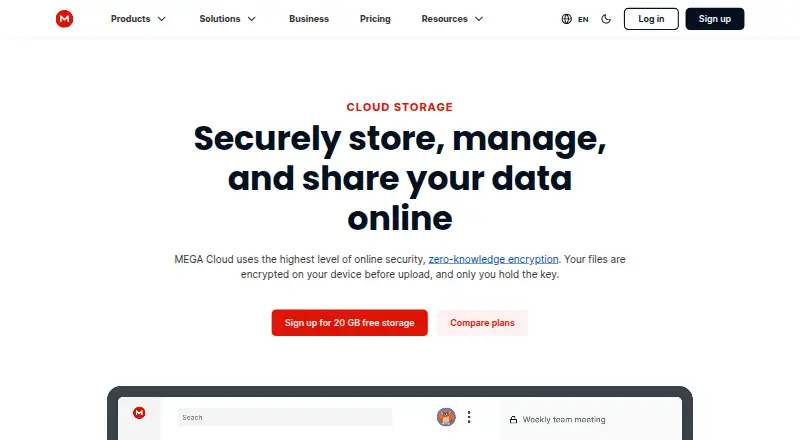
MEGA is a cloud storage service for keeping files and accessing them across devices, with privacy features at its center. It provides user-controlled end-to-end encrypted storage, as well as encrypted text, voice, and video chat. Its apps and web access support everyday file actions: upload, search, download, stream, view, share, rename, and delete. File versioning is also available. MEGA runs on Android, iOS, Linux, macOS, Windows, and the web, with dedicated mobile apps and browser access. The Free plan costs nothing and includes 20 GB of storage with limited transfer. Paid Pro plans include MEGA VPN, MEGA Pass, object storage, and unrestricted chat and meetings. For organizations, Business plans start at three users and offer flexible storage and transfer starting at 3 TB. MEGA describes its company focus as security, privacy, and performance for storage and sharing. The company was founded in 2013 and is headquartered in Csomád, Pest.
Who it suits
MEGA suits people who want encrypted cloud storage and tools to manage or share files across devices. Its chat and meeting services, along with Business plans for teams of three or more, may also suit users who want those services alongside storage.
What it does well
- User-controlled end-to-end encrypted storage
- Encrypted text, voice, and video chat
- File versioning is available
- Apps and web access support a broad range of file actions
- Free plan includes 20 GB of storage
What to know first
- Free plan has limited transfer
- Business plans require at least three users
Limits
The Free plan includes 20 GB of storage and limited transfer. Business plans are for three or more users and start with flexible storage and transfer at 3 TB.
Plans
| Plan | Billed and limits | Price |
|---|---|---|
| Free | $0 forever · 20 GB storage · limited transfer · 1 user | Free |
| Pro II (yearly) | $19.56* USD per month, charged yearly · 10 TB storage · 120 TB transfer · MEGA VPN · MEGA Pass · object storage · unrestricted chat and meetings | $19.56 |
| Pro II | $23.46* USD per month · 10 TB storage · 10 TB transfer · MEGA VPN · MEGA Pass · object storage · unrestricted chat and meetings | $23.46 a month |
| Pro III (yearly) | $29.34* USD per month, charged yearly · 20 TB storage · 240 TB transfer · MEGA VPN · MEGA Pass · object storage · unrestricted chat and meetings | $29.34 |
| Pro III | $35.20* USD per month · 20 TB storage · 20 TB transfer · MEGA VPN · MEGA Pass · object storage · unrestricted chat and meetings | $35.20 a month |
| Pro Lite | per month; charged yearly · 750 GB storage · 12 TB transfer | $5.87 a month |
| Pro I | per month; charged yearly · 3 TB storage · 36 TB transfer | $9.78 a month |
As mega.io lists them, read 15 Oct 2026. The maker's own page has the final word.
Getting started
- Open the MEGA website or use an app on Android, iOS, Linux, macOS, or Windows.
- Choose the Free plan or review the available Pro and Business plans.
- Use MEGA through a web browser or its dedicated mobile apps to access cloud storage.
MEGA is a cloud storage service with end-to-end encrypted file storage and chat. It is a strong fit for people who want privacy-focused access to files across desktop, mobile and web, with versioning and sharing in the same service. The free plan provides 20 GB, though limited transfer can constrain frequent use.
Overview
MEGA combines cloud storage and file sharing with user-controlled end-to-end encryption for files and text, voice and video chat. That breadth makes it useful for people who want more than a place to keep files. Versioning adds a way to recover earlier file states, while the free storage allowance is substantial enough for a personal collection. The trade-off is that free-plan transfer is limited, so regular large uploads and downloads may call for a paid plan.
Key features
- Encrypted storage and chat: MEGA describes its storage and chat as end-to-end encrypted, with users controlling encryption. That emphasis suits people who put privacy first across both files and communication.
- File management and sharing: The service supports uploading, searching, downloading, streaming, viewing, sharing, renaming and deleting files from any device. It can serve as an actively managed file library as well as a place to store files.
- Versioning: File versioning helps when a saved file changes and an earlier version is needed. It adds practical protection against unwanted edits, though no version-history limits are provided.
- Extra Pro services: Pro plans include MEGA VPN, MEGA Pass, object storage, and unrestricted chat and meetings. These additions may matter to users who want several services under one plan, but their inclusion alone does not establish how well they compare with dedicated alternatives.
Pricing
MEGA uses a freemium model. The Free plan costs nothing and includes 20 GB of storage, with limited transfer. It is a sensible starting point for occasional storage and sharing, but transfer limits matter if files move in and out often.
PRO LITE, PRO II and PRO III have custom pricing. PRO I has custom pricing and includes 3 TB of storage and 3 TB of transfer, giving users who need a defined larger allowance a clearer option to assess. The listed plan information does not give storage or transfer amounts for the other paid tiers, so readers should compare their needs against the plan terms before choosing.
Business plans require at least three users and offer flexible storage and transfer starting at 3 TB. This is aimed at teams rather than solo users; the minimum seats and custom pricing make it less suited to someone who only needs extra personal storage.
Platforms
MEGA supports Android, iOS, Linux, macOS, the web and Windows. That range suits households and individuals using a mix of phones and computers, and allows file access through browsers as well as dedicated mobile apps.
Who it's for
MEGA is best for privacy-conscious users who want encrypted storage, file sharing and chat together, and who value broad access across devices. The free 20 GB plan makes it practical to start without a subscription. Users who regularly transfer large amounts of data should weigh the free transfer cap, while teams should consider the three-user Business minimum.
Pros and cons
- Pro: Zero-knowledge encryption covers storage and chat, making privacy a central part of the service.
- Pro: The 20 GB free storage allowance gives individuals meaningful room to begin.
- Pro: File versioning and file management across six platform types support ongoing use across devices.
- Con: Free-plan transfer is limited, which can hinder frequent file movement even when storage remains available.
- Con: Paid consumer plan prices are custom pricing, making cost comparison harder.
- Con: Business plans start at three users, which is a poor fit for a solo buyer seeking a business tier.
Alternatives
Choose Filen if open-source apps are a priority: its apps are released under the AGPL v3 license, and its Pro I plan is €1.99 a month billed monthly for 200 GB.
Internxt Drive is another freemium option for readers who prioritize publicly available code and external audits.
Choose Cryptee if independently reviewable open-source software and cryptography are central to your choice; its free plan includes 100 MB forever.
Ente Photos may suit readers focused on photo storage: its free plan includes 10 GB, one replica and 100 Locker items, while its Starter plan adds 50 GB and a family plan for $2.49 a month.
Plient is an option for readers who want self-hosting, WebDAV and CLI access, with a free plan offering 5 GB of encrypted storage for one user.
PreVeil is worth considering for readers seeking encrypted email and file storage, with a free Basic plan that includes 5 GB.
Scramble Cloud offers a free 10 GB plan for one user with unlimited file size, bandwidth and file links, making it a distinct choice for readers who prioritize those allowances.
Hoodik is another alternative.
For broader comparisons, browse Secure Cloud Storage, File Sharing Software or Cloud Storage Services.
Verdict
Choose MEGA if encrypted storage, file versioning and cross-device access are the priorities, especially if 20 GB of free space is enough to start. Its combination of storage, sharing and encrypted chat is compelling for privacy-conscious individuals. Look elsewhere if you need predictable paid pricing, high transfer allowances on a free plan, or a Business option for fewer than three users.
Verdict
Choose MEGA if encrypted storage and cross-device file access are central to your needs. The free plan includes 20 GB, while users who need more transfer or team storage can look at the paid plans; Business plans start at three users.
Questions
Is MEGA free?
Yes. The Free plan is listed as free and includes 20 GB of storage with limited transfer.
Which platforms support MEGA?
MEGA is listed for Android, iOS, Linux, macOS, web, and Windows.
Does MEGA use end-to-end encryption?
Yes. MEGA describes its storage and text, voice, and video chat as user-controlled and end-to-end encrypted.
What do MEGA Pro plans include?
The pricing page lists MEGA VPN, MEGA Pass, object storage, and unrestricted chat and meetings as included Pro features.
Who makes MEGA?
MEGA describes itself as a global technology company focused on security, privacy, and performance for storage and sharing. It was founded in 2013 and is headquartered in Csomád, Pest.
Facts from MEGA's own pages
- API
- MEGA publishes an operator API contract in OpenAPI format and an API catalog for machine-readable discovery. · mega.dev, 15 Oct 2026
- Browser extension
- The Chrome extension runs its client code locally, keeps MEGA URLs local, and uses cryptographically protected updates. · chromewebstore.google.com, 15 Oct 2026
- Business plan
- The pricing page says Business plans have three or more users and flexible storage and transfer starting at 3 TB. · archive.md, 7 Oct 2026
- Camera backup
- The mobile app can automatically back up photos and videos from a device camera roll. · apps.apple.com, 15 Oct 2026
- Client-code licence
- MEGAsync code is available under a MEGA Limited Code Licence permitting review, compilation, modification for compatibility or defects, and non-commercial distribution under restrictions. · github.com, 15 Oct 2026
- Cloud storage
- MEGA describes its service as cloud storage with secure always-on privacy. · play.google.com, 7 Oct 2026
- Command-line tooling
- MEGAcmd provides interactive and scriptable access, including synchronization, scheduled backups, WebDAV serving, streaming, and shared-link downloads. · github.com, 15 Oct 2026
- Company focus
- MEGA describes itself as a global technology company focused on security, privacy, and performance for storage and sharing. · linkedin.com, 7 Oct 2026
- Company founded
- MEGA's LinkedIn company page lists its founding year as 2013. · linkedin.com, 7 Oct 2026
- Company founding
- LinkedIn describes MEGA as a technology company operating since 2013. · linkedin.com, 15 Oct 2026
- Company headquarters
- LinkedIn lists a MEGA location at Level 21, 120 Albert Street, Auckland, New Zealand. · linkedin.com, 15 Oct 2026
- Desktop and mobile sync
- The Android app supports automatic synchronization of local data with Cloud Drive and one-way folder backups. · play.google.com, 15 Oct 2026
- Device platforms
- Windows,macOS,Linux,iOS · apps.apple.com, 22 Sept 2026
- Encrypted chat and calls
- MEGA includes end-to-end encrypted one-to-one and group chat plus encrypted audio and video calls. · apps.apple.com, 15 Oct 2026
- Encrypted storage
- MEGA is described as providing user-controlled end-to-end encrypted text, voice, and video chat and file storage. · play.google.com, 7 Oct 2026
- End-to-end encryption
- Client devices encrypt and decrypt MEGA data, so MEGA says it cannot read stored files, messages, or calls. · apps.apple.com, 15 Oct 2026
- File access
- The Google Play listing says users can upload, search, download, stream, view, share, rename, or delete files from any device. · play.google.com, 7 Oct 2026
- File version history
- The service can restore earlier file versions through file version history. · apps.apple.com, 15 Oct 2026
- File versioning
- Yes · apps.apple.com, 22 Sept 2026
- Free plan
- Yes · apps.apple.com, 22 Sept 2026
- Free storage
- The free account includes 20 GB of storage and limited transfer quota. · mega.io, 15 Oct 2026
- Free tier limit
- The pricing page lists 20 GB of storage and limited transfer for the free plan. · archive.md, 7 Oct 2026
- Headquarters
- MEGA's LinkedIn company page lists Csomád, Pest as its headquarters. · linkedin.com, 7 Oct 2026
- Included services
- The pricing page lists MEGA VPN, MEGA Pass, object storage, and unrestricted chat and meetings as included features on Pro plans. · archive.md, 7 Oct 2026
Where MEGA stands on Freedom251
- Cloud storage#14 of 66
- File Sharing Software#13 of 47
- Secure Cloud Storage#10 of 30
- Cloud Storage Services#25 of 64