Freedom251 › Minecraft Datapack Generators
MCDatapacker
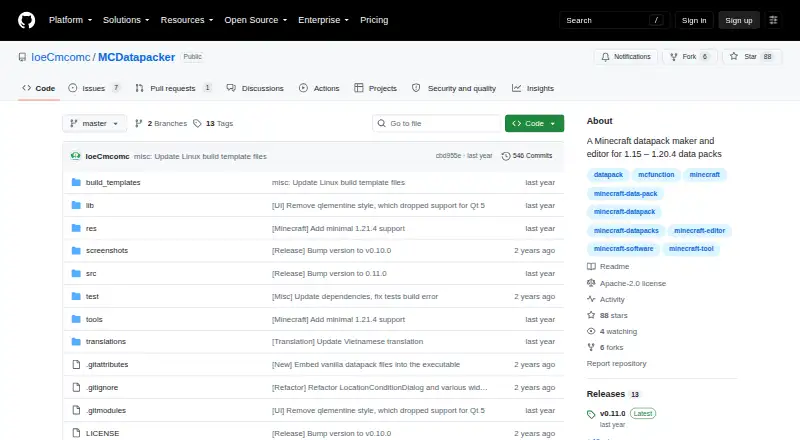
What MCDatapacker is
MCDatapacker is a free creator and editor for Minecraft datapacks, available for Windows and Linux. It supports datapacks from Minecraft 1.15 through 1.21.4, with partial support for 1.20.6 through 1.21.4. A unified interface handles new and existing datapacks, file management, and editing. Its code editor highlights syntax, checks function and JSON files for errors, completes function-file text, navigates namespaced IDs, and supports user-defined command syntaxes. Side editors cover recipes, predicates, loot tables, and item modifiers. Additional tools include file and command-usage statistics, raw JSON editing, an advancement-tree viewer, and embedded vanilla datapack files for offline viewing. The multi-tab interface includes dark mode, with automatic detection on Windows. In release v0.11.0, side editors other than the recipe editor had not been updated for newer Minecraft versions. The README warns that the program may contain errors and should be used at the user's own risk. Windows users run it from an extracted zip; Linux users run an executable AppImage.
Who it suits
It suits Minecraft datapack creators who want code editing and visual tools for recipes and other datapack content. Users should note the stated partial version support and the warning about possible errors.
What it does well
- Free for the core job.
- Works on Windows and Linux.
- Code editor checks function and JSON files.
- Includes visual recipe and loot-table editors.
- Embedded vanilla datapack files support offline viewing.
What to know first
- Support for 1.20.6 through 1.21.4 is partial.
- Most side editors were not updated in v0.11.0.
- The README warns the program may contain errors.
Limits
The Free plan costs nothing, and no paid tier is required for the core job. Minecraft 1.20.6 through 1.21.4 support is partial; in release v0.11.0, side editors other than the recipe editor had not been updated for newer versions.
Plans
| Plan | Billed and limits | Price |
|---|---|---|
| Free | No paid tier required for the core job | Free |
As github.com lists them, read 30 Sept 2026. The maker's own page has the final word.
Getting started
- Open the MCDatapacker GitHub website.
- On Windows, download the zip, extract it, and run MCDatapacker.exe.
- On Linux, download the AppImage, make it executable, and run it.
- Create a datapack or open an existing datapack in the interface.
Overview
MCDatapacker is a free desktop creator and editor for Minecraft datapacks on Windows and Linux. It is best suited to pack authors who want project management, code assistance, validation, and visual data editors in one application rather than a browser generator. The wide version range is useful for established packs, while partial newer-version coverage makes version checking essential for current projects.
Key features
A unified, multi-tab workspace handles creating datapacks, opening existing projects, managing files, and editing content. This keeps the normal authoring cycle in one interface instead of splitting file work between separate tools. The code editor adds syntax highlighting, error checking for function and JSON files, smart completion for function files, namespaced-ID navigation, and user-defined command syntaxes. Those features favor authors who write and maintain datapack code directly, especially when navigating larger projects or checking generated content.
Integrated side editors cover recipes, predicates, loot tables, and item modifiers, supporting recipe, loot-table, and predicate generation alongside function generation. There is an important version caveat: in release v0.11.0, side editors other than the recipe editor had not been updated for newer Minecraft versions. For a modern pack, the recipe editor is therefore the safer visual-editing choice; users who depend on predicate, loot-table, or item-modifier editors should confirm compatibility with their target release before adopting them as core workflow tools.
Additional utilities include file and command-usage statistics, a raw JSON text editor, an advancement-tree viewer, and embedded vanilla datapack files for offline viewing. These are practical aids for inspecting structure and references without leaving the application. Dark mode can detect Windows settings automatically, and the program is described as lightweight in storage and memory. Datapack validation is included, but the README warns that errors may occur and that use is at the user's own risk.
Pricing
MCDatapacker's Free plan costs nothing, with no paid tier required for the core job. It includes the desktop editor, project management, code checks, visual editors, generation tools, and validation. There are no paid-plan seat limits, quotas, renewal charges, or trial conversion terms to weigh. The trade-off is not a pricing restriction but the product's version coverage and the uneven freshness of its side editors.
Platforms
MCDatapacker runs on Linux and Windows. Windows users download a ZIP archive, extract it, and launch MCDatapacker.exe. Linux users download an AppImage, make it executable, and run it. It is a native desktop choice rather than a web application, with offline viewing of embedded vanilla datapack files.
Who it's for
Choose MCDatapacker if you build or maintain Minecraft datapacks on Windows or Linux and want code editing, validation, file navigation, and visual generation in one free workspace. It is particularly suitable for authors targeting versions from 1.15 through 1.21.4 who can work within partial support for 1.20.6 through 1.21.4. It is less suitable when every visual editor must be current for the newest Minecraft releases, or when you need macOS or browser access.
Pros and cons
Pros
- Complete free core: the 0.00 USD plan covers authoring without a required paid tier.
- Broad toolset: generation, validation, statistics, raw JSON editing, tree viewing, and offline vanilla files extend beyond basic file editing.
- Wide stated range: projects from Minecraft 1.15 through 1.21.4 are covered, with partial support at the newer end.
Cons
- Uneven newer-version support: side editors other than recipes were not updated for newer versions in v0.11.0.
- Limited platform reach: there is no macOS or web edition.
- Use carries risk: the maker warns that the program may contain errors and should be used at the user's own risk.
Alternatives
For a broader shortlist, see Minecraft Datapack Generators.
- Orca Minecraft Datapack Generator is the better fit if you want Linux, macOS, Windows, or web access and can work with a freemium model offering 200 starter credits on its free plan.
- Beet suits developers seeking a free, open-source Minecraft pack development kit across Linux, macOS, and Windows.
- Datapack Editor is worth choosing for a free desktop option focused on Minecraft 1.20.2–1.20.6 on Windows and Debian Linux, with macOS support described as expected.
- Minecraft Datapack Compiler is a free extension and desktop-oriented choice when compilation is the priority.
- Minecraft Datapack Language fits users wanting an open-source MIT-licensed language tool available through API and extension platforms as well as desktop systems.
- Codexe Datapack Generator is a web alternative with a free tier and token-based limits.
- PackForge is preferable for browser-based generation, though its free plan limits users to two generations per month and one Command Builder use monthly.
- Kore is another free option for Linux, macOS, web, and Windows users.
Verdict
MCDatapacker is a strong choice for Windows and Linux datapack authors who want a no-cost, code-centered workspace with validation and several visual generators. Its main reason to choose it is the concentration of editing and project tools in one lightweight desktop application. Look elsewhere if you need macOS or web access, or if your workflow depends on fully updated visual editors for the newest Minecraft versions.
Verdict
MCDatapacker offers datapack project management, code checks, and visual editors at no charge. Its version coverage is partial at the newer end, and the maker warns users about possible errors.
Questions
How much does MCDatapacker cost?
Its Free plan costs nothing. No paid tier is required for the core job.
Which operating systems does it support?
MCDatapacker is available for Linux and Windows. Windows users run it from an extracted zip, while Linux users run an executable AppImage.
Which Minecraft datapack versions does it support?
It supports datapacks from Minecraft 1.15 through 1.21.4, with partial support for 1.20.6 through 1.21.4.
What can I edit with MCDatapacker?
It includes a code editor for function and JSON files, plus side editors for recipes, predicates, loot tables, and item modifiers.
Is MCDatapacker open source?
The repository is licensed under Apache License 2.0, which grants a perpetual, worldwide, no-charge, royalty-free copyright license subject to its conditions.
Where can I send questions or report an issue?
The maker directs issue reports and feature suggestions to GitHub Issues, and questions and general suggestions to Discussions. An anonymous form is also available.
Facts from MCDatapacker's own pages
- Additional tools
- The program includes file and command-usage statistics, a raw JSON text editor, an advancement-tree viewer, and embedded vanilla datapack files for offline viewing. · github.com, 30 Sept 2026
- Code editor
- The code editor provides syntax highlighting, error checking for function and JSON files, smart completion for function files, namespaced-ID navigation, and user-defined command syntaxes. · github.com, 30 Sept 2026
- Datapack versions
- It supports datapacks from Minecraft 1.15 through 1.21.4, with partial support for 1.20.6 through 1.21.4. · github.com, 30 Sept 2026
- Downloads
- Windows users download a zip, extract it, and run MCDatapacker.exe; Linux users download an AppImage, make it executable, and run it. · github.com, 30 Sept 2026
- Interface
- MCDatapacker has a multi-tab interface, dark mode with automatic Windows detection, and is described as lightweight in storage and memory. · github.com, 30 Sept 2026
- License
- The repository is licensed under the Apache License 2.0, which grants a perpetual, worldwide, no-charge, royalty-free copyright license subject to its conditions. · github.com, 30 Sept 2026
- Maker profile
- The GitHub maker profile says the creator makes software related to Minecraft or Vietnamese and lists Vietnam. · github.com, 30 Sept 2026
- Planned integration
- The project to-do list includes adding integration with the Command-Debug-DevKit mod. · github.com, 30 Sept 2026
- Project management
- The unified interface lets users create datapacks, open existing datapacks, manage files, and edit them. · github.com, 30 Sept 2026
- Purpose
- MCDatapacker is a Minecraft datapack creator and editor. · github.com, 30 Sept 2026
- Risk notice
- The README warns that the program may contain errors and should be used at the user's own risk. · github.com, 30 Sept 2026
- Support
- The maker directs issue reports and feature suggestions to GitHub Issues, questions and general suggestions to Discussions, and also provides an anonymous form. · github.com, 30 Sept 2026
- Version limitation
- In release v0.11.0, side editors other than the recipe editor had not been updated for newer Minecraft versions. · github.com, 30 Sept 2026
- Visual editors
- Integrated side editors include a visual recipe editor plus predicate, loot-table, and item-modifier editors. · github.com, 30 Sept 2026
Where MCDatapacker stands on Freedom251
- Minecraft Datapack Generators#7 of 22