Freedom251 › Minecraft Mod Development Tools
mc-publish
What mc-publish is
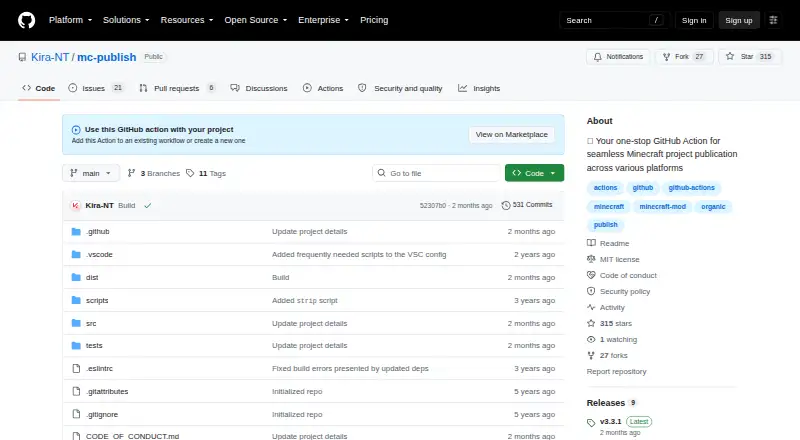
mc-publish is a free GitHub Action for maintainers releasing Minecraft mods, plugins, resource packs, and other projects. It publishes project assets to Modrinth, CurseForge, or GitHub Releases from a GitHub Actions workflow. Common project values can be resolved automatically, with further configuration available. The action can read platform IDs, loaders, game versions, and dependencies from Fabric, Forge, and Quilt metadata files. Compatibility inputs also cover Rift, NeoForge, and ModLoader, plus client and server environments, Minecraft and Java versions, and project dependencies. Maintainers can set release tags, generate changelogs, mark releases as drafts or prereleases, and link a GitHub discussion. Glob patterns select upload files; the documented default targets JAR files in build/libs/. Publishing retries twice by default, with a 10000 millisecond delay. Errors can stop the workflow or use warn or skip handling. Each destination requires its corresponding API token, passed through GitHub Secrets in the examples. The repository identifies the project as MIT-licensed.
Who it suits
mc-publish suits Minecraft project maintainers who use GitHub Actions to publish builds to the listed release platforms. It is intended for projects with destination API tokens available to the workflow.
What it does well
- Publishes to Modrinth, CurseForge, and GitHub Releases.
- Reads project details from supported metadata files.
- Supports release tags, changelogs, drafts, and prereleases.
- Allows glob-based file selection.
- Offers fail, warn, and skip error modes.
What to know first
- Each publishing destination requires its own API token.
- The documented default upload selection targets JAR files in build/libs/.
- It must be added to a GitHub Actions workflow.
Verdict
mc-publish automates Minecraft project releases through GitHub Actions, with metadata detection and configurable release handling. Check destination credentials and file selection as part of configuring a workflow.
Facts from mc-publish's own pages
- Compatibility metadata
- Inputs cover mod loaders, client and server environments, Minecraft versions, Java versions, and project dependencies. · github.com, 7 Oct 2026
- Configuration
- The README describes a zero-config approach that automatically resolves common values while allowing advanced configuration. · github.com, 7 Oct 2026
- Credentials
- Publishing to Modrinth, CurseForge, or GitHub requires the corresponding API token, which the examples pass through GitHub Secrets. · github.com, 7 Oct 2026
- Error handling
- The action supports fail, warn, and skip modes for errors during publishing. · github.com, 7 Oct 2026
- File selection
- Users can specify files to upload with glob patterns; the documented default targets JAR files in build/libs/. · github.com, 7 Oct 2026
- Intended users
- The documented workflow is for project maintainers using GitHub Actions to publish Minecraft project builds. · github.com, 7 Oct 2026
- License
- The repository identifies its license as MIT. · github.com, 7 Oct 2026
- Metadata detection
- It can read project details such as platform IDs, loaders, game versions, and dependencies from Fabric, Forge, and Quilt metadata files. · github.com, 7 Oct 2026
- Publishing targets
- It can publish project assets to Modrinth, CurseForge, and GitHub Releases. · github.com, 7 Oct 2026
- Purpose
- mc-publish is a GitHub Action for publishing Minecraft mods, plugins, resource packs, and other projects. · github.com, 7 Oct 2026
- Release options
- It supports release tags, changelog generation, draft and prerelease settings, and linking a GitHub discussion. · github.com, 7 Oct 2026
- Retries
- Publishing attempts default to 2 with a 10000 millisecond delay between attempts. · github.com, 7 Oct 2026
- Retries and errors
- The documented defaults are two publishing attempts, a 10000 millisecond retry delay, and fail mode; warn and skip are also available. · github.com, 7 Oct 2026
- Security information
- The repository lists a security policy, but the policy page could not be read during this research. · github.com, 7 Oct 2026
- Usage
- The repository instructs users to add the action to an existing GitHub Actions workflow or create a new workflow. · github.com, 7 Oct 2026
Where mc-publish stands on Freedom251
- Minecraft Mod Development Tools#27 of 35