Freedom251 › Minecraft Mod Development Tools
Mod Publish Plugin
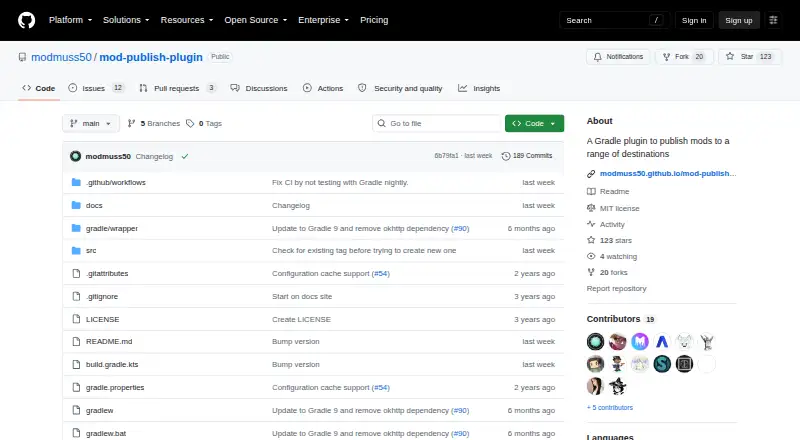
What Mod Publish Plugin is
Mod Publish Plugin is a free Gradle plugin for publishing Minecraft mods to services including CurseForge, Modrinth, GitHub, Gitea, GitLab, Forgejo, Codeberg, and Discord. Its typesafe DSL lets a project configure several destinations without repeating as much setup. Once those destinations are configured, users run the Gradle `publishMods` task to send releases. The plugin retries failed attempts; the shared `maxRetries` setting starts at 3 and can be changed. Dry-run mode saves release assets in the build directory so they can be checked without publishing. It supports Groovy build scripts and does not depend on a particular mod loader; Fabric and Forge are listed as supported loaders. CurseForge publishing requires at least one of the client or server environments to be enabled. Access tokens can be provided through environment variables in the documented examples. The project describes its API as stable and prioritizes backward compatibility, with breaking changes marked by a major version increase. It is self-hosted, distributed through the Gradle Plugin Portal, and version 2.0.0 raised the minimum Gradle version to 9.0.0.
Who it suits
It suits Minecraft mod developers who publish releases to multiple destinations through Gradle and want to configure those destinations in build scripts. Users of version 2.0.0 or later need Gradle 9.0.0 or newer.
What it does well
- Publishes to eight listed destinations.
- Typesafe DSL configures multiple destinations.
- Dry runs save assets to the build directory.
- Groovy build scripts are fully supported.
- Retries failed publishing attempts.
What to know first
- Version 2.0.0 requires Gradle 9.0.0 or newer.
- CurseForge requires a client or server environment.
- Self-hosted; no other platform is listed.
Plans
| Plan | Billed and limits | Price |
|---|---|---|
| Mod Publish Plugin | No paid plans or usage limits stated | Free |
As github.com lists them, read 8 Oct 2026. The maker's own page has the final word.
Getting started
- Open the project on GitHub or the Gradle Plugin Portal
- Add the plugin through a Gradle plugins block
- Configure one or more destinations with the typesafe DSL
- Provide platform access tokens through environment variables
- Enable a CurseForge client or server environment when publishing there
- Run the Gradle publishMods task
Verdict
Mod Publish Plugin brings multi-destination Minecraft mod publishing into a Gradle task, with dry runs and retry configuration. Check the Gradle requirement and configure a supported environment for CurseForge before relying on those destinations.
Questions
What is Mod Publish Plugin?
It is a Gradle plugin for publishing Minecraft mods to multiple destinations.
Which destinations are supported?
Supported destinations are CurseForge, Modrinth, GitHub, Gitea, GitLab, Forgejo, Codeberg, and Discord.
Is it free?
Yes. The listed plan is free, and it is self-hosted.
Which mod loaders are supported?
The listed supported loaders are Fabric and Forge, and the plugin is mod-loader independent.
How are failed uploads handled?
The plugin retries failures. The common maxRetries setting defaults to 3 and can be changed.
What Gradle version is required for version 2.0.0?
Version 2.0.0 raised the minimum supported Gradle version to 9.0.0.
Facts from Mod Publish Plugin's own pages
- API stability
- The project says its API is stable, backwards compatibility is a high priority, and breaking changes are indicated by a major version bump. · modmuss50.github.io, 8 Oct 2026
- Authentication
- Platform access tokens can be provided through environment variables in the documented configuration examples. · modmuss50.github.io, 8 Oct 2026
- Compatibility
- The plugin is mod loader independent, and Groovy build scripts are fully supported. · modmuss50.github.io, 8 Oct 2026
- Configuration
- A typesafe DSL lets users configure publishing to multiple locations with minimal repetition. · modmuss50.github.io, 8 Oct 2026
- CurseForge requirement
- CurseForge publishing requires at least one supported environment to be set: client, server, or both. · modmuss50.github.io, 8 Oct 2026
- Destinations
- It supports publishing to CurseForge, Modrinth, GitHub, Gitea, GitLab, Forgejo, Codeberg, and Discord. · modmuss50.github.io, 8 Oct 2026
- Dry run
- Dry run mode saves release assets to the build directory for testing. · modmuss50.github.io, 8 Oct 2026
- Installation
- The plugin is hosted on the Gradle Plugin Portal and is added through a Gradle plugins block. · modmuss50.github.io, 8 Oct 2026
- Notable version requirement
- Version 2.0.0 raised the minimum supported Gradle version to 9.0.0. · modmuss50.github.io, 8 Oct 2026
- Publishing workflow
- After configuring destinations, users run the Gradle `publishMods` task to publish to them. · modmuss50.github.io, 8 Oct 2026
- Purpose
- It is a Gradle plugin for publishing Minecraft mods to a range of destinations. · modmuss50.github.io, 8 Oct 2026
- Reliability
- The plugin retries on failure. · modmuss50.github.io, 8 Oct 2026
- Retries setting
- The common `maxRetries` option defaults to 3 and can be configured. · modmuss50.github.io, 8 Oct 2026
- Support
- The documentation directs users with questions to the Mod Publish Plugin Discord channel on the Team Reborn Discord. · modmuss50.github.io, 8 Oct 2026
Where Mod Publish Plugin stands on Freedom251
- Minecraft Mod Development Tools#24 of 35