Freedom251 › Minecraft Map Art Generators
MC Map Item Tool
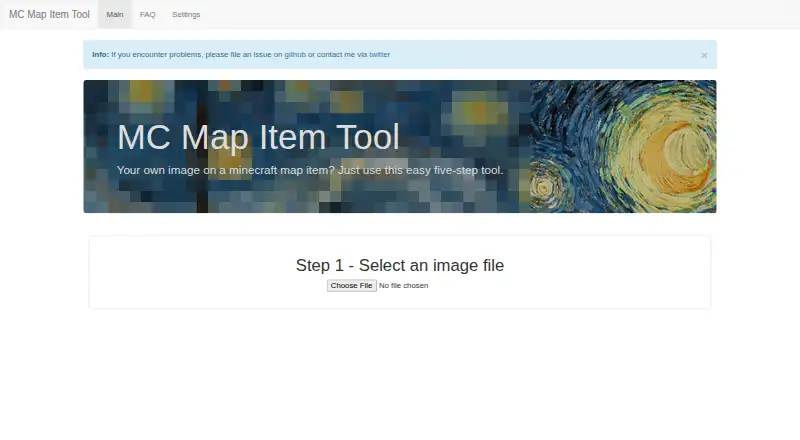
What MC Map Item Tool is
MC Map Item Tool converts an image into a Minecraft map item through a five-step workflow. It adjusts image colors for Minecraft, then creates a downloadable map file in NBT format. You can divide one image across multiple maps; the site notes that processing takes longer as the number of parts increases. Enter a map number to determine the downloaded file name, with sequential numbers assigned to maps from a split image. A browser notification can alert you when the file is ready. The FAQ explains how to use the download: replace the corresponding map_[i].dat file in your world save folder. The tool is free and open source under the MIT license, with web access and a self-hosting option. Its public repository describes installing dependencies, building the project and starting a Node.js server. The site lists HTML5 File API, Web Notifications and Canvas among its technologies. For support, the maker accepts GitHub issues, Twitter contact and pull requests for errors or feature requests.
Who it suits
It suits Minecraft players who want to turn images into map items, including images spread across multiple maps. Developers can also self-host it using the repository’s Node.js instructions.
What it does well
- Adjusts image colors for Minecraft.
- Can split images across multiple maps.
- Downloads the result as an NBT map file.
- Free and open source under the MIT license.
What to know first
- More image parts take longer to process.
- Using the download involves replacing a world save file.
Plans
| Plan | Billed and limits | Price |
|---|---|---|
| MC Map Item Tool | No limits stated | Free |
As mc-map.djfun.de lists them, read 4 Oct 2026. The maker's own page has the final word.
Getting started
- Open https://mc-map.djfun.de/ in a web browser.
- Follow the tool's five-step process to convert an image.
- Enter a map number to set the downloaded file name.
- Download the generated NBT-format map file when it is ready.
- Replace the matching map_[i].dat file in your world save folder.
- For self-hosting, follow the repository instructions to install dependencies, build, and start a Node.js server.
Verdict
MC Map Item Tool focuses on converting and preparing image-based Minecraft map files, with options for splitting images and choosing map numbers. It is free and can be used on the web or self-hosted.
Questions
Is MC Map Item Tool free?
Yes. The listed plan is free.
Is the tool open source?
Yes. The repository states that it is licensed under the MIT license.
What platforms does it support?
It is available on the web and can be self-hosted.
What file does it create?
It creates a downloadable Minecraft NBT-format map file.
How do I use the downloaded file?
The FAQ instructs users to replace the corresponding map_[i].dat file in their world save folder with the download.
How can I contact the maker?
The maker directs users to file a GitHub issue or contact them through Twitter. Pull requests are also accepted for errors or feature requests.
Facts from MC Map Item Tool's own pages
- Browser features
- The site lists HTML5 File API, Web Notifications, and Canvas among the technologies it uses. · mc-map.djfun.de, 4 Oct 2026
- Color adjustment
- The tool adjusts image colors for Minecraft. · mc-map.djfun.de, 4 Oct 2026
- License
- The repository states that the tool is licensed under the MIT license. · github.com, 4 Oct 2026
- Maker profile
- The linked GitHub profile identifies the maintainer as Martin and lists Germany. · github.com, 4 Oct 2026
- Notification
- The site offers a browser notification when the created file is ready to download. · mc-map.djfun.de, 4 Oct 2026
- Numbering
- Users enter the map number to set the downloaded file name; split images receive sequential map numbers. · mc-map.djfun.de, 4 Oct 2026
- Output
- The tool creates a Minecraft NBT-format map file and provides it for download. · mc-map.djfun.de, 4 Oct 2026
- Purpose
- The tool converts an image into a Minecraft map item through a five-step process. · mc-map.djfun.de, 4 Oct 2026
- Self hosting
- The public repository includes instructions to install dependencies, build, and start a server with Node.js. · github.com, 4 Oct 2026
- Split images
- You can split an image across multiple maps, and the site notes that more parts take longer to process. · mc-map.djfun.de, 4 Oct 2026
- Support
- The maker directs users to file a GitHub issue or contact them via Twitter, and the FAQ also accepts pull requests for errors or feature requests. · mc-map.djfun.de, 4 Oct 2026
- Use the file
- The FAQ instructs users to replace the corresponding map_[i].dat in their world save folder with the downloaded file. · mc-map.djfun.de, 4 Oct 2026
Where MC Map Item Tool stands on Freedom251
- Minecraft Map Art Generators#7 of 20