Freedom251 › Application Dependency Mapping Software

ManageEngine Applications Manager
Visit ManageEngine Applications Manager Alternatives Pricing
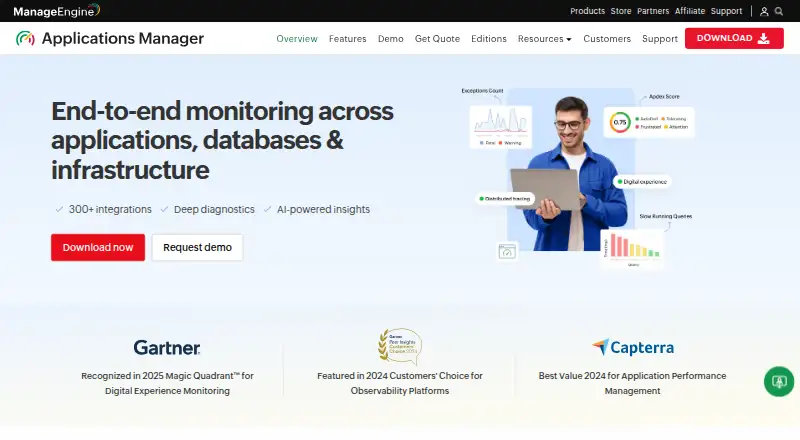
What ManageEngine Applications Manager is
ManageEngine Applications Manager is a hybrid application and infrastructure monitoring product. Its listed capabilities include distributed tracing, transaction tracing, dependency mapping, real user monitoring and log correlation, covering application traces, component relationships, user activity and related logs. It is available for Android, iOS, Linux, web and Windows. The free plan covers up to 5 apps or servers. The Professional annual subscription costs $395 a year and includes 10 monitors and 1 user. A Professional perpetual license costs 995.00 USD once for the same 10-monitor, 1-user allowance. A 30-day trial is listed. The tracing and mapping functions may help teams follow application behavior and associated dependencies across a hybrid environment. The listed plans provide distinct ways to start with a limited free allowance or license a larger monitor set, either by annual subscription or perpetual payment.
Who it suits
It may suit teams monitoring applications and infrastructure across a hybrid environment, especially those needing tracing, dependency mapping, user monitoring or log correlation. The free tier may suit evaluation or small monitoring needs of up to 5 apps or servers.
What it does well
- Free plan supports up to 5 apps or servers
- Includes distributed and transaction tracing
- Includes dependency mapping and real user monitoring
- Available on Android, iOS, Linux, web and Windows
What to know first
- Free plan is limited to 5 apps or servers
- Annual Professional plan includes 10 monitors and 1 user
- Perpetual Professional license costs 995.00 USD once
Limits
The free plan supports up to 5 apps or servers. The Professional annual subscription and perpetual license each include 10 monitors and 1 user.
Plans
| Plan | Billed and limits | Price |
|---|---|---|
| Free | Up to 5 apps or servers | Free |
| Professional — annual subscription | Annual Subscription Model · 10 monitors · 1 user | $395 a year |
| Professional — perpetual license | Perpetual Licensing Model · 10 monitors · 1 user | $995, paid once |
As manageengine.com lists them, read 23 Sept 2026. The maker's own page has the final word.
Getting started
- Visit the ManageEngine Applications Manager website.
- Choose the free plan, a Professional license, or the 30-day trial.
- Use the product on a listed platform: Android, iOS, Linux, web, or Windows.
ManageEngine Applications Manager is a hybrid application and infrastructure monitoring product for teams that need to connect service behavior with dependencies and user experience. It suits organizations bringing several monitoring signals together, though its entry plans are tightly capped by monitor count and users.
Its mix of tracing, dependency mapping, real user monitoring and log correlation makes it a broad starting point; the 10-monitor, one-user paid plans are better for a focused rollout than wide coverage.
Overview
Applications Manager combines several ways to investigate application performance: distributed and transaction tracing, dependency mapping, real user monitoring and log correlation. In practice, that combination can help a team relate service activity to its dependencies and user experience without relying on a single monitoring signal.
The hybrid deployment model and support for Android, iOS, Linux, web and Windows give it a broad platform footprint. The trade-off is limited entry-plan capacity: the free plan covers up to five apps or servers, while both listed Professional licenses start at 10 monitors and one user. Teams needing multiple users or broad monitoring coverage should weigh those caps before committing.
Key features
- Distributed and transaction tracing: Support for both gives teams two ways to follow service activity and investigate transactions. This breadth is useful where a single tracing view would not cover the questions a team needs to answer.
- Dependency mapping: Mapping dependencies helps teams see relationships among monitored components, which is valuable when investigating issues that cross application boundaries.
- Real user monitoring: This adds a view of application experience from users’ interactions, complementing service-side monitoring.
- Log correlation: Correlating logs with other monitoring signals can help teams connect diagnostic evidence rather than treating logs as a separate stream.
- Hybrid deployment: A hybrid model suits organizations that need a product spanning different deployment environments. Supported platforms include Android, iOS, Linux, web and Windows.
The feature set is strongest for teams that want these capabilities together. The published plan limits, however, make it less compelling as an immediate fit for large monitoring estates or teams that need several user accounts from the start.
Pricing
Applications Manager uses a freemium model, with a free plan, two Professional licensing options and a 30-day trial.
- Free: free, covering up to five apps or servers. This is a sensible way to begin a small evaluation or monitor a limited environment, but the cap constrains broader use.
- Professional — annual subscription: $395 a year, billed under an annual subscription model. It includes 10 monitors and one user, making it the lower-cost paid entry for a focused deployment. The single-user limit is a meaningful drawback for teams that need shared access.
- Professional — perpetual license: $995, paid once, billed under a perpetual licensing model. It also includes 10 monitors and one user. The upfront price is higher than the annual option, while the listed capacity remains the same; it may suit a buyer seeking perpetual licensing, but does not add monitor or user capacity at this tier.
The 30-day trial gives prospective buyers a defined evaluation window. For either paid option, the 10-monitor and one-user limits matter as much as the licensing term: organizations that need more coverage or access should compare their requirements before choosing an entry plan.
Platforms
Applications Manager supports Android, iOS, Linux, web and Windows. Combined with hybrid deployment, this makes it relevant to teams managing services across a mix of platforms, rather than a single operating environment.
Who it's for
Choose Applications Manager if your team wants tracing, dependency mapping, real user monitoring and log correlation in one hybrid product, particularly for a small or focused monitoring rollout. The free allowance offers a low-commitment starting point, and the Professional options provide a straightforward paid step up for 10 monitors.
Look elsewhere if your initial requirement is broad monitor coverage or access for multiple users: the published Professional entry plans include only 10 monitors and one user. Those limits may make the entry price less useful to a larger team than the feature breadth first suggests.
Pros and cons
Pros
- Several complementary monitoring capabilities: Distributed and transaction tracing, dependency mapping, real user monitoring and log correlation cover distinct investigative needs in one product.
- Small-scale free starting point: Up to five apps or servers lets a team begin without a paid license, provided that scope is enough.
- Hybrid deployment and broad platform support: Android, iOS, Linux, web and Windows support gives the product a wide operating-environment footprint.
- Two Professional license terms: Annual subscription and perpetual licensing offer different purchasing approaches at the same listed monitor and user capacity.
Cons
- Low entry-plan capacity: The free plan is capped at five apps or servers, and the Professional options at 10 monitors, which can limit a growing or broad environment.
- One user on both paid entry plans: Teams needing shared access may outgrow the published entry options immediately.
- Perpetual licensing costs more upfront without increasing listed capacity: The $995, paid once option includes the same 10 monitors and one user as the $395 a year subscription.
Alternatives
For teams focused on synthetic checks rather than Applications Manager’s broader monitoring mix, Synthetic Monitoring is a useful category to explore. For a narrower focus on component relationships, compare Application Dependency Mapping Software; for application performance monitoring more broadly, see Application Performance Monitoring. Teams centering their work on data stores or name resolution can browse Database Monitoring or DNS Monitoring Software, while Kubernetes-focused operators can explore Kubernetes Monitoring.
Dotcom-Monitor is worth considering when synthetic monitoring is the priority: its free plan covers up to 25 targets, checks as frequently as every five minutes, two monitoring locations and email alerts.
Dynatrace Kubernetes Monitoring is a more focused option for Kubernetes monitoring; its platform monitoring is billed at $0.002 per hour per pod.
Grafana Cloud Application Observability may suit teams seeking a free allowance of 2,232 host hours, with a Pro option billed at $0.025 per host hour plus a $19 monthly platform fee.
New Relic Kubernetes Monitoring is an alternative for teams valuing unlimited full-platform users and 100 GB of free data ingest on its Pro plan, priced at $349 a year for annual commitments; data beyond that allowance costs $0.40/GB.
OneUptime is another freemium alternative, with an open-source core under Apache 2.0 that can be inspected, modified and self-hosted.
Checkly may be a better fit for teams seeking a free plan with 10 uptime monitors, 1,000 browser or Playwright check runs, 10,000 API check runs and six locations.
GoPinger offers a free plan with five monitors, a five-minute check interval, email and webhook alerts, 30-day data retention, one team member and one status page.
HostTracker offers a free plan with two monitors and two contacts, checked every 30 minutes; its 30-day trial is another option for a short evaluation.
Verdict
ManageEngine Applications Manager is best for teams that want multiple application-monitoring capabilities in a hybrid product and can start with a small footprint. Its strongest reason to choose it is the combination of tracing, mapping, real user monitoring and log correlation; its clearest reason to look elsewhere is the one-user, 10-monitor ceiling on both listed paid entry plans.
Verdict
Applications Manager offers tracing, mapping, real user monitoring and log correlation in a hybrid product. Its free allowance is capped at 5 apps or servers, while paid Professional options include 10 monitors and 1 user.
Questions
Is there a free plan?
Yes. The free plan costs 0.00 USD and covers up to 5 apps or servers.
What do the Professional plans cost?
The annual subscription costs $395 a year. The perpetual license costs 995.00 USD once; both include 10 monitors and 1 user.
Is a trial available?
A 30-day trial is listed.
Which platforms are supported?
The listed platforms are Android, iOS, Linux, web, and Windows.
What monitoring capabilities are included?
The listed capabilities are distributed tracing, transaction tracing, dependency mapping, real user monitoring, and log correlation.
What is the deployment model?
The deployment model is hybrid.
Where ManageEngine Applications Manager stands on Freedom251
- Application Dependency Mapping Software#9 of 42
- Database Monitoring#12 of 38
- Application Performance & Observability - Midmarket Software#12 of 26
- Synthetic Monitoring#20 of 43
- Application Performance & Observability - Enterprise Software#13 of 26
- Monitoring Observability#18 of 30
- DNS Monitoring Software#23 of 37
- Kubernetes Monitoring#36 of 54
- Application Performance Monitoring#25 of 37
- Runtime Monitoring Software#39 of 56
- Server Monitoring#27 of 38
- Container Monitoring#35 of 49