Freedom251 › Email Migration Software
MailsDaddy Exchange Server Suite
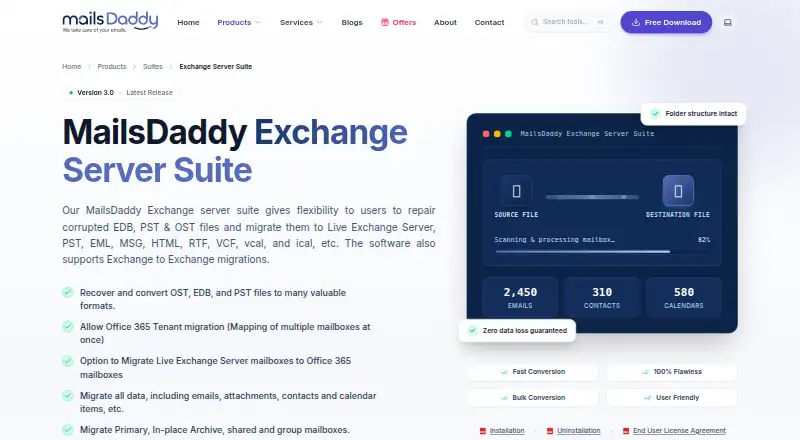
What MailsDaddy Exchange Server Suite is
MailsDaddy Exchange Server Suite is Windows software for repairing corrupted EDB, PST, and OST files and moving mailbox data between Exchange environments or into file formats. Its migration coverage includes Office 365 tenant moves, Live Exchange to Office 365, Exchange Server to Exchange Server, and tenant-to-tenant transfers. It works with primary, in-place archive, shared, and group mailboxes, and supports calendars and contacts. Incremental migration is available to reduce duplicate transfers and effort. For recovery and export, the suite can retrieve OST, PST, and EDB data, export selected folders or Outlook profile data, and write to PST, EML, MSG, HTML, and RTF formats. The product page says it retains folder structure, attachments, inline images, headers, metadata, read status, and timestamps. It connects to Live Exchange Server and Office 365, and processing takes place locally without cloud uploads or telemetry, according to the product page. A free demo previews items and exports up to 20 emails per folder. There is no free plan; licenses are one-time purchases, starting with Standard at $499, paid once. The vendor, founded in 2015 and headquartered in New Delhi, India, advertises 24/7 technical support.
Who it suits
This suite suits Windows users who need to repair Exchange-related EDB, PST, or OST files, or migrate mailbox data between Exchange and Office 365 environments. Its license options address personal or small organizations, larger organizations across locations, and consultants.
What it does well
- Repairs EDB, PST, and OST files.
- Supports four mailbox types, including shared and group mailboxes.
- Migrates calendars, contacts, and tenant-to-tenant data.
- Incremental migration helps avoid duplicate data.
- Processes data locally, with no cloud uploads or telemetry.
- Exports to PST, EML, MSG, HTML, and RTF.
What to know first
- No free plan; the demo exports at most 20 emails per folder.
- Windows is the listed platform.
- The Standard license covers up to 10 systems and has five-year validity.
Limits
The free demo previews items and exports up to 20 emails per folder. Standard costs $499, paid once, covers up to 10 systems, has five-year validity, and includes five years of free technical support.
Plans
| Plan | Billed and limits | Price |
|---|---|---|
| Enterprise License | Unlimited Systems · Lifetime free tech support | $1,599, paid once |
| Standard License | Up to 10 Systems/PC · 5-year validity · 5 years free tech support | $499, paid once |
| Corporate License | Up to 30 Systems/PC · Lifetime free tech support | $699, paid once |
| Technical License | Up to 80 Systems/PC · Lifetime free tech support | $899, paid once |
As mailsdaddy.com lists them, read 8 Oct 2026. The maker's own page has the final word.
Getting started
- Visit the MailsDaddy Exchange Server Suite website.
- Use the free demo to preview items and export up to 20 emails per folder.
- Choose a license based on the system allowance and support term you need.
- Install and run the suite on a supported Windows operating system.
- Connect to Live Exchange Server or Office 365, or work with supported mailbox files.
Verdict
Choose MailsDaddy Exchange Server Suite for Windows-based Exchange recovery and migrations, especially when mailbox types, calendars, contacts, or tenant moves matter. Look elsewhere if you need a free plan or a platform other than Windows.
Questions
Is there a free plan or trial?
There is no free plan, but a free demo is available. It previews items and exports up to 20 emails per folder.
Which platforms does the suite support?
The listed platform is Windows. Listed operating systems include Windows 11, 10, 8.1, 8, 7, Vista, and XP, as well as Windows Server editions.
What does the suite migrate or recover?
It repairs or recovers EDB, PST, and OST files and migrates mailbox data to Exchange Server, Office 365, and supported file formats. It also supports calendar, contact, and tenant-to-tenant migration.
How much do the licenses cost?
Standard costs $499, paid once, Corporate $699, paid once, Technical $899, paid once, and Enterprise $1,599, paid once.
How many systems does each license cover?
Standard covers up to 10 systems, Corporate up to 30, Technical up to 80, and Enterprise unlimited systems.
Who makes the product?
MailsDaddy was founded in 2015 and is headquartered in New Delhi, India.
Facts from MailsDaddy Exchange Server Suite's own pages
- Data preservation
- The product page says it preserves folder hierarchy, attachments, inline images, headers, metadata, read/unread flags, and timestamps. · mailsdaddy.com, 8 Oct 2026
- Founded
- 2015 · mailsdaddy.com, 28 Sept 2026
- Headquarters
- New Delhi, India · mailsdaddy.com, 28 Sept 2026
- Incremental migration
- The suite supports incremental migration to avoid duplicity and minimize effort. · mailsdaddy.com, 8 Oct 2026
- Integrations
- The product connects with Live Exchange Server and Office 365, and can export data to Outlook profile stores. · mailsdaddy.com, 8 Oct 2026
- Intended users
- The license page describes Standard for personal or small organizations, Corporate for organizations in multiple locations, Technical for big organizations in multiple locations, and Enterprise for consultants or organizations in multiple locations. · mailsdaddy.com, 8 Oct 2026
- Mailbox types
- The product supports primary, in-place archive, shared, and group mailboxes. · mailsdaddy.com, 8 Oct 2026
- Migrations
- It supports Office 365 tenant migration, Live Exchange to Office 365 migration, and Exchange Server to Exchange Server migration. · mailsdaddy.com, 8 Oct 2026
- Purpose
- The suite repairs corrupted EDB, PST, and OST files and migrates mailbox data to Exchange Server, Office 365, and file formats including PST, EML, MSG, HTML, and RTF. · mailsdaddy.com, 8 Oct 2026
- Recovery and export
- Its features include OST, PST, and EDB recovery, selected-folder export, Outlook profile export, and multiple output formats. · mailsdaddy.com, 8 Oct 2026
- Security
- The product page says processing happens locally, with zero cloud uploads or telemetry. · mailsdaddy.com, 8 Oct 2026
- Support
- The product page advertises a dedicated 24/7 technical team, and the purchase page lists five years of support for the Standard License and lifetime support for the other listed licenses. · mailsdaddy.com, 8 Oct 2026
- System requirements
- The listed operating systems are Windows 11, 10, 8.1, 8, 7, Vista, and XP; the page also lists Windows Server editions. · mailsdaddy.com, 8 Oct 2026
- Trial limit
- The free demo lets users preview items and export up to 20 emails per folder. · mailsdaddy.com, 8 Oct 2026
Where MailsDaddy Exchange Server Suite stands on Freedom251
- Email Migration Software#16 of 25