Freedom251 › Email Backup Software
Mail Backup X
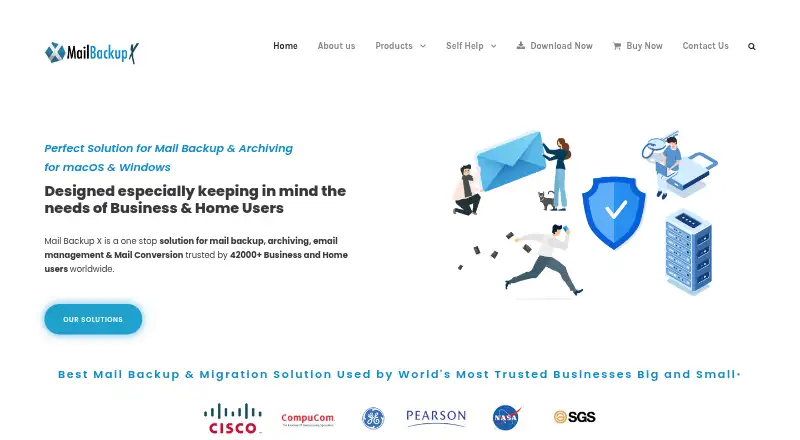
What Mail Backup X is
Mail Backup X is a mail backup, archiving, management, and conversion product for home users and businesses. It continuously backs up mail from Apple Mail, Outlook, Office 365, Thunderbird, Postbox, and online services that use IMAP or Microsoft Exchange. Supported providers include Gmail, Yahoo, Outlook.com, AOL, Yandex, mail.ru, iCloud Mail, Proton Mail, Zoho, GMX, web.de, and cPanel-hosted email. Archived mail can be restored or exported and converted into EML, PST, RGE, MBOX, and OLM formats. Search supports sender, subject, words, date ranges, attachment types, and AND/OR queries. Backups can be mirrored to Google Drive, Microsoft OneDrive, Dropbox, FTP, or USB storage. The vendor says archives are encrypted and stored on destinations controlled by the user, not on its servers; losing the personal encryption key makes the data inaccessible even to the vendor. Personal Edition is US$59 once and covers one user, up to five mail profiles, installation on two computers, and one year of maintenance updates. Team editions add remote backup management, an admin dashboard, and backup-status alerts. The product runs on macOS 10.13 and above and Windows 8 and above; native NAS apps are offered for Synology and QNAP.
Who it suits
Mail Backup X suits home users and businesses that need continuous backups across desktop mail clients or IMAP and Exchange services. Teams that need remote backup administration can choose a Team Edition, while personal users can start with the single-user edition.
What it does well
- Continuous backups cover mail clients and IMAP or Exchange services.
- Search archives by sender, date, attachment type, and more.
- Export or convert archives to EML, PST, RGE, MBOX, and OLM.
- Mirror backups to cloud services, FTP, or USB storage.
- Team Edition provides remote management and status alerts.
What to know first
- There is no free plan.
- Personal Edition is limited to one user and five mail profiles.
- Losing the personal encryption key prevents data decryption.
Limits
Personal Edition covers one user, up to five mail profiles, installation on two computers, and one year of maintenance updates. Its maintenance updates can continue for US$20 per year after the first year.
Plans
| Plan | Billed and limits | Price |
|---|---|---|
| Team Edition for 30 Users | US$ 1050 · 30 users · up to 5 mail profiles per user · 1 year of maintenance updates | $1,050, paid once |
| Personal Edition profile pack | US$20 · Adds 10 mail profiles | $20, paid once |
| Personal Edition maintenance updates | US$20/per year · Optional subscription after the first year | $20 a year |
| Team Edition for 5 Users | US$ 275 · 5 users · up to 5 mail profiles per user · 1 year of maintenance updates | $275, paid once |
| Team Edition for 10 Users | US$ 490 · 10 users · up to 5 mail profiles per user · 1 year of maintenance updates | $490, paid once |
| Personal Edition | US$59 (page shows ~~US$79~~ US$59) · Single user · up to 5 mail profiles · install on 2 computers · 1 year of maintenance updates | $59, paid once |
| Team Edition for 20 Users | US$ 800 · 20 users · up to 5 mail profiles per user · 1 year of maintenance updates | $800, paid once |
| Larger teams | Custom quote · For larger teams | On request |
As mailbackupx.com lists them, read 29 Sept 2026. The maker's own page has the final word.
Getting started
- Visit https://www.mailbackupx.com/ and choose a Personal or Team Edition.
- Download the version for macOS 10.13 and above or Windows 8 and above.
- Use the fully functional 15-day trial, or purchase a plan.
- Add supported mail sources, then choose a backup destination such as a cloud service, FTP, or USB storage.
Verdict
Choose Mail Backup X if you want continuous mail backups, archive search, and multiple restore or conversion formats. It also offers team administration and user-controlled backup destinations. Look elsewhere if you need a free plan or cannot safely retain the personal encryption key.
Questions
How much does Mail Backup X cost?
Personal Edition costs US$59 once. Team editions cost US$275 once for five users, US$490 once for 10, US$800 once for 20, and US$1,050 once for 30; larger teams can request a custom quote.
Is there a free plan or trial?
There is no free plan. The vendor offers a fully functional 15-day trial.
Which platforms does it support?
The download page lists macOS 10.13 and above and Windows 8 and above. Native NAS apps are also available for Synology and QNAP.
Which mail services can it back up?
It supports Apple Mail, Outlook, Office 365, Thunderbird, and Postbox, as well as online services supporting IMAP or Microsoft Exchange. Listed providers include Gmail, Yahoo, Outlook.com, iCloud Mail, Proton Mail, and Zoho.
Where are backups stored, and how are they protected?
Backups can be mirrored to Google Drive, Microsoft OneDrive, Dropbox, FTP, or USB storage. The vendor says the archives are encrypted and stored on destinations controlled by the user, and that it does not keep mail data on its servers.
What happens if I lose my encryption key?
The vendor says the data cannot be decrypted if the personal encryption key is lost, including by the vendor.
Facts from Mail Backup X's own pages
- Archive search
- Its archive search supports searching by sender, subject, word, date range, attachment type, and AND/OR queries. · mailbackupx.com, 29 Sept 2026
- Cloud and removable storage
- Backups can be mirrored to Google Drive, Microsoft OneDrive, Dropbox, FTP, or USB storage. · mailbackupx.com, 29 Sept 2026
- Company and location
- The site identifies Inventpure Software and lists its address as 98 East Drive, Toronto, Ontario, Canada. · mailbackupx.com, 29 Sept 2026
- Company start
- Inventpure says it started in 2010, initially to solve mail-data conversion between PC and Mac. · mailbackupx.com, 29 Sept 2026
- Encryption and data custody
- The vendor says archived data is encrypted and stored on destinations controlled by the user, and that it does not keep users’ mail data on its servers. · mailbackupx.com, 29 Sept 2026
- Headquarters
- Toronto, Ontario, Canada · mailbackupx.com, 28 Sept 2026
- NAS edition
- The vendor also offers a native NAS app for Synology and QNAP. · mailbackupx.com, 29 Sept 2026
- Platform requirements
- The download page lists macOS 10.13 and above and Windows 8 and above. · mailbackupx.com, 29 Sept 2026
- Private key limitation
- The vendor says that if a user loses the personal encryption key, even the vendor cannot decrypt the data. · mailbackupx.com, 29 Sept 2026
- Purpose
- Mail Backup X is a mail backup, archiving, email management, and conversion product for home users and businesses. · mailbackupx.com, 29 Sept 2026
- Restore and conversion
- It can restore mail archives and export or convert mail data in formats including EML, PST, RGE, MBOX, and OLM. · mailbackupx.com, 29 Sept 2026
- Supported mail sources
- It backs up mail clients including Apple Mail, Outlook, Office 365, Thunderbird, and Postbox, and online services that support IMAP or Microsoft Exchange. · mailbackupx.com, 29 Sept 2026
- Team administration
- Team Edition includes remote backup management, an admin dashboard, and alerts about team members’ backup status. · mailbackupx.com, 29 Sept 2026
- Trial and support
- The vendor offers a fully functional 15-day trial and advertises 24 x 7 email technical support. · mailbackupx.com, 29 Sept 2026
Where Mail Backup X stands on Freedom251
- Email Backup Software#11 of 29