Freedom251 › Bootable USB Software
macUSB
What macUSB is
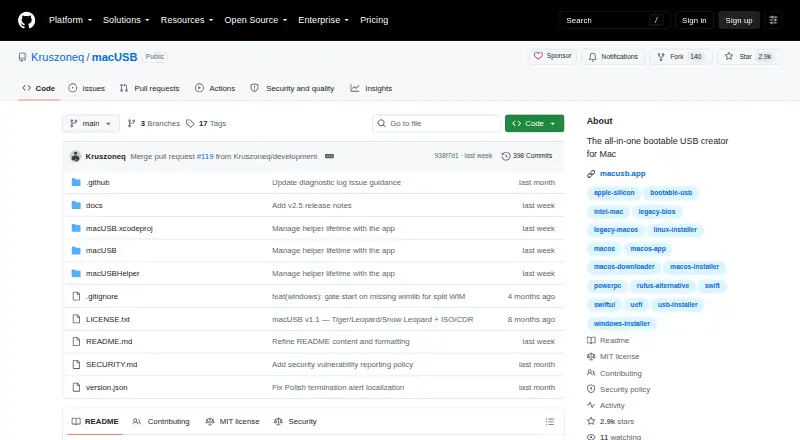
macUSB is a free, guided macOS app for creating bootable USB media on Apple Silicon and Intel Macs. It can download macOS installers from Apple servers, including available Public Beta releases, or use local installer files. It also supports bootable media creation from supported Linux and Windows ISO images, with optional Windows setup automation. For supported disk images, macUSB calculates SHA-256 checksums and verifies raw image writes against their source. The host must be an Apple Silicon or Intel Mac running macOS Sonoma 14.6 or later. macOS installers require a USB drive of at least 16 GB, or 32 GB for macOS Sequoia 15 and later; Windows and Linux images require at least 1 GB, depending on image size. Creating bootable media erases the selected USB drive, and external HDD and SSD support is disabled by default at launch. If a Windows image has an install.wim file that needs splitting, wimlib must be installed separately. The latest listed release is v2.5, which describes raw image writing and exporting downloaded macOS installers as DMG files. Installation is available through GitHub Releases or Homebrew; the project directs support questions to GitHub issues and uses the MIT License.
Who it suits
macUSB is for Mac users who need to create bootable media from macOS installers or supported Windows and Linux images. The host requirement makes it unsuitable for computers that are not Macs running macOS Sonoma 14.6 or later.
What it does well
- Downloads macOS installers from Apple servers
- Supports supported Linux and Windows ISO images
- Verifies raw image writes against their source
- Available through GitHub Releases and Homebrew
What to know first
- Requires macOS Sonoma 14.6 or later
- Creating media erases the selected USB drive
- wimlib must be installed separately for some Windows images
- External HDD and SSD support is disabled by default
Plans
| Plan | Billed and limits | Price |
|---|---|---|
| Free | All updates and features available to everyone | Free |
As github.com lists them, read 11 Oct 2026. The maker's own page has the final word.
Verdict
macUSB covers macOS installers as well as supported Windows and Linux images, with image verification included. Check the host and USB capacity requirements, and expect the selected drive to be erased.
Facts from macUSB's own pages
- Image verification
- It calculates SHA-256 checksums for supported disk images and verifies raw image writes against their source. · github.com, 11 Oct 2026
- Install options
- The project lists GitHub Releases and Homebrew as installation methods. · github.com, 11 Oct 2026
- Latest listed release
- The releases page lists macUSB v2.5 as the latest release and describes raw image writing and exporting downloaded macOS installers as DMG files. · github.com, 11 Oct 2026
- License
- The repository states that macUSB is licensed under the MIT License. · github.com, 11 Oct 2026
- macOS installers
- It can download macOS installers from Apple servers, including available Public Beta releases, or use local installer files. · github.com, 11 Oct 2026
- Other boot media
- It supports creating bootable USB media from supported Linux and Windows ISO images, with optional Windows setup automation. · github.com, 11 Oct 2026
- Purpose
- macUSB is a guided macOS app for creating bootable USB media on Apple Silicon and Intel Macs. · github.com, 11 Oct 2026
- Safety
- Creating bootable media erases data on the selected USB drive; external HDD and SSD support is disabled by default at launch. · github.com, 11 Oct 2026
- Security
- The v2.3.1 release says the app and background helper mutually verify trusted code signatures before privileged operations. · github.com, 11 Oct 2026
- Support
- The README directs users with problems or questions to open a GitHub issue. · github.com, 11 Oct 2026
- Supported host
- The host computer must be an Apple Silicon or Intel Mac running macOS Sonoma 14.6 or later. · github.com, 11 Oct 2026
- USB capacity
- macOS installers require at least 16 GB, or 32 GB for macOS Sequoia 15 and later; Windows and Linux images require at least 1 GB, depending on image size. · github.com, 11 Oct 2026
- Windows dependency
- wimlib is not bundled and must be installed separately when a Windows image contains an install.wim file that needs splitting. · github.com, 11 Oct 2026
Where macUSB stands on Freedom251
- Bootable USB Software#14 of 38