Lucidchart
What Lucidchart is
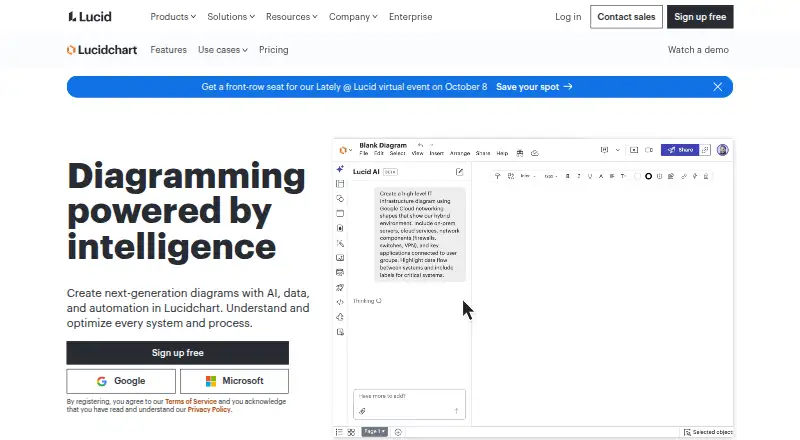
Lucidchart is a cloud-based diagramming product for mapping processes, planning teams and visualizing technical systems and architecture. It supports flowcharts, process maps, organization planning, technical diagrams and AI-generated diagrams. Lucid AI can use text prompts to create canvas content and answer questions. Users can link Google Sheets, Excel or CSV files to build visualizations from data, and collaborate in real time or asynchronously. Integrations listed in Lucid's marketplace include Jira, Confluence, Slack, Microsoft Teams, Notion, AWS and Azure. A public API supports creating, reading and updating Lucidchart and Lucidspark documents. The Free plan includes three editable Lucidchart documents, up to 60 shapes per document and 100 basic templates. Individual costs $9 a month and includes unlimited documents, shapes and lines, premium templates, Presentation Mode, 1 GB cloud storage, premium shape libraries, and Visio import and export. Lucidchart is described as accessible through existing technology, including Chromebooks, and has no desktop app.
Who it suits
It suits people and teams creating process maps, flowcharts, organization plans or technical diagrams, especially when they need collaborative editing or data-linked visuals.
What it does well
- Supports real-time and asynchronous diagram collaboration.
- AI can generate canvas content from text prompts.
- Links Google Sheets, Excel and CSV data.
- Free plan includes 100 basic templates.
- Individual includes Visio import and export.
What to know first
- Free plan limits users to three editable documents.
- Free plan caps each document at 60 shapes.
- No desktop app is listed.
Limits
The Free plan includes three editable Lucidchart documents, up to 60 shapes per document, and 100 basic templates. Individual costs $9 a month and includes unlimited documents, shapes, and lines, plus premium templates, Presentation Mode, 1 GB cloud storage, premium shape libraries, and Visio import and export.
Plans
| Plan | Billed and limits | Price |
|---|---|---|
| Free | 3 editable Lucidchart documents · 60 shapes per document · 100 basic templates | Free |
| Individual | Unlimited documents · Unlimited shapes and lines · Premium templates · Presentation Mode · 1 GB cloud storage · Premium shape libraries · Visio import and export | $9 a month |
As lucid.co lists them, read 2 Oct 2026. The maker's own page has the final word.
Getting started
- Visit the Lucidchart website.
- Choose the free plan or review the 7-day trial.
- Use Lucidchart on the web, Android, or iOS, or access it through an extension.
- Create a diagram using a template, a text prompt, or linked spreadsheet data.
- Invite collaborators to work in real time or asynchronously.
Lucidchart is a cloud-based diagramming workspace for mapping processes, systems, teams, and data. It is best suited to organizations that need shared diagrams, spreadsheet-linked visuals, or integrations with everyday work software. The main trade-off is that meaningful capacity beyond a small set of documents requires a paid plan.
Overview
Lucidchart brings process maps, flowcharts, organizational planning, technical diagrams, and systems or architecture visuals into one browser-accessible product. Its cloud delivery works on existing technology, including Chromebooks, and supports collaboration in real time or asynchronously. That combination fits distributed teams and projects where diagrams evolve over time rather than being exported once.
The product comes from Lucid Software, co-founded by Ben Dilts and Karl Sun in 2010. It is offered as freemium software with a free plan and a seven-day trial, giving individuals a way to assess the workflow before committing.
Key features
Diagramming and collaboration
The range of diagram types is a practical strength: the same workspace can cover a business process, an org chart, a technical design, or an architecture view. Real-time editing supports meetings and workshops, while asynchronous collaboration suits teams working across schedules. Version history provides a way to track changes, which matters when a shared diagram becomes a working record.
AI and data connections
Lucid AI accepts text prompts to generate content on the canvas and answer questions. This can accelerate a first draft or help users interrogate a visual, but it does not remove the need to shape the resulting diagram for a specific process or audience. Linking Google Sheets, Excel, or CSV files lets users turn source data into visualizations instead of recreating values manually.
Integrations, API, and file support
Marketplace integrations include Jira, Confluence, Slack, Microsoft Teams, Notion, AWS, and Azure, making Lucidchart a stronger fit when diagrams need to sit alongside project, documentation, communication, or cloud workflows. Its public API can create, read, and update Lucidchart and Lucidspark documents programmatically, which is useful for organizations automating document flows.
Export covers PDF, PNG, JPEG, SVG, VSDX, VDX, JSON, CSV, and BPMN. Import accepts VSDX, VSD, VDX, JPEG, PNG, .drawio, XML, BPMN, XPDL, and OmniGraffle flat files. That breadth eases migration and handoff, particularly for teams exchanging diagrams with Visio or other modeling tools.
Security and administration
Lucid states that data is protected with TLS 1.2 or 1.3 in transit and AES-256 at rest. Its listed certifications and assessments include SOC 2 Type II, ISO 27001, ISO 27701, ISO 42001, and FedRAMP Certified Class C (Moderate). Enterprise customers receive a 99.9% uptime guarantee. Support staff can access customer documents only after the customer explicitly grants permission using a security PIN, a useful boundary for sensitive diagrams.
Pricing
Free
free includes three editable Lucidchart documents, 60 shapes per document, and 100 basic templates. This is enough for occasional diagrams or a short evaluation, but the document and shape ceilings make it a poor fit for a growing library or detailed architecture work.
Individual
$9 a month removes those core capacity limits with unlimited documents, shapes, and lines. It adds premium templates, Presentation Mode, 1 GB of cloud storage, premium shape libraries, and Visio import and export. This is the sensible tier for a solo professional or small-scale contributor who needs ongoing diagram production and richer interchange. The seven-day trial offers a brief opportunity to judge whether those additions justify the recurring charge.
Platforms
Lucidchart is available on the web, Android, and iOS, with an extension and an API. There is no desktop app, so users wanting a native Windows or macOS client should account for its browser-based model. Its cloud access also supports Chromebook use.
Who it's for
Choose Lucidchart for cross-functional teams documenting processes, planning organizations, designing technical systems, or visualizing spreadsheet data together. It is particularly compelling when Jira, Confluence, Slack, Teams, Notion, AWS, or Azure are already part of the workflow, or when programmatic document updates are required. Occasional users with only a few simple diagrams may find the Free limits restrictive enough to look elsewhere.
Pros and cons
- Pro: Broad coverage from flowcharts and org planning to technical and architecture diagrams avoids maintaining separate tools for different visual tasks.
- Pro: Real-time and asynchronous collaboration, version history, and extensive import/export formats support shared, evolving documentation.
- Pro: AI prompting, spreadsheet links, integrations, and a public API connect diagrams to content and systems beyond the canvas.
- Con: The Free plan allows only three editable documents and 60 shapes per document, limiting sustained or detailed use.
- Con: Individual storage is 1 GB and the product has no desktop app, which may not suit users seeking a native client or larger local-style workspace.
Alternatives
For a free, open-source option with no sign-up requirement and clients across web, Windows, macOS, Linux, iOS, and Android, choose draw.io instead. EdrawMax is another freemium choice, with a free tier offering 500 AI tokens, 100M cloud storage, and limited Visio, SVG, and CAD import. For UML modeling and multi-user projects, consider Sparx Enterprise Architect. Structurizr targets architecture work and offers a 1–20-user plan at £300 a month billed annually per server installation. Creately provides a free tier with unlimited canvases and collaborators but 45 items per canvas. Eclipse Papyrus is a free, open-source modeling environment. Mermaid suits text-oriented diagram creation with a free Basic tier capped at six diagrams. Microsoft Visio is the better fit for buyers specifically seeking Microsoft's diagramming product and ecosystem.
Browse more options in Diagram Software.
Verdict
Lucidchart is a strong choice for teams that need collaborative, data-connected diagramming across business and technical work, especially when integrations or API automation matter. Look elsewhere if three documents and 60 shapes are enough only temporarily, or if you require a desktop application or a fully free, open-source workflow.
Verdict
Lucidchart covers a wide range of diagramming tasks, with collaboration, AI prompts and data links. The Free plan has document and shape limits; Individual costs $9 a month.
Questions
Does Lucidchart have a free plan?
Yes. Free includes three editable Lucidchart documents, 60 shapes per document, and 100 basic templates.
How much is the Individual plan?
Individual costs $9 a month. It includes unlimited documents, shapes, and lines, plus premium templates, Presentation Mode, 1 GB cloud storage, premium shape libraries, and Visio import and export.
Which platforms support Lucidchart?
The listed platforms are Android, API, extension, iOS, and web. Lucidchart has no desktop app.
Can Lucidchart import and export Visio files?
The Individual plan includes Visio import and export. Listed export formats include VSDX and VDX; listed import formats include VSDX, VSD, and VDX.
What integrations are available?
Lucid’s marketplace lists Jira, Confluence, Slack, Microsoft Teams, Notion, AWS, and Azure among its integrations.
Who makes Lucidchart?
Lucid Software was co-founded by Ben Dilts and Karl Sun in 2010.
Facts from Lucidchart's own pages
- AI
- Lucid AI uses text prompts to generate content on the Lucidchart canvas and answer questions. · lucid.co, 2 Oct 2026
- API
- Lucid offers a public API to programmatically create, read, and update Lucidchart and Lucidspark documents. · lucid.co, 2 Oct 2026
- Collaboration
- Users can collaborate on diagrams in real time or asynchronously. · lucid.co, 2 Oct 2026
- Compliance
- Lucid lists SOC 2 Type II, ISO 27001, ISO 27701, ISO 42001, and FedRAMP Certified Class C (Moderate) among its certifications and assessments. · lucid.co, 2 Oct 2026
- Data linking
- Users can link Google Sheets, Excel, or CSV files to create visualizations from a data source. · lucid.co, 2 Oct 2026
- Diagram types
- Lucidchart is used for process maps and flowcharts, AI-generated diagrams, org and team planning, technical diagrams, and systems and architecture visuals. · lucid.co, 2 Oct 2026
- Encryption
- Lucid states that it supports TLS 1.2 or 1.3 in transit and AES-256 encryption at rest. · lucid.co, 2 Oct 2026
- Enterprise uptime
- Lucid offers Enterprise customers a 99.9% uptime guarantee. · lucid.co, 2 Oct 2026
- Founded
- 2010 · lucid.co, 28 Sept 2026
- Headquarters
- South Jordan, Utah, United States · lucid.co, 28 Sept 2026
- Integrations
- Lucid's marketplace lists integrations including Jira, Confluence, Slack, Microsoft Teams, Notion, AWS, and Azure. · lucid.co, 2 Oct 2026
- Maker history
- Lucid Software was co-founded by Ben Dilts and Karl Sun in 2010. · lucid.co, 2 Oct 2026
- Platform availability
- Lucidchart is described as a cloud-based product accessible on users' existing technology, including Chromebooks. · lucid.co, 2 Oct 2026
- Purpose
- Lucidchart creates diagrams with AI, data, and automation to help users understand and optimize systems and processes. · lucid.co, 2 Oct 2026
- Support access
- Lucid says its support team can access customer documents only when the customer explicitly grants permission via a security PIN. · lucid.co, 2 Oct 2026
Where Lucidchart stands on Freedom251
- Diagram Software#13 of 36