Freedom251 › Diagramming tools

Mermaid
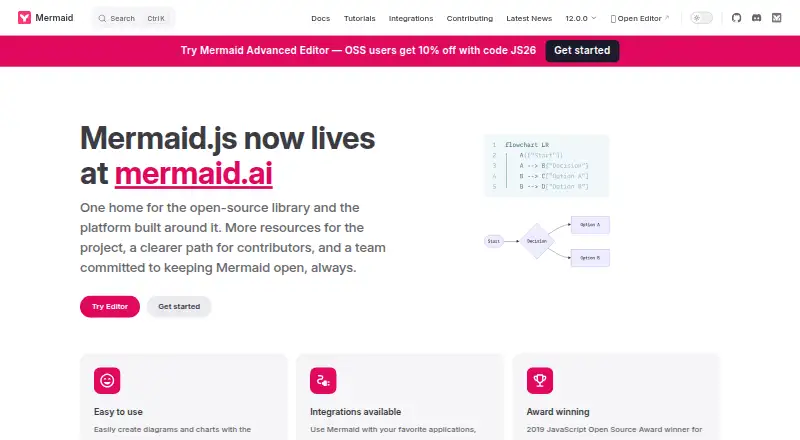
What Mermaid is
Mermaid is an open-source JavaScript diagramming and charting tool that turns Markdown-inspired text definitions into diagrams and visualizations. Its diagram types include flowcharts, sequence and class diagrams, state diagrams, Gantt charts, timelines, mindmaps, Git graphs, use case diagrams and event modeling diagrams. Users can also describe an idea, upload a document or paste a transcript to generate a diagram and refine it through a context-aware conversation. Mermaid offers real-time co-editing, click-based adjustments and live links that recipients can open without logging in.
It can be used through the Live Editor, as an npm dependency, from a CDN or through its API. Listed integrations include IDEs, office tools and community projects. The free Basic tier includes up to six diagrams, a diagram size limit of 60, 15 AI credits, and one team and project creation. Plus costs $10 a month billed annually, while Premium costs $20 a month billed annually. Mermaid imports .mmd files and exports PNG, SVG and Markdown; version history is available. Mermaid v12 targets ES2024, its documentation aims to support Safari 17.4 or later, and npm installation requires Node.js 22.12.0 or later.
Who it suits
Mermaid describes its audience as teams and visual thinkers, including developers, data engineers, analysts, educators, consultants, technical writers and project managers. Its available deployment options suit users working in a Live Editor, development environment or API-based setup.
What it does well
- Covers ten listed diagram types.
- Supports real-time co-editing and shareable live links.
- Imports .mmd and exports PNG, SVG or Markdown.
- Version history is available.
- Offers Live Editor, npm, CDN and API deployment.
What to know first
- Basic is limited to six diagrams.
- Basic diagram size limit is 60.
- npm installation requires Node.js 22.12.0 or later.
Limits
The free Basic tier allows up to six diagrams, a diagram size limit of 60, 15 AI credits, and one team and project creation. Plus costs $10 a month billed annually and includes 300 AI credits per year; Premium costs $20 a month billed annually and includes 2,000 AI credits per year.
Plans
| Plan | Billed and limits | Price |
|---|---|---|
| Basic | Up to 6 diagrams · Limited diagram size (60) · 15 AI credits · 1 team and project creation | Free |
| Plus | Billed Annually · Unlimited diagrams · Limitless diagram size · 300 AI credits per year | $10 a month |
| Premium | Billed Annually · Unlimited diagrams · Limitless diagram size · 2,000 AI credits per year · Unlimited viewer seats · Unlimited teams and projects | $20 a month |
| Enterprise | Billed Annually · Custom pricing · Unlimited diagrams · Limitless diagram size · Unlimited AI credits · SSO · Custom contract and invoicing · IP management · Dedicated Customer Success Manager | On request |
As mermaid.js.org lists them, read 11 Oct 2026. The maker's own page has the final word.
Getting started
- Open the Mermaid Live Editor or use the website documentation.
- Choose a diagram type and create a Markdown-inspired text definition, or describe an idea, upload a document, or paste a transcript for AI generation.
- Refine the diagram through conversation, click-based adjustments, or real-time co-editing.
- Export as PNG, SVG, or Markdown, or share a live link.
- For development use, install the npm package, load Mermaid from a CDN, or use its API.
Verdict
Mermaid supports a broad range of diagram types and multiple ways to create, edit and share diagrams. Review the Basic tier’s limits and the stated browser or runtime requirements for your setup.
Questions
Is Mermaid free and open source?
Yes. Mermaid is described as open source, and its Basic plan costs nothing.
What are the free tier limits?
Basic includes up to six diagrams, a diagram size limit of 60, 15 AI credits, and one team and project creation.
Which diagram types does Mermaid support?
Its listed types include flowcharts, sequence diagrams, class diagrams, state diagrams, Gantt charts, timelines, mindmaps, Git graphs, use case diagrams, and event modeling diagrams.
What can Mermaid import and export?
It imports .mmd files and exports PNG, SVG, and Markdown.
How can I use Mermaid?
It can be used through the Live Editor, installed as an npm dependency, loaded from a CDN, or deployed using its API.
What does Mermaid Enterprise include?
The Enterprise plan lists unlimited diagrams and AI credits, SSO, custom contract and invoicing, IP management, and a dedicated Customer Success Manager. Mermaid Chart's enterprise page also lists SSO/SAML, SOC 2 compliance, encryption at rest, centralized seat management, and domain lockdown.
Facts from Mermaid's own pages
- AI creation
- Mermaid says users can describe an idea, upload a document, or paste a transcript to generate a diagram and continue refining it through a context-aware conversation. · mermaid.ai, 11 Oct 2026
- Browser and runtime requirement
- Mermaid v12 bundles target ES2024, the documentation aims to support Safari 17.4 or later, and installing the npm package requires Node.js 22.12.0 or later. · mermaid.js.org, 11 Oct 2026
- Community support
- The Mermaid.js integrations page lists community integrations such as GitHub, GitLab, Notion, Obsidian, Joplin, and Azure DevOps. · mermaid.js.org, 11 Oct 2026
- Deployment
- Mermaid can be used through the Live Editor, installed as an npm dependency, loaded from a CDN, or deployed using its API. · mermaid.js.org, 11 Oct 2026
- Diagram types
- The documentation lists diagram types including flowcharts, sequence diagrams, class diagrams, state diagrams, ER diagrams, Gantt charts, mind maps, timelines, Sankey diagrams, and architecture diagrams. · mermaid.js.org, 11 Oct 2026
- Editing and sharing
- The platform offers real-time co-editing, click-based diagram adjustments, and live links that can be shared without requiring the recipient to log in. · mermaid.ai, 11 Oct 2026
- Enterprise security
- Mermaid Chart's enterprise page lists SSO/SAML authentication, SOC 2 compliance, encryption at rest, centralized seat management, and domain lockdown. · mermaid.ai, 11 Oct 2026
- Free tier limits
- The Basic tier includes up to six diagrams, a diagram size limit of 60, and 15 AI credits; the pricing page also describes limited AI and one team and project creation. · mermaid.ai, 11 Oct 2026
- Integrations
- Listed integrations include VS Code, JetBrains IDEs, Cursor, Windsurf, Claude Code, ChatGPT, Confluence, Jira, Google Docs, Microsoft Word, and PowerPoint. · mermaid.ai, 11 Oct 2026
- Purpose
- Mermaid is a JavaScript diagramming and charting tool that renders Markdown-inspired text definitions into diagrams and visualizations. · mermaid.js.org, 11 Oct 2026
- Security controls
- Mermaid's rendering security setting defaults to strict, which encodes HTML tags in text and disables click functionality; sandbox mode renders in a sandboxed iframe. · mermaid.js.org, 11 Oct 2026
- Security reporting
- The project asks users to report vulnerabilities by email and says it aims to reply within three working days. · mermaid.js.org, 11 Oct 2026
- Who it serves
- Mermaid describes the platform as intended for teams and visual thinkers, and names developers, data engineers, analysts, educators, consultants, technical writers, and project managers among its audiences. · mermaid.ai, 11 Oct 2026
Where Mermaid stands on Freedom251
- Diagramming tools#10 of 46
- Flowchart Software#5 of 17
- Diagramming Software#17 of 44
- Diagram Software#15 of 36