Freedom251 › Diagramming tools

draw.io
by draw.io
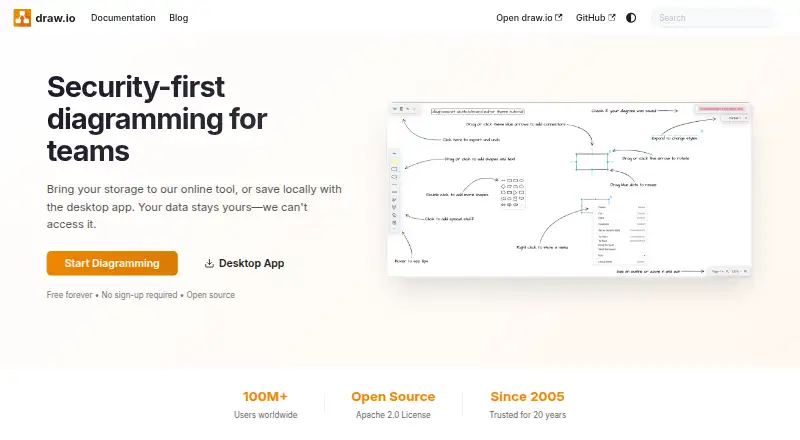
What draw.io is
draw.io is a free, open-source diagramming tool for making visual layouts, charts, and technical diagrams. It supports flow charts, mind maps, org charts, Venn diagrams, infographics, network and architecture diagrams, floor plans, electrical and rack diagrams, UML and BPMN diagrams, Kanban boards, ER diagrams, Mermaid diagrams, Gitflow diagrams, C4 models, and threat models. People can collaborate in real time, and diagrams can be shared in editable form across platforms or embedded interactively in documents, wikis, and applications. Files can be exported as SVG, PNG, or PDF, or kept editable; imports include draw.io, XML, Gliffy, VSDX, Lucidchart, PNG, SVG, and JPEG. The desktop app allows local saving, and users can choose their storage. draw.io says it cannot access user data; no sign-up or credit card is needed to start diagramming. It offers version history and integrations with Google, Microsoft, Atlassian, GitHub, VS Code, Notion, and Chrome. Support is available through GitHub Discussions and Stack Overflow.
Who it suits
draw.io suits people who need to create diagrams across a range of platforms, including teams that want real-time collaboration. Local saving and user-selected storage may suit those who prefer control over where diagrams are kept.
What it does well
- Free and open source
- No sign-up or credit card required to start
- Supports real-time collaboration
- Desktop app allows local saving
- Imports and exports multiple diagram formats
What to know first
- No Enterprise tier for SSO
- Support channels listed are GitHub Discussions and Stack Overflow
Plans
| Plan | Billed and limits | Price |
|---|---|---|
| Free forever | — | On request |
As drawio.com lists them, read 27 Sept 2026. The maker's own page has the final word.
Getting started
- Open the draw.io website or choose an available platform.
- Start diagramming without signing up or entering a credit card.
- Choose your own storage or use the desktop app to save locally.
- Create a diagram and collaborate in real time if needed.
- Keep the diagram editable or export it as SVG, PNG or PDF.
Overview
draw.io is a free, open-source diagramming tool for people who need to create and share diagrams across devices and platforms. Its breadth of diagram types and flexible storage make it a strong fit for individuals and teams who want to avoid a paid plan; organizations that require Enterprise SSO should look elsewhere.
It runs on the web and has apps for Windows, macOS, Linux, iOS, and Android. The desktop app is free forever and supports local saving, while users can also bring their own storage. You can start without an account or credit card, and draw.io says it cannot access users’ data. That storage flexibility is a meaningful advantage for users who want to choose where files live rather than rely on a single service.
draw.io says it has been trusted for 20 years, dates to 2005, and has more than 100 million users worldwide. Files made in 2005 still load in today’s app, and draw.io files can be opened and edited across platforms. That continuity is useful for long-lived diagrams, though it does not by itself guarantee that every imported format behaves identically.
For more options, browse Diagram Software and Diagramming Software.
Key features
Coverage beyond flow charts
The supported range spans flow charts, mind maps, org charts, Venn diagrams, infographics, network and architecture diagrams, floor plans, electrical and rack diagrams, UML and BPMN diagrams, Kanban boards, ER diagrams, Mermaid diagrams, Gitflow diagrams, C4 models, and threat models. That variety makes draw.io a practical single tool for mixed technical and business diagramming rather than a narrow flow-chart editor.
Files, exports, and embedding
Import formats include draw.io, XML, Gliffy, VSDX, Lucidchart, PNG, SVG, and JPEG. Diagrams can be exported as SVG, PNG, or PDF, or kept editable. This combination helps when moving existing work in or sharing a finished diagram in common document formats. Interactive diagrams can also be embedded in docs, wikis, or applications.
Collaboration and integrations
Real-time collaboration supports shared diagram work, while integrations include Google, Microsoft, Atlassian, GitHub, VS Code, Notion, and Chrome. Version history is also available. These features make draw.io more suitable for teams already working across those ecosystems, although the absence of an Enterprise tier for SSO may rule it out for organizations that require that access control.
Support is available through GitHub Discussions and Stack Overflow. Those community channels may suit users comfortable seeking help in public forums, but they are a different proposition from dedicated enterprise support.
Pricing
Free forever
draw.io’s plan is free forever, with no sign-up or credit card required. It includes a desktop app and local saving, and the free offer is especially compelling for individuals, students, and teams that want to make diagrams without taking on a subscription. No paid tier is presented as an upgrade path; organizations needing Enterprise SSO will need another product.
There are no published seat or usage caps to weigh against the free offer. The desktop app is explicitly free forever, and the company describes itself as independent and not VC-funded. Users who need help can turn to GitHub Discussions or Stack Overflow.
Platforms
draw.io supports web, Windows, macOS, Linux, iOS, and Android. The desktop app adds a local-saving option, while cross-platform file compatibility lets others open and edit draw.io files on any platform. This is a broad reach for distributed teams, though the listed mobile platforms are not a substitute for desktop-specific workflows.
Who it's for
draw.io is a good choice for people who need many diagram types, cross-platform collaboration, and control over storage without a software bill. It is particularly well suited to technical teams that work with formats such as UML, BPMN, Mermaid, C4, or network diagrams, as well as teams that need embeddable diagrams and integrations with familiar tools.
It is less suitable for companies whose security policies require Enterprise SSO. Users who want a paid service tier or a different set of product limits should compare alternatives before standardizing on it.
Pros and cons
Pros
- Broad diagram coverage: support for technical, organizational, and planning diagrams lets varied teams work in one tool.
- Flexible storage and privacy: local saving and bring-your-own-storage options give users control, and draw.io says it cannot access their data.
- Free to start and keep: no sign-up or credit card is needed, and the desktop app is free forever.
- Portable files: imports cover several established diagram formats and exports include SVG, PNG, and PDF; older draw.io files still load in the current app.
Cons
- No Enterprise SSO tier: organizations that require SSO cannot meet that requirement with draw.io’s stated offering.
- Community support: GitHub Discussions and Stack Overflow may be less suitable for teams that expect dedicated support.
- No paid upgrade path: users who need a distinct paid tier will need to consider another product.
Alternatives
EdrawMax is worth considering if you want a freemium diagramming option with a free plan and trial; its free plan includes 500 AI tokens, 100M cloud storage, and limited Visio, SVG, and CAD import.
Creately may suit teams prioritizing shared canvases: its free plan includes unlimited canvases and collaborators, with 45 items per canvas and one folder.
Buddi is a free alternative for readers looking specifically for budgeting software rather than diagramming.
Lucidchart is a candidate if you prefer a freemium alternative with a defined free allowance of three editable documents, 60 shapes per document, and 100 basic templates.
ProcessOn may be preferable if a free forever plan with personal files and collaborators suits your workflow; its free version allows nine personal files and three collaborators, with partial file-download formats.
Cacoo is another freemium option whose free plan offers unlimited users, six sheets, PNG exports, real-time editing, and in-app video chat.
Eraser may appeal if you want a free plan with three files, three AI diagrams, seven-day version history, and unlimited guests; its Starter plan is $15 a month.
PlantUML is another free option for readers comparing diagramming tools.
Verdict
Choose draw.io if you want a capable, cross-platform diagramming tool with broad format support, real-time collaboration, and storage you control, all without paying or signing up. Its main reason to lose out is equally clear: organizations that require Enterprise SSO should choose another tool.
Verdict
draw.io offers a broad set of diagram types, collaboration, and flexible storage choices at no cost. Teams that require Enterprise SSO should note that no such tier is listed.
Questions
Is draw.io free?
Yes. Its pricing model is free, and the desktop app is free forever.
Do I need an account or credit card to start?
No sign-up or credit card is required to begin diagramming.
Which platforms does draw.io support?
It is available on the web, Windows, macOS, Linux, iOS and Android.
Can I choose where my diagrams are stored?
Yes. Users can bring their own storage or save locally with the desktop app. draw.io says it cannot access users’ data.
Can draw.io import and export diagrams?
It can import draw.io, XML, Gliffy, VSDX, Lucidchart, PNG, SVG and JPEG files. Diagrams can be exported to SVG, PNG or PDF, or kept editable.
Does draw.io offer Enterprise SSO?
No. draw.io says there is no Enterprise tier for SSO.
Facts from draw.io's own pages
- File Compatibility
- Diagram files created in 2005 load in today's app. · drawio.com, 27 Sept 2026
- Company History
- The site says draw.io has been trusted for 20 years and dates to 2005. · drawio.com, 27 Sept 2026
- Company Structure
- draw.io describes itself as an independent private company that is not VC-funded. · drawio.com, 27 Sept 2026
- Credit Card
- No credit card is required. · drawio.com, 27 Sept 2026
- Cross-Platform Sharing
- Anyone can open and edit draw.io files on any platform. · drawio.com, 27 Sept 2026
- Data Access
- draw.io says it cannot access users' data. · drawio.com, 27 Sept 2026
- Desktop App
- A desktop app lets users save locally. · drawio.com, 27 Sept 2026
- Diagram types
- flow charts,mind maps,org charts,Venn diagrams,infographics,network diagrams,architecture diagrams,floor plans,electrical diagrams,rack diagrams,UML diagrams,BPMN diagrams,Kanban boards,ER diagrams,Mermaid diagrams,Gitflow diagrams,C4 models,threat models · drawio.com, 20 Sept 2026
- Diagram Embedding
- Interactive diagrams can be embedded in docs, wikis, or applications. · drawio.com, 27 Sept 2026
- Enterprise SSO
- The site says there is no Enterprise tier for SSO. · drawio.com, 27 Sept 2026
- Export Formats
- Diagrams can be exported to SVG, PNG, or PDF, or kept editable. · drawio.com, 27 Sept 2026
- Free Tier
- The desktop app is free forever. · drawio.com, 27 Sept 2026
- Free plan
- Yes · drawio.com, 20 Sept 2026
- Headquarters
- Northampton, United Kingdom · drawio.com, 23 Sept 2026
- Native Integrations
- Integrations include Google, Microsoft, Atlassian, GitHub, VS Code, Notion, and Chrome. · drawio.com, 27 Sept 2026
- Open Source
- draw.io is open source under the Apache 2.0 License. · drawio.com, 27 Sept 2026
- Pricing Page
- The listed pricing page returns Page Not Found. · drawio.com, 27 Sept 2026
- Real-Time Collaboration
- Teams can work together with shared cursors. · drawio.com, 27 Sept 2026
- Sign-Up Requirement
- No sign-up is required to start diagramming. · drawio.com, 27 Sept 2026
- Storage Choice
- Users can bring their own storage or save locally. · drawio.com, 27 Sept 2026
- Support Channels
- Support includes GitHub Discussions and Stack Overflow. · drawio.com, 27 Sept 2026
- Worldwide Users
- The site states that draw.io has more than 100 million users worldwide. · drawio.com, 27 Sept 2026
Where draw.io stands on Freedom251
- Diagramming tools#1 of 46
- Diagramming Software#1 of 44
- Diagram Software#1 of 36