LogoMakr
What LogoMakr is
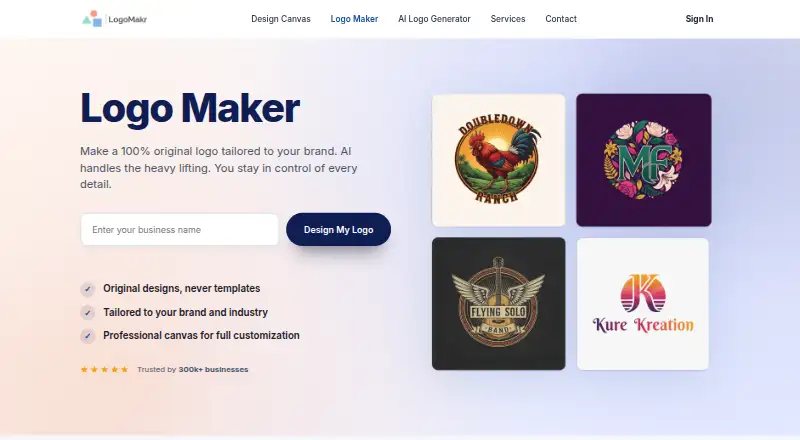
LogoMakr is a browser-based logo maker that combines AI-generated concepts, editable templates, and a design canvas. Enter a business name, industry, and style preferences to generate concepts, then adjust fonts, icons, colors, and element positions. The canvas includes 3 million graphics, such as icons, shapes, and illustrations. Exports include PNG, JPG, SVG, and PDF; vector files are intended for print and large-format use. The free plan costs nothing and allows logo design, preview, and low-resolution PNG or JPG downloads for personal use. Basic costs $29, paid once and includes web-based PNG and JPG files with full commercial rights. Pro costs $60, paid once, and Business costs $120, paid once; both include high-resolution and vector formats, commercial rights, and extra design credits. LogoMakr describes the tool as intended for entrepreneurs and small business owners without design experience. It runs in a browser and works on Mac, Windows, Chromebook, and iPad without installation.
Who it suits
LogoMakr suits entrepreneurs and small business owners who want to make a logo without design experience. It also fits users who want browser-based editing and multiple export formats.
What it does well
- AI concepts use business name, industry, and style
- Canvas includes 3 million graphics
- Exports include PNG, JPG, SVG, and PDF
- Browser-based access without installation
- Paid files include full commercial rights
What to know first
- Free download is low-resolution and for personal use
- High-resolution and vector files require a paid purchase
Limits
The Free plan costs nothing and allows design, preview and low-resolution PNG or JPG downloads for personal use. High-resolution and vector files require a paid purchase; Basic does not include those formats, while Pro and Business do.
Plans
| Plan | Billed and limits | Price |
|---|---|---|
| Free | Design and preview logos · low-resolution PNG/JPG download | Free |
| Business | One-time payment · Web-based PNG and JPG · high-resolution JPG and PNG · SVG, EPS, PDF · full commercial rights · 30 extra design credits | $120, paid once |
| Basic | One-time payment · Web-based PNG and JPG files · full commercial rights | $29, paid once |
| Pro | One-time payment · Web-based PNG and JPG · high-resolution JPG and PNG · SVG, EPS, PDF · full commercial rights · 6 extra design credits | $60, paid once |
As logomakr.com lists them, read 29 Sept 2026. The maker's own page has the final word.
Getting started
- Open the LogoMakr website in a browser.
- Enter a business name, industry and style preferences to generate logo concepts.
- Edit fonts, icons, colors and element positions on the canvas.
- Preview the logo and choose a download plan.
- Download the available PNG, JPG or vector formats for the selected plan.
Overview
LogoMakr is a browser-based logo tool for entrepreneurs and small businesses that want to generate and refine a mark without starting from a blank canvas. Its combination of AI concepts and manual editing is useful for getting to a first draft, but the free download is for personal use only and unsuitable for a commercial launch.
Start with a business name, industry, and style preferences, then adjust fonts, icons, colors, and element positions. A library of 3 million graphics, plus custom fonts, custom dimensions, and a brand kit, offers room to shape the result. LogoMakr does not identify third-party integrations, so its workflow centers on its own browser editor and exported files.
Exports include PNG, JPG, SVG, and PDF; vector files are intended for print and large-format use. Purchased files include full commercial rights, with no royalties or licensing fees, according to the maker.
Key features
- AI concept generation: Business name, industry, and style preferences provide a starting point. This can help users who lack a visual direction, though the editor still matters for refining the result.
- Canvas editing and graphics: Adjust fonts, icons, colors, and placement, drawing on 3 million icons, shapes, and illustrations. That breadth makes it possible to customize a concept rather than accept it unchanged.
- Flexible output: PNG and JPG cover common image needs, while SVG and PDF vector exports suit print and large-format applications. High-resolution and vector files are paid, so the free tier is not a production-ready commercial handoff.
- Commercial rights: Purchased files carry full commercial rights without royalties or licensing fees, which makes a paid plan the relevant choice for a business identity.
Pricing
LogoMakr is freemium. Its free plan costs nothing and includes design and preview tools plus low-resolution PNG/JPG downloads. Those downloads are licensed for personal use, limiting the free plan to exploration or personal projects rather than business use.
Basic costs $29, paid once as a one-time payment. It provides web-based PNG and JPG files and full commercial rights, but does not include the high-resolution or vector file bundle. It fits a buyer who needs commercial-use raster files and can do without print-oriented vectors.
Pro costs $60, paid once as a one-time payment. It adds high-resolution JPG and PNG, SVG, EPS, and PDF exports, full commercial rights, and 6 extra design credits. This is the more practical option when a logo needs to work across digital and print uses.
Business costs $120, paid once as a one-time payment. It includes the same listed file formats, high-resolution exports, and commercial rights as Pro, with 30 extra design credits. It suits buyers who need more design credits; the published plan terms do not otherwise distinguish its export rights from Pro.
Platforms
LogoMakr runs in a browser and requires no installation. Its site says it works on Mac, Windows, Chromebook, and iPad. The directory lists iOS, macOS, web, and Windows, so the browser route is the clearest fit for cross-device access; no separate desktop workflow is described.
Who it's for
It is less compelling for someone who only needs a free commercial logo, or who wants to avoid purchasing before obtaining high-resolution or vector output.
Support is available by phone, email, or ticket, with replies promised within hours during weekday business hours. The privacy policy says the service uses security cookies and commercially acceptable measures to protect personal data, while acknowledging that absolute security cannot be guaranteed; collected information may include contact details, cookies, IP and browser information, and usage data.
Pros and cons
- Pro: AI concepts can be edited on the same canvas, so users can move from initial direction to a customized mark in one browser workflow.
- Pro: Pro and Business include high-resolution raster and vector formats plus commercial rights, supporting uses beyond a small web image.
- Pro: One-time payments avoid a recurring subscription for the listed paid logo packages.
- Con: Free downloads are both low resolution and personal-use only, so a business must pay before using the logo commercially.
- Con: Basic omits the high-resolution and vector bundle, making Pro the more suitable tier for print or large-format output.
Alternatives
Logo Design Software is the broader category to browse when you want to compare logo tools rather than settle on one product.
- Free Logo Creator is worth considering if device coverage matters: it spans Android, iOS, macOS, web, and Windows. Its free downloads are low-resolution JPEG and PNG; a high-resolution vector PDF costs $37, paid once.
- Canva is another freemium option with a free plan and free trial; choose it if you prefer a broader core design editor, templates, and content library rather than a logo-focused workflow.
- FreeLogoDesign offers a free 200 × 200 pixel PNG on a colored background. It may suit a basic small image, while its free output is notably constrained in size and background.
- Wix Logo Maker gives free users 120 AI credits per month, capped at 30 per day, and an estimate of up to 20 logos. It is a candidate when monthly generation credits are more useful than LogoMakr's one-time design-credit bundles.
- Design.com includes commercial-use rights and high-resolution PNG/JPG plus EPS, SVG, and PDF downloads on its free plan, making it the alternative to examine if avoiding an upfront purchase is the priority.
- Logo Diffusion has a free plan with 24 credits per month, about 12 logos, one concurrent generation, watermarked 512 × 512 downloads, and no commercial rights; consider it only if those free-generation limits suit your needs.
- SologoAI provides new accounts 10 one-time Sologo credits, with name-to-logo and brand-kit generation using no credits; it is an alternative for that credit model.
- DesignEvo offers a free logo download with attribution, low-resolution JPG/PNG output, and a 300 px maximum resolution; consider it if attributed, small-format output is enough.
Verdict
Choose LogoMakr if you want AI-assisted logo concepts, a substantial graphics library, and editable designs with one-time commercial-use purchases. The main reason to choose it is the path from concept to customizable files, including vectors at Pro and Business levels; look elsewhere if free commercial, high-resolution output is essential.
Verdict
LogoMakr offers concept generation, canvas editing, and several export formats in a browser. The free download is limited to low-resolution personal-use files; commercial rights and high-resolution or vector exports require a purchase.
Questions
Is LogoMakr free?
Yes. The Free plan costs nothing and includes design, preview and low-resolution PNG or JPG downloads for personal use.
What do the paid plans cost?
Basic is $29, paid once, Pro is $60, paid once, and Business is $120, paid once.
Which file formats can I export?
The available formats are PNG, JPG, SVG and PDF. Pro and Business also list EPS.
Do purchased logos include commercial rights?
Basic, Pro and Business include full commercial rights. The maker says purchased logo files have no royalties or licensing fees.
Where can I use LogoMakr?
It runs in a browser and its page says it works on Mac, Windows, Chromebook and iPad without installation. The listed platforms are iOS, macOS, web and Windows.
Does it connect with other products?
The product page describes browser-based design and file exports but does not identify third-party product integrations.
Facts from LogoMakr's own pages
- AI generation
- Its AI generates original logo concepts based on a business name, industry, and style preferences. · logomakr.com, 29 Sept 2026
- Audience
- LogoMakr describes the tool as designed for entrepreneurs and small business owners without design experience. · logomakr.com, 29 Sept 2026
- Commercial rights
- The maker says purchased logo files include full commercial rights and no royalties or licensing fees. · logomakr.com, 29 Sept 2026
- Data collection
- The privacy policy says collected information may include contact details, cookies, IP address, browser information, and usage data. · logomakr.com, 29 Sept 2026
- Editing
- Users can edit generated logos on the canvas by changing fonts, icons, colors, and element positions. · logomakr.com, 29 Sept 2026
- Exports
- Logo files are available in PNG, JPG, SVG, and PDF, with vector files intended for print and large-format use. · logomakr.com, 29 Sept 2026
- Founded
- The about page says LogoMakr was founded in 2013 by brothers Michael and Tyler, with brother Ryan joining later. · logomakr.com, 29 Sept 2026
- Free download limit
- The free download is low resolution and licensed for personal use; high-resolution and vector files require a paid purchase. · logomakr.com, 29 Sept 2026
- Graphics library
- The design canvas provides a library of 3 million graphics, including icons, shapes, and illustrations. · logomakr.com, 29 Sept 2026
- Headquarters
- Manhattan Beach, California, United States · logomakr.com, 28 Sept 2026
- Integrations
- The maker's product page describes browser-based design and file exports but does not identify third-party product integrations. · logomakr.com, 29 Sept 2026
- Platform access
- LogoMakr runs in a browser and its page says it works on Mac, Windows, Chromebook, and iPad without installation. · logomakr.com, 29 Sept 2026
- Product
- LogoMakr is an online logo maker that combines AI-generated concepts, editable templates, and a design canvas. · logomakr.com, 29 Sept 2026
- Security and privacy
- The privacy policy says LogoMakr uses security cookies and commercially acceptable measures to protect personal data, while noting that absolute security cannot be guaranteed. · logomakr.com, 29 Sept 2026
- Support
- Users can contact support by phone, email, or ticket, and the contact page says replies come within hours during weekday business hours. · logomakr.com, 29 Sept 2026
Where LogoMakr stands on Freedom251
- Logo Generator#4 of 22
- Logo Design Software#11 of 45
- Logo Designing Softwares Software#7 of 23