Freedom251 › Webinar platforms

LiveWebinar
What LiveWebinar is
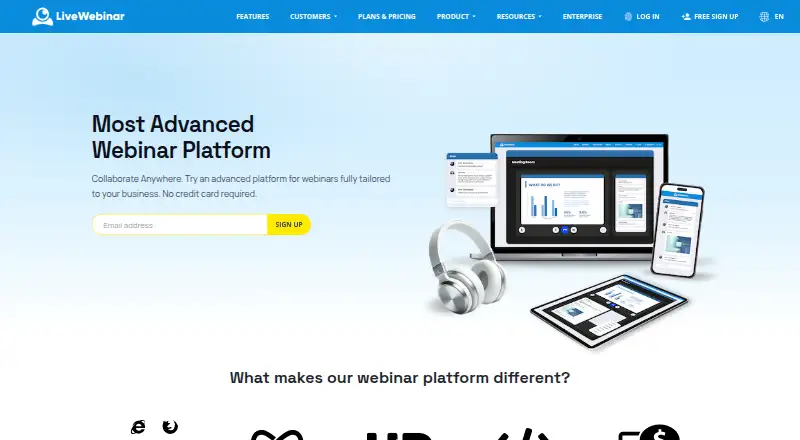
LiveWebinar is a browser-based platform for webinars, meetings, classes, and other live sessions. It runs on HTML5 without viewer downloads or plugins, and supports live, automated, and on-demand webinars. Hosts can share screens, stream video, record sessions, and engage participants through polls, surveys, chat, Q&A, breakout rooms, a whiteboard, and other tools. Paid webinars can use built-in ticketing and payment processing; evergreen webinars can run automatically. Integrations connect with marketing automation tools and CRMs, and developers can use embedding, webhooks, and an API. The platform supports PCs, Smart TVs, mobile devices, and conferencing systems; an iOS app lets users host or attend from an iPhone or iPad. The lifetime free account requires no credit card and allows up to five attendees and 30-minute sessions. Paid plans start at $25.58 a month, billed annually. The Basic plan lists 25 attendees and sessions of up to six hours. LiveWebinar says meeting data uses AES-256 encryption and TLS, with session tokens and access controls.
Who it suits
It suits hosts running webinars, meetings, classes, or paid online events who want browser access and audience-engagement features. The free account may fit small sessions of up to five attendees and 30 minutes.
What it does well
- Browser access requires no viewer downloads or plugins
- Supports live, automated, and on-demand webinars
- Free lifetime account needs no credit card
- Built-in ticketing and payment processing for paid webinars
What to know first
- Free sessions are limited to 30 minutes
- Free plan supports up to five attendees
- Basic costs $25.58 a month billed annually
Limits
The free plan allows up to five attendees, 30-minute sessions, five cameras, one concurrent session, and 50MB of storage. Basic lists 25 attendees, six-hour sessions, one concurrent session, 100MB storage, and 50 registrations per 24 hours.
Plans
| Plan | Billed and limits | Price |
|---|---|---|
| Free | up to 5 attendees · 30min sessions · 5 cameras · 1 concurrent session · 50MB storage | Free |
| Basic | Per month, billed annually · 25 attendees · 6h sessions · 10 cameras · 1 concurrent session · 100MB storage · 50 registrations/24h | $25.58 a month |
| Plus | Per month, billed annually · 25 attendees · 12h sessions · 12 cameras · 1 concurrent session · 1GB storage · 200 registrations/24h | $33.58 a month |
| Premium | Per month, billed annually · 25 attendees · 12h+ sessions · 12 cameras · 1 concurrent session · 10 paid webinars · 10GB storage · 1000 registrations/24h | $49.67 a month |
| Enterprise | custom attendees · custom sessions · 10+ concurrent sessions · 10GB+ storage · 1000+/24h registrations · white-label solution | On request |
As livewebinar.com lists them, read 28 Sept 2026. The maker's own page has the final word.
Getting started
- Open the LiveWebinar website and create a lifetime free account or choose a paid plan.
- Use the browser to host or join a session without downloading viewer software.
- Set the room size for your intended attendee count.
- Add integrations or use embedding, webhooks, or the API if needed.
- Use the iOS app to host or attend from an iPhone or iPad.
Overview
LiveWebinar is an online event platform for organizations that need more than a live video room: it combines presentation, audience interaction, recording and paid-event tools. Its browser-based access suits mixed-device audiences, while its smaller entry plans are best for modest events rather than large public webinars.
Hosts and attendees can join through an HTML5 browser without installing software or plugins. The service supports PCs, Smart TVs, mobile devices and conferencing systems, and offers apps for hosting or attending on iPhone and iPad. LiveWebinar says its cloud spans 42+ data centers with over 99% SLA availability; its security measures include AES-256 encryption, TLS, unique session tokens, single sign-on and role-based access control.
Capacity needs a close look before choosing a plan. Listed plan limits range from five attendees on Free to 25 on Basic, Plus and Premium; room sizes can be defined from 25 to 1,000, with larger rooms reserved for Enterprise customers. The platform is also described as capable of hosting more than 1,000 participants, but that should not be confused with the much lower stated limits on the entry plans.
Key features
For live events, LiveWebinar pairs screen sharing and live video streaming with HD recording and social-media broadcasting. Polls, surveys, chat, Q&A, whiteboards, breakout rooms and certificates give hosts several ways to involve attendees beyond a presentation. Registration pages support sign-ups, although the plans’ daily registration caps may constrain campaigns that draw a large audience quickly.
Automated and on-demand webinar modes make the service useful for repeatable sessions. Evergreen webinars can run continuously to support lead generation and sales, while built-in ticketing and payment processing cover paid events. Braintree and PayPal handle online transactions. These tools make LiveWebinar a stronger fit for teams combining education or marketing with event revenue than for users who only need a basic meeting room.
Marketing automation and CRM integrations, an advanced API, embedding and webhooks give teams options for connecting event activity to other systems. LiveWebinar says it can build a missing integration on request. Sub-accounts and account assistants support team administration, though advanced integration and administration capabilities are most relevant to organizations prepared to configure a broader event workflow.
Pricing
LiveWebinar is freemium, with a lifetime Free account that requires no credit card. The free plan allows five attendees, 30-minute sessions, five cameras, one concurrent session and 50MB of storage. It is useful for trying the format or hosting a small session, but the attendee ceiling and short session limit rule it out for most larger or extended webinars.
Paid prices below are monthly rates billed annually; annual billing is advertised as 20% off. Basic costs $25.58 a month and raises the limits to 25 attendees, six-hour sessions, 10 cameras, one concurrent session, 100MB of storage and 50 registrations per 24 hours. It suits occasional, small webinars, but the 25-person room and 100MB storage leave little headroom for growing events or a recording library.
Plus costs $33.58 a month and is aimed at small teams focused on lead generation. It keeps the 25-attendee and one-concurrent-session ceilings, extends sessions to 12 hours, supports 12 cameras and 200 registrations per 24 hours, and increases storage to 1GB. That is a practical step up for longer campaigns, but it still does not expand the live audience.
Premium costs $49.67 a month and targets creators selling products or courses. It includes 25 attendees, 12h+ sessions, 12 cameras, one concurrent session, 10 paid webinars, 10GB of storage and 1,000 registrations per 24 hours. The larger storage and paid-event allowance are useful for monetized programs, though the unchanged attendee limit is a significant constraint for public events.
Enterprise has custom pricing per quote, with custom attendee and session limits, 10+ concurrent sessions, 10GB+ storage, 1,000+/24h registrations and a white-label solution. It is the tier to consider when branded delivery, higher concurrency or larger rooms matter; those needing a published price should compare the lower fixed tiers first. There is no free trial, but the lifetime free plan offers a no-card way to assess the service.
Platforms
LiveWebinar supports Android, iOS, Linux, macOS, Windows and web, as well as API access. Browser hosting is its central advantage: participants do not need a separate viewer download, which reduces setup friction across different devices. English is the support language listed, and paid plans include contact support.
Who it's for
LiveWebinar is a good match for marketers, educators, recruiters and creators who need browser-based events, repeatable webinars, interaction tools or ticket sales in one service. Its API and CRM connections also suit teams that want to tie webinars into lead-generation workflows. It is less suitable for a small organization that routinely needs more than 25 attendees but cannot move to a custom Enterprise arrangement, or for a user seeking an inexpensive plan with multiple concurrent sessions.
Pros and cons
- Pros: Browser access without viewer downloads makes it easier to include participants across supported devices.
- Pros: Live, automated and on-demand modes, plus ticketing, cover both recurring lead-generation sessions and paid events.
- Pros: Polls, Q&A, breakout rooms, surveys and whiteboards offer more ways to engage attendees than a presentation alone.
- Cons: Free is limited to five attendees and 30 minutes, so it is a trial-size option rather than a practical plan for most public events.
- Cons: Basic, Plus and Premium all cap attendance at 25 and concurrency at one, even as prices rise and storage or registration quotas grow.
- Cons: Enterprise pricing is custom, so teams needing larger rooms must request a quote rather than compare a fixed rate.
Alternatives
For a broader comparison, browse Webinar Software. MyOwnConference is worth considering if a free forever plan with 5 attendees, 500 MB of storage, two speakers and one autowebinar per day better fits a small recurring event. Webex App is a free option for meetings of up to 100 attendees and 40 minutes, making it a better fit for larger short meetings than LiveWebinar’s five-person free tier.
Zoom Scheduler is a better match when the job is booking: its Scheduler Basic plan includes one personal booking page and one calendar connection, rather than webinar hosting. Shindig is another option for free events, with 100 participants per event, a 40-minute maximum and four speakers on stage. Vimeo may fit better when video storage is the priority: its free plan includes one seat and 1 GB of storage.
Zoho Webinar offers a free plan for 20 attendees and 60 minutes per webinar, which is roomier than LiveWebinar Free for a short session. Livestorm offers 30 attendee credits per year on its free plan, with a 30-minute maximum event duration and no credit card required. WebinarIgnition is another webinar option.
Verdict
Choose LiveWebinar if browser-based access, automated or on-demand delivery, audience engagement and paid-event tools belong in the same workflow. Its free account is genuinely useful for a small, short session, and Premium adds storage and paid-event capacity for creators. Look elsewhere if your regular audience exceeds 25 and you need a transparent fixed price: the lower paid tiers do not raise that cap, while larger rooms move into custom-priced Enterprise.
Verdict
LiveWebinar combines browser-based hosting with event engagement, recording, automation, and paid-event tools. Check the free plan's attendee and session limits against your event needs.
Questions
Does LiveWebinar have a free plan?
Yes. Its lifetime free account requires no credit card and supports up to five attendees and 30-minute sessions.
How much do paid plans cost?
Basic is $25.58 per month, billed annually. Plus is $33.58 per month and Premium is $49.67 per month, both billed annually.
Can I use LiveWebinar without installing software?
Yes. It runs in an HTML5 browser without downloads or plugins, and users can join and run webinars in a browser.
What devices does LiveWebinar support?
It works on PCs, Smart TVs, mobile devices, and conferencing systems. The iOS app supports hosting or attending from iPhone or iPad.
Can I use LiveWebinar with marketing or CRM tools?
Yes. It connects with marketing automation tools and CRMs and offers embedding, webhooks, and an API for integrations.
Facts from LiveWebinar's own pages
- Annual discount
- Annual billing is advertised with 20% off. · livewebinar.com, 28 Sept 2026
- Attendee limit
- 1000 · livewebinar.com, 22 Sept 2026
- Automated webinars
- Yes · livewebinar.com, 22 Sept 2026
- Automation
- Evergreen webinars can run automatically and continuously to generate leads and sales. · livewebinar.com, 28 Sept 2026
- Browser access
- Users can join and run webinars in a browser without installing or downloading software. · livewebinar.com, 28 Sept 2026
- Browser based
- The platform runs in the browser and requires no downloads or plugins. · livewebinar.com, 28 Sept 2026
- Cloud infrastructure
- The service uses a cloud-based global infrastructure with 42+ data centers and over 99% SLA availability. · livewebinar.com, 28 Sept 2026
- User base
- LiveWebinar says more than 150,000 users have joined its platform. · livewebinar.com, 28 Sept 2026
- Custom integrations
- The company says it can build a missing integration on request. · livewebinar.com, 28 Sept 2026
- Developer access
- LiveWebinar provides embedding, webhooks and an advanced API for custom integrations. · livewebinar.com, 28 Sept 2026
- Engagement
- Features include breakout rooms, polls, surveys, live chat, Q&A, whiteboard, certificates, screen sharing and participant engagement tools. · livewebinar.com, 28 Sept 2026
- Free account
- The registration page offers a lifetime free account with no credit card required. · app.livewebinar.com, 28 Sept 2026
- Free attendee limit
- The free plan supports up to 5 attendees. · livewebinar.com, 28 Sept 2026
- Free lifetime access
- The free account is lifetime and does not require a credit card. · livewebinar.com, 28 Sept 2026
- Free plan
- Yes · livewebinar.com, 22 Sept 2026
- Free session limit
- The free plan has a 30-minute session duration limit. · livewebinar.com, 28 Sept 2026
- HTML5 operation
- LiveWebinar runs completely in the browser on HTML5 with no additional viewer software. · livewebinar.com, 28 Sept 2026
- Infrastructure
- The LiveWebinar Cloud uses multiple global data centres, regional data isolation and 24/7 security personnel. · cdn.livewebinar.com, 28 Sept 2026
- Integrations
- Official integrations include HeySummit, Zapier, PabblyConnect, WordPress, IFTTT, Albato, Ecomail, Slack and Moodle. · livewebinar.com, 28 Sept 2026
- Integrations and API
- LiveWebinar offers advanced API integration and connects with marketing automation tools and CRMs. · livewebinar.com, 28 Sept 2026
- Mobile apps
- The iOS app lets users host or attend webinars, meetings and large-scale events from iPhone or iPad. · livewebinar.com, 28 Sept 2026
- Monetization
- The platform supports paid webinars with built-in ticketing and payment processing. · livewebinar.com, 28 Sept 2026
- Participant capacity
- The platform is described as capable of hosting more than 1,000 participants. · livewebinar.com, 28 Sept 2026
- Payment security
- Braintree and PayPal are used as payment gateway operators for online transactions. · livewebinar.com, 28 Sept 2026
Where LiveWebinar stands on Freedom251
- Webinar platforms#2 of 62
- Webinar Software#2 of 61