Freedom251 › Photo Animation Software
LivePortrait
What LivePortrait is
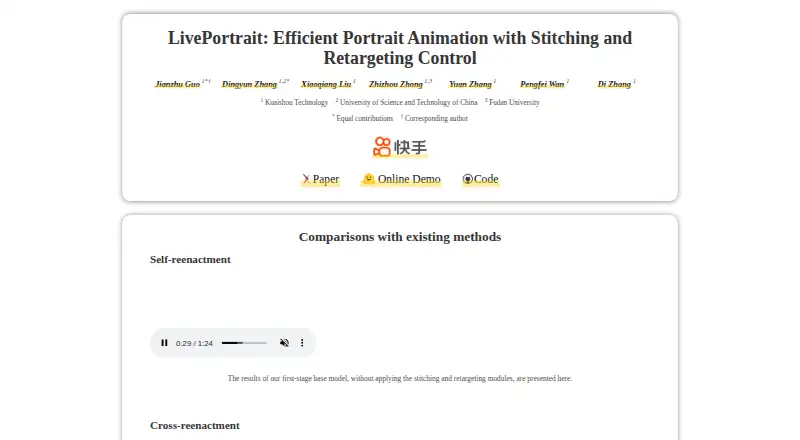
LivePortrait turns a still portrait into video using motion from a driving video, audio, text, or generation. It also supports portrait video editing with a source video and a driving video. Stitching and eye and lip retargeting controls provide ways to shape the animation. The project offers inference code, pretrained weights, and a Gradio interface for local use, as well as an online demo through Hugging Face Spaces. Its PyTorch implementation is open source under the MIT License, and the project reports generation speed of 12.8 ms on an RTX 4090 GPU with PyTorch. Human-mode instructions cover Linux, Windows, and Apple Silicon macOS; Intel macOS is untested. Fine-tuned animal models can animate cats, dogs, and pandas from human motion, but animal mode is tested only on Linux and Windows with an NVIDIA GPU. Local setup requires git, conda, FFmpeg, Python 3.10, and downloaded pretrained weights. Commercial use requires replacing the included InsightFace detection models. Maintainers also warn of deepfake misuse and possible visual artifacts.
Who it suits
It suits people who want to create or edit animated portraits from images or video, including users comfortable with a local setup or the online demo. Animal animation is aimed at users on Linux or Windows with an NVIDIA GPU.
What it does well
- Open-source implementation released under the MIT License
- Accepts motion from video, audio, text, or generation
- Stitching and eye and lip retargeting controls
- Online demo available through Hugging Face Spaces
What to know first
- Local setup requires several tools and pretrained weights
- Intel macOS is untested for human mode
- Animal mode is unsupported on macOS
- Commercial users must replace InsightFace detection models
Limits
Local use requires the listed software dependencies and downloaded pretrained weights. Animal animation is tested only on Linux and Windows with an NVIDIA GPU and is unsupported on macOS; the included InsightFace models require replacement for commercial use.
Getting started
- Open the LivePortrait website or the demo hosted on Hugging Face Spaces.
- For local use, prepare git, conda, FFmpeg, and Python 3.10.
- Download the pretrained weights.
- Use the provided inference code and Gradio interface on a supported system.
- For commercial use, replace the included InsightFace detection models.
Overview
LivePortrait is a free, open-source system for animating faces and editing portrait video. It suits creators and developers who want control over motion inputs and can work with a local AI setup. Its flexibility is the draw; installation requirements and licensing conditions for included detection models are important trade-offs.
It animates a still portrait using motion from video, audio, text, or generation, and supports video editing with a source video and a driving video. Face animation is supported, but depth animation is not; MP4 is the stated export format. A Hugging Face Spaces demo provides an online way to try the project, while local use relies on inference code, pretrained weights, and a Gradio interface.
Key features
- Multiple motion inputs: Video, audio, text, or generation can drive a portrait. That range suits users who want to shape facial movement in different ways, rather than choose only from fixed effects.
- Retargeting and stitching: Eye- and lip-retargeting modules and stitching controls offer finer adjustment of facial animation. They make LivePortrait more appealing for users seeking control, though they do not remove the possibility of visual artifacts.
- Portrait video editing: Pairing a source video with a driving video extends the project beyond animating a single still image.
- Animal animation: Fine-tuned models can animate cats, dogs, and pandas using human driving motion. This is a distinctive creative option, but animal mode is limited to Linux and Windows with an NVIDIA GPU; it is unsupported on macOS because X-Pose does not support that platform.
- Reported speed: The project reports generation at 12.8 ms on an RTX 4090 GPU with PyTorch. That figure applies to the named hardware and framework, so it should not be treated as a general speed guarantee.
- Privacy option: Motion templates can speed inference and protect privacy, giving users an alternative to using a driving video directly.
Pricing
LivePortrait is free and open source under the MIT License, with no paid plans described. Local use does require git, conda, FFmpeg, Python 3.10, and downloaded pretrained weights, so the absence of a software charge does not make setup effortless.
Commercial use needs particular care: InsightFace detection models included in the project are for non-commercial research. Commercial users must remove and replace those models to comply with their license conditions; the MIT license for the implementation does not remove that requirement.
Platforms
Human-mode use is documented for Linux, Windows, and macOS with Apple Silicon. Intel macOS is untested in the stated instructions, so users on that hardware should not assume a supported local workflow. The online demo offers a route that avoids local installation, while the project also lists community integrations including FaceFusion, ComfyUI nodes, a Stable Diffusion WebUI extension, Replicate, FAL, Poe, and Hugging Face Spaces.
Animal mode has narrower hardware support than human mode: it is tested only on Linux and Windows with an NVIDIA GPU and is unsupported on macOS.
Who it's for
LivePortrait is a strong fit for technically comfortable creators and developers who want a free, locally runnable portrait-animation project with multiple motion inputs and facial controls. It can also suit users exploring animal animation, provided they have the required Linux or Windows system and NVIDIA GPU. It is a weaker fit for anyone who needs a simple, fully managed application, dependable Intel Mac support, or animal animation on macOS.
Pros and cons
- Pro: Video, audio, text, and generated motion inputs give users several ways to drive a portrait.
- Pro: Stitching and eye- and lip-retargeting controls provide more adjustment than a basic animation pass.
- Pro: Free MIT-licensed implementation and local inference code make it accessible to users who can manage the setup.
- Con: Local installation depends on several tools, a specific Python version, and downloaded model weights.
- Con: Commercial users must replace the included InsightFace detection models.
- Con: Animal mode requires Linux or Windows and an NVIDIA GPU, excluding macOS workflows.
- Con: The maintainers warn of deepfake misuse and possible visual artifacts, and disclaim legal responsibility for generated results.
Alternatives
Photo Animation Software and AI Photo Animation Tools are broader directories for comparing options in those categories.
- Plotaverse is worth considering for users who want a freemium option across Android, iOS, macOS, and web, rather than a local open-source project.
- Deep Nostalgia suits users looking for several free animations and access on Android, iOS, or web.
- Parallax Studio is another free, open-source choice for Linux, macOS, or Windows users comparing locally oriented software.
- Zoetropic is an option for Android and iOS users seeking basic motion and camera effects in a freemium app.
- Hedra may suit web or API users who prefer a monthly plan with a stated credit allowance and commercial use.
- Higgsfield offers web and API access with paid monthly plans measured in credits, for users who prefer that model.
- Free.ai Text to Video is an API option for users focused on text-to-video generation, with daily free tokens and a limit of one clip every two days on its free plan.
- Immersity AI is an API alternative for users seeking free, unlimited conversions up to 720p who can accept watermarks and non-commercial use.
Verdict
Choose LivePortrait if you want free, controllable portrait animation and are prepared to manage local AI tooling; its varied motion inputs and facial controls are the clearest reasons to choose it. Look elsewhere if you need a simpler hosted workflow, broad Mac support for animal animation, or commercial use without replacing the included detection models.
Verdict
LivePortrait offers portrait animation with multiple motion inputs and controls, plus an online demo and local interface. Check system requirements and commercial-use conditions before choosing a workflow.
Questions
Is LivePortrait free?
Yes. It is free and open source under the MIT License.
Which platforms does it support?
Human mode supports Linux, Windows, and Apple Silicon macOS. Intel macOS is not tested. Animal mode is tested on Linux and Windows with an NVIDIA GPU and is unsupported on macOS.
Can I use LivePortrait in a commercial project?
The project says commercial users must remove and replace the included InsightFace detection models.
Can I use LivePortrait online?
Yes. The maintainers provide an online demo through Hugging Face Spaces.
What do I need for local setup?
Local setup requires git, conda, FFmpeg, Python 3.10, and downloaded pretrained weights.
What video format does it export?
The listed export format is MP4.
Facts from LivePortrait's own pages
- Animal animation
- An animal model can animate cats, dogs, and pandas using human-driven motion. · liveportrait.github.io, 2 Oct 2026
- animal limitation
- Animals mode is only tested on Linux and Windows with an NVIDIA GPU and is unsupported on macOS because X-Pose does not support macOS. · github.com, 30 Sept 2026
- animal support
- Fine-tuned models can animate cats, dogs, and pandas using human driving motion. · liveportrait.github.io, 30 Sept 2026
- Animation controls
- The project includes stitching and eye and lip retargeting controls for portrait animation. · liveportrait.github.io, 2 Oct 2026
- commercial licensing
- InsightFace models included in the project are for non-commercial research, and commercial users must replace those detection models. · github.com, 30 Sept 2026
- Community integrations
- The repository lists community-developed ComfyUI nodes, a Stable Diffusion WebUI extension, and FaceFusion processors that use LivePortrait. · github.com, 2 Oct 2026
- controls
- The system includes stitching and eye/lip retargeting modules for improved controllability. · liveportrait.github.io, 30 Sept 2026
- Ethics
- The maintainers warn about deepfake misuse, note that generated results may contain visual artifacts, and disclaim legal responsibility for use of generated results. · github.com, 2 Oct 2026
- Hardware limits
- The repository says animal mode is tested only on Linux and Windows with an NVIDIA GPU, and is unsupported on macOS because its X-Pose dependency does not support macOS. · github.com, 2 Oct 2026
- integrations
- Community resources include FaceFusion, ComfyUI nodes, a Stable Diffusion WebUI extension, Replicate, FAL, Poe, and Hugging Face Spaces. · github.com, 30 Sept 2026
- License and commercial use
- The repository includes an MIT license but says commercial users must remove and replace InsightFace detection models to comply with that license. · github.com, 2 Oct 2026
- local setup
- The project requires git, conda, FFmpeg, Python 3.10, and downloaded pretrained weights. · github.com, 30 Sept 2026
- Local use
- The repository provides inference code, pretrained models, and a Gradio interface for local use. · github.com, 2 Oct 2026
- open source
- The official implementation is provided as a PyTorch repository and is released under the MIT License. · github.com, 30 Sept 2026
- Performance
- The project reports generation speed of 12.8 ms on an RTX 4090 GPU with PyTorch. · liveportrait.github.io, 2 Oct 2026
- platform support
- Humans mode supports Linux, Windows, and macOS with Apple Silicon; Intel macOS is not tested. · github.com, 30 Sept 2026
- Privacy
- The repository says generated motion template files can speed inference and protect privacy. · github.com, 2 Oct 2026
- Purpose
- LivePortrait animates a portrait from a still image using facial expressions and head pose from a driving video, audio, text, or generated motion. · liveportrait.github.io, 2 Oct 2026
- risk notice
- The maintainers warn that portrait animation can be misused for deepfakes and state that they assume no legal responsibility for generated results. · github.com, 30 Sept 2026
- Security
- The maintainers report updating the Transformers and Gradio library versions in October 2024 to avoid security vulnerabilities. · github.com, 2 Oct 2026
- security updates
- The maintainers updated the transformers and gradio versions to avoid security vulnerabilities. · github.com, 30 Sept 2026
- speed
- Generation speed reaches 12.8 ms on an RTX 4090 GPU with PyTorch. · liveportrait.github.io, 30 Sept 2026
- Support
- The maintainers invite bug reports and suggestions through repository issues and pull requests and provide a contact email for project inquiries. · github.com, 2 Oct 2026
- Supported systems
- The repository documents human-mode use on Linux and Windows and on Apple Silicon macOS; Intel macOS is untested or unsupported in the stated instructions. · github.com, 2 Oct 2026
Where LivePortrait stands on Freedom251
- Photo Animation Software#8 of 27
- AI Photo Animation Tools#9 of 25
- Image-to-Video Generators#11 of 23