Freedom251 › Soundboard Software

Linux Show Player
What Linux Show Player is
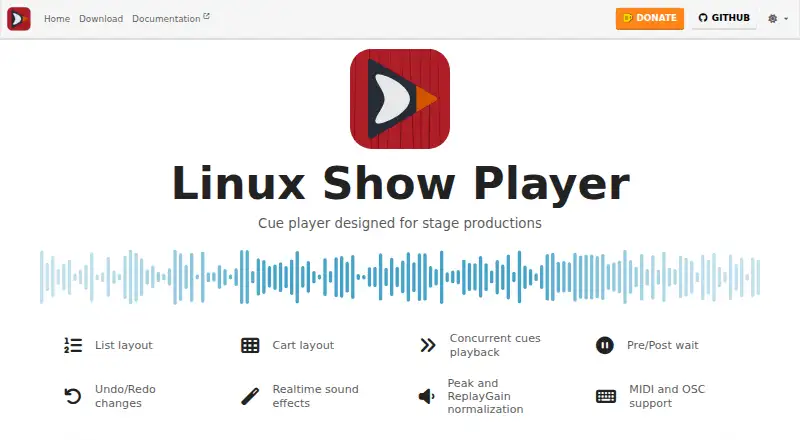
Linux Show Player is a free cue player for sound playback during stage productions, including theatre shows and musical plays. It is a desktop application for GNU/Linux, the only platform currently supported by the project. Cues can run concurrently, with pre- and post-wait settings for playback timing. Users can organize cues in a list layout or a cart layout, which has buttons suited to touchscreens.
The player provides realtime equalization, pitch shift, speed control, and compression, as well as peak and ReplayGain normalization. It can send and receive MIDI and OSC. Its documentation says it can play almost any kind of media file. Other listed features include hotkey triggering, multiple soundboards, undo and redo, and multi-language support.
The project’s download page links to official and testing builds, Flatpak setup instructions, and native packages for some GNU/Linux distributions; distribution packages may not be the latest version. The documentation describes the application as quite stable and recommends checking it in the production environment because GNU/Linux configurations vary. Bug reports and feature requests go to GitHub Issues, while support discussions are directed to GitHub Discussions or Gitter/Matrix chat.
Who it suits
Linux Show Player suits theatre and other stage production teams that need to trigger and time sound cues on GNU/Linux. Its list and touchscreen-oriented cart layouts, concurrent playback, hotkeys, and MIDI and OSC support fit cue-based playback workflows.
What it does well
- Free cue player for stage sound playback.
- Supports concurrent cues and pre/post wait settings.
- Includes realtime equalization, pitch shift, speed control, and compression.
- Can send and receive MIDI and OSC.
- Offers list and touchscreen-oriented cart layouts.
What to know first
- GNU/Linux is the only supported platform.
- The project recommends checking it in the production environment.
- Some distribution packages may not be the latest version.
Limits
GNU/Linux is the only currently supported platform. The project recommends checking the player in its intended production environment because GNU/Linux configurations vary; some distribution packages may not be the latest version.
Plans
| Plan | Billed and limits | Price |
|---|---|---|
| Linux Show Player | Free cue player; GNU/Linux systems | Free |
As linux-show-player.org lists them, read 7 Oct 2026. The maker's own page has the final word.
Getting started
- Open the Linux Show Player website.
- Choose an official or testing build, or follow the Flatpak setup instructions.
- Alternatively, use a native package for a supported GNU/Linux distribution.
- Check the player in the production environment where it will be used.
Verdict
Choose Linux Show Player if you need a free desktop cue player on GNU/Linux, with concurrent playback, sound effects, and MIDI or OSC support. Look elsewhere if you need a platform other than GNU/Linux, and check the application in your production setup because GNU/Linux configurations vary.
Questions
Is Linux Show Player free?
Yes. Its listed plan costs nothing, and the project describes it as a free cue player.
Which platforms does it support?
The project currently supports GNU/Linux systems only.
What kinds of playback features does it offer?
It supports concurrent cue playback and pre/post wait settings. Realtime effects include equalization, pitch shift, speed control, and compression.
Can it work with MIDI or OSC?
Yes. Linux Show Player can send and receive MIDI and OSC.
How can I get Linux Show Player?
The download page links to official and testing builds, Flatpak setup instructions, and native packages for some GNU/Linux distributions.
Where can users ask for support or report a problem?
Bug reports and feature requests go to GitHub Issues. Support discussions are directed to GitHub Discussions or Gitter/Matrix chat.
Facts from Linux Show Player's own pages
- Downloads
- The download page links to official and testing builds, Flatpak setup instructions, and native packages for some GNU/Linux distributions; distribution packages may not be the latest version. · linux-show-player.org, 7 Oct 2026
- Editing
- The project site lists undo and redo changes as features. · linux-show-player.org, 7 Oct 2026
- Integrations
- It can send and receive MIDI and OSC. · linux-show-player-users.readthedocs.io, 7 Oct 2026
- Languages
- The documentation lists multi-language support. · linux-show-player-users.readthedocs.io, 7 Oct 2026
- Layouts
- It offers a list layout and a cart layout with buttons for touchscreens. · linux-show-player-users.readthedocs.io, 7 Oct 2026
- Media
- The documentation says it can play almost any kind of media file. · linux-show-player-users.readthedocs.io, 7 Oct 2026
- Normalization
- It supports peak and ReplayGain normalization. · linux-show-player-users.readthedocs.io, 7 Oct 2026
- Playback
- It supports concurrent cue playback and pre/post wait. · linux-show-player-users.readthedocs.io, 7 Oct 2026
- Purpose
- Linux Show Player is a free cue player intended mainly for sound playback during stage productions, including musical plays and theatre shows. · linux-show-player-users.readthedocs.io, 7 Oct 2026
- Sound effects
- Realtime sound effects include equalization, pitch shift, speed control and compression. · linux-show-player-users.readthedocs.io, 7 Oct 2026
- Stability
- The documentation describes the application as quite stable but recommends testing it in the production environment because GNU/Linux configurations vary. · linux-show-player-users.readthedocs.io, 7 Oct 2026
- Support
- The project directs bug reports and feature requests to GitHub Issues and support discussions to GitHub Discussions or Gitter/Matrix chat. · github.com, 7 Oct 2026
- Supported platform
- The project says only GNU/Linux systems are currently supported and that it is developed and tested for GNU/Linux. · linux-show-player-users.readthedocs.io, 7 Oct 2026
Where Linux Show Player stands on Freedom251
- Soundboard Software#11 of 26