Freedom251 › Soundboard Software

MultiPlay
What MultiPlay is
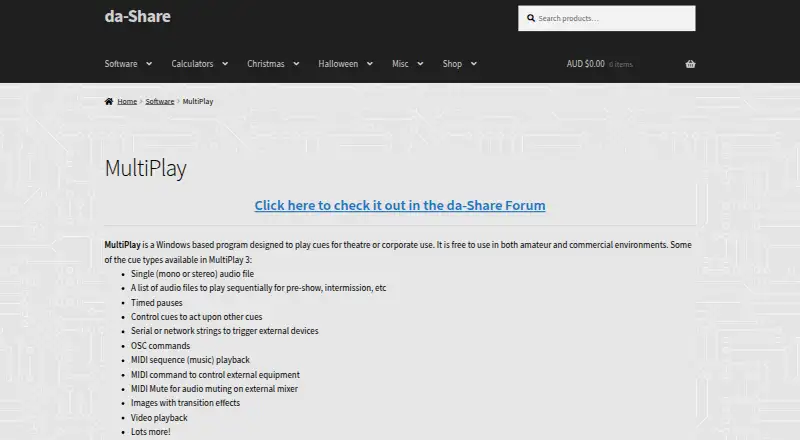
MultiPlay is a free Windows program for playing cues in theatre and corporate settings. It can play audio files and playlists, show images with transitions, and play video. Cues can run together or in sequence, and can stop or fade other cues. They can also send serial or network strings, OSC commands, and MIDI commands to control external equipment. Audio cues can be assigned to groups routed to stereo audio cards, while preview can use another stereo output. The program also supports hotkey triggering, voice effects, and multiple soundboards. The listed MultiPlay plan costs nothing and is for Windows 32-bit; video DLLs are offered as a separate download option. The maker describes version 3 as freeware for private or commercial use and invites donations. Its release post lists version 3.0.244.0, with Windows 32-bit downloads available with or without video files. The maker recommends checking releases for suitability before using them in a live environment. Feedback, bug reports, and feature suggestions are directed to the da-Share forum. The da-Share site identifies its owner as David Duffy, whose forum profile lists Brisbane, Australia.
Who it suits
MultiPlay suits theatre and corporate users who need to play and sequence audio, image, and video cues on Windows. Its cue commands and audio routing also suit setups that control external equipment or route audio to separate outputs.
What it does well
- Free for private or commercial use.
- Plays audio, image, and video cues.
- Cues can run together or in sequence.
- Can send OSC, MIDI, serial, and network commands.
- Audio groups can route to stereo audio cards.
- Includes hotkey triggering and multiple soundboards.
What to know first
- The listed plan is for Windows 32-bit.
- Video DLLs are available through a separate download option.
- The maker recommends checking releases before live use.
Limits
The listed MultiPlay plan is for Windows 32-bit. Video DLLs are available through a separate download option.
Plans
| Plan | Billed and limits | Price |
|---|---|---|
| MultiPlay | Windows 32-bit; video DLLs available in a separate download option | Free |
As da-share.com lists them, read 4 Oct 2026. The maker's own page has the final word.
Getting started
- Visit the da-Share MultiPlay website.
- Choose a Windows 32-bit download.
- Select the download option with or without video files.
- Use the forum for feedback, bug reports, or feature suggestions.
- Check a release for suitability before using it in a live environment.
Verdict
Choose MultiPlay if you need free cue playback for private or commercial theatre and corporate use, with cue sequencing and external equipment commands. Look elsewhere if you need a platform other than Windows 32-bit or require video DLLs in the main download.
Questions
How much does MultiPlay cost?
The MultiPlay plan is listed as free. The maker describes version 3 as freeware for private or commercial use and invites donations.
Which platform does MultiPlay support?
The listed plan is for Windows 32-bit.
What types of cues can it play?
It supports audio files and playlists, images with transitions, and video playback.
Can MultiPlay control external equipment?
Cues can send serial or network strings, OSC commands, and MIDI commands.
Is video included in the download?
The release post offers Windows 32-bit downloads with or without video files. Video DLLs are also available as a separate download option.
Who makes MultiPlay and where can users get support?
The da-Share site identifies its owner as David Duffy. The maker directs users to the da-Share forum for feedback, bug reports, and feature suggestions.
Facts from MultiPlay's own pages
- Audio routing
- Audio cues can be assigned to audio groups routed to stereo audio cards, and preview can use another stereo output. · da-share.com, 4 Oct 2026
- Commercial use
- The maker says it is free to use in both amateur and commercial environments. · da-share.com, 4 Oct 2026
- Cue sequencing
- Cues can be linked to play together or in sequence, and can stop or fade other cues. · da-share.com, 4 Oct 2026
- Current release
- The maker's release post lists version 3.0.244.0, with Windows 32-bit downloads offered with or without video files. · da-share.com, 4 Oct 2026
- Device control
- Cues can send serial or network strings, OSC commands, and MIDI commands to control external equipment. · da-share.com, 4 Oct 2026
- Licence
- The maker describes version 3 as freeware for private or commercial use and invites users to donate. · da-share.com, 4 Oct 2026
- Maker
- The da-Share site identifies the site owner as David Duffy; the forum profile lists Brisbane, Australia as the location. · da-share.com, 4 Oct 2026
- Media cues
- Cue types include audio files and playlists, images with transitions, and video playback. · da-share.com, 4 Oct 2026
- Purpose
- MultiPlay is a Windows program for playing cues in theatre or corporate settings. · da-share.com, 4 Oct 2026
- Release caution
- The maker recommends testing releases for suitability before using them in a live environment. · da-share.com, 4 Oct 2026
- Support
- The maker directs users to the da-Share forum for feedback, bug reports, and feature suggestions. · da-share.com, 4 Oct 2026
Where MultiPlay stands on Freedom251
- Soundboard Software#13 of 26