Freedom251 › Enterprise Content Management Systems
Liferay DXP
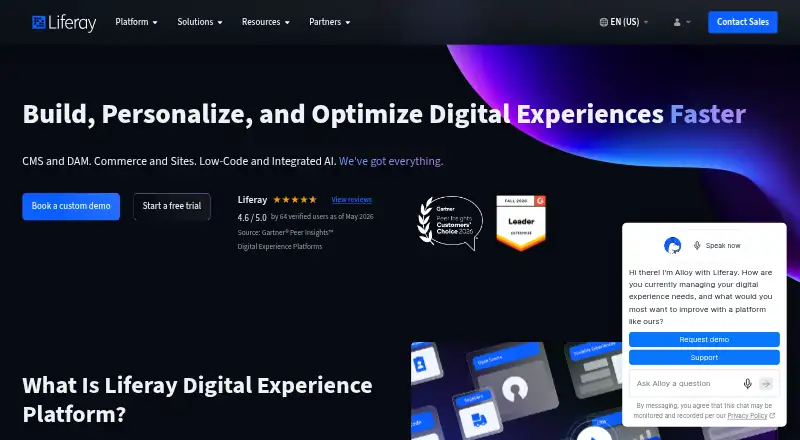
What Liferay DXP is
Liferay DXP is an enterprise digital experience platform for businesses serving customers, consumers, and employees. Its modules cover content management, digital asset management, commerce, sites, low-code development, and personalization. It also supports headless delivery, experimentation, and experience analytics. Organizations can use Liferay as SaaS or PaaS, or run it themselves on-premise or in their own cloud. Liferay offers a Free Tier download as well as enterprise subscriptions for SaaS, PaaS, and self-hosted use. The Free Tier costs nothing and requires an activation key and acceptance of the Marketplace EULA. Enterprise subscription pricing is on request. Trial choices include a 7-day prebuilt SaaS trial and a 30-day sandbox that can run self-hosted or locally. The integration framework supports SOAP, REST, GraphQL, RSS, and proprietary APIs. Identity options include SAML 2.0, OpenID, Kerberos, CAS, and OpenIM. Access controls include multi-factor authentication, LDAP validation, roles, fine-grained permissions, and restrictions on access to personal information. Liferay lists ISO/IEC 27001, ISO/IEC 27017, and ISO/IEC 27018 certifications. The company, founded in 2004 and headquartered in Diamond Bar, California, says its SaaS and PaaS offerings use Google Cloud infrastructure.
Who it suits
Liferay DXP suits enterprise organizations with complex digital experience requirements, including businesses in financial services, insurance, healthcare, and the public sector. Its range of content, commerce, identity, and deployment options may fit teams that need to support B2B, B2C, and B2E use cases.
What it does well
- Modules cover content, digital assets, commerce, sites, low-code, and personalization.
- Supports headless delivery, experimentation, and experience analytics.
- Offers SaaS, PaaS, and self-hosted deployment options.
- Integrates through SOAP, REST, GraphQL, RSS, and proprietary APIs.
- Lists multi-factor authentication and fine-grained access controls.
What to know first
- Enterprise subscription pricing is on request.
- OSGi customization is excluded from Liferay SaaS.
- The Free Tier requires an activation key and Marketplace EULA acceptance.
Limits
The Free Tier requires a free activation key and acceptance of the Marketplace EULA. OSGi customization is not included with Liferay SaaS; it is included with PaaS and Self-Hosted subscriptions.
Plans
| Plan | Billed and limits | Price |
|---|---|---|
| Liferay DXP Free Tier | Free Tier download · requires a free activation key and acceptance of the EULA | Free |
| Liferay PaaS | Enterprise subscription · pricing not listed | On request |
| Liferay SaaS | Enterprise subscription · pricing not listed | On request |
| Liferay Self-Hosted | Enterprise subscription · pricing not listed | On request |
As liferay.com lists them, read 4 Oct 2026. The maker's own page has the final word.
Getting started
- Visit the Liferay DXP product website.
- Choose the Free Tier download or a listed trial option.
- For the Free Tier, download the software or use Docker.
- Create a Liferay account, accept the Marketplace EULA, and obtain an activation key.
- For the 7-day trial, select the prebuilt SaaS option; for the 30-day trial, use the sandbox locally or self-hosted.
Liferay DXP is an enterprise platform for delivering digital experiences to customers, business partners, and employees. It is best suited to organizations with complex needs, especially in regulated industries, that want content, commerce, and access controls across several deployment models. Its breadth is a strength; the main trade-off is that SaaS excludes OSGi customization.
Overview
DXP brings content management, digital asset management, commerce, sites, low-code tools, and personalization together. Headless delivery, experimentation, and experience analytics extend it beyond a conventional content platform. That range can serve teams coordinating several kinds of digital experience, while organizations seeking only a straightforward publishing or document-management system may find its scope excessive.
Integration support spans SOAP, REST, GraphQL, RSS, and proprietary APIs. Identity options include SAML 2.0 providers, OpenID, Kerberos, CAS, and OpenIM. Administrators can use multi-factor authentication, LDAP validation, roles, fine-grained permissions, and controls that restrict access to personal information. Liferay holds ISO/IEC 27001, ISO/IEC 27017, and ISO/IEC 27018 certifications.
Key features
Deployment and security
Organizations can choose SaaS, PaaS, or self-hosted deployment, with self-hosted installations running on-premise or in a customer’s cloud. SaaS includes patching, upgrades, 24/7 monitoring, and ongoing security management. Liferay’s SaaS and PaaS offerings run on Google Cloud and include self-healing, high availability, and automated disaster recovery. These managed services suit teams that want infrastructure and security operations handled alongside the platform; self-hosting offers a different deployment setting for customers that need it.
The deployment choice has a material customization consequence: OSGi customization is included with PaaS and Self-Hosted subscriptions, but not SaaS. Organizations that depend on OSGi should choose one of those subscriptions; SaaS is a poor fit for that requirement.
Pricing
Liferay uses a freemium model. The Free Tier costs nothing and requires downloading the software or using Docker, creating a Liferay account, accepting the Marketplace EULA, and obtaining an activation key. That provides a no-cost way to start, but setup involves more steps than simply creating an account.
The free trials offer two different ways to evaluate the platform: a prebuilt SaaS trial lasts 7 days, while a sandbox trial lasts 30 days and can run self-hosted or locally. The longer sandbox period gives teams more time and deployment flexibility to assess the software, though it requires setting up a sandbox.
Liferay PaaS, Liferay SaaS, and Liferay Self-Hosted are enterprise subscriptions with custom pricing. PaaS and Self-Hosted are the options for organizations that require OSGi customization; SaaS adds managed security operations but does not include that customization. The Free Tier and trials offer no substitute for comparing the subscription that fits an organization’s deployment and customization needs.
Platforms
Liferay DXP supports web and Linux, provides an API, and can be self-hosted. Its hybrid deployment model accommodates organizations choosing among SaaS, PaaS, on-premise installations, or hosting in a customer’s cloud.
Who it's for
DXP is aimed at enterprise businesses with complex requirements, including financial services, insurance, healthcare, and public-sector organizations. Its combination of content, commerce, personalization, identity integrations, and granular access controls can suit teams serving B2B, B2C, and B2E audiences. Smaller or less complex teams may not need a platform with this breadth, and the Free Tier’s activation and setup steps add friction for casual evaluation.
Pros and cons
- Broad experience toolkit: Content, digital assets, commerce, sites, low-code, personalization, headless delivery, experimentation, and analytics can support multiple experience needs in one platform.
- Several deployment choices: SaaS, PaaS, and self-hosting let organizations choose a managed service or run the platform on-premise or in their own cloud.
- Detailed access controls: Multi-factor authentication, LDAP validation, roles, fine-grained permissions, and personal-information restrictions address complex access requirements.
- SaaS excludes OSGi customization: Organizations that need this capability must choose PaaS or Self-Hosted.
- Free Tier requires setup: Download or Docker, an account, EULA acceptance, and an activation key make it less immediate than a simple free signup.
- Enterprise subscriptions have custom pricing: Buyers cannot compare PaaS, SaaS, and Self-Hosted costs without requesting pricing.
Alternatives
For other options, browse Enterprise Content Management Systems or Digital Experience Platforms.
agorum core is a free option if an open-source DMS with no license fees or expiration date is the priority; its integrated workflow editor is reserved for Pro.
Masa CMS offers free open-source software, with paid PaaS support and maintenance for teams that want those services.
Doxis suits buyers looking for intelligent content automation with custom-fit licensing and cloud, on-premises, or hybrid deployment.
Epicor Kinetic is an alternative for buyers choosing a platform core, cloud package, concurrent user licenses, and industry bundles.
Box is another option for teams considering file storage and signature requests through its Individual plan, which has 10 GB storage, a 250 MB upload limit, one file version, and five signature requests per month.
ELO Digital Office is an alternative with cloud, managed-service, or in-house deployment through certified business partners.
ELO ECM Suite offers cloud, managed-service, or in-house deployment with regular updates.
Hyland AP Automation is an alternative for organizations seeking enterprise accounts-payable automation.
Verdict
Choose Liferay DXP if your organization needs a broad enterprise experience platform, flexible deployment, and detailed controls for complex access requirements. Its strongest case is the combination of experience tools and deployment choices; its clearest limitation is that SaaS does not include OSGi customization. Organizations that need that capability should consider PaaS or Self-Hosted, while teams with narrower content needs should compare more focused alternatives.
Verdict
Choose Liferay DXP if your organization needs a broad enterprise platform with several deployment models and controls for complex access requirements. Consider PaaS or self-hosted subscriptions if OSGi customization is required, since it is not included with SaaS.
Questions
Is Liferay DXP free?
The Free Tier costs nothing. It requires downloading the software or using Docker, a Liferay account, acceptance of the Marketplace EULA, and an activation key.
What trials are available?
Liferay lists a free 7-day prebuilt SaaS trial and a free 30-day sandbox trial that can run self-hosted or locally.
Which deployment options does it offer?
Liferay offers SaaS, PaaS, and self-hosted deployments. Self-hosted deployments can run on-premise or in a customer’s cloud.
What platforms are listed?
The listed platforms are API, Linux, self-hosted, and web.
Does SaaS include OSGi customization?
No. OSGi customization is included in PaaS and Self-Hosted subscriptions, but not Liferay SaaS.
What is the price of the enterprise subscriptions?
Pricing for Liferay PaaS, Liferay SaaS, and Liferay Self-Hosted is on request.
Facts from Liferay DXP's own pages
- Access controls
- Security features include multi-factor authentication, LDAP validation, roles, fine-grained permissions, and controls for restricting access to personal information. · liferay.com, 4 Oct 2026
- Cloud infrastructure
- Liferay says its SaaS and PaaS offerings are backed by Google Cloud and provide self-healing, high availability, and automated disaster recovery. · liferay.com, 4 Oct 2026
- Content and commerce
- The platform’s listed modules include content management, digital asset management, commerce, sites, low-code, and personalization. · liferay.com, 4 Oct 2026
- Deployment choices
- Liferay offers SaaS, PaaS, and self-hosted deployment, with self-hosted deployments on-premise or in a customer’s cloud. · liferay.com, 4 Oct 2026
- Founded
- 2004 · liferay.com, 28 Sept 2026
- Free Tier setup
- The Free Tier requires downloading the software or using Docker, creating a Liferay account, accepting the Marketplace EULA, and obtaining an activation key. · liferay.com, 4 Oct 2026
- Headquarters
- Diamond Bar, California, USA · liferay.com, 28 Sept 2026
- Identity integrations
- Liferay DXP supports SAML 2.0 identity providers and also lists OpenID, Kerberos, CAS, and OpenIM authentication protocols. · liferay.com, 4 Oct 2026
- Integration protocols
- Its integration framework supports SOAP, REST, GraphQL, RSS, and proprietary APIs. · liferay.com, 4 Oct 2026
- Purpose
- Liferay DXP combines capabilities for enterprise digital experiences and supports B2B, B2C, and B2E use cases. · liferay.com, 4 Oct 2026
- SaaS security
- The Trust Center says Liferay SaaS includes patching, upgrades, 24/7 monitoring, and ongoing security management. · liferay.com, 4 Oct 2026
- Security certifications
- Liferay says it is certified in ISO/IEC 27001, ISO/IEC 27017, and ISO/IEC 27018. · liferay.com, 4 Oct 2026
- Subscription limitation
- OSGi customization is not included in Liferay SaaS, while it is included in PaaS and Self-Hosted subscriptions. · liferay.com, 4 Oct 2026
- Trial options
- Liferay describes a free 7-day SaaS prebuilt trial and a free 30-day sandbox trial that can run self-hosted or locally. · liferay.com, 4 Oct 2026
- Who it is for
- Liferay describes DXP as suited to enterprise businesses with complex requirements, including organizations in regulated industries such as financial services, insurance, healthcare, and the public sector. · liferay.com, 4 Oct 2026
Where Liferay DXP stands on Freedom251
- Enterprise Content Management Systems#4 of 26
- Portal Software#5 of 28
- Digital Experience - Enterprise Software#4 of 18
- Digital Experience Platforms#6 of 26