Freedom251 › Data recovery software
Lazesoft Recovery Suite
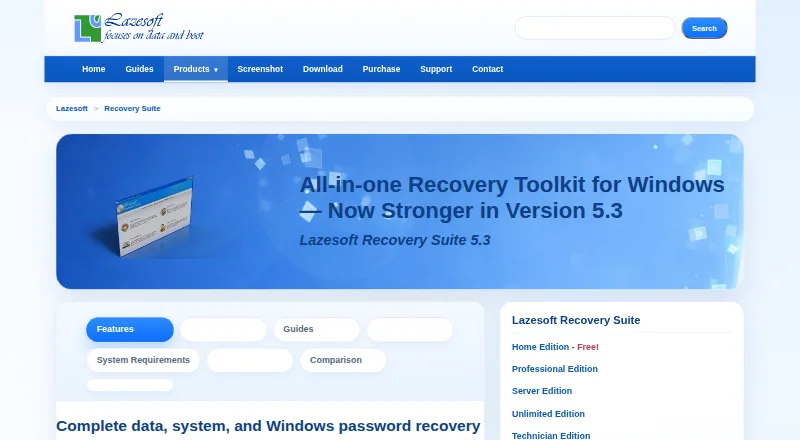
What Lazesoft Recovery Suite is
Lazesoft Recovery Suite combines Windows system repair, data recovery, password recovery, and disk imaging and cloning tools. Users can create bootable CD or USB media to start a computer when Windows will not boot. The suite can recover files from deleted, reformatted, damaged, or RAW volumes, and lists recovery support for Mac OS HFS file systems. Repair tools cover boot files, MBR and partitions, boot-menu rebuilding, and certain corrupted registry and system files. Password tools can reset local and domain administrator passwords, unlock or enable accounts, and retrieve Windows installation keys. Disk tools include scheduled full, incremental, and differential backups, encryption, compression, cloning, partition management, and wiping. Listed storage support includes IDE, SCSI, RAID, SATA, SAS, M.2 SATA, and M.2 NVMe, with UEFI and BIOS boot modes. Supported Windows versions include 7, 8.1, 10, and 11, alongside Windows Server versions through Server 2025. A free plan and trial are listed. Professional Edition costs $49.99 a month; the purchase page lists a 30-day money-back guarantee.
Who it suits
Home Edition is described for personal, non-commercial use; business editions, an organization-wide license, and a technician edition are also listed.
What it does well
- Creates bootable CD or USB recovery media
- Recovers files from deleted, damaged, reformatted, or RAW volumes
- Includes boot repair, password recovery, backup, and cloning tools
- Supports RAID and multiple storage types
- Purchase page lists a 30-day money-back guarantee
What to know first
- Professional Edition costs $49.99 a month
- Home Edition is for non-commercial use
- Windows support listing starts at Windows 7
Limits
Home Edition is for non-commercial use. The listed Professional Edition costs $49.99 a month; Server Edition costs $99.49 a month, Unlimited Edition $499.29 a month, and Technician Edition $599.29 a month.
Plans
| Plan | Billed and limits | Price |
|---|---|---|
| Home Edition | Free for home users · non-commercial use · unlimited file recovery, no quota limits | Free |
| Unlimited Edition | Organization-wide license · unlimited installations and use for a company | $199.29, paid once |
| Professional Edition | Business license · commercial use · 1TB free data recovery quota per session in boot disk environment | $27.95, paid once |
| Technician Edition | Technician license · for service providers and repair shops · aid any number of clients | $299.39, paid once |
| Server Edition | Business license · commercial use · for Windows Server environments | $99.49, paid once |
As lazesoft.com lists them, read 29 Sept 2026. The maker's own page has the final word.
Getting started
- Visit the Lazesoft Recovery Suite website.
- Choose the free plan or review the paid editions for your intended use.
- Use the free trial if you want to try the product before purchasing.
- Create bootable CD or USB media for a computer that cannot start Windows.
Lazesoft Recovery Suite is a Windows-focused toolkit for recovering files, repairing startup failures, resetting passwords, and managing disks. It suits home users and repair professionals who want several recovery jobs covered by one bootable tool. Its breadth is the draw; readers needing only one disk utility may find a narrower alternative easier to justify.
Overview
A bootable CD or USB can start a computer when Windows will not, so recovery does not depend on a working desktop installation. The suite also combines file recovery, Windows repair, password tools, and backup and cloning utilities. That range makes it useful across several kinds of failure, but the monthly prices of its commercial editions are substantial for anyone with a one-off or narrowly defined need.
Key features
Recovery and repair
File recovery covers deleted, reformatted, damaged, and RAW volumes, with file-system support including NTFS, FAT, FAT32, exFAT, and Mac OS HFS+. The maker says the Data Recovery module does not alter the drive being searched, a practical safeguard when preserving the source matters. RAID recovery is supported, and the suite covers IDE, SCSI, SATA, SAS, and M.2 SATA and NVMe storage.
Windows repair can address boot files, the MBR and partitions, rebuild the boot menu, and recover certain corrupted registry and system files. Password tools reset local and domain administrator passwords, unlock or enable accounts, and retrieve Windows installation keys. These tools make the suite more useful for recovery work than a file-recovery-only product, though its scope centers on Windows rather than general-purpose system repair across platforms.
Disk tools and compatibility
Disk utilities include scheduled full, incremental, and differential backups, encryption, compression, disk cloning, partition management, and wiping. The listed boot modes include both UEFI and BIOS, and partition support covers MBR, GPT, and Dynamic Volumes. That combination can serve ongoing disk maintenance as well as emergency repair.
Windows support spans Windows 7, 8.1, 10, and 11, plus Server 2003 through Server 2025 across the listed releases. Version 5.3 adds faster backup for unlocked BitLocker volumes, improved exFAT recovery, one-click SFC and DISM repair, and Windows 11 boot-media improvements.
Pricing
Lazesoft uses a freemium model with a free plan and paid editions. Home Edition covers data recovery, Windows recovery, password recovery, and disk imaging and cloning for non-commercial personal use. It is the natural fit for individual users, but it does not grant commercial rights.
- Professional Edition: $49.99 a month. Includes a business license, data recovery, Windows boot repair, password recovery, and disk imaging and cloning. It suits commercial users who need those core tools on Windows.
- Server Edition: $99.49 a month. Adds Windows Server recovery alongside data recovery, boot repair, and disk imaging and cloning. It fits server-focused business recovery better than the general Professional package.
- Unlimited Edition: $499.29 a month. Provides an unlimited license for organization-wide use, with data recovery, Windows recovery, and disk imaging and cloning. Its wider deployment rights suit organizations rather than individual technicians.
- Technician Edition: $599.29 a month. Includes a technician license for recovery services for clients, plus data recovery, Windows recovery, and disk imaging and cloning. It is aimed at service providers whose work is for customers.
The paid editions are priced monthly, so their cost is harder to justify for occasional recovery than for regular business or service work. Purchases use FastSpring checkout, include instant license delivery, and carry a 30-day money-back guarantee. Support is available through FAQs and email for delivery, registration, backup, updates, and other questions.
Platforms
The suite is for Windows recovery, supporting Windows 7, 8.1, 10, and 11 and multiple Windows Server releases through 2025. Linux is also listed as a platform, while the recovery and repair tools described are centered on Windows. Bootable media supports recovery when the installed Windows system cannot start.
Who it's for
Home Edition is for personal, non-commercial use. Professional Edition is aimed at commercial Windows recovery work, Server Edition at Windows Server environments, Unlimited Edition at organization-wide use, and Technician Edition at service providers recovering clients’ systems. Users who need only partition recovery, file recovery, or cloning may be better served by a product focused on that task.
Pros and cons
- Pro: Bootable recovery media combines file recovery, Windows repair, password reset, and disk tools, useful when a computer will not start.
- Pro: Support for RAID, multiple drive interfaces, UEFI and BIOS, and common partition and file systems broadens its use across recovery situations.
- Pro: Scheduled backup options, encryption, compression, cloning, and partition management extend the suite beyond emergency recovery.
- Con: Commercial editions carry recurring monthly prices, which may be difficult to justify for a single repair or a single-purpose need.
- Con: The Home Edition is restricted to non-commercial use, so businesses and client-service providers need a different license.
Alternatives
For file-recovery comparisons, start with Data recovery software; for partition-focused choices, see Partition Recovery Software, and for cloning-focused tools, see Disk Cloning Software.
- EaseUS Data Recovery Wizard is another freemium option with Windows, macOS, Android, and iOS support; choose it when those additional platforms matter.
- Disk Drill offers a free Windows edition capped at 100 MB of recovery, so it may suit a small recovery need before committing to a paid tool.
- MiniTool Power Data Recovery has a free home-user license capped at 1 GB, a fit for users whose recovery needs stay within that limit.
- TestDisk is free software for partition recovery, boot-sector repair, and file undelete, making it a fit when those tasks matter more than Lazesoft’s broader toolkit.
- Active@ Partition Recovery offers a freeware toolkit that detects and previews partitions and files, an option for users who want those capabilities in a free edition.
- DiskGenius has a free edition and a Windows platform focus, so it is an alternative for Windows users comparing disk utilities.
- DiskInternals Partition Recovery is a paid alternative with a free plan and support for Linux, macOS, and Windows.
- DMDE offers a free plan and supports Linux, macOS, and Windows, making it an alternative for users seeking broader platform coverage.
Verdict
Choose Lazesoft Recovery Suite if you need bootable Windows recovery plus file, password, startup, and disk tools under one product, especially for regular business or technician work. Its range is the clearest reason to pick it. Look elsewhere if you need only one recovery task or cannot justify the paid editions’ monthly prices.
Verdict
Lazesoft Recovery Suite brings boot repair, data and password recovery, and disk tools together. Its editions target home, business, organization, and technician use; Professional Edition is listed at $49.99 a month.
Questions
Is Lazesoft Recovery Suite free?
A free plan and a free trial are listed. Paid editions are also available.
How much does a paid edition cost?
Professional Edition is $49.99 a month. Server Edition is $99.49 a month, Unlimited Edition is $499.29 a month, and Technician Edition is $599.29 a month.
Which operating systems does it support?
The supported Windows versions are 7, 8.1, 10, and 11, plus Windows Server versions from 2003 through 2025. Linux is also listed as a platform.
Can it recover data from RAID or Mac file systems?
Yes. RAID recovery is listed, as is recovery support for Mac OS HFS+ file systems.
Who is each edition for?
Home Edition is for personal non-commercial use. Professional and Server are business licenses, Unlimited is for organization-wide use, and Technician is for client recovery services.
Does it offer a money-back guarantee?
The purchase page lists a 30-day money-back guarantee.
Facts from Lazesoft Recovery Suite's own pages
- Backup and cloning
- Disk tools include scheduled full, incremental, and differential backups, encryption, compression, disk cloning, partition management, and wiping. · lazesoft.com, 29 Sept 2026
- Bootable recovery
- Users can create a bootable CD or USB and start a computer from it when Windows will not boot. · lazesoft.com, 29 Sept 2026
- Boot repair
- Features include repairing boot files, MBR and partitions, rebuilding the boot menu, and recovering certain corrupted registry and system files. · lazesoft.com, 29 Sept 2026
- Data recovery
- It can recover files from deleted, reformatted, damaged, or RAW volumes, and lists recovery support for Mac OS HFS file systems. · lazesoft.com, 29 Sept 2026
- Free plan
- Yes · lazesoft.com, 20 Sept 2026
- Headquarters
- Eden Prairie, Minnesota, United States · lazesoft.com, 28 Sept 2026
- Intended users
- The maker describes Home for personal non-commercial use, business editions for commercial use, Unlimited for organizations, and Technician for service providers. · lazesoft.com, 29 Sept 2026
- Password recovery
- The suite can reset Windows local and domain administrator passwords, unlock or enable accounts, and retrieve Windows installation keys. · lazesoft.com, 29 Sept 2026
- Product purpose
- The suite combines Windows system repair, data recovery, password recovery, and disk imaging and cloning tools. · lazesoft.com, 29 Sept 2026
- RAID recovery
- Yes · lazesoft.com, 20 Sept 2026
- Refunds and checkout
- The purchase page lists secure checkout via FastSpring, instant license delivery, and a 30-day money-back guarantee. · lazesoft.com, 29 Sept 2026
- Security
- The maker says the Data Recovery module does not alter the contents of the drive being searched. · lazesoft.com, 29 Sept 2026
- Paid from
- 49.99 · lazesoft.com, 20 Sept 2026
- Storage and hardware
- The suite lists support for storage types including IDE, SCSI, RAID, SATA, SAS, M.2 SATA, and M.2 NVMe, plus UEFI and BIOS boot modes. · lazesoft.com, 29 Sept 2026
- Support
- The maker directs users to FAQs and email support for product delivery, registration, backup, update, and other questions. · lazesoft.com, 29 Sept 2026
- Version 5.3
- Version 5.3 lists faster backup for unlocked BitLocker volumes, improved exFAT recovery, one-click SFC and DISM repair, and Windows 11 boot-media improvements. · lazesoft.com, 29 Sept 2026
- Windows support
- The product page lists support for Windows 7, 8.1, 10, and 11, as well as multiple Windows Server versions through Server 2025. · lazesoft.com, 29 Sept 2026
Where Lazesoft Recovery Suite stands on Freedom251
- Data recovery software#31 of 128
- Partition recovery software#8 of 33
- Disk Cloning Software#7 of 26
- Partition Recovery Software#10 of 34