Freedom251 › Disk Cloning Software
Lazesoft Disk Image & Clone
What Lazesoft Disk Image & Clone is
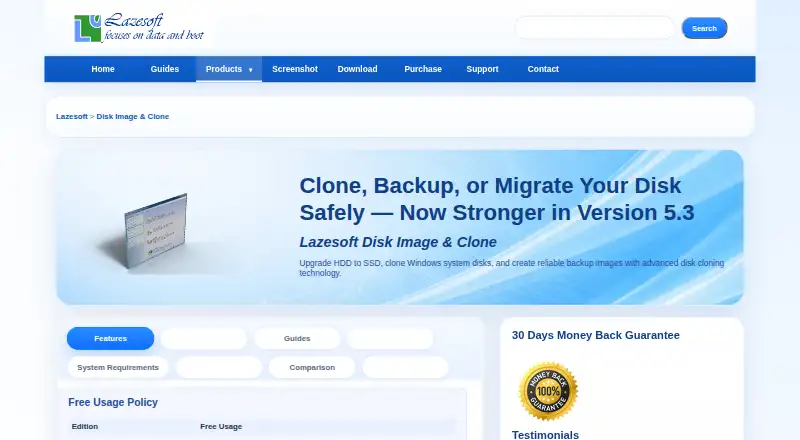
Lazesoft Disk Image & Clone is Windows software for cloning disks and creating system or disk image backups. It can copy an entire disk, including Windows, programs, files, and personal settings, to another disk or partition. Clone modes include fast used-block copying and full sector-by-sector copying. Image files can be used to restore disks or partitions, and backups can run on a schedule or on demand using full, incremental, or differential schemes with automatic cleanup. Options include password protection, compression, file exclusion, and encryption modes. The software supports SATA, IDE, SSD, SAS, RAID, and USB disks, FAT, FAT32, and NTFS, and disks larger than 16TB with GPT or MBR partition styles. It can create WinPE recovery disks, manage partitions, and wipe disks or partitions. Home Edition is free for personal, non-commercial use on up to 3 PCs in one household. Listed paid plans include Professional Edition at $17.95, paid once, Server Edition at $79.49, paid once, and Unlimited Edition at $159.69, paid once. Command-line backup automation is limited to paid versions.
Who it suits
It suits Windows users who need disk cloning, image-based backup and restoration, or partition and wipe tools. The Home Edition is specified for personal, non-commercial use on up to 3 PCs in one household.
What it does well
- Clones using fast or sector-by-sector modes.
- Supports scheduled full, incremental, and differential backups.
- Supports disks larger than 16TB.
- Creates WinPE recovery disks.
- Includes partition management and disk wiping tools.
What to know first
- Command-line backup automation requires a paid version.
- Home Edition is limited to personal, non-commercial use.
- Professional Edition is listed at $17.95, paid once.
Limits
The free Home Edition is for personal, non-commercial use on up to three PCs in one household. Command-line backup automation is available only in paid versions.
Plans
| Plan | Billed and limits | Price |
|---|---|---|
| Home Edition | personal, non-commercial use · up to 3 PCs in one household | Free |
| Unlimited Edition | organization-wide licensing · business use | $159.69, paid once |
| Professional Edition | limited-time discount · business use · free when disk capacity is less than 1 TB | $17.95, paid once |
| Server Edition | Windows Server environments · business license | $79.49, paid once |
As lazesoft.com lists them, read 1 Oct 2026. The maker's own page has the final word.
Getting started
- Visit the Lazesoft Disk Image & Clone website.
- Choose the Home Edition for personal, non-commercial use or review the listed paid editions.
- Use it on a Windows system.
- Select disk cloning or disk imaging for the task.
Verdict
Lazesoft Disk Image & Clone brings cloning, image backup, partition management, and disk wiping together for Windows. The free Home Edition has household and use restrictions, and command-line backup automation is paid-only.
Questions
Is Lazesoft Disk Image & Clone free?
Yes. The Home Edition is free for personal, non-commercial use on up to three PCs in one household.
What do the paid editions cost?
The listed Professional Edition is $17.95, paid once, the Server Edition is $79.49, paid once, and the Unlimited Edition is $159.69, paid once. The Professional price is described as a limited-time discount; it is for business use and is free when disk capacity is less than 1 TB.
Which operating systems does it support?
It supports Windows 11, 10, 8.1, and 7, plus Windows Server 2022, 2019, 2016, 2012 R2, 2012, 2008 R2, 2008, and 2003.
Can it create bootable recovery media?
Yes. It can create WinPE 3.5, 4.0, 5.0, 10, and 11 recovery disks in 32-bit and 64-bit versions.
Does it support command-line backup automation?
Yes, but command-line backup automation is available only in paid versions.
What support does Lazesoft provide?
Lazesoft directs product questions to its support FAQs and provides email support and step-by-step guides.
Facts from Lazesoft Disk Image & Clone's own pages
- Backup scheduling
- Backups can run daily, weekly, at startup, or on demand, using full, incremental, or differential schemes with automatic cleanup. · lazesoft.com, 1 Oct 2026
- Backup security
- Backup options include password protection, compression, sector-by-sector copying, file exclusion, and multiple encryption modes. · lazesoft.com, 1 Oct 2026
- Checkout and guarantee
- Paid purchases use FastSpring checkout and include a 30-day money-back guarantee. · lazesoft.com, 1 Oct 2026
- CLI limitation
- Command-line backup automation is available only in paid versions. · lazesoft.com, 1 Oct 2026
- Clone modes
- Cloning supports fast used-block mode and complete sector-by-sector mode. · lazesoft.com, 1 Oct 2026
- Disk cloning
- It clones an entire disk, including Windows, programs, files, and personal settings, to another disk or partition. · lazesoft.com, 1 Oct 2026
- Disk imaging
- It backs up an entire system or disk to image files and can restore disks or partitions from those images. · lazesoft.com, 1 Oct 2026
- Large disks
- It supports disks larger than 16TB, GPT and MBR partition styles, and UEFI and legacy BIOS systems. · lazesoft.com, 1 Oct 2026
- Partition tools
- It can create, delete, format, hide, unhide, and set active FAT, FAT32, and NTFS partitions. · lazesoft.com, 1 Oct 2026
- Recovery media
- The software can create WinPE 3.5, 4.0, 5.0, 10, and 11 recovery disks in 32-bit and 64-bit versions. · lazesoft.com, 1 Oct 2026
- Storage support
- It supports SATA, IDE, SSD, SAS, RAID, and USB disks, plus FAT, FAT32, and NTFS file systems. · lazesoft.com, 1 Oct 2026
- Support
- Lazesoft directs product questions to its support FAQs and provides email support and step-by-step guides. · lazesoft.com, 1 Oct 2026
- Windows versions
- It fully supports Windows 11, 10, 8.1, and 7, plus Windows Server 2022, 2019, 2016, 2012 R2, 2012, 2008 R2, 2008, and 2003. · lazesoft.com, 1 Oct 2026
- Wipe tools
- It securely wipes entire disks or partitions with quick and deep modes and supports GPT, MBR, and dynamic volumes. · lazesoft.com, 1 Oct 2026
Where Lazesoft Disk Image & Clone stands on Freedom251
- Disk Cloning Software#8 of 26