Freedom251 › Disk Cloning Software
Iperius Disk Cloning
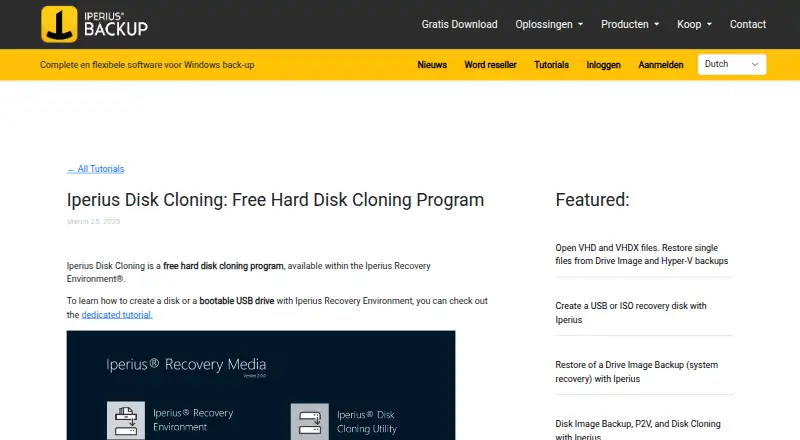
What Iperius Disk Cloning is
Iperius Disk Cloning is a free Windows utility for making an exact copy from one disk to another. The maker describes it as useful when moving an operating system to a larger disk or cloning a hard disk to an SSD. It runs within Iperius Recovery Environment rather than as a standard desktop utility. That environment can be launched from a USB stick or optical media, such as a CD or DVD, and the utility can work with disks connected directly to the machine or with USB disks.
The destination disk must have capacity equal to or greater than the source, and the source disk cannot also be selected as the destination. For devices that need specific drivers, the utility can load an .inf driver while running; the maker gives RAID controllers and SCSI devices as examples. Iperius Recovery Environment is based on WinPE and can be prepared on a USB drive or as an ISO file for CD or DVD. The maker describes its recovery-media procedure for Windows 10 and 11 and says it applies to Windows systems from Windows 7 through Windows Server 2025. The environment can also restore Iperius disk images in .VHD or .VHDX format, including on different hardware. Creating recovery media permanently erases the selected USB drive.
Who it suits
Iperius Disk Cloning suits Windows users who need to copy a disk to a replacement drive or move an operating system to a larger disk or SSD. It is a fit for people comfortable starting a WinPE-based recovery environment from USB or optical media.
What it does well
- Makes an exact disk-to-disk copy.
- Supports disks connected directly and USB disks.
- Can load .inf drivers for devices such as RAID controllers and SCSI devices.
- Recovery environment can be prepared on USB or as an ISO.
- Can restore .VHD or .VHDX disk images on different hardware.
What to know first
- Destination disk must be at least as large as the source.
- The source disk cannot also be the destination.
- Creating recovery media permanently erases the selected USB drive.
Limits
The destination disk must be at least as large as the source, and the source cannot serve as the destination. Creating recovery media permanently erases all data on the selected USB drive.
Plans
| Plan | Billed and limits | Price |
|---|---|---|
| Free | Disk-to-disk cloning · destination disk must be at least as large as source · runs within Iperius Recovery Environment | Free |
As iperiusbackup.nl lists them, read 8 Oct 2026. The maker's own page has the final word.
Getting started
- Open the Iperius Disk Cloning product page.
- Prepare Iperius Recovery Environment on a USB drive or as an ISO for CD or DVD.
- If creating recovery media on a USB drive, account for the permanent erasure of its data.
- Start the environment from USB or optical media.
- Select a source disk and a destination with at least the source disk's capacity.
- Load an .inf driver if a device such as a RAID controller or SCSI device requires one.
Verdict
Choose Iperius Disk Cloning if you need a free Windows disk copy utility and can boot Iperius Recovery Environment from prepared media. Look elsewhere if the destination is smaller than the source or you need to keep data on the USB drive used to create recovery media.
Questions
How much does Iperius Disk Cloning cost?
The listed Free plan costs nothing. Iperius Disk Cloning is separate from Iperius Backup Basic, which the maker lists at €59 perpetual.
Which operating system does it support?
The utility is listed for Windows. The maker's recovery-media guide describes Windows 10 and 11 and says its procedure applies from Windows 7 through Windows Server 2025.
Does it have a free trial?
No free trial is listed; the utility has a free plan.
How do I start the cloning utility?
It runs from Iperius Recovery Environment, which can be started from a USB stick or optical media such as a CD or DVD.
Can it clone to a smaller disk?
No. The destination disk must have capacity equal to or greater than the source disk.
Who makes Iperius Disk Cloning?
The product page identifies Enter Srl as the copyright holder. The maker's company page says ENTER s.r.l. began operating in 2000.
Facts from Iperius Disk Cloning's own pages
- Boot environment
- The utility launches from Iperius Recovery Environment, which can be started from a USB stick or optical media such as a CD or DVD. · iperiusbackup.nl, 8 Oct 2026
- Data erasure limit
- Creating recovery media permanently erases all data on the selected USB drive. · iperiusbackup.nl, 8 Oct 2026
- Destination requirement
- The destination disk must have capacity equal to or greater than the source disk, and the selected source disk cannot also be the destination. · iperiusbackup.nl, 8 Oct 2026
- Disk support
- It can clone disks connected directly to the machine and USB disks. · iperiusbackup.nl, 8 Oct 2026
- Driver caveat
- The recovery guide says additional drivers may be needed to restore a backup to a RAID disk array. · iperiusbackup.nl, 8 Oct 2026
- Driver support
- The utility can load an .inf driver in real time to display devices that require specific drivers, including RAID controllers and SCSI devices. · iperiusbackup.nl, 8 Oct 2026
- Headquarters
- Cupra Marittima, Italy · iperiusbackup.nl, 28 Sept 2026
- Maker
- The product page identifies Enter Srl as the copyright holder, and the maker's company page says ENTER s.r.l. began operating in 2000. · entersrl.com, 8 Oct 2026
- Recovery capability
- The maker says its WinPE-based recovery environment can restore an Iperius disk image in .VHD or .VHDX format, including on different hardware. · iperiusbackup.nl, 8 Oct 2026
- Recovery media
- Iperius Recovery Environment can be prepared on a USB drive or as an ISO file for CD or DVD, and is based on WinPE. · iperiusbackup.nl, 8 Oct 2026
- Related product pricing
- The maker lists Iperius Backup Basic at €59 perpetual and says that edition includes disk imaging and disk cloning; this is a separate product from the free cloning utility. · iperiusbackup.nl, 8 Oct 2026
- Support
- The product tutorial directs users with questions to Iperius contact support. · iperiusbackup.nl, 8 Oct 2026
- Typical use
- The maker describes it as suitable for transferring an operating system to a larger disk or cloning a hard disk to an SSD. · iperiusbackup.nl, 8 Oct 2026
- What it does
- Iperius Disk Cloning is a free utility in Iperius Recovery Environment that makes an exact disk-to-disk copy. · iperiusbackup.nl, 8 Oct 2026
- Windows platform
- The maker's recovery-media guide describes creating the environment for Windows 10 or 11 and says the procedure applies to Windows systems from Windows 7 through Windows Server 2025. · iperiusbackup.nl, 8 Oct 2026
Where Iperius Disk Cloning stands on Freedom251
- Disk Cloning Software#6 of 26