Freedom251 › Desktop Publishing Software

Lacuna
What Lacuna is
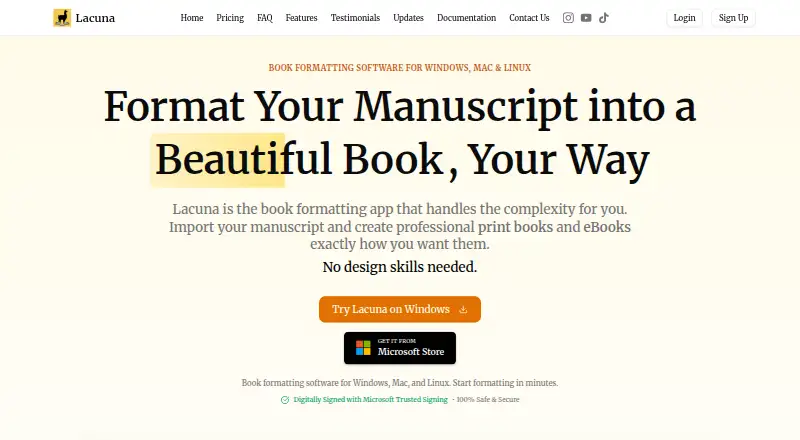
Lacuna is desktop software for turning a manuscript into a print-ready book and an eBook. It imports DOCX files and can identify chapters, sections, and other elements, giving authors a starting point for formatting. Design controls include premade styles, custom themes, typography settings, and a live preview. For print, users can set trim sizes, custom margins, binding gutters, full bleed, and page numbering. Lacuna exports EPUB files and print-ready PDFs, including PDF/X-1a output, and offers store-specific EPUB export for Amazon, Kobo, Google, Barnes & Noble, and Apple Books. Exported books can also be uploaded to Amazon KDP, IngramSpark, Apple Books, Kobo, and Barnes & Noble. The app runs on the author’s computer and stores work locally without cloud syncing. Lacuna is available for Windows and macOS. A full-featured trial requires no credit card and can be used until export; payment is required to export. One-time licenses start at $149, paid once and include lifetime updates. The maker describes the one-machine license for individual authors and the three-machine package for small teams.
Who it suits
Lacuna suits authors who want to format DOCX manuscripts for print and eBook distribution using desktop software. Its one-machine license is aimed at individual authors, while the three-machine package is described for small teams.
What it does well
- Imports DOCX files and detects manuscript structure.
- Exports EPUB and print-ready PDF, including PDF/X-1a.
- Offers typography controls, themes, styles, and live preview.
- Includes print settings for trim, margins, bleed, and pagination.
- Licenses include lifetime updates.
- Trial includes full features and requires no credit card.
What to know first
- Payment is required before exporting.
- The one-machine license is limited to one machine.
- The trial can be used only until export.
Limits
The trial includes full features but allows use only until export; payment is required to export. Paid licenses cover one, two, or three machines, with prices of $149, paid once, $239, paid once, and $339, paid once respectively.
Plans
| Plan | Billed and limits | Price |
|---|---|---|
| 1 Machine | $149 one-time · 1 machine · E-book and print-ready PDF formatting | $149, paid once |
| 2 Machines | $239 one-time · 2 machines · E-book and print-ready PDF formatting | $239, paid once |
| 3 Machines | $339 one-time · 3 machines · E-book and print-ready PDF formatting | $339, paid once |
As lacuna.pub lists them, read 30 Sept 2026. The maker's own page has the final word.
Getting started
- Visit the Lacuna website.
- Choose the Windows or macOS app for your computer.
- Start the trial, which requires no credit card.
- Import a DOCX manuscript and format it with the available design and print controls.
- Choose a license and pay to export the finished book.
Verdict
Choose Lacuna if you want desktop tools for formatting manuscripts into EPUB files and print-ready PDFs, with controls for both book design and print settings. Its full-featured trial lets you work before buying, but exporting requires a paid license; the one-machine option costs $149, paid once.
Questions
How much does Lacuna cost?
The 1 Machine license is $149, paid once, the 2 Machines license is $239, paid once, and the 3 Machines license is $339, paid once. Each is a one-time purchase and includes lifetime updates.
Is there a free plan or trial?
There is no free plan. The full-featured trial requires no credit card and can be used until export; payment is required to export.
Which platforms does Lacuna support?
Lacuna is available for Windows and macOS.
What files can Lacuna import and export?
It imports DOCX files and exports EPUB files and print-ready PDFs, including PDF/X-1a output.
Which stores are supported for EPUB export?
Store-specific EPUB export is listed for Amazon, Kobo, Google, Barnes & Noble, and Apple Books.
Does Lacuna store manuscript files in the cloud?
The maker says the app runs on the user's computer and stores work locally without cloud syncing.
Facts from Lacuna's own pages
- Design tools
- Features include premade styles, custom themes, typography controls, and a live preview. · lacuna.pub, 30 Sept 2026
- Export
- It exports EPUB files and print-ready PDFs, including PDF/X-1a output. · lacuna.pub, 30 Sept 2026
- Import
- Lacuna imports DOCX files and can detect chapters, sections, and other elements. · lacuna.pub, 30 Sept 2026
- Integrations
- The maker lists store-specific EPUB export for Amazon, Kobo, Google, Barnes & Noble, and Apple Books. · lacuna.pub, 30 Sept 2026
- Intended users
- The maker describes the 1-machine license as suitable for individual authors and the 3-machine package as a small-team package. · lacuna.pub, 30 Sept 2026
- License updates
- All listed licenses include lifetime updates, and the homepage says updates are included forever after the one-time purchase. · lacuna.pub, 30 Sept 2026
- Local app
- The maker says the app runs on your computer and stores your work locally without cloud syncing. · lacuna.pub, 30 Sept 2026
- Other distributors
- The homepage says exported books can be uploaded to Amazon KDP, IngramSpark, Apple Books, Kobo, and Barnes & Noble. · lacuna.pub, 30 Sept 2026
- Print controls
- Print settings include trim sizes, custom margins, binding gutters, full bleed, and page numbering options. · lacuna.pub, 30 Sept 2026
- Privacy policy
- The privacy policy says the company may collect account, contact, and usage data and may share necessary personal information with Paddle to process payments. · lacuna.pub, 30 Sept 2026
- Security and privacy
- The maker says Lacuna is code-signed with Microsoft Trusted Signing and describes the desktop app as keeping manuscript files on the computer. · lacuna.pub, 30 Sept 2026
- Support
- The contact page says the team typically responds within 12–24 hours during business days and offers a contact form and email. · lacuna.pub, 30 Sept 2026
- Trial
- The trial includes full features, requires no credit card, and allows use until export; payment is required to export. · lacuna.pub, 30 Sept 2026
- What it does
- Lacuna formats manuscripts into professional print books and eBooks. · lacuna.pub, 30 Sept 2026
Where Lacuna stands on Freedom251
- Desktop Publishing Software#17 of 30
- Book Layout Software#24 of 28
- eBook Creation Software#25 of 28