Freedom251 › Audio Mixing Software

L-ISA Studio
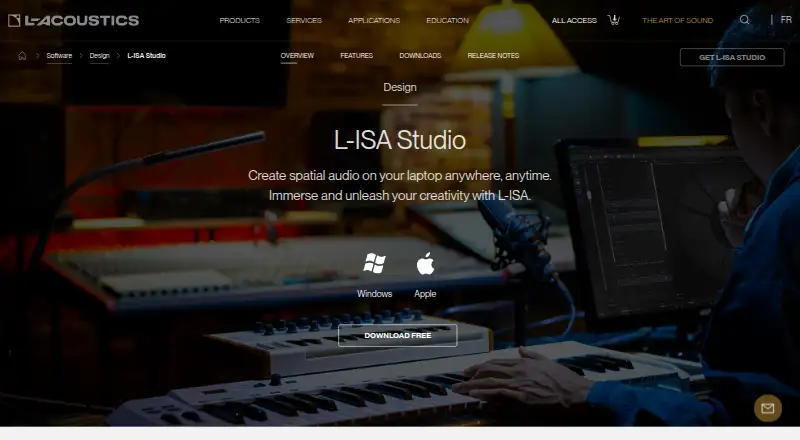
What L-ISA Studio is
L-ISA Studio lets sound creators mix object-based audio on headphones in binaural mode or in a studio with up to 16 audio outputs. Its desktop processor can render up to 96 audio objects to 16 outputs through the L-ISA Audio Bridge. Spatial controls adjust pan, width, distance, and elevation; the Room Engine supports object-based reverberation and Virtual Acoustics applications. Headphone monitoring supports certified head trackers. DAW control plugins in VST, AU, and AAX formats automate spatial mixing parameters. The product can also interact with DAWs, show control, game engines, mixing consoles, tracking systems, and OSC devices. Audio Bridge formats include 5.1, 7.1, 9.1, 5.1.2, 7.1.2, 7.1.4, 9.1.6, and 16.0. The free tier provides one seat for headphone mixing in binaural mode; speaker mixing and up to 16 outputs are listed for paid tiers. It runs on Windows 10 or 11 and macOS Catalina or later, with native Apple M1 support. A free plan and 30-day trial are listed.
Who it suits
It suits sound creators working with object-based audio who want headphone binaural monitoring or studio output. DAW users can use its VST, AU, or AAX control plugins for spatial-mixing automation.
What it does well
- Free tier includes one seat and binaural headphone mixing.
- Processes up to 96 objects to 16 outputs.
- Includes pan, width, distance, and elevation controls.
- Supports certified head trackers for headphone monitoring.
- Runs on Windows and macOS.
What to know first
- Free tier does not include speaker mixing.
- Up to 16 outputs are listed for paid tiers.
- Minimum requirements include 8 GB RAM and an i5 quad-core.
Limits
The Free plan is limited to one seat, headphone mixing, and binaural mode. Speaker mixing and up to 16 outputs are listed for paid tiers.
Plans
| Plan | Billed and limits | Price |
|---|---|---|
| Free | Forever · 1 seat · mix on headphones · binaural | Free |
| Individual | 1 seat · mix on up to 16 audio outputs · everything in Free | On request |
| Enterprise | Up to 5 seats · everything in Individual | On request |
As l-acoustics.com lists them, read 8 Oct 2026. The maker's own page has the final word.
Getting started
- Visit the L-ISA Studio product page.
- Choose Windows or macOS and check the listed operating system and hardware requirements.
- Request a download using the form with your name, email, job title, country, and operating system.
- Use the Free plan for one-seat headphone mixing in binaural mode, or review paid tiers for speaker mixing and up to 16 outputs.
- Consult the documentation and quick-start videos linked from the product page.
L-ISA Studio is an object-based spatial mixing environment for sound creators working in a DAW, on headphones, or through a multichannel studio. It is best suited to engineers who need binaural monitoring and structured immersive delivery rather than ordinary stereo mixing or DJ playback. The free edition makes headphone-based spatial work accessible, but speaker output and larger production setups require a paid tier.
Overview
L-ISA Studio divides its offering between headphone production and speaker-based output. The Free plan provides one seat, headphone mixing, and binaural mode, giving an individual creator a way to learn object-based workflows without a subscription. It does not provide speaker mixing or the product's up-to-16-output workflow, so it is not a complete solution for a surround room.
L-ISA Processor Desktop can render up to 96 audio objects to 16 audio outputs through the L-ISA Audio Bridge. The Bridge supports 5.1, 7.1, 9.1, 5.1.2, 7.1.2, 7.1.4, 9.1.6, and 16.0 configurations, with Dolby Atmos ADM export. That range fits productions with defined immersive delivery requirements; it is unnecessary overhead for a conventional stereo project.
Key features
PAN, WIDTH, DISTANCE, and ELEVATION controls provide separate handles for placing and shaping each object. This is more purposeful than relying on a single stereo pan control when a mix needs movement, depth, height, or spread.
The Room Engine supplies object-based reverberation and supports Virtual Acoustics applications, extending spatial design beyond simple positioning. Binaural monitoring works with certified head trackers, which gives headphone users a monitoring option when a speaker array is unavailable.
L-ISA Control Plugins come in VST, AU, and AAX formats for automating spatial parameters inside a digital audio workstation. The system can also interact with DAWs, show-control systems, game engines, mixing consoles, tracking systems, and OSC devices. Those connections favor engineered production environments over casual music-making.
Pricing
Free: $0.00 USD, billed Forever. One seat, headphone mixing, and binaural mode make this the sensible starting point for solo creators concentrating on headphones. A 30-day trial is also offered, although the published plans do not state a separate trial price or renewal term.
Individual: custom pricing for one seat. It includes everything in Free and adds mixing on up to 16 audio outputs, including speaker-based work. Choose it when a single engineer needs a full output workflow rather than only binaural monitoring.
Enterprise: custom pricing for up to five seats. It includes everything in Individual and is aimed at teams that need multiple users. The plan is more appropriate for a shared production operation than for a lone creator, but the published plan does not give a price.
Platforms
L-ISA Studio runs on Windows 10 or 11 and macOS Catalina (OS X 10.15) or later, with native Apple M1 support. Minimum requirements include 8 GB of RAM, an i5 quad-core processor, and a 1920 × 1080 display; an i7 is recommended. Confirm the workstation and any required audio hardware before choosing a paid output tier. Downloads require a name, email address, job title, country, and operating system. Documentation and quick-start videos are linked from the product page.
Who it's for
This is a strong fit for sound designers, immersive-mix engineers, game-audio creators, and studios delivering specified surround or Dolby Atmos ADM work. The Free plan also suits an individual exploring object-based mixing through headphones. It is a poor match for basic stereo production, general-purpose recording, or DJ playback, where its spatial and routing emphasis adds complexity without solving the main need.
Pros and cons
Pros
- Free, perpetual tier supports one-seat headphone mixing in binaural mode.
- Rendering of up to 96 objects across 16 outputs handles demanding immersive layouts.
- Broad surround-format support and Dolby Atmos ADM export serve defined delivery specifications.
- VST, AU, and AAX plugins connect spatial automation to major DAW plugin formats.
- Room Engine, head-tracked binaural monitoring, and external-system integrations cover more than object panning alone.
Cons
- Speaker mixing and up to 16 outputs are excluded from Free, so serious multichannel work requires custom-priced software.
- Enterprise pricing supports only up to five seats, which may constrain larger teams.
- The specialized object-based workflow is excessive for straightforward stereo or DJ projects.
- Hardware and operating-system requirements need checking before committing to the workstation setup.
Alternatives
Audio Mixing Software is the broader category to browse when you want conventional mixing tools rather than a dedicated spatial environment.
DaVinci Resolve is the better pick when you need a cross-platform video editor with a free plan and a paid Studio edition priced at $295.00 USD once, rather than L-ISA's object-focused workflow.
djay fits mobile and desktop DJ use, with a free download and optional PRO subscription for advanced features.
KLANG:app is free on supported devices for controlling KLANG immersive processors, making it a controller choice rather than a direct L-ISA replacement.
rekordbox, VirtualDJ, DJUCED, and Mixxx are better aligned with DJ decks, music management, or controller-based playback. Elgato Wave Link is the simpler choice for microphone and audio-interface routing on Windows or macOS without subscriptions or feature gates.
Verdict
Choose L-ISA Studio if you need object-based positioning, binaural headphone monitoring, or up to 16-output immersive delivery, especially with a DAW-centered workflow. Its free tier is unusually useful for learning and headphone production. Look elsewhere if your work is ordinary stereo mixing, DJ performance, or general recording, or if you need speaker output without moving to custom-priced software.
Verdict
L-ISA Studio provides object-based spatial mixing, with a free headphone-focused tier and paid output options. Check the operating-system and hardware requirements against the intended workstation.
Questions
Is there a free plan?
Yes. The Free plan costs nothing, billed Forever, and includes one seat, headphone mixing, and binaural mode.
What does the 30-day trial cover?
A 30-day trial is listed.
Which platforms does L-ISA Studio support?
It supports Windows 10 or 11 and macOS Catalina (OSX 10.15) or later, including native Apple M1 support.
How much do the paid plans cost?
Prices are not provided for Individual or Enterprise. Individual lists one seat and up to 16 audio outputs; Enterprise lists up to five seats and everything in Individual.
Who makes L-ISA Studio?
It is made by L-Acoustics, founded in 1984 by Dr. Christian Heil and headquartered in Marcoussis, France.
Which export format is listed?
Dolby Atmos ADM is listed as a supported export format.
Facts from L-ISA Studio's own pages
- Audio formats
- The Audio Bridge supports studio formats including 5.1, 7.1, 9.1, 5.1.2, 7.1.2, 7.1.4, 9.1.6, and 16.0. · l-acoustics.com, 8 Oct 2026
- Binaural monitoring
- The binaural engine supports headphone monitoring with certified head trackers. · l-acoustics.com, 8 Oct 2026
- DAW integration
- L-ISA Control Plugins are available in VST, AU, and AAX formats for DAW automation of L-ISA spatial mixing parameters. · l-acoustics.com, 8 Oct 2026
- Download and support
- The download form requests name, email, job title, country, and operating system, and the product page links to documentation and quick-start videos. · l-acoustics.com, 8 Oct 2026
- Founded
- 1984 · l-acoustics.com, 23 Sept 2026
- Free tier limit
- The Free tier includes one seat, headphone mixing, and binaural mode; mixing on speakers and up to 16 outputs are listed for paid tiers. · l-acoustics.com, 8 Oct 2026
- Headquarters
- Marcoussis, France · l-acoustics.com, 23 Sept 2026
- Maker
- L-Acoustics was founded in 1984 by Dr. Christian Heil. · l-acoustics.com, 8 Oct 2026
- Object rendering
- L-ISA Processor Desktop can render up to 96 audio objects to 16 audio outputs via the L-ISA Audio Bridge. · l-acoustics.com, 8 Oct 2026
- Operating systems
- The listed operating systems are Windows 10 or 11 and macOS Catalina (OSX 10.15) or later, with native Apple M1 support. · l-acoustics.com, 8 Oct 2026
- Other integrations
- The product page says L-ISA Studio can interact with Digital Audio Workstations, Show Control, Game Engines, mixing consoles, tracking systems, and OSC devices. · l-acoustics.com, 8 Oct 2026
- Purpose
- L-ISA Studio lets sound creators mix object-based audio on headphones in binaural or in a studio with up to 16 audio outputs. · l-acoustics.com, 8 Oct 2026
- Room engine
- The Room Engine supports object-based reverberation and Virtual Acoustics applications. · l-acoustics.com, 8 Oct 2026
- Spatial mixing
- The spatial processing controls PAN, WIDTH, DISTANCE, and ELEVATION. · l-acoustics.com, 8 Oct 2026
- System requirements
- The minimum requirements include 8 GB RAM, an i5 quad-core processor, and a 1920 × 1080 screen; an i7 is recommended. · l-acoustics.com, 8 Oct 2026
Where L-ISA Studio stands on Freedom251
- Audio Mixing Software#9 of 28