Freedom251 › Load Planning Software
Kubova
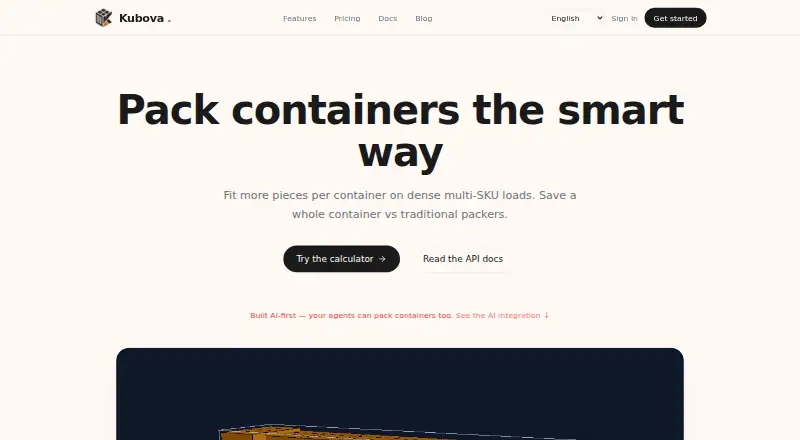
What Kubova is
Kubova calculates container and pallet loading plans from cargo and equipment data. It estimates capacity, creates an inspectable 3D loading plan with exact item placements, and can produce a shareable PDF report. The calculator handles multiple SKUs and cylinders, standard or custom containers, and combinations of container types. Its packing engine accounts for real container dimensions, payload limits, and gravity, and identifies items that do not fit. The web interface is available on the Free plan. REST and MCP API access starts with Pro; the API takes cargo and container data and returns placements, used volume, and unplaced pieces. The MCP guide names Claude, ChatGPT, Cursor, Cline, and VS Code as compatible clients, with a remote connector and optional local npm setup. Kubova describes its intended users as modern logistics teams, including exporters, freight forwarders, and 3PLs. It says data is stored in a managed encrypted database, PDFs are held in private storage behind short-lived signed URLs, and computation runs in a secure cloud region, with the US as the default. The Free plan allows 50 packs and 20 PDF reports monthly; paid plans add usage, API access, and team options.
Who it suits
Kubova is suited to exporters, freight forwarders, and 3PLs that need to plan container or pallet loading. Pro may fit users who need REST or MCP API access, while Team adds seats and shared workspaces.
What it does well
- Generates 3D loading plans with exact placements.
- Supports multiple SKUs, cylinders, and mixed container types.
- Accounts for container dimensions, payload limits, and gravity.
- Can create shareable PDF reports.
- Pro and higher plans include REST and MCP API access.
What to know first
- The Free plan is limited to 50 packs and 20 PDF reports per month.
- The Free plan offers web UI only.
- API access starts at the $29/ month Pro plan.
- Enterprise pricing is custom and not listed.
Limits
The Free plan allows 50 packs and 20 PDF reports per month and includes the web UI only. Pro allows 5,000 packs and 2,000 PDF reports per month; Team includes unlimited packs and reports.
Plans
| Plan | Billed and limits | Price |
|---|---|---|
| Free | forever · 50 packs/month · 20 PDF reports/month · web UI only · community support | Free |
| Pro | monthly · 5,000 packs/month · 2,000 PDF reports/month · REST + MCP API · 1 user · 1 organization · email support · 14-day trial | $29 a month |
| Team | monthly · 3 seats · up to 3 organizations · unlimited packs and reports · shared workspaces · white-label PDFs · priority email support · 30-day trial | $69 a month |
| Enterprise | custom · Unlimited usage · white-label PDFs · SAML SSO · dedicated worker pool · 99.9% SLA | On request |
As kubova.com lists them, read 19 Oct 2026. The maker's own page has the final word.
Getting started
- Open the Kubova website.
- Start with the Free plan or choose a paid plan; Pro and Team trials are available for 14 and 30 days, respectively.
- Enter cargo and equipment data in the web interface.
- Choose standard or custom containers and mix container types as needed.
- Review the 3D placements and generate a PDF report.
- For API access, choose Pro or above and connect through REST or MCP.
Overview
Kubova turns cargo and equipment data into container and pallet loading plans, capacity estimates, and reports. It suits exporters, freight forwarders, and 3PLs that need to inspect cargo placement or connect planning to other systems. The free tier supports modest web use; API and MCP workflows start at $29/ month.
Key features
Kubova handles multiple SKUs and cylindrical cargo, lets users configure standard or custom containers, and supports mixed container types. Its packing engine factors in container dimensions, payload limits, and gravity, and flags items that do not fit. That makes it more useful than a bare volume estimate when planning around loading constraints, though the output is only as dependable as the cargo and equipment data supplied.
Results include exact placements in an inspectable CAD-style 3D view, with shareable PDF reports. The REST API returns placements, used volume, and unplaced pieces. MCP supports clients including Claude, ChatGPT, Cursor, Cline, and VS Code; Kubova also describes REST and MCP endpoints for ERP and automation use, naming Claude, OpenAI Assistants, and n8n workflows as callers. These connections are useful for teams embedding calculations in other tools, but they are unavailable on Free.
The API's default limit is 60 requests per minute per key, with a 290-second timeout for pack requests. Kubova says it stores data in a managed encrypted database, keeps PDFs in private storage behind short-lived signed URLs, and computes in a secure cloud region with the US as the default. Teams with regional requirements should account for that default.
Pricing
Free costs nothing, billed $0 forever. It allows 50 packs and 20 PDF reports per month, with web UI access and community support. That is a practical way to evaluate visual planning or handle light workloads, but the monthly caps and lack of API access rule it out for sustained automation.
Pro costs $29 a month, billed $29/ month. It raises the limits to 5,000 packs and 2,000 PDF reports per month, adds REST and MCP API access and email support, and is limited to 1 user and 1 organization. A 14-day Pro trial gives an individual or small operation a chance to assess integration needs before paying; the single seat makes it a poor fit for a shared team workflow.
Team costs $69 a month, billed $69/ month, and includes 3 seats, up to 3 organizations, unlimited packs and reports, shared workspaces, white-label PDFs, and priority email support. Its 30-day trial and collaboration features make it the stronger fit for a small team with ongoing volume. Enterprise has custom pricing and adds unlimited usage, white-label PDFs, SAML SSO, a dedicated worker pool, and a 99.9% SLA, aimed at organizations needing those controls and service commitments.
Platforms
Kubova is available through a web interface and API. Free is web-only; REST and MCP API access begins with Pro.
Who it's for
Choose Kubova if you are an exporter, freight forwarder, 3PL, or logistics team that needs to inspect loading placements, account for payload and other constraints, or feed calculations into AI or ERP workflows. It is less suitable for users whose workload exceeds Free's quotas but who do not need integrations or cannot justify a paid plan.
Pros and cons
- Constraint-aware planning: Dimensions, payload, and gravity inform the plan, while spillover is identified instead of hidden.
- Useful inspection and sharing: Exact 3D placements and PDF reports support review beyond a capacity figure alone.
- Integration path: Pro and higher provide REST and MCP access, with defined request limits and support for named AI clients.
- Free is tightly capped: 50 packs and 20 PDFs monthly, with no API access, may be too little for regular operational use.
- Pro is single-user: Teams needing shared workspaces or multiple seats must move to the $69/ month Team plan.
Alternatives
For a broader comparison, see Load Planning Software. Consider CargoLoader3D if you want Android or iOS support and its free tier's manual placement, item load order, and priority groups. Goodloading may suit users who need Linux or macOS access, but its free plan excludes palletization, oval loads, and axle loads. LOP is an option for a permanent free tier limited to 3 plans per month, one container and 20 items per plan, one seat, and no exports.
ALPHA LOADING is another alternative. LoadingMCP offers a browser-based 3D planner and compliance verdict on its free plan without login or card, so it is worth considering for no-account browser use. LoadOptimizer.ai may be a fit if you want unlimited AI optimizations on its Standard plan, while API access is on its €99.99 a month Pro plan. Loggy is an alternative. MAXCUBE offers a free Basic plan with one packing computation per day, one container, up to 2,000 cargo items, and three SKU types.
Verdict
Kubova is a strong fit for logistics teams that need constraint-aware plans with visual placements, or want REST and MCP access for integrated workflows. Its main trade-off is the gap between a tightly capped, web-only Free tier and paid plans: choose it if Pro's integration access or Team's shared capacity justifies the cost, and look elsewhere if Free quotas are insufficient and a paid subscription is not an option.
Verdict
Choose Kubova if you need visual loading plans and capacity estimates for cargo, with PDF reports or API workflows as needed. Look elsewhere if the Free plan quotas are too low and you do not want a paid plan starting at $29/ month.
Questions
Is Kubova free?
Yes. The Free plan costs $0 forever and includes 50 packs and 20 PDF reports per month.
What are the paid plan prices?
Pro costs $29/ month and Team costs $69/ month. Enterprise is custom priced.
Which platforms are available?
Kubova is available on the web. Its API access is available on Pro and above.
What does the calculator do?
It calculates container and pallet loading plans, capacity estimates, 3D visualizations, and PDF reports from cargo and equipment data.
Which clients can connect through MCP?
The integration guide names Claude, ChatGPT, Cursor, Cline, and VS Code as compatible clients.
Who is Kubova for?
Kubova describes its intended users as logistics teams, including exporters, freight forwarders, and 3PLs.
Facts from Kubova's own pages
- 3D visualization
- Results provide an interactive CAD-style 3D layout with exact piece coordinates and dimensions. · kubova.com, 19 Oct 2026
- AI integrations
- The MCP integration guide lists Claude, ChatGPT, Cursor, Cline, and VS Code as compatible clients, with a remote connector and an optional local npm setup. · kubova.com, 8 Oct 2026
- API
- The REST API accepts cargo and container data and returns placements, used volume, and unplaced pieces; API access is available on Pro and above. · kubova.com, 8 Oct 2026
- API endpoints
- Documented endpoints include /me, /pack and /report, with placements, utilization and unplaced-piece data returned. · kubova.com, 19 Oct 2026
- API limits
- The documented default API limit is 60 requests per minute per key, with pack requests timing out after 290 seconds. · kubova.com, 19 Oct 2026
- API rate limit
- The API documentation states a default limit of 60 requests per minute per key and a 290-second timeout for pack requests. · kubova.com, 8 Oct 2026
- Capacity estimation
- The capacity tool calculates complete product sets per container and identifies whether space or weight is limiting. · kubova.com, 19 Oct 2026
- Cargo support
- The calculator supports multiple SKUs and cylinders, and lets users choose standard or custom containers and mix container types. · kubova.com, 8 Oct 2026
- Cloud regions
- Compute runs in a secure US cloud region by default, with EU and APAC regions planned for Enterprise. · kubova.com, 19 Oct 2026
- Container choices
- Presets include 20DC, 40DC, 40HC and 45HC, with custom container dimensions also supported. · kubova.com, 19 Oct 2026
- Data security
- Kubova says data is stored in a managed encrypted database, PDFs are held in private storage behind short-lived signed URLs, and computation runs in a secure cloud region with the US as default. · kubova.com, 8 Oct 2026
- Documentation depth
- Official documentation includes setup guides, API authentication, request schemas, response behavior, rate limits and error codes. · kubova.com, 19 Oct 2026
- ERP and automation
- Kubova says its REST and MCP endpoints are intended for AI agents and ERP integrations, and its homepage lists Claude, OpenAI Assistants, and n8n workflows as callers. · kubova.com, 8 Oct 2026
- Independent availability
- Tracevero lists the MCP server as active, version 1.0.0, first registered on 14 June 2026, and remotely executed over streamable HTTP. · tracevero.com, 19 Oct 2026
- Independent registry limitation
- Tracevero reports that the registry record declares no repository URL, package registry, environment variables or required credentials. · tracevero.com, 19 Oct 2026
- Independent uptime
- MCPbeat measured 100.0% uptime over 92 of 92 checks in the prior 24 hours, with 367 ms average response time. · mcpbeat.com, 19 Oct 2026
- Integrations
- The product can be called by Claude, ChatGPT, Cursor, Cline, VS Code, n8n and other MCP-compatible clients. · kubova.com, 19 Oct 2026
- Languages
- The site currently lists English, Vietnamese, Simplified Chinese and Spanish, with more languages planned. · kubova.com, 19 Oct 2026
- Limit: human review needed
- Kubova’s own AI-planning guidance says users must still review fragility, securing, dangerous-goods segregation, customs and carrier-specific constraints. · kubova.com, 19 Oct 2026
- Limit: MCP security score
- M8ven gives the MCP repository a 74/100 caution score and flags two high-severity dependency advisories. · m8ven.ai, 19 Oct 2026
- Limit: MCP tool metadata
- M8ven reports that all four MCP tools lack one or more explicit safety annotations such as read-only or destructive hints. · m8ven.ai, 19 Oct 2026
- Limit: no truck sequencing
- An independent directory describes Kubova as focused on container loading and says truck planning and delivery sequencing are not verified capabilities. · itechguides.com, 19 Oct 2026
- Limit: test coverage
- M8ven reports that the MCP repository contains no test files. · m8ven.ai, 19 Oct 2026
- MCP installation
- A remote MCP URL needs no installation; an optional local server is installed with the @kubova/mcp npm package. · kubova.com, 19 Oct 2026
Where Kubova stands on Freedom251
- Load Planning Software#5 of 29