Freedom251 › Local Kubernetes Tools

Kubeterm
What Kubeterm is
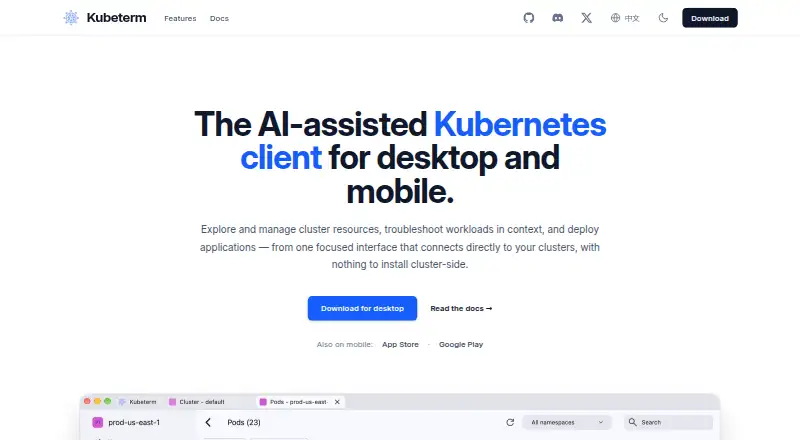
Kubeterm is an AI-assisted client for exploring Kubernetes resources, troubleshooting workloads, and deploying applications. It runs on your device and connects directly to the Kubernetes API, with no cluster-side installation. You can browse standard resources and CRDs, edit YAML, and view live or Prometheus-backed historical metrics. Troubleshooting tools include log streaming, a container terminal, pod file browsing, port forwarding, and ephemeral debug containers. Documented native access covers AWS EKS, Google GKE, Azure AKS, DigitalOcean, and OIDC providers such as Okta, Auth0, and Keycloak. AI chat accepts user-provided keys for OpenAI, Anthropic, Google Gemini, and DeepSeek; permissions are configurable and default to read-only. The Applications section supports Helm release management and displays Argo CD applications and Flux CD resources from the cluster API. Desktop builds for macOS, Windows, and Linux are listed without an account, trial, or feature gates. iOS and Android versions are paid subscriptions, with current pricing in app store listings. Credential and configuration storage stays on the device according to the security documentation.
Who it suits
Kubeterm suits Kubernetes users who want a local client for resource management and workload troubleshooting. Its desktop builds are available without account or trial gates; mobile users need a paid subscription.
What it does well
- Connects directly to Kubernetes API without cluster-side installation
- Supports standard resources and CRDs
- Desktop builds have no account or feature gates
- AI permissions default to read-only
- Includes log streaming and pod file browsing
What to know first
- Mobile versions require a paid subscription
- Mobile pricing is listed in app stores
Limits
Desktop builds are free and have no trial period or feature gates. iOS and Android access is a paid subscription; its current pricing appears in app store listings.
Plans
| Plan | Billed and limits | Price |
|---|---|---|
| Desktop | macOS, Windows, and Linux · no account, trial period, or feature gates | Free |
As kubeterm.com lists them, read 2 Oct 2026. The maker's own page has the final word.
Getting started
- Visit https://www.kubeterm.com/.
- Choose the build for macOS, Windows, or Linux, or find the iOS or Android app.
- Install or open Kubeterm on your device.
- Connect to a cluster through a documented cloud provider or OIDC provider.
- If using AI chat, provide an API key for a supported AI provider and configure tool permissions as needed.
Overview
Kubeterm is a Kubernetes client for people who manage clusters and want resource controls and troubleshooting tools in a local app. Its combination of broad diagnostics and no-cost desktop access makes it a strong fit for desktop operators; mobile users should weigh the paid subscription separately.
The client connects from the user's device straight to the Kubernetes API, with no cluster-side installation. That keeps the operating model simple, while the range of resource, application, and diagnostic workflows makes Kubeterm more capable than a read-only cluster viewer.
Key features
Operators can browse standard resources and custom resource definitions, edit YAML, and view live metrics or historical metrics backed by Prometheus. Historical data can help put current workload behavior in context. For troubleshooting, Kubeterm streams workload logs and provides a container terminal, pod file browsing, port forwarding, and ephemeral debug containers. These tools make it useful for investigating problems from one client; teams that need only occasional cluster visibility may not need such a broad toolkit.
The Applications section supports Helm release management and surfaces Argo CD applications and Flux CD resources through the cluster API. Native access is documented for AWS EKS, Google GKE, Azure AKS, DigitalOcean, and OIDC providers including Okta, Auth0, and Keycloak, a practical match for teams using those services.
AI chat uses API keys supplied by the user for OpenAI, Anthropic, Google Gemini, or DeepSeek. Tool permissions are configurable and default to read-only, which gives operators a cautious starting point; the need to bring a provider key means AI is not a self-contained included service. Cluster credentials and configuration remain on the device, using platform secure storage or local encrypted storage options. The privacy policy also says the app may process account, device, and usage information.
Pricing
The Desktop plan costs nothing on macOS, Windows, and Linux. It requires no account or trial period and has no feature gates, so desktop users can evaluate the full client without a paid commitment. There is no free trial. iOS and Android versions are paid subscriptions, with current prices shown in their app store listings; mobile users should check those listings before choosing the app. No seat or usage caps are stated for the desktop plan.
Platforms
Kubeterm runs on macOS, Windows, Linux, iOS, and Android, with a graphical interface. Desktop builds require no account, trial, or feature gates. Mobile availability is subscription-based, so the desktop's free terms do not carry over to phones and tablets.
Who it's for
Kubeterm suits Kubernetes operators who want to browse and edit resources, investigate workloads, manage Helm releases, and view GitOps resources from a locally running client. It is especially compelling for desktop users who value a wide set of troubleshooting tools without paying for desktop access. It is a weaker fit for someone seeking a free mobile client, or an AI assistant that does not rely on a personally supplied provider key.
Pros and cons
- Pro: Desktop access costs nothing and has no account, trial, or feature gates, lowering the barrier to evaluating the full client.
- Pro: Logs, terminals, pod files, port forwarding, and ephemeral debug containers give operators several ways to investigate workloads.
- Pro: Configurable AI permissions default to read-only, limiting the assistant's starting authority.
- Con: iOS and Android access requires a paid subscription, unlike the ungated desktop builds.
- Con: AI chat requires the user to provide a supported service's API key.
- Con: Although cluster credentials stay on-device, the privacy policy says account, device, and usage information may be processed.
Alternatives
For a wider set of local Kubernetes tools, compare the options before choosing a client. Pick Kubus if its open development and maker's network-automation focus better match your priorities. Kunobi is another freemium option; its free plan covers up to three clusters at once, includes community support, and needs no account or sign-up, making that cap a useful point of comparison with Kubeterm's ungated desktop plan.
Rancher Desktop is a free desktop application from SUSE's Rancher Engineering group. srelens is worth comparing if you want an open-source MIT-licensed option with no paid tier, account, or license key. Choose vCluster Platform if its free virtual-cluster offering—up to 64 CPUs or 32 GPUs, with a maximum of one HA vCluster—fits your needs better.
Colima is a free MIT-licensed container-runtime option for macOS and Linux. ctlptl is free and Apache-2.0 licensed, with no paid plans or usage limits stated. Kube Inspector is a free, open-source choice with no paid tier, account, or sign-in.
Verdict
Kubeterm is an easy recommendation for desktop Kubernetes operators who want resource editing, workload troubleshooting, and application workflows in one client without paying for desktop access. Its local connection model and breadth of tools are the main reasons to choose it. Look elsewhere if free mobile access is essential or you want AI chat that does not depend on your own API key.
Verdict
Kubeterm combines Kubernetes resource tools, troubleshooting utilities, and optional AI assistance in a client that runs locally. Note the difference between ungated desktop builds and paid mobile subscriptions.
Questions
Is Kubeterm free?
The desktop plan is free for macOS, Windows, and Linux. iOS and Android are paid subscriptions.
Which platforms does it support?
Kubeterm lists macOS, Windows, Linux, iOS, and Android.
Does it require installing software on a Kubernetes cluster?
No. It runs on the user's device and connects directly to the Kubernetes API.
Which clusters and identity providers are documented?
Native access is documented for AWS EKS, Google GKE, Azure AKS, DigitalOcean, and OIDC providers including Okta, Auth0, and Keycloak.
Which AI providers can Kubeterm use?
Its AI chat accepts user-provided API keys for OpenAI, Anthropic, Google Gemini, and DeepSeek.
Does the desktop version require an account or trial?
The desktop download page says macOS, Windows, and Linux builds require no account or trial period.
Facts from Kubeterm's own pages
- AI controls
- AI tool permissions are configurable, and the documented default policy is read-only. · kubeterm.com, 2 Oct 2026
- AI integrations
- The built-in AI chat supports user-provided API keys for OpenAI, Anthropic, Google Gemini, and DeepSeek. · kubeterm.com, 2 Oct 2026
- Application integrations
- The Applications section supports Helm release management and displays Argo CD applications and Flux CD resources from the cluster API. · kubeterm.com, 2 Oct 2026
- Cloud integrations
- Native cluster access is documented for AWS EKS, Google GKE, Azure AKS, DigitalOcean, and OIDC providers including Okta, Auth0, and Keycloak. · kubeterm.com, 2 Oct 2026
- Credential security
- The security documentation says cluster credentials and configuration stay on the device, and credentials are stored using platform secure storage or local encrypted storage options. · kubeterm.com, 2 Oct 2026
- Desktop availability
- The desktop download page lists macOS, Windows, and Linux builds and says they require no account, trial, or feature gates. · kubeterm.com, 2 Oct 2026
- Local operation
- The app runs on the user's device and connects directly to the Kubernetes API without a cluster-side installation. · kubeterm.com, 2 Oct 2026
- Mobile
- Kubeterm is available for iOS and Android as a paid subscription, with current pricing listed in the app store listings. · kubeterm.com, 2 Oct 2026
- Privacy
- The privacy policy says the app may process account, device, and usage information, and was last updated November 15, 2023. · kubeterm.com, 2 Oct 2026
- Purpose
- Kubeterm is an AI-assisted Kubernetes client for exploring and managing cluster resources, troubleshooting workloads, and deploying applications. · kubeterm.com, 2 Oct 2026
- Resource management
- It supports browsing standard resources and CRDs, editing resource YAML, and viewing live or Prometheus-backed historical metrics. · kubeterm.com, 2 Oct 2026
- Troubleshooting
- Troubleshooting tools include workload log streaming, a container terminal, pod file browsing, port forwarding, and ephemeral debug containers. · kubeterm.com, 2 Oct 2026
Where Kubeterm stands on Freedom251
- Local Kubernetes Tools#12 of 23