Freedom251 › Church Check-In Software
Kidmin App
What Kidmin App is
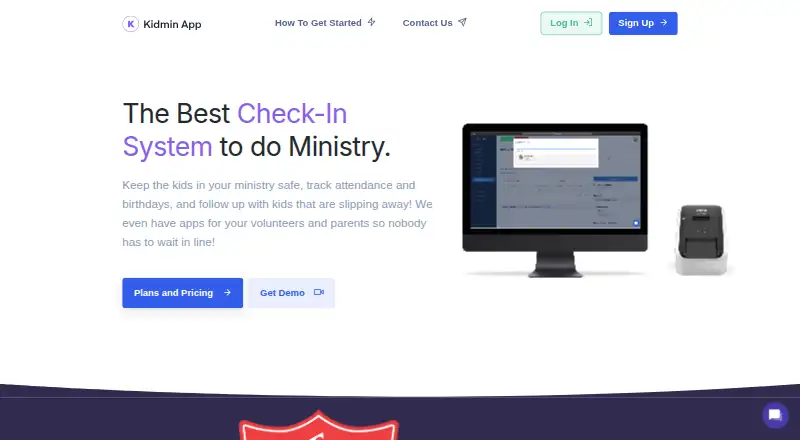
Kidmin App is a children’s ministry check-in system for organizing child safety, attendance, birthdays, and follow-up. It supports desk check-in, kiosk check-in, and express check-in through its mobile app. Parents can use the free mobile app for express check-in and electronic pickup tags. Volunteers and administrators can view class rosters, page parents, and scan tags when children leave. The Popular plan includes reports covering attendance, birthdays, new registrations, and children who may be slipping away. Check-in stations are unlimited and free to add. The app supports Android, iOS, macOS, web, and Windows. Basic tag printing needs an internet-connected computer or Windows 10 tablet and a Dymo or Brother QL-800 printer; Mac printing is limited to Brother printers. Plans begin at $35 /mo, with monthly billing, cancellation through support, and a 30-day money-back guarantee.
Who it suits
It suits children’s ministries that need parent check-in, volunteer tools, attendance tracking, and child follow-up. It also fits organizations using Android, iOS, macOS, web, or Windows devices.
What it does well
- Desk, kiosk, and mobile express check-in
- Unlimited check-in stations
- Electronic pickup tags for parents
- Attendance and birthday reports on Popular
- Supports Android, iOS, macOS, web, Windows
What to know first
- No free plan or free trial
- Basic plan excludes attendance reports
- Mac printing limited to Brother printers
- Basic tag printing requires compatible label printer
Limits
The BASIC plan allows up to 50 check-ins per day and excludes attendance reports and priority support. The Popular plan allows up to 150 check-ins per day; organizations above that level need a Custom plan.
Plans
| Plan | Billed and limits | Price |
|---|---|---|
| BASIC Plan | $35 /mo · Up to 50 Check-Ins a Day · Mobile Apps For Volunteers · Kiosk Check In · Desk Check In · Unlimited Check In Stations · Attendance Reports excluded · Priority Support excluded | $35 a month |
| Popular Plan | $60 /mo · Up to 150 Check-Ins a Day · Mobile Apps For Volunteers · Kiosk Check In · Desk Check In · Unlimited Check In Stations · Attendance Reports · Priority Support | $60 a month |
| Custom Plan | Contact us to receive a custom quote · More than 150 check-ins a day | On request |
As kidminapp.com lists them, read 29 Sept 2026. The maker's own page has the final word.
Getting started
- Open the Kidmin App website
- Choose the BASIC or Popular plan, or contact support about a Custom plan
- Use an Android, iOS, macOS, web, or Windows device
- Set up desk, kiosk, or mobile express check-in
- Connect an internet-enabled computer or Windows 10 tablet for tag printing
- Use a Dymo or Brother QL-800 label printer for basic tags
Verdict
Kidmin App combines several check-in methods with parent pickup tags, rosters, and attendance reporting. Its plan choice depends mainly on daily check-in volume and whether reports or priority support are needed.
Questions
How much does Kidmin App cost?
The BASIC plan is $35 a month. The Popular plan is $60 a month, while Custom pricing is available for more than 150 daily check-ins.
Is there a free plan or trial?
No. The maker says it offers neither a free tier nor a free trial.
Which platforms are supported?
Kidmin App supports Android, iOS, macOS, web, and Windows.
Can parents check children in from a phone?
Yes. Parents can use the free mobile app for express check-in and electronic pickup tags.
What printers work for basic tags?
Basic tag printing uses a Dymo or Brother QL-800 label printer connected to an internet-enabled PC or Mac, or a Windows 10 tablet. Mac printing is limited to Brother printers.
Can monthly plans be cancelled?
Monthly plans can be cancelled by contacting support and include a 30-day money-back guarantee.
Facts from Kidmin App's own pages
- Billing terms
- Monthly plans are paid monthly, can be cancelled by contacting support, and carry a 30-day money-back guarantee; the maker says it does not offer a free tier. · kidminapp.com, 29 Sept 2026
- Check-in options
- The system offers desk check-in, kiosk check-in, and express check-in through the mobile app. · help.kidminapp.com, 29 Sept 2026
- Computer support
- The help center lists Windows 7 or newer and macOS 11 or newer, with Mac printing limited to Brother printers. · help.kidminapp.com, 29 Sept 2026
- Integrations
- The maker's setup guidance documents printing with Dymo and Brother label printers, including Brother QL-800. · help.kidminapp.com, 29 Sept 2026
- Intended users
- The maker describes Kidmin App as built for children's ministry and designed to simplify parent check-in and volunteer training. · kidminapp.com, 29 Sept 2026
- Mobile app
- The free mobile app lets parents use express check-in and electronic pickup tags, while volunteers and administrators can view class rosters, page parents, and scan tags to check children out. · help.kidminapp.com, 29 Sept 2026
- Printer requirements
- Basic tag printing requires an internet-connected PC or Mac or Windows 10 tablet and a Dymo or Brother QL-800 label printer. · help.kidminapp.com, 29 Sept 2026
- Privacy controls
- The privacy policy says users may request access, correction, updates, deletion, restriction, or portability of their personal information and may withdraw consent where processing is based on consent. · kidminapp.com, 29 Sept 2026
- Purpose
- Kidmin App is a children's ministry check-in system for keeping children safe, tracking attendance and birthdays, and following up with children who are slipping away. · kidminapp.com, 29 Sept 2026
- Reports
- The Popular plan includes attendance reports, and the help center says these track attendance, birthdays, new registrations, and children who may be slipping away. · help.kidminapp.com, 29 Sept 2026
- Security
- The privacy policy says the service uses technical and organizational measures to protect collected and stored information, while acknowledging that no system can be guaranteed fully secure. · kidminapp.com, 29 Sept 2026
- Station limit
- The help center says check-in stations are unlimited and free to add. · help.kidminapp.com, 29 Sept 2026
- Support
- The contact page says the team handles pre-purchase, billing, and technical support questions and aims to reply within 24 hours on business days. · kidminapp.com, 29 Sept 2026
Where Kidmin App stands on Freedom251
- Church Check-In Software#32 of 42