Freedom251 › Restaurant Tip Management Software

Kickfin
What Kickfin is
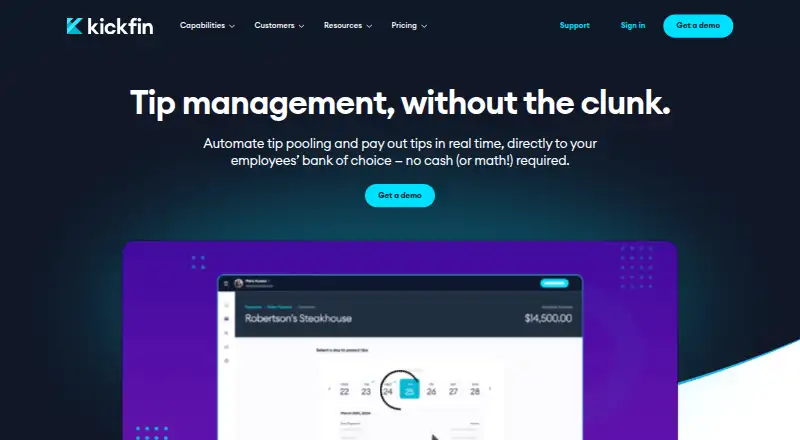
Kickfin is web-based software that automates restaurant tip calculations, employee payouts, and reporting. Restaurants can send cashless tips directly to employees’ existing bank accounts, with funds described as available instantly, 24/7. Its calculator supports custom pools and allocation rules based on hours worked, shifts, and check closes. Reports can include payment details and timestamps, be filtered by employee, shift, or site, and downloaded as CSV files. Kickfin can total employee payments by pay period and sync payout data with payroll systems. POS integrations bring sales and labor data into tip calculations; listed integrations include Union POS and rPOWER. Payroll integrations named in its 2025 product roundup include ADP Run, Paylocity, and Restaurant365 Payroll. Kickfin says it tokenizes employee financial information and is PCI compliant; its employee FAQ says staff enroll with a debit card and the service does not store their bank details. Kickfin does not automatically report tip payments for tax purposes. The company advertises 24/7 customer support, dedicated integration specialists, and overnight implementation. Pricing is by request, with no contracts, setup fees, or hardware.
Who it suits
Kickfin suits restaurants and hospitality businesses managing tips across shifts, sites, or employee groups. Its stated audiences include full-service and quick-service restaurants, bars, cafes, delivery operations, venues, and enterprise groups.
What it does well
- Custom tip rules can use hours, shifts, and check closes
- Reports can be filtered and exported as CSV
- Payout data can sync with payroll systems
- Advertises 24/7 customer support
What to know first
- Does not automatically report tips for tax purposes
- No employee app is listed
- Pricing is available by quote
Limits
Kickfin does not automatically report tip payments for tax purposes. Pricing is by quote; the maker advertises no contracts, setup fees, or hardware.
Plans
| Plan | Billed and limits | Price |
|---|---|---|
| Kickfin | Pricing by quote · no contracts or setup fees · no hardware | On request |
As kickfin.com lists them, read 7 Oct 2026. The maker's own page has the final word.
Getting started
- Visit https://kickfin.com/ to request pricing.
- Work with Kickfin on implementation; the maker says it can happen overnight.
- Use the web product to configure tip pools and allocation rules.
- Connect POS integrations to bring sales and labor data into tip calculations.
- Employees enroll using a debit card to receive payouts.
Verdict
Kickfin combines tip allocation, cashless payouts, and reporting for hospitality teams, with POS and payroll integrations. Its stated tax-reporting limitation is important for restaurants considering how they will handle tip reporting.
Questions
How is Kickfin priced?
Pricing is by quote. Kickfin advertises no contracts or setup fees and says no hardware is required.
Which platforms does Kickfin support?
Kickfin is available on the web.
Can Kickfin export reports?
Yes. Reports can be downloaded as CSV files and filtered by employee, shift, or site.
Which payroll integrations are named?
Kickfin’s 2025 product roundup announced payroll integrations with ADP Run, Paylocity, and Restaurant365 Payroll.
Does Kickfin report tips for tax purposes?
No. Kickfin states that it does not automatically report tip payments for tax purposes.
How does employee payout enrollment work?
The employee FAQ says employees enroll using a debit card and Kickfin does not store their bank details.
Facts from Kickfin's own pages
- Data handling
- The employee FAQ says employees enroll using a debit card and Kickfin does not store their bank details. · kickfin.com, 7 Oct 2026
- Founded
- 2017 · kickfin.com, 28 Sept 2026
- Headquarters
- Austin, Texas, United States · kickfin.com, 28 Sept 2026
- Implementation
- Kickfin says implementation can happen overnight and advertises no contracts, setup fees or hardware. · kickfin.com, 7 Oct 2026
- Integrations
- POS integrations pull sales and labor data for tip calculations, and the maker lists Union POS and rPOWER among integrations added in 2025. · kickfin.com, 7 Oct 2026
- Intended users
- The product is marketed to restaurants and hospitality businesses, including full-service and quick-service restaurants, bars, cafes, delivery operations, venues and enterprise groups. · kickfin.com, 7 Oct 2026
- Payouts
- Restaurants can send cashless tips directly to employees’ existing bank accounts, with funds described as available instantly, 24/7. · kickfin.com, 7 Oct 2026
- Payroll
- Kickfin can roll up employee payments by pay period and sync payout data with payroll systems. · kickfin.com, 7 Oct 2026
- Payroll integrations
- Kickfin announced payroll integrations with ADP Run, Paylocity and Restaurant365 Payroll in its 2025 product roundup. · kickfin.com, 7 Oct 2026
- Purpose
- Kickfin automates restaurant tip management, including tip calculations, payouts and reporting. · kickfin.com, 7 Oct 2026
- Reporting
- Reports can show payment details and timestamps, be filtered by employee, shift or site, and be downloaded as CSV files. · kickfin.com, 7 Oct 2026
- Security
- Kickfin says it tokenizes employees’ financial information and is PCI compliant. · kickfin.com, 7 Oct 2026
- Support
- Kickfin advertises 24/7 customer support and dedicated integration specialists for onboarding and training. · kickfin.com, 7 Oct 2026
- Tax reporting limit
- Kickfin states that it does not automatically report tip payments for tax purposes. · kickfin.com, 7 Oct 2026
- Tip calculations
- The tip calculator supports customizable pools and shares, including rules based on hours worked, shifts and check closes. · kickfin.com, 7 Oct 2026
Where Kickfin stands on Freedom251
- Restaurant Tip Management Software#19 of 23