Freedom251 › Data Visualization Software

Kibana
by Kibana
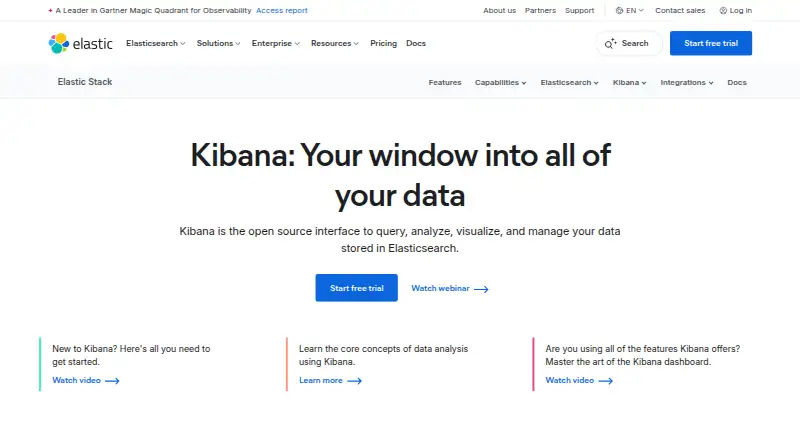
What Kibana is
Kibana is an open-source web interface for querying, analyzing, visualizing, and managing Elasticsearch data. Its tools include Discover, Dashboards, Dev Tools Console, Maps, alerting, and developer console capabilities. Interactive dashboards can combine metrics, XY charts, graphs, maps, tables, live data, drilldowns, and saved queries, and can be embedded. Data can be ingested into Elasticsearch from logs, metrics, or documents, including through OpenTelemetry, Logstash, and Beats. Listed sources also include Elastic Agent, APIs, AWS, Microsoft Azure, Google Cloud, Amazon S3, Amazon ECS, web content, files, traces, and events. The self-managed Free and open tier includes the Elastic Stack and Kibana, with native authentication, role-based access control, and TLS encryption; support is community-based rather than guaranteed paid support. Elastic Cloud Hosted and Serverless offer a free trial. Hosted Standard is listed at $99 a month as low as, based on cloud production configuration. Kibana also offers no-code machine learning for anomalies and rare events, plus geospatial tools such as multilayer maps and distance filters.
Who it suits
Kibana suits people and teams working with Elasticsearch data who need querying, dashboards, maps, alerting, or data analysis. Its self-managed free tier may suit those comfortable with community support.
What it does well
- Self-managed Free tier includes the full Elastic Stack.
- Dashboards can be embedded and include drilldowns.
- Supports data ingestion through OpenTelemetry, Logstash, and Beats.
- Offers no-code machine learning and geospatial tools.
- Free tier includes authentication, RBAC, and TLS.
What to know first
- Free-tier support is community-based.
- Standard hosted pricing is based on cloud production configuration.
- Enterprise self-managed is listed for existing customers only.
Limits
The self-managed Free tier includes community support rather than guaranteed paid support. Standard is listed at $99 a month, billed as low as, based on cloud production configuration.
Plans
| Plan | Billed and limits | Price |
|---|---|---|
| Free and open | Self-managed Elastic Stack · Kibana interface included · Community support | Free |
| Standard | As low as; based on cloud production configuration · Elastic Cloud Hosted · AWS, Azure, and Google Cloud · Dashboards and visualizations · Maps and alerting · Web-based support | $99 a month |
| Gold | As low as; based on cloud production configuration · Everything in Standard · Reporting · Third-party alerting actions · Watcher · Multi-stack monitoring | $114 a month |
| Platinum | As low as; based on cloud production configuration · Everything in Gold · Advanced Elastic Stack security · Machine-learning anomaly detection · Supervised learning · Cross-cluster replication | $131 |
| Enterprise | As low as; based on cloud production configuration · Everything in Platinum · Elastic Maps Server · Cross-cluster search · AI-assisted capabilities · Premium support | $184 |
As elastic.co lists them, read 28 Sept 2026. The maker's own page has the final word.
Getting started
- Open the Kibana website.
- Choose the self-managed Free and open tier or an Elastic Cloud Hosted or Serverless option.
- For a hosted option, use the available free trial.
- Connect or ingest data into Elasticsearch using a supported source or ingestion route.
- Explore data with Discover, dashboards, Maps, or the other included tools.
Kibana is a browser-based workspace for querying, visualizing, and administering Elasticsearch data. It suits teams running the Elastic Stack and handling operational signals at scale. Choose it for integrated investigation, dashboards, maps, alerting, and machine learning; look elsewhere if you only need a lightweight chart-publishing tool.
Overview
Kibana is an open-source interface for Elasticsearch, the core of Elastic’s stack. It accepts data from Elasticsearch, Elastic Agent, Logstash, Beats, OpenTelemetry, APIs, AWS, Microsoft Azure, Google Cloud, Amazon S3, Amazon ECS, files, web content, logs, metrics, traces, and events. Ingestion can flow through OTel, Logstash, and Beats, so teams can bring operational data into Elasticsearch before analyzing it.
The web platform is interactive and supports embedded dashboards. That combination makes Kibana a practical control room for teams already invested in Elasticsearch, but its value is less obvious for a standalone visualization project with no Elastic data platform behind it.
Key features
Discover, Dashboards, Dev Tools Console, Maps, alerting, and developer-console tools cover both investigation and administration. Dashboards combine metrics, XY charts, graphs, maps, and tables, with live data, drilldowns, and reusable saved queries. Those capabilities favor recurring operational analysis over one-off reports, while embedding helps expose views inside another application.
Geospatial work goes beyond a single map: multilayer maps, distance filters, shape overlays, and offline basemaps and boundaries support location-based operations when geographic context matters.
No-code machine learning can identify anomalies, rare events, and message patterns, then feed alerting. Alert workflows connect with Slack, PagerDuty, ServiceNow, and more than 100 other systems, making Kibana useful when findings must trigger operational action rather than remain in a dashboard.
Self-managed Free includes native authentication, role-based access control, and TLS encryption. Enterprise self-managed adds FIPS 140-3 compliance and controls for GDPR, HIPAA, and FedRAMP requirements. Enterprise administration also includes SAML SSO, RBAC, access control, audit logging, and user management. These are meaningful distinctions for regulated or larger deployments, not merely cosmetic upgrades.
Pricing
The self-managed Free and open plan costs nothing and includes the Elastic Stack with Kibana and community support. It is the sensible entry point for individuals and teams able to operate the stack themselves; the trade-off is no guaranteed paid support.
Elastic Cloud Hosted Standard starts at $99 a month, based on cloud production configuration, with 120 GB of storage and two zones. It includes dashboards and visualizations, maps and alerting, AWS, Azure, and Google Cloud deployment, and web-based support. This is the practical hosted baseline, but the quoted starting price is configuration-dependent.
Gold starts at $114 a month on the same basis and adds reporting, third-party alerting actions, Watcher, and multi-stack monitoring. It fits teams that need broader notification and monitoring workflows rather than only visualization.
Platinum on request, based on cloud production configuration, and is for existing self-managed customers. It adds advanced Elastic Stack security, machine-learning anomaly detection, supervised learning, and cross-cluster replication. Enterprise on request for self-managed deployments and adds Elastic Maps Server, cross-cluster search, AI-assisted capabilities, and premium support. Elastic Cloud Hosted support ranges from web-based and business-hours options to enhanced and premium levels. Elastic Cloud Hosted and Serverless include a 14-day free trial.
Platforms
Kibana is offered as a web platform. Hosted and self-managed deployment choices let organizations decide whether Elastic operates the environment or their own team does.
Who it's for
Kibana is a strong choice for observability, security, data, and operations teams consolidating logs, metrics, traces, events, and documents in Elasticsearch. It also suits organizations that need governed access, auditability, geospatial analysis, and alerts tied to service workflows.
It is a poor fit for a small audience seeking quick public charts, or for teams unwilling to run or budget for an Elasticsearch-based platform. The self-managed route saves licensing cost but shifts operations and support responsibility to the customer.
Pros and cons
- Pro: Broad ingestion and Elastic Stack integration keep collection, querying, and visualization in one environment.
- Pro: Interactive dashboards, embedded views, maps, drilldowns, and saved queries support ongoing operational work.
- Pro: Free self-managed security includes authentication, RBAC, and TLS encryption.
- Con: Free self-managed support is community-based, so teams needing guaranteed assistance must pay for support or hosted tiers.
- Con: Hosted prices are starting figures tied to production configuration, making budgeting less predictable than a simple per-seat plan.
- Con: Advanced security, machine learning, replication, and premium support are reserved for higher-priced tiers.
Alternatives
Choose Metabase when a self-hosted, AGPL-licensed open-source interface with unlimited transform runs and optional use of your own AI model is a better fit.
Datawrapper is preferable for web-published charts, maps, and tables with PNG downloads and attribution on its free plan.
Matplotlib is a free BSD-compatible Python library for teams that want code-driven plotting rather than an operational dashboard workspace.
Apache Superset offers an open-source, self-managed platform for data exploration and visualization.
Plotly is another freemium option with a free tier that includes one creator seat, three private viewers, one app, and 10 trial credits.
Redash suits teams prepared to self-host a free open-source version; its hosted service has shut down.
Flourish provides unlimited projects and stories, its full template range, and public publishing with attribution on the free plan.
Infogram targets simpler online publishing, with a Basic plan offering one user, more than 35 chart types, up to 10 projects, and up to five pages per project.
For a wider comparison, see Data Visualization Software.
Verdict
Choose Kibana if your organization already relies on Elasticsearch and needs one web interface for exploration, governed dashboards, geospatial analysis, alerting, and machine learning. Its main reason to look elsewhere is operational and financial complexity: self-management requires expertise and community support, while hosted and enterprise capabilities scale with configuration and tier.
Verdict
Kibana combines Elasticsearch querying and administration with dashboards, maps, alerting, machine learning, and data ingestion tools. The self-managed free tier includes core security controls, while paid hosted pricing depends on configuration and support in the free tier is community-based.
Questions
Is Kibana free?
Yes. The self-managed Free and open tier includes Kibana and the full Elastic Stack.
What does the free tier include?
It includes native authentication, role-based access control, and TLS encryption. Support is community-based.
What does the free trial cover?
Elastic Cloud Hosted and Serverless offer a free trial.
How much does Standard cost?
Standard is listed at $99 a month, billed as low as, based on cloud production configuration.
What platforms are supported?
Kibana is available on the web.
What data can it work with?
Listed sources include Elasticsearch, Elastic Agent, Logstash, Beats, OpenTelemetry, APIs, cloud services, files, logs, metrics, traces, and events.
Facts from Kibana's own pages
- Supported apps
- Kibana provides Discover, Dashboards, Dev Tools Console, Maps, alerting, and developer console capabilities. · elastic.co, 28 Sept 2026
- Company relationship
- Elastic describes itself as the company behind Elasticsearch. · elastic.co, 28 Sept 2026
- Dashboard features
- Dashboards support metrics, XY charts, graphs, maps, tables, live data, drilldowns, and reusable saved queries. · elastic.co, 28 Sept 2026
- Dashboard type
- interactive · elastic.co, 20 Sept 2026
- Data ingestion
- Data can be ingested from logs, metrics, or documents into Elasticsearch, including via OTel, Logstash, and Beats. · elastic.co, 28 Sept 2026
- Data sources
- Elasticsearch,Elastic Agent,Logstash,Beats,OpenTelemetry,APIs,AWS,Microsoft Azure,Google Cloud,Amazon S3,Amazon ECS,web content,files,logs,metrics,traces,and events · elastic.co, 20 Sept 2026
- Embedded dashboards
- Yes · elastic.co, 20 Sept 2026
- Founded
- 2012 · elastic.co, 28 Sept 2026
- Free plan
- Yes · elastic.co, 20 Sept 2026
- Free tier
- The self-managed Free and open tier includes the full Elastic Stack, including Kibana. · elastic.co, 28 Sept 2026
- Free tier limits
- Self-managed Free includes community support rather than guaranteed paid support. · elastic.co, 28 Sept 2026
- Free trial
- Elastic Cloud Hosted and Serverless offer a free trial. · elastic.co, 28 Sept 2026
- Geospatial analysis
- Kibana supports multilayer maps, distance filters, shape overlays, and offline basemaps and boundaries. · elastic.co, 28 Sept 2026
- System integrations
- Alert workflows integrate with Slack, PagerDuty, ServiceNow, and more than 100 additional systems. · elastic.co, 28 Sept 2026
- Machine learning
- Kibana offers no-code machine learning for anomalies, rare events, message patterns, and alerting. · elastic.co, 28 Sept 2026
- Hosted support
- Elastic Cloud Hosted support levels include web-based, business-hours, enhanced, and premium support. · elastic.co, 28 Sept 2026
- Open-source interface
- Kibana is an open source interface for querying, analyzing, visualizing, and managing Elasticsearch data. · elastic.co, 28 Sept 2026
- Platform
- web · elastic.co, 20 Sept 2026
- Security certification
- Enterprise self-managed includes FIPS 140-3 compliance and controls for GDPR, HIPAA, and FedRAMP requirements. · elastic.co, 28 Sept 2026
- Security encryption
- Self-managed Free includes native authentication, RBAC, and TLS encryption. · elastic.co, 28 Sept 2026
- Support options
- Support ranges from community forums and webinars to web, phone, and 24/7/365 support. · elastic.co, 28 Sept 2026
- Team administration
- Enterprise includes SAML SSO, RBAC, access control, audit logging, and user management. · elastic.co, 28 Sept 2026
Where Kibana stands on Freedom251
- Data Visualization Software#25 of 98