
Kanbo
What Kanbo is
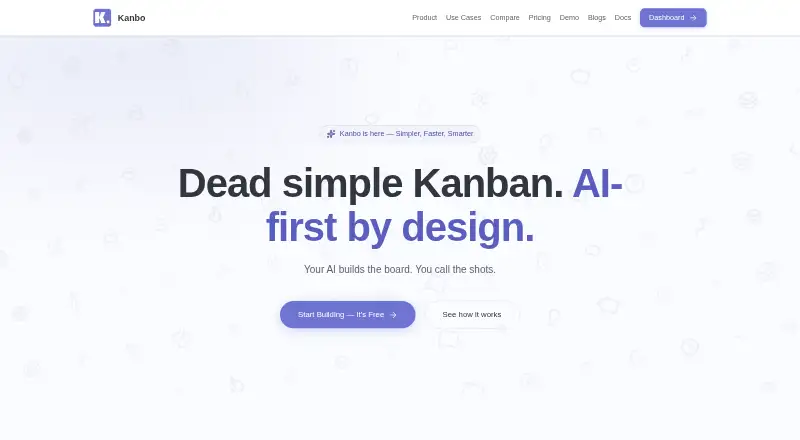
Kanbo is an AI-powered project management tool for small teams, available on the web and through an API. Its Kanban board supports real-time drag-and-drop, optimistic updates, LexoRank ordering, and smart views. A built-in AI assistant can polish titles, generate descriptions, check clarity, and suggest attributes. The rich text editor includes 33 TipTap extensions, 27 slash commands, seven templates, code blocks, tables, inline comments, and @mentions.
Teams can set custom statuses, transition rules, and validation in a visual interface without scripting. Analytics include velocity, cycle time, burndown charts, team workload, and distribution analysis. Kanbo provides a REST API with personal API keys for accessing tickets, projects, comments, and more. Its MCP server exposes 125 tools across 18 categories and works with clients including Claude Desktop, Claude Code, Cursor, Windsurf, and Cline. The product also lists GitHub commit tracking integration. Kanbo is designed for teams of two to 20, including freelancers, startups, developers, and entrepreneurs. Its free plan includes three projects, three team members, 500 MB of storage, and AI features, with no time limit.
Who it suits
Kanbo is aimed at small teams of two to 20, including freelancers, startups, developers, and entrepreneurs. Its configurable workflows, analytics, and API and MCP access suit teams managing projects with board-based workflows and programmatic tools.
What it does well
- Free plan includes three projects, three team members, and 500 MB of storage.
- AI features are included in the free plan without a time limit.
- Configure statuses, transition rules, and validation without scripting.
- Analytics cover velocity, cycle time, burndown, workload, and distribution.
- MCP server exposes 125 tools across 18 categories.
What to know first
- The free plan is limited to three projects, three members, and 500 MB.
- Exceeding free-plan limits blocks new projects and member invitations until limits are resolved.
- Paid pricing is listed at $5/user/mo on annual billing; monthly Pro is $8.00 per month.
Limits
The Free plan is limited to three projects, three team members, and 500 MB of storage. When those limits are exceeded, users cannot create projects or invite members until they upgrade or remove existing ones.
Plans
| Plan | Billed and limits | Price |
|---|---|---|
| Free | 3 projects · 3 team members · 500 MB storage · AI-powered features · no time limit | Free |
| Pro | $60.00 per year (= $5.00/month, billed annually) · per-seat pricing · unlimited MCP requests | $60 a year |
| Pro | monthly · per-seat pricing · unlimited MCP requests | $8 a month |
As kanbo.dev lists them, read 2 Oct 2026. The maker's own page has the final word.
Getting started
- Open Kanbo at https://www.kanbo.dev/ and use the web app.
- Start with the Free plan: it includes three projects, three team members, 500 MB of storage, and AI features with no time limit.
- Create a board and configure statuses, transition rules, and validation through the visual interface.
- Invite team members within the free-plan limit and use the board, editor, and analytics.
- For programmatic access, use a personal API key with the REST API or connect an MCP client.
Verdict
Choose Kanbo if your small team wants configurable Kanban workflows, AI writing help, and project analytics, with API or MCP access available. The free plan has caps on projects, members, and storage; teams that exceed them must upgrade or remove existing projects or members before creating projects or inviting people again.
Questions
What does Kanbo cost?
Kanbo has a free plan. Paid pricing is listed from $5/user/mo on annual billing; the Pro plan is $8.00 per month when billed monthly.
What is included in the Free plan?
It includes three projects, three team members, 500 MB of storage, and AI-powered features, with no time limit.
Which platforms does Kanbo support?
Kanbo lists web and API platforms.
Does Kanbo provide an API or MCP integration?
Yes. It provides a REST API with personal API keys and an MCP server with 125 tools across 18 categories. The MCP server works with Claude Desktop, Claude Code, Cursor, Windsurf, Cline, and other MCP clients.
Who is Kanbo designed for?
Kanbo is designed for small teams of two to 20, including freelancers, startups, developers, and entrepreneurs.
How does Kanbo handle project data and security?
Kanbo says it does not sell, share, or use customer project data to train AI models. It lists AES-256 encryption at rest, TLS 1.3 in transit, daily backups with point-in-time recovery, and organization data isolation.
Facts from Kanbo's own pages
- AI assistant
- Built-in AI polishes titles, generates descriptions, checks clarity, and suggests attributes. · kanbo.dev, 2 Oct 2026
- Analytics
- Analytics include velocity, cycle time, burndown charts, team workload, and distribution analysis. · kanbo.dev, 2 Oct 2026
- API
- Kanbo provides a REST API with personal API keys for programmatic access to tickets, projects, comments, and more. · kanbo.dev, 2 Oct 2026
- Audience
- Kanbo is designed for small teams of 2–20, including freelancers, startups, developers, and entrepreneurs. · kanbo.dev, 2 Oct 2026
- Compliance
- Kanbo uses SOC 2 compliant infrastructure providers and says it is working toward its own SOC 2 Type II certification. · kanbo.dev, 2 Oct 2026
- Custom workflows
- Users can configure custom statuses, transition rules, and validation through a visual interface without scripting. · kanbo.dev, 2 Oct 2026
- Data policy
- Kanbo says it does not sell, share, or use customer project data to train AI models. · kanbo.dev, 2 Oct 2026
- Free-plan limit
- When Free-plan limits are exceeded, users cannot create new projects or invite members until they upgrade or remove existing ones. · kanbo.dev, 2 Oct 2026
- GitHub integration
- The product page lists GitHub integration for commit tracking. · kanbo.dev, 2 Oct 2026
- Kanban board
- The board provides real-time drag-and-drop, optimistic updates, LexoRank ordering, and smart views. · kanbo.dev, 2 Oct 2026
- MCP integration
- The MCP server exposes 125 tools across 18 categories and works with Claude Desktop, Claude Code, Cursor, Windsurf, Cline, and other MCP clients. · kanbo.dev, 2 Oct 2026
- Product
- Kanbo is an AI-powered project management tool built for small teams. · kanbo.dev, 2 Oct 2026
- Rich text editor
- The editor has 33 TipTap extensions, 27 slash commands, 7 templates, code blocks, tables, inline comments, and @mentions. · kanbo.dev, 2 Oct 2026
- Security
- Kanbo uses AES-256 encryption at rest, TLS 1.3 in transit, daily backups with point-in-time recovery, and organization data isolation. · kanbo.dev, 2 Oct 2026
Where Kanbo stands on Freedom251
- Kanban Software#14 of 29