Freedom251 › Reference Management Software
Jurism
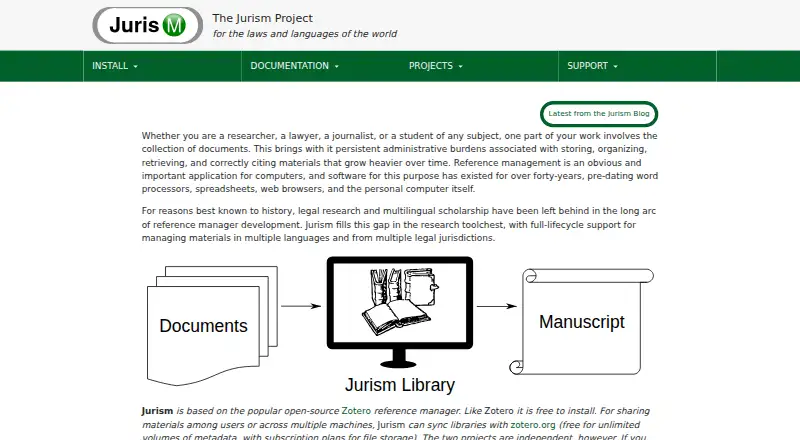
What Jurism is
Jurism is a free reference manager based on Zotero, with additions for legal and multilingual research materials. Its desktop client helps users collect, organize, and cite resources. Browser connectors for Firefox and Chrome or Chromium offer a Save to Jurism option and support use with Google Docs. Jurism uses CSL-M, an extension to Citation Style Language, for citations across jurisdictions and languages. It supports reference insertion in Word for Windows and Mac, LibreOffice, and Google Docs.
IndigoBook guidance helps users enter legal materials and produce citations using Jurism styles. The Legal Resource Registry maps jurisdictions and courts and provides jurisdiction-specific citation abbreviations. Libraries sync through Zotero: metadata syncing is free for unlimited volumes, while file storage has subscription plans. The privacy policy says Jurism tools do not impose advertising or share user data with third parties. Connector and word processor transactions take place on the user's computer. Upgrading from version 5 to version 6 creates a fresh profile and resets settings, including sync and language settings.
Who it suits
Jurism suits researchers who need to manage and cite legal or multilingual materials. It may be useful for people working in Word, LibreOffice, or Google Docs who want browser capture and jurisdiction-specific citation support.
What it does well
- Supports citations across jurisdictions and languages
- Works with Word, LibreOffice, and Google Docs
- Legal Resource Registry maps courts and jurisdictions
- Metadata sync is free for unlimited volumes
What to know first
- Cloud file storage has subscription plans
- Version 5 to 6 upgrade resets settings
- Zotero staff do not handle Jurism support requests
Limits
Jurism is free to install, and metadata sync through Zotero is free for unlimited volumes. Cloud file storage has subscription plans. Moving from Jurism 5 to version 6 creates a fresh profile and resets settings, including sync and language settings.
Plans
| Plan | Billed and limits | Price |
|---|---|---|
| Jurism | Free to install · cloud file storage has subscription plans through Zotero | Free |
As juris-m.github.io lists them, read 30 Sept 2026. The maker's own page has the final word.
Getting started
- Visit the Jurism website.
- Install Jurism for Linux, macOS, or Windows.
- Add the Firefox or Chrome/Chromium connector if you want browser capture.
- Connect reference insertion to Word, LibreOffice, or Google Docs as needed.
- Use Zotero to sync libraries; choose a subscription plan for cloud file storage if needed.
Jurism is a free reference manager built on Zotero for researchers handling legal sources, multiple jurisdictions, or multilingual material. It is strongest when citation accuracy depends on court systems and languages; general academic users may find its specialization unnecessary. The main decision is whether those legal tools outweigh separate file-storage costs and a potentially disruptive major-version upgrade.
Overview
Jurism provides a desktop library for collecting, organizing, and citing research resources, then extends that workflow with browser capture and word-processor integrations. Its Firefox and Chrome or Chromium connectors add a “Save to Jurism” action and support Jurism in Google Docs. Reference insertion also works in Word for Windows and Mac and in LibreOffice, giving users several established writing environments rather than locking them to one editor.
Because Jurism is based on the open-source Zotero reference manager, it follows a familiar reference-library model while adding legal and multilingual capabilities. Basic team collaboration is included, but the product's strongest differentiation is citation handling rather than a broad collaboration suite.
Key features
Legal and multilingual citation
CSL-M extends Citation Style Language for citations that span jurisdictions and languages. The Legal Resource Registry maps legal jurisdictions and courts and supplies jurisdiction-specific abbreviations, which is useful when a single project must follow different legal conventions. Researchers whose work is not legal or multilingual have less reason to favor these tools over a general reference manager.
IndigoBook integration guides entry of legal materials and automates citations through Jurism styles. That addresses both source-data preparation and formatted output, reducing reliance on manually remembering legal conventions.
Capture, writing, and synchronization
Browser connectors capture material from Firefox, Chrome, or Chromium, while plugins place references in Word, LibreOffice, and Google Docs. This combination suits a workflow that moves from web discovery to a paper without exporting libraries between applications.
Libraries can synchronize through Zotero. Metadata synchronization is free for unlimited volumes, but attached-file storage uses Zotero subscription plans, so users with large PDF collections should budget separately. Connector bibliographic transactions and word-processor integration transactions take place on the user's computer. Jurism's privacy policy says its tools and websites do not impose advertising, share user data with third parties, and delete collected information after its stated purpose.
Support and upgrades
Jurism documentation sends troubleshooting questions to Zotero forums and general queries to Jurism mailing lists; Zotero staff do not handle Jurism support requests. Upgrading from Jurism 5 to version 6 creates a fresh profile and resets settings, including synchronization and language settings. That makes upgrade preparation important for established libraries.
Pricing
| Plan | Price | Includes |
|---|---|---|
| Jurism | free | Free to install; cloud file storage has subscription plans through Zotero |
The free plan removes a software-license charge and includes the core Jurism application, citation plugins, browser capture, and basic team collaboration. It fits individual researchers and groups that can rely on free metadata sync and manage file storage separately. It does not make cloud attachment storage free, and no paid Jurism tier is presented for expanded collaboration or support.
Platforms
Jurism is offered as an extension for Linux, macOS, and Windows. The platform coverage suits desktop-centered research, with browser connectors and cloud-linked Google Docs support extending the workflow beyond the main client.
Who it's for
Choose Jurism if your work includes legal authorities, multiple courts, jurisdiction-specific abbreviations, or citations in more than one language. It is also a good fit for Zotero-oriented researchers who want browser saving and Word, LibreOffice, or Google Docs insertion without paying for the software itself.
Look elsewhere if you mainly need a conventional scholarly bibliography, expect extensive cloud file storage included in the license, or require a major-version upgrade with settings preserved automatically.
Pros and cons
Pros
- Specialized legal citation support: CSL-M, the Legal Resource Registry, and IndigoBook address jurisdictional data and formatting that ordinary citation tools may not cover.
- Broad writing workflow: Connectors and plugins support Firefox, Chrome or Chromium, Word, LibreOffice, and Google Docs.
- No software charge: The Jurism plan costs nothing, with unlimited-volume metadata sync through Zotero.
- Privacy-conscious local transactions: Connector and word-processor integration transactions occur on the user's computer, and the policy rejects advertising and third-party data sharing.
Cons
- File storage is separate: Cloud attachments require subscription plans through Zotero, which adds cost for PDF-heavy libraries.
- Version 5 to 6 reset: The upgrade creates a fresh profile and resets sync and language settings, increasing migration work.
- Split support channels: Troubleshooting goes to Zotero forums, while Jurism questions use mailing lists; Zotero staff do not provide Jurism support.
Alternatives
Zotero is the better choice when you want a broader platform footprint, including Android, iOS, web, API, and self-hosted options, with paid storage tiers such as 2 GB for $20 per year.
Mendeley Reference Manager suits readers who want a freemium service with web access, 2 GB on its free plan, and Reading Assistant features.
refbase is a free, GPLv2, self-hosted web application for users prioritizing deployment control.
Sciwand fits readers seeking reading, organizing, writing, and time-limited AI features across desktop and iOS platforms.
JabRef is a free, open-source alternative for a straightforward desktop reference workflow.
Lean Library Workspace is aimed at project-based collaboration with a free limit of three projects.
Logically is for users who want AI-assisted suggestions, chat, and commands alongside a 100 MB free reference and file allowance.
KDE Keysmith is a Linux-only free option with no stated limits.
Verdict
Jurism is the right choice for legal and multilingual researchers who need jurisdiction-aware citations, IndigoBook guidance, and a Zotero-based capture-and-writing workflow at no software cost. Choose another manager if included cloud file storage, broad non-desktop access, or a smoother major-version migration matters more than specialized legal citation control.
Verdict
Jurism adds legal and multilingual citation support to a Zotero-based research library, with browser capture and word processor integrations. Keep the version-upgrade reset and separate cloud file storage plans in mind.
Questions
How much does Jurism cost?
The listed plan is free. Cloud file storage has subscription plans through Zotero.
Is Jurism based on open-source software?
Yes. Jurism is based on the open-source Zotero reference manager and adds features for legal and multilingual resources.
Which platforms does it support?
Jurism is available for Linux, macOS, and Windows, with Firefox and Chrome or Chromium connectors.
Which word processors can use Jurism references?
Jurism supports reference insertion in Word for Windows and Mac, LibreOffice, and Google Docs.
Is library syncing free?
Metadata sync through Zotero is free for unlimited volumes. File storage has subscription plans.
Where can users get Jurism support?
Documentation directs troubleshooting to Zotero forums and queries to Jurism mailing lists. Zotero staff do not field Jurism support requests.
Facts from Jurism's own pages
- Browser connectors
- Firefox and Chrome or Chromium connectors provide a “Save to Jurism” option, and support Jurism in Google Docs. · juris-m.github.io, 30 Sept 2026
- Built on Zotero
- Jurism is based on the open-source Zotero reference manager and adds features for legal and multilingual resources. · juris-m.github.io, 30 Sept 2026
- Citation styles
- CSL-M extends Citation Style Language to support citations across jurisdictions and multilingual citation styles. · juris-m.github.io, 30 Sept 2026
- Desktop research library
- The desktop client supports collecting, organizing, and citing research resources. · juris-m.github.io, 30 Sept 2026
- IndigoBook
- The IndigoBook integration provides guidance for entering legal materials and automated citations using Jurism styles. · juris-m.github.io, 30 Sept 2026
- Legal Resource Registry
- The Legal Resource Registry maps legal jurisdictions and courts and supplies jurisdiction-specific abbreviations for citations. · juris-m.github.io, 30 Sept 2026
- Local data handling
- The privacy policy says connector bibliographic transactions and word processor integration transactions take place on the user's computer. · juris-m.github.io, 30 Sept 2026
- Platforms
- The current release page lists installers for Mac, Windows, and 32-bit and 64-bit Linux. · juris-m.github.io, 30 Sept 2026
- Privacy
- The privacy policy says Jurism tools and websites do not impose advertising, user data is not shared with third parties, and collected information is deleted after its stated purpose. · juris-m.github.io, 30 Sept 2026
- Purpose
- Jurism manages research materials and provides full-lifecycle support for materials in multiple languages and legal jurisdictions. · juris-m.github.io, 30 Sept 2026
- Support
- Jurism documentation directs users to Zotero forums for troubleshooting and Jurism mailing lists for queries, and notes Zotero staff do not field Jurism support requests. · juris-m.github.io, 30 Sept 2026
- Sync
- Jurism can sync libraries through Zotero; metadata sync is described as free for unlimited volumes, while file storage has subscription plans. · juris-m.github.io, 30 Sept 2026
- Upgrade limitation
- Upgrading from Jurism 5 to version 6 creates a fresh profile and resets settings, including sync and language settings. · juris-m.github.io, 30 Sept 2026
- Word processors
- Jurism supports reference insertion in Word for Windows and Mac, LibreOffice, and Google Docs. · juris-m.github.io, 30 Sept 2026
Where Jurism stands on Freedom251
- Reference Management Software#8 of 26