Freedom251 › Citation Management Software
Bookends
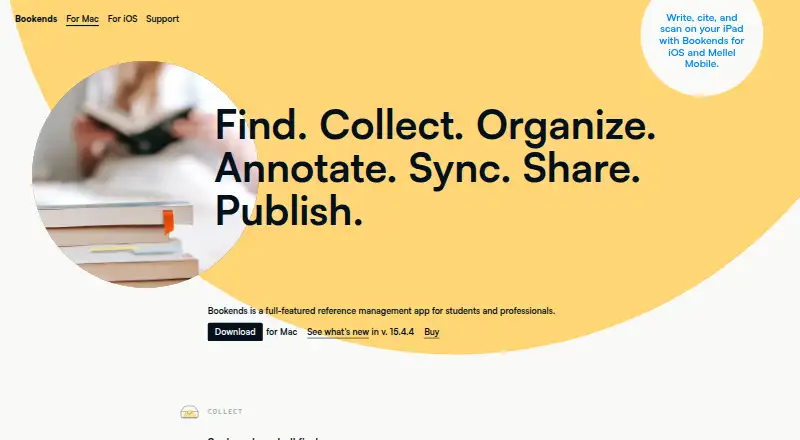
What Bookends is
Bookends is a reference management app for collecting and organizing research, annotating PDFs, and preparing citations and bibliographies. The Mac app can search scholarly sources and institutional libraries, import references and PDFs, and search records alongside attached PDF contents. Its reader supports notes, annotations, and deep links. For manuscripts, it can replace temporary citations and produce in-text citations, footnotes, and bibliographies using built-in or CSL styles. It imports from EndNote, Papers, Sente, Zotero, and Mendeley, and integrates with Microsoft Word and other listed writing and research apps. Bookends Bridge connects third-party browsers to the Mac app; compatible AI assistants can search references, work with PDFs, and create bibliographies. Mac and iOS libraries can sync through iCloud and be shared with colleagues who use Bookends. The free Mac demo is limited to 50 references and requires macOS 11 Big Sur or later. On iOS, free use is limited to 20 search results and 50 locally stored references. Paid options include a $14.99 one-time iOS Standard purchase, $14.99 per year for iOS Premium, and Mac licenses.
Who it suits
It suits students and professionals who collect research, work with PDFs, and need citations or bibliographies. Mac and iOS users can sync libraries through iCloud, and users can share with Bookends-using colleagues.
What it does well
- Searches scholarly sources and institutional libraries.
- PDF reader supports annotations, notes, and deep links.
- Generates citations, footnotes, and bibliographies.
- Integrates with Microsoft Word and other listed apps.
- Mac and iOS libraries can sync through iCloud.
What to know first
- Mac demo is limited to 50 references.
- Current Mac release requires macOS 11 Big Sur or later.
- Free iOS searches return at most 20 references.
- Free iOS database stores at most 50 references.
Limits
The Mac demo does not expire but is limited to 50 references. Without the iOS Standard purchase, searches return at most 20 references and the local database stores at most 50. iOS Premium requires Standard and adds cloud sync, multiple libraries, unlimited barcode scanning, and PDF annotation extraction.
Plans
| Plan | Billed and limits | Price |
|---|---|---|
| Bookends for iOS Standard | One-time in-app purchase. · Removes free version limits · unlimited references | $14.99, paid once |
| Bookends for iOS Premium | Yearly subscription; auto-renewable. · Requires Standard · cloud sync · multiple libraries · unlimited barcode scanning · PDF annotation extraction · Mellel document scanning requires Mellel Mobile | $14.99 a year |
| Bookends for Mac upgrade | One-time upgrade; includes another two years of free updates. · For owners of Bookends 11 or later | $49.99, paid once |
| Bookends for Mac single-user license | One-time purchase; includes two years of free updates. · Unlimited references after registration · macOS 11 Big Sur or later · no refunds after registration code is sent | $74.99, paid once |
As sonnysoftware.com lists them, read 3 Oct 2026. The maker's own page has the final word.
Getting started
- Visit the Bookends website and choose the Mac or iOS version.
- On Mac, use the demo, which is limited to 50 references, or purchase a license.
- On iOS, start with the free version or buy Standard to remove its reference limits.
- Add the Bookends Bridge browser extension to collect references from third-party browsers on Mac.
- Use iCloud to sync Mac and iOS libraries, or share a library with Bookends-using colleagues.
Verdict
Bookends combines research collection, PDF annotation, citation generation, and integrations across Mac and iOS. Check the free-use limits and the platform-specific purchase terms before choosing a plan.
Questions
Is Bookends free?
Bookends has free versions and paid options. The Mac demo is limited to 50 references; the iOS free version limits searches to 20 results and local storage to 50 references.
What do the paid plans cost?
The iOS Standard purchase is 14.99 USD one-time, and iOS Premium is $14.99 a year and requires Standard. The Mac single-user license is 74.99 USD one-time; the upgrade for owners of Bookends 11 or later is 49.99 USD one-time.
Which platforms does Bookends support?
The listed platforms are macOS, iOS, and an extension. The current Mac release requires macOS 11 Big Sur or later.
Does Bookends work with Microsoft Word?
Yes. Microsoft Word is listed among its integrations.
Can Bookends sync libraries?
Mac and iOS libraries sync through iCloud. Users can also share libraries with colleagues who use Bookends.
What does iOS Premium add?
It adds cloud sync, multiple libraries, unlimited barcode scanning, and PDF annotation extraction. It requires the iOS Standard purchase.
Facts from Bookends's own pages
- AI integration
- The Mac app works with MCP-capable AI assistants that can search references, read PDFs, add highlights and notes, find citations, and create bibliographies. · sonnysoftware.com, 3 Oct 2026
- Browser extension
- Bookends Bridge connects third-party browsers to the Mac app for reference collection. · sonnysoftware.com, 3 Oct 2026
- Free demo limit
- The Mac demo does not expire but is limited to 50 references, and the current release requires macOS 11 Big Sur or later. · sonnysoftware.com, 3 Oct 2026
- Integrations
- The maker lists imports from EndNote, Papers, Sente, Zotero, and Mendeley; integrations with Microsoft Word, Mellel, Nisus Writer Pro, Tinderbox, DEVONthink, and Scrivener; and AppleScript support. · sonnysoftware.com, 3 Oct 2026
- Intended users
- The maker describes Bookends for iOS as a reference management app for iPad and iPhone, with scholarly search, PDF annotation, and citation features. · sonnysoftware.com, 3 Oct 2026
- iOS data storage
- The privacy policy says iOS reference metadata and optional attachments are stored on users’ devices and Apple iCloud Drive when cloud sync is used, and no data are stored on Sonny Software servers. · sonnysoftware.com, 3 Oct 2026
- iOS free limits
- Without the Standard purchase, iOS searches return at most 20 references and the local database can store at most 50 references. · sonnysoftware.com, 3 Oct 2026
- PDF tools
- Its PDF reader supports annotations, notes, deep links, and searching reference records together with attached PDF contents. · sonnysoftware.com, 3 Oct 2026
- Privacy
- For Mac purchases, Sonny Software may receive name, postal address, and email, but says it never receives or stores personal financial information such as card numbers. · sonnysoftware.com, 3 Oct 2026
- Purpose
- Bookends is a reference management app for students and professionals to collect, organize, annotate, cite, sync, share, and publish research. · sonnysoftware.com, 3 Oct 2026
- Research discovery
- The Mac app includes hundreds of built-in searches and can import references and PDFs from scholarly sources and institutional libraries. · sonnysoftware.com, 3 Oct 2026
- Support
- The maker offers a technical support request form and directs users to its FAQ, email, and user forum for help or questions. · sonnysoftware.com, 3 Oct 2026
- Sync and collaboration
- The maker says Mac and iOS libraries sync through iCloud and users can share libraries with Bookends-using colleagues. · sonnysoftware.com, 3 Oct 2026
- Writing and citations
- Bookends can scan manuscripts to replace temporary citations and produce in-text citations, footnotes, and bibliographies using built-in or CSL styles. · sonnysoftware.com, 3 Oct 2026
Where Bookends stands on Freedom251
- Citation Management Software#5 of 23
- Reference Management Software#7 of 26