Freedom251 › SQL Linters and Formatters
JSQLFormatter
What JSQLFormatter is
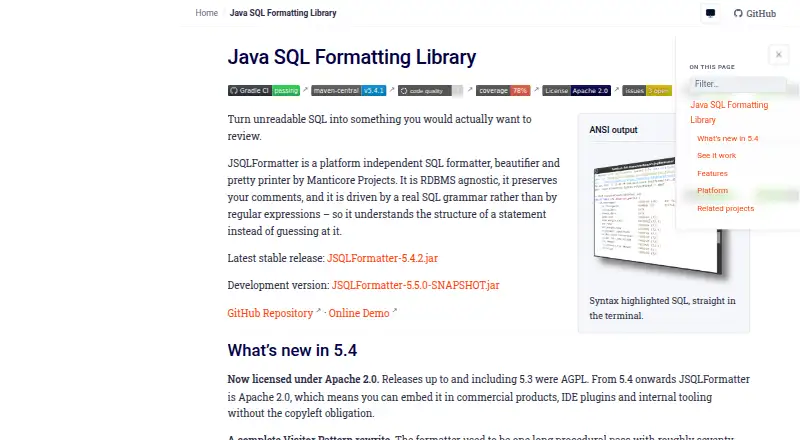
JSQLFormatter is a platform-independent SQL formatter, beautifier, and pretty printer, offered as a Java library JAR from Maven Central and an executable JAR for command-line use. It parses SQL into an abstract syntax tree using a grammar, then formats supported statements while preserving comments, including comments inside join conditions. Text inside string literals that resembles a comment is left unchanged. Supported statements include SELECT, INSERT, MERGE, UPDATE, DELETE, CREATE, and ALTER, with WITH clauses and nested sub-selects. The listed database dialects are Oracle, SQL Server, MySQL, MariaDB, PostgreSQL, H2, DuckDB, BigQuery, Redshift, Databricks, and Snowflake. Formatting options cover indentation, comma placement, and casing for keywords, functions, and objects, adjustable per invocation, file, or statement. Output can include ANSI terminal highlighting, HTML, or RTF. It can also import SQL strings from Java source while retaining variables and export them as String, StringBuilder, or MessageFormat. The software is free; version 5.4 onward is licensed under Apache 2.0, while releases through 5.3 used AGPL.
Who it suits
JSQLFormatter suits developers who need to format SQL from Java or the command line across the listed database dialects. It may also suit users who need formatted output for documents or wikis.
What it does well
- Supports eleven listed SQL dialects.
- Preserves comments while formatting SQL.
- Offers configurable indentation, comma placement, and casing.
- Available as a Java library and command-line JAR.
What to know first
- Native dynamic libraries are marked “Coming soon.”
- Eclipse, JEdit, Squirrel SQL, and DBeaver are planned, not available integrations.
Plans
| Plan | Billed and limits | Price |
|---|---|---|
| JSQLFormatter | Apache 2.0 licensed from version 5.4; available as Java library and command-line executable | Free |
As manticore-projects.com lists them, read 4 Oct 2026. The maker's own page has the final word.
Getting started
- Open the JSQLFormatter website.
- Choose the Java library JAR from Maven Central or the executable JAR for command-line use.
- Use the formatter with a supported SQL statement and dialect.
- Configure indentation, comma placement, or casing as needed.
- Choose terminal highlighting, HTML, or RTF output.
Overview
JSQLFormatter is a platform-independent SQL formatter and pretty printer for developers working with database queries. It suits teams that need a Java library or command-line tool with broad dialect and statement coverage. Its strongest case is grammar-based parsing with configurable output; it is less suited to anyone seeking a mature set of IDE integrations.
Key features
JSQLFormatter parses SQL into an abstract syntax tree using a real grammar rather than regular-expression substitutions. That gives it a useful foundation for handling complex queries: it supports SELECT, INSERT, MERGE, UPDATE, DELETE, CREATE and ALTER statements, including WITH clauses and nested subqueries. Its dialect list spans Oracle, SQL Server, MySQL, MariaDB, PostgreSQL, H2, DuckDB, BigQuery, Redshift, Databricks and Snowflake.
Comment handling is a practical strength. The formatter preserves comments between keywords and within join conditions, while leaving strings that merely resemble comments untouched. Indent width, comma placement, and the casing of keywords, functions and objects can be set per invocation, file or statement, which helps teams apply different conventions without relying on one global style.
Output options include ANSI terminal highlighting and HTML or RTF for documents and wikis. A Java-source feature can import SQL strings while preserving variables, then export them as String, StringBuilder or MessageFormat. The Java library JAR is distributed through Maven Central; an executable JAR provides command-line use.
JSQLFormatter's IDE story is more limited than its format coverage. NetBeans is a platform target, while Eclipse, JEdit, Squirrel SQL and DBeaver are planned. Native dynamic libraries are also marked as coming soon, so the current appeal is strongest for Java and command-line workflows.
Pricing
JSQLFormatter is free and open source. Its JSQLFormatter plan costs nothing and includes the Java library and command-line executable. Apache 2.0 licensing applies from version 5.4 onward; releases through 5.3 used AGPL, a distinction worth checking when choosing a version for a project.
Platforms
JSQLFormatter supports Linux, macOS and Windows, as well as self-hosted use. Its Java and executable JAR distribution suits local development and command-line workflows. The product describes local use but makes no security certification or compliance claim.
Who it's for
Choose JSQLFormatter if you need to format varied SQL dialects, preserve intricate comments, or standardize query style through a Java dependency or command-line process. Its Java-source import and export options also make it relevant when SQL strings live inside Java code. Look elsewhere if your decision depends on a finished integration for a specific IDE beyond the NetBeans target.
Pros and cons
- Pro: Grammar-based parsing and support for complex statements, nested queries and many dialects make it a stronger fit for varied SQL than a formatter limited to simple query shapes.
- Pro: Comment preservation and configurable casing, indentation and comma placement give teams control over readable, consistent output.
- Pro: Free distribution as both a Java library and command-line executable supports more than one development workflow.
- Con: Several named IDE integrations remain planned, so teams using those editors should not assume a ready-made plugin.
- Con: License terms changed at version 5.4; projects using earlier releases need to account for the AGPL license.
Alternatives
Browse SQL Linters and Formatters for more options. SQL Formatter is another free choice, with a formatting library and browser demo under the MIT license; its web and extension platforms may suit users who do not need JSQLFormatter's Java distribution. SQLCheck is a free command-line option for Linux, macOS and Windows. Sqruff is a free alternative with extension, web and self-hosted platforms. Poor SQL offers online and offline formatting and an SSMS/Visual Studio plugin; its library is AGPL-licensed. Sleek is a free option for users seeking an extension alongside desktop platforms. SQLFluff is a free, MIT-licensed SQL linter, making it the alternative to consider when linting is the priority. sqlfmt offers a free browser formatter that runs through WebAssembly without installation. TSQLLint is another free option, installable with dotnet-tool, Homebrew or NPM.
Verdict
JSQLFormatter is a strong choice for developers who want a free Java or command-line formatter with broad dialect coverage, serious statement support and careful comment preservation. Its central trade-off is that its core tooling is more established than its IDE integration story; choose another product if a ready-made plugin for your editor is essential.
Verdict
JSQLFormatter covers a wide range of SQL dialects and offers both library and command-line interfaces. Note the distinction between its NetBeans target and integrations listed as planned.
Questions
How much does JSQLFormatter cost?
The listed plan is free.
Which SQL dialects are listed?
Oracle, SQL Server, MySQL, MariaDB, PostgreSQL, H2, DuckDB, BigQuery, Redshift, Databricks, and Snowflake.
How can I use JSQLFormatter?
It is offered as a Java library JAR from Maven Central and as an executable JAR for command-line use.
What license does it use?
JSQLFormatter uses Apache 2.0 from version 5.4 onward. Releases through version 5.3 were licensed under AGPL.
Which editor integrations are available or planned?
The site identifies a NetBeans plugin as a platform target. Eclipse, JEdit, Squirrel SQL, and DBeaver are listed as planned.
Who makes JSQLFormatter?
Manticore Projects makes it and describes itself as a consulting company for financial valuation, reporting, and credit risk management.
Facts from JSQLFormatter's own pages
- Comments
- It preserves comments, including comments between keywords or inside join conditions, and leaves comment-like string literals alone. · manticore-projects.com, 4 Oct 2026
- Configuration
- Indent width, comma placement, and keyword, function and object casing can be configured per invocation, file or statement. · manticore-projects.com, 4 Oct 2026
- Database coverage
- The site lists Oracle, SQL Server, MySQL, MariaDB, PostgreSQL, H2, DuckDB, BigQuery, Redshift, Databricks and Snowflake. · manticore-projects.com, 4 Oct 2026
- Founded
- 2011 · manticore-projects.com, 28 Sept 2026
- IDE integrations
- The site says a NetBeans plugin is a platform target and lists Eclipse, JEdit, Squirrel SQL and DBeaver as planned. · manticore-projects.com, 4 Oct 2026
- Interfaces
- The product is offered as a Java library JAR from Maven Central and as an executable JAR for command-line use. · manticore-projects.com, 4 Oct 2026
- Java source
- It can import SQL strings from Java source while preserving variables and export them as String, StringBuilder or MessageFormat. · manticore-projects.com, 4 Oct 2026
- License
- JSQLFormatter is licensed under Apache 2.0 from version 5.4 onwards; releases through 5.3 were AGPL. · manticore-projects.com, 4 Oct 2026
- Maker
- Manticore Projects describes itself as a consulting company for financial valuation, reporting and credit risk management. · manticore-projects.com, 4 Oct 2026
- Native libraries
- The installation page labels native dynamic libraries as “Coming soon.” · manticore-projects.com, 4 Oct 2026
- Output formats
- It supports ANSI terminal highlighting and HTML and RTF output for documents and wikis. · manticore-projects.com, 4 Oct 2026
- Parsing
- It parses SQL into an abstract syntax tree using a real grammar rather than regular expressions. · manticore-projects.com, 4 Oct 2026
- Purpose
- JSQLFormatter is a platform independent SQL formatter, beautifier and pretty printer. · manticore-projects.com, 4 Oct 2026
- Security and privacy
- The product page describes local Java and command-line use but does not state a security certification or compliance claim. · manticore-projects.com, 4 Oct 2026
- Statement coverage
- It supports SELECT, INSERT, MERGE, UPDATE, DELETE, CREATE and ALTER statements, including WITH clauses and nested sub-selects. · manticore-projects.com, 4 Oct 2026
Where JSQLFormatter stands on Freedom251
- SQL Linters and Formatters#3 of 26