Freedom251 › Field Service Management Software

Jobber
by Jobber
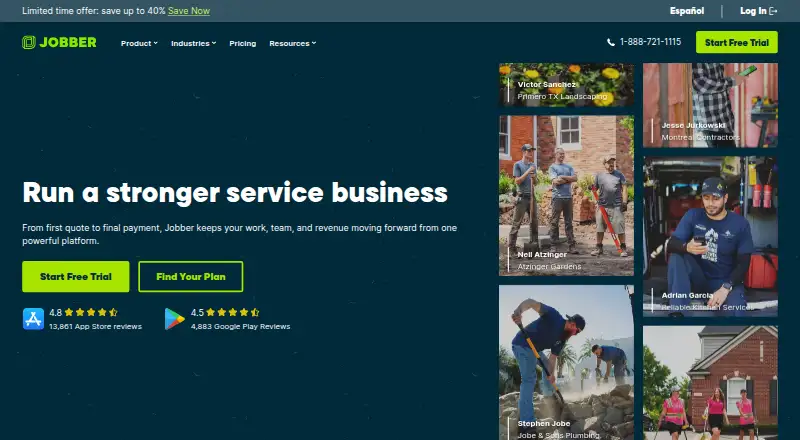
What Jobber is
Jobber is a software platform for home and commercial service businesses, covering work from quotes and scheduling through invoices and payments. Teams can schedule jobs in real time, route work, and keep job details, notes, photos, attachments, and checklists together. Customer tools include a client manager and hub, online booking, automated notifications, and two-way text messaging. Businesses can create customizable quotes, accept online card payments, and use ACH payments in the US. Automatic payments for recurring work are available in the US and Canada. Jobber runs in a web browser and offers iOS and Android apps. Listed integrations include QuickBooks Online, Xero, Home Depot, Zapier, and Gusto; Zapier connects Jobber with 7,000+ apps. A 14-day trial provides Grow plan features without requiring a credit card. Plans billed annually are Core at $29 a month, Connect at $99 a month, Grow at $149 a month, and Plus at $399 a month. Jobber was founded in 2011 and is headquartered in Edmonton, Alberta, Canada.
Who it suits
Jobber suits home and commercial service businesses that need scheduling, customer communication, quotes, and payment tools in one platform. Its web and mobile apps support office and field operations.
What it does well
- 14-day trial includes Grow features without a credit card.
- Offers iOS, Android, and web access.
- Supports recurring jobs and route optimization.
- Includes online booking and two-way text messaging.
- Lists QuickBooks Online, Xero, and Zapier integrations.
What to know first
- No free plan is listed.
- Offline mode is not available.
- Core, Connect, and Grow each list one user.
- App Marketplace access is limited to admin users.
Limits
There is no free plan. The annual-billing Core plan costs $29 a month and allows one user; Connect and Grow also allow one user, while Plus allows five.
Plans
| Plan | Billed and limits | Price |
|---|---|---|
| Core | Billed annually; $49/mo with no commitment or $39/mo with a 1-year commitment · 1 user; online booking and scheduling · quotes · invoicing and online payments · website · reporting · 100+ app connections | $29 a month |
| Connect | Billed annually; $139/mo with no commitment or $119/mo with a 1-year commitment · 1 user; automated reminders and payments · checklists · quote and invoice follow-ups · QuickBooks Online sync · time and expense tracking | $99 a month |
| Grow | Billed annually; $199/mo with no commitment or $169/mo with a 1-year commitment · 1 user; rich quotes and optional line items · automatic time tracking · job costing · two-way SMS · workflow automations | $149 a month |
| Plus | Billed annually; $499/mo with no commitment or $439/mo with a 1-year commitment · 5 users; unlimited job photos and videos · crew scheduling · expense capture · custom reports · Pipeline · Marketing Suite · AI Receptionist · Premium Support | $399 a month |
As getjobber.com lists them, read 8 Oct 2026. The maker's own page has the final word.
Getting started
- Visit the Jobber website.
- Choose a plan or start the 14-day trial with Grow plan features.
- Use the web app in a supported browser, or install the iOS or Android app.
- Set up scheduling, customer tools, quotes, and payments for your operations.
- An admin user can access the App Marketplace to connect listed integrations.
Verdict
Jobber brings scheduling, customer tools, quotes, and payments together for service businesses. Check the per-plan user limits and the lack of offline mode against your team's needs.
Questions
How much does Jobber cost?
With annual billing, Core is $29 a month, Connect is $99 a month, Grow is $149 a month, and Plus is $399 a month. The listed no-commitment and one-year commitment monthly prices are respectively 49.00 USD and 39.00 USD for Core, 139.00 USD and 119.00 USD for Connect, 199.00 USD and 169.00 USD for Grow, and 499.00 USD and 439.00 USD for Plus.
Is there a free plan or trial?
There is no free plan. The 14-day trial provides full access to Grow plan features and does not require a credit card.
Which platforms does Jobber support?
Jobber is available on the web and through iOS and Android mobile apps. It can be used in Chrome, Firefox, Safari, and Edge.
How many users can each plan have?
Core, Connect, and Grow list one user each. Plus lists five users.
Which integrations are listed?
Jobber lists QuickBooks Online, Xero, Home Depot, Zapier, and Gusto. Zapier connects Jobber with 7,000+ apps, and only admin users can access the App Marketplace.
Who makes Jobber?
Jobber is made by Jobber, founded in 2011 and headquartered in Edmonton, Alberta, Canada.
Facts from Jobber's own pages
- Customer portal
- Yes · getjobber.com, 22 Sept 2026
- Customer tools
- The platform includes a client manager, client hub, online booking, automated client notifications, and two-way text messaging. · getjobber.com, 8 Oct 2026
- Free plan
- No · getjobber.com, 22 Sept 2026
- Headquarters
- Edmonton, Alberta, Canada · getjobber.com, 23 Sept 2026
- Integrations
- Jobber lists QuickBooks Online, Xero, Home Depot, Zapier, and Gusto integrations, and says Zapier connects Jobber with 7,000+ apps. · getjobber.com, 8 Oct 2026
- Integrations access
- Only admin users can access the App Marketplace. · help.getjobber.com, 8 Oct 2026
- Invoicing and payments
- Yes · getjobber.com, 22 Sept 2026
- Mobile apps
- Jobber offers iOS and Android mobile apps for running day-to-day operations from anywhere. · getjobber.com, 8 Oct 2026
- Mobile platforms
- both · getjobber.com, 22 Sept 2026
- Offline mode
- No · getjobber.com, 22 Sept 2026
- Payment security
- Jobber says Recurly handles subscription payments and Stripe handles customer payments through Jobber. · getjobber.com, 8 Oct 2026
- Purpose
- Jobber is an all-in-one software platform for home and commercial service businesses, supporting operations from quotes and scheduling to invoices and payments. · getjobber.com, 8 Oct 2026
- Quotes and payments
- Jobber supports customizable quotes, invoicing, online card payments, ACH payments in the US, and automatic payments for recurring work in the US and Canada. · getjobber.com, 8 Oct 2026
- Recurring jobs
- Yes · getjobber.com, 22 Sept 2026
- Route optimization
- Yes · getjobber.com, 22 Sept 2026
- Scheduling and field work
- Features include real-time scheduling, routing, job details, notes, photos, attachments, and checklists. · getjobber.com, 8 Oct 2026
- Security
- Jobber says data is encrypted in transit with TLS, stored by AWS, and its security is externally tested at least annually. · getjobber.com, 8 Oct 2026
- Support
- Jobber lists unlimited live chat, phone, and email support; its Plus plan includes dedicated onboarding and Premium Support. · getjobber.com, 8 Oct 2026
- Technician limit
- 1 · getjobber.com, 22 Sept 2026
- Trial
- The 14-day trial provides full access to Grow plan features and does not require a credit card. · getjobber.com, 8 Oct 2026
- Web access
- Jobber is web-based and can be used through browsers including Chrome, Firefox, Safari, and Edge. · help.getjobber.com, 8 Oct 2026
Where Jobber stands on Freedom251
- Field Service Management Software#16 of 95
- HVAC Software#6 of 30
- Job Costing Software#7 of 32
- Electrical Contractor Software#7 of 28
- Plumbing Software#9 of 34
- Contractor CRM software#8 of 29
- Construction invoicing software#8 of 28
- Handyman Software#8 of 27
- Appliance Repair Software#10 of 31
- Landscaping Software#11 of 31
- Pressure Washing Software#12 of 29