Freedom251 › Handwriting Practice Apps
iTrace
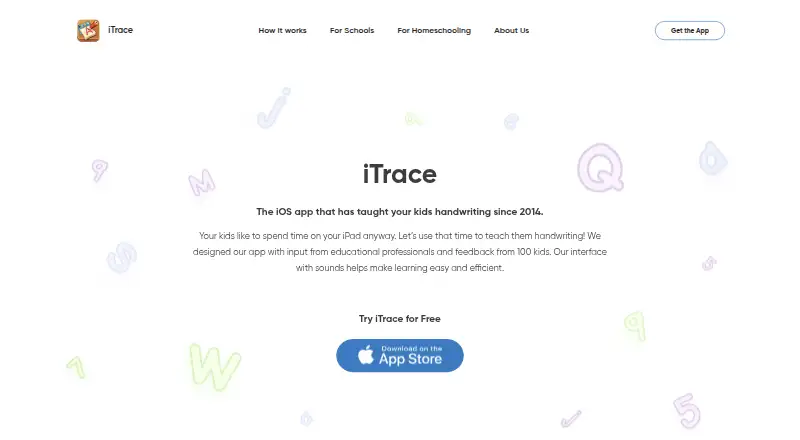
What iTrace is
iTrace is a handwriting practice app for children, with activities for tracing letters, numbers, words, and shapes on iOS and Android. Its practice adapts letter difficulty as children progress and uses repetition to build muscle memory. Children can work in print or cursive, choose among Zaner-Bloser, Handwriting Without Tears, and D’Nealian styles, and use left- or right-handed modes. More than 350 preloaded words are available, and children can make custom word lists with photos and voice recordings. Parents and teachers can review each child’s or student’s practice history and progress. Printable worksheets extend practice offline. The maker says the app works offline, has no ads, and does not collect, request, or store personal information; its privacy policy says it is designed to comply with COPPA and GDPR-K. The free version includes warm-ups, three letters, and one interactive scene. Paid choices include a 3.99 USD one-time premium unlock, a 4.99 USD monthly subscription for the full program, and a 19.99 USD lifetime purchase.
Who it suits
iTrace suits families, homeschoolers, teachers, and schools helping preschool children practice handwriting. It offers both print and cursive activities and tools for adults to review progress.
What it does well
- Includes print, cursive, and left- and right-handed modes.
- Offers more than 350 preloaded words.
- Children can create word lists with photos and voice recordings.
- Adults can review practice history and progress.
- Printable worksheets support offline practice.
What to know first
- The free version includes only three letters.
- The free version includes one interactive scene.
- The full-program monthly subscription costs $4.99 a month.
- The full-program lifetime purchase costs 19.99 USD.
Limits
The free version includes handwriting warm-ups, three letters, and one interactive scene. The 3.99 USD one-time premium unlocks premium features; the 4.99 USD monthly subscription and 19.99 USD lifetime purchase unlock the full program.
Plans
| Plan | Billed and limits | Price |
|---|---|---|
| Free version | Handwriting warm-ups · 3 letters · 1 interactive scene | Free |
| Lifetime purchase | Lifetime · Unlocks the full program | $19.99, paid once |
| Unlock Premium Features | One-time in-app purchase · Unlocks premium features | $3.99, paid once |
| iTrace Monthly Subscription | Monthly · Unlocks the full program, including all letters and numbers, additional scenes, and custom words | $4.99 a month |
As itraceapp.com lists them, read 30 Sept 2026. The maker's own page has the final word.
Getting started
- Visit the iTrace website.
- Install iTrace on an iOS or Android device.
- Start with the free version’s warm-ups, three letters, and interactive scene.
- Choose the 3.99 USD one-time premium unlock, 4.99 USD monthly subscription, or 19.99 USD lifetime purchase for paid access.
iTrace is a preschool handwriting practice app for children working on letters, numbers, words and shapes. It suits families, homeschoolers and educators who want guided repetition across major handwriting styles, with parent or teacher progress review. Its strongest case is structured, offline-friendly practice; its main drawback is that the free version is very small and most of the program sits behind paid unlocks.
Overview
iTrace builds tracing practice around adaptive difficulty: as a child advances, letter exercises become more challenging while repetition reinforces muscle memory. Pen-control exercises, printable worksheets and interactive scenes extend practice beyond a single screen, including offline continuation with paper worksheets.
Practice covers print and cursive, with Zaner-Bloser, Handwriting Without Tears and D’Nealian styles. Left- and right-handed modes make the app a better fit for classrooms or households teaching a particular writing approach than a one-style tracing tool. English and Spanish support broadens its use for bilingual families.
The privacy and advertising posture is unusually straightforward for a children’s app. The maker says iTrace works offline, collects, requests and stores no personal information, is designed to comply with COPPA and GDPR-K, and contains no ads. Parents and teachers can review each child’s or student’s practice history and progress.
Key features
Guided handwriting progression
Adaptive letter difficulty and repetition are useful when a child needs steady reinforcement rather than a fixed worksheet sequence. The approach is aimed at preschool learners and is most valuable when an adult wants practice to continue at an appropriate pace.
Styles, modes and custom content
Three established handwriting styles, print and cursive options, and handedness settings let educators align exercises with their instruction. More than 350 built-in words provide a substantial vocabulary base, while custom lists can include photos and voice recordings so children can practice personally meaningful words.
Review and offline extension
Progress histories give adults a way to see ongoing practice for multiple children or students. Printable worksheets are a practical bridge to pencil-and-paper work, although the app remains primarily a guided digital tracing tool rather than a full curriculum.
Pricing
| Plan | Price | What it includes |
|---|---|---|
| Free version | 0.00 USD, free | Handwriting warm-ups, three letters and one interactive scene |
| Unlock Premium Features | 3.99 USD, one-time in-app purchase | Premium features |
| iTrace Monthly Subscription | $4.99 a month | Full program, including all letters and numbers, additional scenes and custom words |
| Lifetime purchase | 19.99 USD, one-time | Full program |
The free tier is suitable for a brief introduction, but three letters and one scene are unlikely to support a complete handwriting routine. The $3.99 purchase is the low-cost route for premium features, while the $4.99 monthly option is aimed at families or classrooms that want the full program without committing upfront. At $19.99 once, Lifetime is the clearer fit for long-term use; it avoids recurring payments while unlocking the same full-program scope. There is no free trial. Schools buying more than 20 units through Apple’s Volume Purchase Program can receive a 50% discount, which makes institutional deployment more attractive.
Platforms
iTrace runs on Android and iOS. Its offline operation is useful for travel, low-connectivity settings and privacy-conscious classrooms.
Who it's for
Choose iTrace for preschool children learning foundational letter formation, especially when a family or teacher needs a specific handwriting style, custom vocabulary, or progress records for several learners. Homeschoolers can combine digital tracing with printable worksheets, and schools may benefit from the volume-purchase discount. It is less suitable if you need broad free access: the no-cost tier covers only a narrow sample.
Pros and cons
Pros
- Multiple teaching styles: Zaner-Bloser, Handwriting Without Tears and D’Nealian support different instructional preferences.
- Personalized practice: Custom word lists with photos and voice recordings connect exercises to a child’s vocabulary.
- Useful adult oversight: Practice history and progress review serve parents, teachers and multi-student settings.
- Child-focused privacy: Offline operation, no ads and no stored personal information reduce common concerns.
- Paper follow-through: Printable worksheets help transfer tracing practice away from the device.
Cons
- Small free tier: Only three letters and one scene are included, so meaningful use generally requires payment.
- Separate purchase choices: Users must choose between a premium-feature unlock, monthly full access and lifetime full access.
- Platform reach is limited: Android and iOS are supported, but no desktop or web version is offered.
Alternatives
For a wider directory of options, see Handwriting Practice Apps.
- Kanji Dojo is a freemium, open-source option on Android, iOS, Linux, macOS, web and Windows; choose it when broad platform coverage and an open-source project matter more than iTrace’s preschool focus.
- LetterSchool offers a free trial and a free app with five uppercase and lowercase letters, five shapes and three CVC flashcards; pick it to sample a different early-writing package.
- Writing Wizard has a free app, with remaining letters and custom words requiring an in-app purchase or subscription, plus a $2.49 monthly Full Access plan; consider it for a lower monthly entry price.
- Cursive: Learn Cursive is a freemium Android, iOS and macOS app; choose it when cursive is the central requirement.
- Handwriting Repeater is free on Android, iOS and web with no account, subscription fees, premium tier or limits on sentences and repetitions; pick it for unrestricted repetition rather than a preschool curriculum.
- Hanzi Writer provides core writing practice free, with a Pro monthly tier for unlimited daily practice and AI-generated custom topics; choose it for that topic-generation model.
- Kitsunewa Writing Practice offers free writing practice without signup and a $4.08 monthly Pro plan billed yearly; consider it when web access and no-signup practice are priorities.
- Letterpaths is a free, open-source headless TypeScript library for generating handwriting geometry; it is a developer-oriented alternative rather than a child-facing app.
Verdict
iTrace is a strong choice for preschool handwriting instruction when you want adaptive tracing, several recognized styles, custom words and adult progress review in an ad-free, offline-capable app. Choose the Lifetime purchase for sustained use, or the monthly plan when you need full access temporarily. Look elsewhere if you require a generous free curriculum, desktop or web support, or a tool designed primarily for older learners or specialist scripts.
Verdict
iTrace offers guided tracing, varied handwriting styles, custom word practice, and progress review. The free version is limited, while the listed paid options unlock premium features or the full program.
Questions
Is there a free version?
Yes. It includes handwriting warm-ups, three letters, and one interactive scene.
What are the paid options?
The premium features unlock costs 3.99 USD once. The monthly subscription is $4.99 a month, and the lifetime purchase is 19.99 USD once; both unlock the full program.
Which platforms and languages are supported?
iTrace is available on iOS and Android. The App Store listing says it supports English and Spanish.
Can children practice custom words?
Yes. The app includes more than 350 preloaded words and lets children create custom lists with photos and voice recordings.
Does iTrace work offline?
The maker says the app works offline. Printable worksheets are also available for offline practice.
What does the maker say about privacy and advertising?
The maker says iTrace has no ads and does not collect, request, or store personal information. Its privacy policy says it is designed to comply with COPPA and GDPR-K.
Facts from iTrace's own pages
- Adaptive practice
- The app adjusts letter-tracing difficulty as a child progresses and uses repetition to build muscle memory. · itraceapp.com, 30 Sept 2026
- Advertising
- The maker says the app has no ads. · itraceapp.com, 30 Sept 2026
- Classroom use
- The maker says schools purchasing more than 20 app units through Apple’s Volume Purchase Program can receive a 50% discount. · itraceapp.com, 30 Sept 2026
- Custom words
- Children can practice more than 350 preloaded words and create custom word lists with photos and voice recordings. · apps.apple.com, 30 Sept 2026
- Handwriting styles
- It includes Zaner-Bloser, Handwriting Without Tears, and D’Nealian styles, with print and cursive practice and left- and right-handed modes. · apps.apple.com, 30 Sept 2026
- Intended users
- The maker presents iTrace for families, homeschoolers, teachers, and schools teaching children handwriting. · itraceapp.com, 30 Sept 2026
- Language
- The App Store listing says the app supports English and Spanish. · apps.apple.com, 30 Sept 2026
- Privacy
- The maker’s privacy policy says the app works offline and does not collect, request, or store personal information; it says the app is designed to comply with COPPA and GDPR-K. · itraceapp.com, 30 Sept 2026
- Progress tracking
- Parents and teachers can review practice history and progress for each child or student. · itraceapp.com, 30 Sept 2026
- Purpose
- iTrace is a handwriting practice app for children to trace letters, numbers, words, and shapes. · apps.apple.com, 30 Sept 2026
- Support
- The maker lists [email protected] as its contact email. · itraceapp.com, 30 Sept 2026
- Worksheets
- The app offers printable worksheets for continued practice offline. · apps.apple.com, 30 Sept 2026
Where iTrace stands on Freedom251
- Handwriting Practice Apps#14 of 27