Freedom251 › Handwriting Practice Apps

Hanzi Writer
What Hanzi Writer is
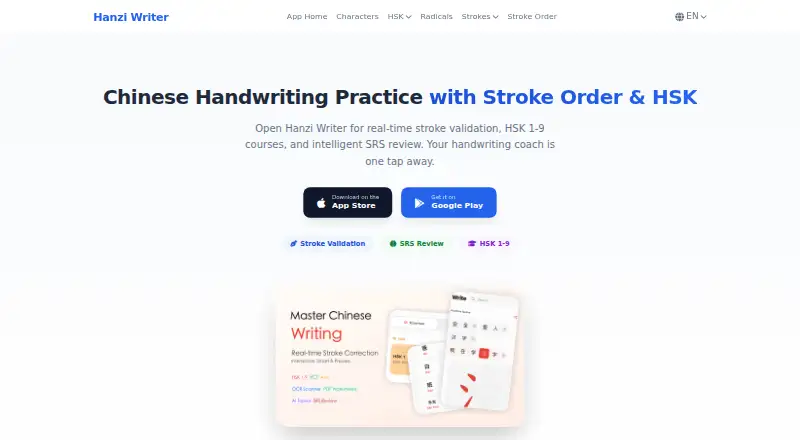
Hanzi Writer is a Chinese handwriting practice app for iOS, Android and macOS. As users write, it checks stroke order, direction, starting point, shape and proportion. Its curricula include HSK 1–9, YCT 1–4, AP Chinese, iGCSE Chinese and Singapore Primary School; it covers more than 7,450 characters and offers 16 interface languages. Spaced repetition review uses Again, Hard, Good and Easy confidence ratings. Core writing practice, stroke animations, review and OCR work offline or on-device. OCR uses Google ML Kit, and camera images are not uploaded or processed in the cloud. Users can import Anki .apkg and .colpkg decks into handwriting practice or generate customizable A4 PDF worksheets with pinyin, stroke guides and tracing grids. The free plan includes core writing practice features. Pro plans add unlimited daily practice, AI-generated custom topics, cloud sync and an ad-free experience; their billed prices are displayed in the app. The topic generator sends entered descriptions to Google Gemini through Firebase Vertex AI, and those inputs are not used to train Google AI models.
Who it suits
Hanzi Writer may suit Chinese learners who want handwriting practice across listed curricula, offline review or Anki deck import. It also offers worksheet creation and on-device OCR.
What it does well
- Checks stroke order, direction, starting point, shape and proportion.
- Supports curricula including HSK 1–9 and YCT 1–4.
- Core practice, review and OCR work offline or on-device.
- Imports Anki .apkg and .colpkg decks.
- Creates customizable A4 PDF worksheets.
What to know first
- Pro subscription prices are displayed in the app, not listed.
- AI topic descriptions are sent to Google Gemini through Firebase Vertex AI.
Limits
The free plan includes core writing practice. Unlimited daily practice, AI-generated custom topics, cloud sync, and an ad-free experience are listed with Pro; subscription prices are displayed in the app.
Plans
| Plan | Billed and limits | Price |
|---|---|---|
| Free | core writing practice features | Free |
| Pro monthly | price displayed in app · unlimited daily practice · AI-generated custom topics · cloud sync · ad-free experience | On request |
| Pro annual | price displayed in app · unlimited daily practice · AI-generated custom topics · cloud sync · ad-free experience | On request |
As yibaionline.com lists them, read 30 Sept 2026. The maker's own page has the final word.
Getting started
- Visit the Hanzi Writer website.
- Get the app for iOS, Android, or macOS.
- Start with the free plan’s core writing practice.
- Choose a supported curriculum or import an Anki .apkg or .colpkg deck.
- Consider Pro monthly or annual for unlimited daily practice, custom AI topics, cloud sync, and ad-free use.
Hanzi Writer is a Chinese handwriting app for learners who want correction as they write rather than passive character tracing. It suits students following HSK or school curricula, as well as independent learners building a personal deck. Its strongest case is the combination of precise stroke feedback, broad course coverage and offline review; users seeking a fully featured experience must move beyond the capped free plan.
Overview
The app teaches more than 7,450 Chinese characters through guided writing, custom words and review. It supports 16 interface languages and curricula spanning HSK 1–9, YCT 1–4, AP Chinese, iGCSE Chinese and Singapore Primary School, the latter arranged across 24 volumes. That breadth makes it useful for a defined syllabus, while custom practice prevents the content from being limited to one course.
Core practice works offline, including stroke animations, spaced-repetition sessions and OCR. Progress synchronization uses encrypted cloud backup, with TLS in transit and encryption at rest where applicable. Account data can be deleted in the app or by email, with processing within 30 days.
Key features
Stroke-level coaching
Hanzi Writer checks stroke order and direction, but also the starting point, shape and proportion of each stroke. In practice, that is more demanding than a simple character-match exercise and should help learners correct formation habits early. Pen-control exercises, custom word practice and progress tracking add structure for regular study.
Spaced repetition and Anki
The Anki-compatible scheduler asks learners to mark an item Again, Hard, Good or Easy, then uses that confidence to set the next review. This is a practical fit for long-term retention rather than short cram sessions. Existing .apkg and .colpkg Anki decks can be imported and converted into interactive handwriting practice, which is especially useful for learners who already maintain vocabulary cards.
OCR, worksheets and privacy
On-device OCR, powered by Google ML Kit, keeps camera images off cloud processing and remains usable offline. The app also creates customizable A4 PDF worksheets with pinyin, stroke guides and tracing grids, giving teachers or self-learners printable practice alongside screen work.
The Smart Topic Generator sends descriptions entered by the user to Google Gemini through Firebase Vertex AI; those inputs are not used to train Google AI models. That feature is therefore convenient for creating topics, but users who prefer no third-party processing should avoid entering sensitive material.
Pricing
The Free plan costs nothing and includes core writing practice. It is the sensible starting point for learners who mainly need stroke correction and offline study, but it does not include the paid tier's expanded allowances.
Pro monthly and Pro annual have custom pricing, with the billed amount displayed in the app. Both add unlimited daily practice, AI-generated custom topics, cloud sync and an ad-free experience. Monthly billing suits people who want flexibility; annual billing is better for a sustained course, though the exact saving cannot be assessed without the in-app price. Subscriptions are handled by Apple App Store or Google Play, and cancellation takes effect at the end of the current billing period.
Platforms
Hanzi Writer runs on Android, iOS and macOS. Core writing, animations, SRS review and OCR work offline or on-device, while cloud synchronization is a Pro function.
Who it's for
Choose it for Chinese learners who value handwriting accuracy, need a curriculum from beginner through advanced HSK levels, or want to bring an existing Anki collection into writing drills. Its all-ages positioning and printable worksheets also suit family or classroom practice. It is less suitable if you need Windows access, a published Pro price before subscribing, or a completely cloud-free AI topic workflow.
Pros and cons
- Pros: detailed validation covers order, direction, starts, shape and proportion; HSK 1–9 and several school curricula provide a clear progression; offline OCR and practice reduce dependence on connectivity; Anki imports protect existing study investments; worksheets extend practice to paper.
- Cons: unlimited daily practice, cloud sync and ad-free use require Pro; Pro prices are shown only in the app; the AI topic tool sends entered descriptions to Google Gemini via Firebase Vertex AI; there is no Windows platform.
Alternatives
Handwriting Practice Apps is the broader comparison for readers who want to survey handwriting tools before committing to a Chinese-focused curriculum.
Kanji Dojo is the better pick for Japanese kanji practice, especially if open-source software or Linux and web access matter; its free plan is 0.00 and there is no trial.
LetterSchool fits early handwriting learners who need a small free starter set and a trial, rather than Chinese character curricula.
Writing Wizard is aimed at letter and custom-word practice on Android, iOS and Windows, with remaining content unlocked through purchase or subscription.
Cursive: Learn Cursive is a closer match for cursive handwriting on mobile and macOS.
Handwriting Repeater is preferable when you want a permanently free, no-account tool with no sentence or repetition limits.
iTrace suits users who want handwriting warm-ups and a one-time premium unlock on Android or iOS.
Kitsunewa Writing Practice is an option for web access and a low-cost Pro subscription, with writing practice available without signup.
Letterpaths is an alternative for developers interested in a free, open-source handwriting-geometry library.
Verdict
Hanzi Writer is a strong choice for Chinese learners who want rigorous stroke correction, structured curricula and durable review through Anki-compatible SRS. Start with Free if core practice is enough; choose Pro when unlimited daily work, sync and ad-free use justify an in-app subscription. Look elsewhere if Windows support, upfront pricing or no third-party AI processing is essential.
Verdict
Hanzi Writer combines stroke validation, curriculum-based practice, spaced repetition and on-device OCR. The free plan covers core writing practice, while Pro adds further features at prices shown in the app.
Questions
Is Hanzi Writer free?
Yes. The Free plan costs nothing and includes core writing practice features.
How much do Pro plans cost?
Prices for Pro monthly and Pro annual are displayed in the app.
Which platforms are supported?
Hanzi Writer is listed for iOS, Android, and macOS.
Can I practice offline?
Core writing practice, stroke animations, spaced repetition review, and OCR work offline or on-device.
Can I import Anki decks?
Yes. The app supports importing .apkg and .colpkg decks for interactive handwriting practice.
What happens to images used for OCR?
OCR runs on-device with Google ML Kit. Camera images are not uploaded or processed in the cloud.
Facts from Hanzi Writer's own pages
- AI topic generator
- Smart Topic Generator sends user-entered descriptions to Google Gemini through Firebase Vertex AI, and those inputs are not used to train Google AI models. · yibaionline.com, 30 Sept 2026
- Anki integration
- Users can import .apkg and .colpkg Anki decks into interactive handwriting practice. · yibaionline.com, 30 Sept 2026
- Character coverage
- The app covers more than 7,450 Chinese characters and provides 16 interface languages. · yibaionline.com, 30 Sept 2026
- Cloud security
- Progress synchronization uses encrypted cloud backup, with encryption in transit using TLS and encryption at rest where applicable. · yibaionline.com, 30 Sept 2026
- Curricula
- Supported curricula include HSK 1–9, YCT 1–4, AP Chinese, iGCSE Chinese, and Singapore Primary School with 24 volumes. · yibaionline.com, 30 Sept 2026
- Data deletion
- Users can delete their account and associated data in the app or by email, with processing within 30 days. · yibaionline.com, 30 Sept 2026
- Headquarters
- Canal District, Cangzhou, Hebei, China · yibaionline.com, 23 Sept 2026
- OCR privacy
- OCR runs on the device with Google ML Kit, and camera images are not uploaded or cloud processed. · yibaionline.com, 30 Sept 2026
- Payments
- Subscriptions are processed through Apple App Store or Google Play, and cancellations take effect at the end of the billing period. · yibaionline.com, 30 Sept 2026
- Purpose
- Hanzi Writer is a Chinese handwriting practice app with real-time stroke correction, HSK 1–9 courses, on-device OCR, and spaced repetition review. · yibaionline.com, 30 Sept 2026
- Spaced repetition
- Its Anki-compatible SRS schedules reviews using Again, Hard, Good, and Easy confidence ratings. · yibaionline.com, 30 Sept 2026
- Stroke validation
- The app validates stroke order, direction, starting point, shape, and proportion while users write. · yibaionline.com, 30 Sept 2026
- Support
- Terms and privacy questions can be sent to [email protected]. · yibaionline.com, 30 Sept 2026
- Worksheets
- The app generates customizable A4 PDF worksheets with pinyin, stroke guides, and tracing grids. · yibaionline.com, 30 Sept 2026
- Works offline
- Core writing practice, stroke animations, SRS review, and OCR work offline or on-device. · yibaionline.com, 30 Sept 2026
Where Hanzi Writer stands on Freedom251
- Handwriting Practice Apps#8 of 27