Freedom251 › Legal Time Tracking Software
iTimekeep
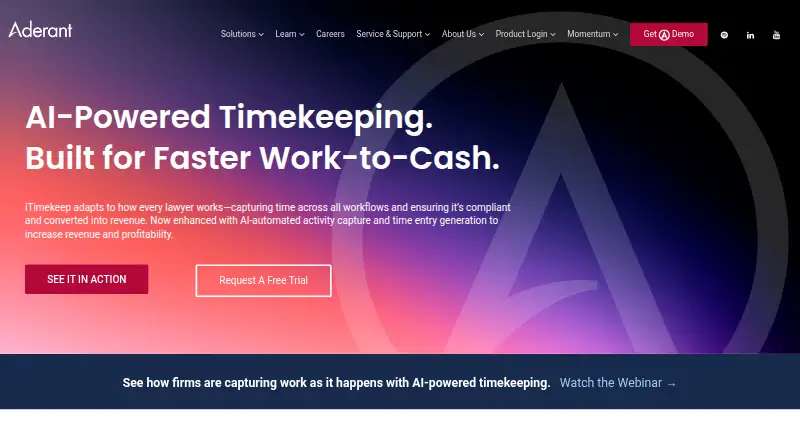
What iTimekeep is
iTimekeep is Aderant’s timekeeping software for lawyers and law firms. It captures work across applications and prepares time entries for users to review, with AI-generated billing codes and narratives. Attorneys can record time as work happens or review it at the end of the day, using floating timers, matter-adaptive smart timecards, and real-time dashboards. AI and rule-based checks validate entries against firm and client requirements when they are entered.
Users can review, reject, or edit entries with offline support and user-level controls. The Outlook integration turns calendar events and emails into time entries from within Outlook. Work captured in Harvey can arrive in iTimekeep as draft entries with matter context, duration, and an AI-generated narrative. Aderant says iTimekeep is compatible with all major practice-management systems.
The product is available on the web, as an extension, and through Android and iOS apps. The iOS app supports iPhone, iPad, and Apple Watch; the Android app is designed for legal professionals capturing billable time. Aderant is headquartered in Atlanta, Georgia, and operates as a business unit of Roper Technologies. Pricing is on request, and prospective customers can request a free trial.
Who it suits
iTimekeep suits attorneys and law firms that want to capture billable work across applications and review AI-prepared entries. Its matter-aware timecards, Outlook and Harvey integrations, and validation against firm and client requirements support legal timekeeping workflows.
What it does well
- Captures work across applications and prepares entries for review.
- Generates billing codes and narratives for time entries.
- Offers floating timers and matter-adaptive smart timecards.
- Supports offline review, rejection, and editing.
- Converts Outlook calendar events and emails into time entries.
- Completed a SOC 2 Type 2 audit with zero exceptions noted.
What to know first
- It is a paid product.
- Pricing requires a request.
Plans
| Plan | Billed and limits | Price |
|---|---|---|
| iTimekeep | Pricing not listed publicly; request a demo or free trial | On request |
As aderant.com lists them, read 2 Oct 2026. The maker's own page has the final word.
Getting started
- Visit the iTimekeep website.
- Request pricing or a free trial.
- Use the web version or extension, or choose the Android or iOS app.
- Set up time capture with timers, smart timecards, Outlook, or Harvey integrations.
iTimekeep is timekeeping software built for lawyers and law firms. It is a strong fit for practices that want activity capture, matter-aware timecards and billing checks in one workflow. Its main drawback for early-stage comparisons is custom pricing.
Overview
iTimekeep turns work activity into draft time entries for attorneys to review, edit or reject. That supports both real-time recording and end-of-day review, and can reduce reliance on memory when reconstructing a day’s work. It does not remove the need for attorney review: drafts still need to reflect the work accurately.
Legal matters shape the product’s timecards, narratives and validation. Aderant says iTimekeep is compatible with all major practice-management systems, which could suit firms looking to preserve existing workflows. The product also completed a SOC 2 Type 2 audit covering Security, Availability and Confidentiality with zero exceptions noted.
Key features
Capture, timers and review
AI captures activity across applications and drafts time entries with billing codes and compliant narratives. Floating timers and smart timecards that adapt by matter offer a more direct way to record work when needed. User-level controls and offline support let attorneys review, reject and edit entries away from a connection, giving firms flexibility without forcing them to accept automated drafts.
Billing checks and integrations
AI and rule-based validation check entries against firm and client requirements as they are entered. The Outlook integration turns calendar events and emails into compliant entries without requiring users to leave Outlook. For firms using Harvey, captured work can arrive in iTimekeep as a draft with matter context, duration and an AI-generated narrative. These integrations make the product more compelling where those workflows are already in use.
Pricing
iTimekeep is paid software with custom pricing; prospective buyers can request a demo or free trial. This sales-led approach may suit firms that want a tailored purchase discussion, but it makes straightforward budget comparisons difficult. No public seat limits or quotas are provided.
Platforms
iTimekeep is available on the web, Android and iOS, with an extension also offered. The iOS app supports iPhone, iPad and Apple Watch; the Android app is designed for legal professionals recording billable time on the move. Mobile access and offline review help attorneys keep timekeeping workflows going away from their desks.
Who it's for
iTimekeep is aimed at attorneys and law firms seeking to capture work more consistently and move it through matter-aware review and validation. It is particularly relevant to firms using Outlook or Harvey and those that want both automated capture and manual or timer-based entry. Buyers who need a public price before contacting a vendor, or whose work does not center on legal matters and billing requirements, should consider other options.
Pros and cons
- Pros: Captures activity across applications and drafts entries with billing codes and narratives, reducing the amount of work attorneys must reconstruct manually.
- Pros: Matter-adaptive timecards, timers, offline controls and mobile apps support several ways to record and review time.
- Pros: Outlook and Harvey integrations connect time capture to tools legal teams may already use.
- Pros: SOC 2 Type 2 audit completed with zero exceptions noted across Security, Availability and Confidentiality.
- Cons: Custom pricing and a trial with no stated duration make it harder to assess cost and evaluation time in advance.
- Cons: Automated entries still need attorney review to confirm their accuracy.
Alternatives
TIMENTRY is worth considering if you want a paid legal timekeeping option with a 14-day free evaluation and iOS and web platforms. Bill4Time is a better fit if a free plan and a published monthly rate matter; its Time & Billing plan is $49 a month, billed monthly, and includes time tracking, task and client management, a client portal and expense management.
PointOne is another paid option for buyers considering iOS, macOS, web or Windows platforms. Billables AI is a paid alternative available as an extension, macOS, web and Windows product. Laurel may suit buyers seeking a paid product with Android, iOS, web, Windows or API access; its pricing is one price for everything, with demos available through Laurel.
Hourglass is a paid web-based alternative. OneAdvanced Scribe is another paid web option, with pricing discussions handled through sales. RTG Bills may be preferable if you want a published starting price: RTG Bills Online starts at $15.95 a month for one user, with price varying by user count, and offers a free trial.
Verdict
Choose iTimekeep if you are a lawyer or firm seeking to turn captured work into reviewed, validated legal time entries, especially if Outlook or Harvey is part of your workflow. The combination of activity capture, matter-aware entry and mobile review is its clearest advantage. Look elsewhere if a published price is essential to your shortlist or you do not need legal-specific billing workflows.
Verdict
Lawyers and law firms should consider iTimekeep for capturing work and turning it into reviewed, validated time entries across legal workflows. Its Outlook and Harvey integrations and mobile support add options for recording work. Buyers who need a published price should look elsewhere, since pricing is on request.
Questions
How much does iTimekeep cost?
iTimekeep is paid, with pricing on request.
Is there a free trial?
Yes. Prospects can request a free trial.
Which platforms does iTimekeep support?
It is available on Android, iOS, web, and as an extension. The iOS app supports iPhone, iPad, and Apple Watch.
What integrations does iTimekeep offer?
It converts Outlook calendar events and emails into time entries. Its Harvey integration sends captured work as draft entries with matter context, duration, and an AI-generated narrative; Aderant also says it is compatible with all major practice-management systems.
Who makes iTimekeep?
iTimekeep is from Aderant, a business unit of Roper Technologies. Aderant is headquartered in Atlanta, Georgia.
Can iTimekeep work offline?
Yes. Users can review, reject, and edit entries with offline support.
Facts from iTimekeep's own pages
- Activity capture
- Its AI automatically captures work across all applications and generates time entries for review. · aderant.com, 1 Oct 2026
- AI narratives
- AI generates appropriate billing codes and compliant narratives for time entries. · aderant.com, 1 Oct 2026
- AI time entry
- Its AI features capture activity and generate time entries with codes and narratives for users to review. · aderant.com, 2 Oct 2026
- Audience
- Aderant describes iTimekeep as a timekeeping solution for lawyers and law firms. · aderant.com, 2 Oct 2026
- Company
- Aderant says it is headquartered in Atlanta, Georgia, and operates as a business unit of Roper Technologies. · aderant.com, 2 Oct 2026
- Compliance
- Rule validation and AI check entries against firm and client requirements to identify billing issues before submission. · aderant.com, 2 Oct 2026
- Harvey integration
- The iTimekeep integration with Harvey sends captured work into draft time entries with matter context, duration, and an AI-generated narrative. · aderant.com, 2 Oct 2026
- Headquarters
- Atlanta, Georgia, United States · aderant.com, 28 Sept 2026
- iOS devices
- The iOS app supports iPhone, iPad, and Apple Watch time entry. · apps.apple.com, 1 Oct 2026
- Mobile apps
- The iTimekeep mobile app is available for Android and is designed for legal professionals to capture billable time anywhere. · play.google.com, 1 Oct 2026
- Mobile platforms
- Aderant case material says attorneys used iTimekeep on iOS and Android smartphones and tablets, as well as desktop computers. · aderant.com, 2 Oct 2026
- Offline support
- User-level controls and offline support enable reviewing, rejecting, and editing entries from anywhere. · aderant.com, 1 Oct 2026
- Outlook integration
- The Outlook integration converts calendar events and incoming or outgoing emails into time entries saved to iTimekeep. · aderant.com, 2 Oct 2026
- Practice-management integration
- Aderant states that iTimekeep is fully compatible with all major practice-management software systems. · aderant.com, 1 Oct 2026
- Purpose
- iTimekeep captures lawyers’ work as time entries and supports compliant billing and revenue realization. · aderant.com, 2 Oct 2026
- Security
- iTimekeep completed a SOC 2 Type 2 audit with zero exceptions noted for Security, Availability, and Confidentiality. · aderant.com, 2 Oct 2026
- Security audit
- iTimekeep completed a SOC 2 Type 2 audit covering Security, Availability, and Confidentiality with zero exceptions noted. · aderant.com, 1 Oct 2026
- Support
- The Android listing provides support by phone at +1 877-608-4369 and by email at [email protected]. · play.google.com, 1 Oct 2026
- Target users
- Aderant positions iTimekeep for attorneys and law firms seeking faster work-to-cash conversion. · aderant.com, 1 Oct 2026
- Timekeeping workflows
- The product supports real-time entry and end-of-day review, with smart timecards, timers, and real-time dashboards. · aderant.com, 2 Oct 2026
- Timers
- The product provides floating timers and smart timecards that adapt by matter. · aderant.com, 1 Oct 2026
- Trial
- The product page invites prospects to request a free trial but does not state its duration. · aderant.com, 2 Oct 2026
Where iTimekeep stands on Freedom251
- Legal Time Tracking Software#3 of 24