Freedom251 › AI Medical Scribe Software
OneAdvanced Scribe
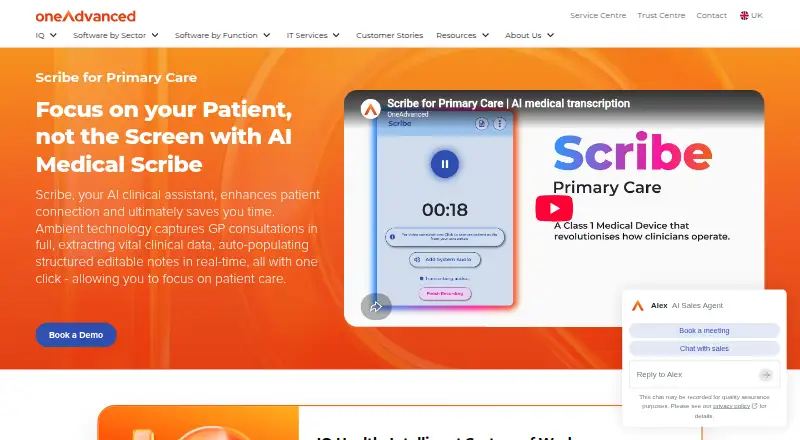
What OneAdvanced Scribe is
OneAdvanced Scribe is a web-based tool for capturing primary care consultations and producing editable clinical notes with AI. It records in-person, telephone and video appointments through a computer microphone or a VOIP telephone line, then organises details such as symptoms, medications and plans for a clinician to review and approve. Scribe works with Online GP Consultation (Patchs), and reviewed notes can be sent to an electronic patient record (EPR) with one-click sync. Without a Patchs licence, clinicians can use it as a standalone product by manually copying notes into their chosen EPR. Integration with Vision 3 is described as coming soon. The product is identified as a Class I medical device. Its audit log is time-stamped, retains the unedited consultation transcript and shows clinician changes to the AI summary. OneAdvanced says data is encrypted end to end, with KMS-managed encryption at rest and in transit. Raw audio is deleted from the cloud server, and no data remains on the system after the summary and transcript have been sent to the EPR. OneAdvanced says Scribe can save up to three minutes per consultation, or around 75 minutes per clinician daily. Pricing is available on request.
Who it suits
Scribe is designed for primary care clinicians who want structured notes from in-person, telephone or video consultations. It may also suit other healthcare settings, particularly where clinicians use Patchs or can copy notes into their chosen EPR.
What it does well
- Captures in-person, telephone and video consultations.
- Organises symptoms, medications and plans for clinician review.
- Reviewed notes can sync to an EPR with one click.
- Audit log preserves the transcript and shows edits to the AI summary.
- Raw audio is deleted after the summary and transcript are sent to the EPR.
What to know first
- Pricing is available only on request.
- Standalone use requires manually copying notes into an EPR.
- Vision 3 integration is still coming soon.
Plans
| Plan | Billed and limits | Price |
|---|---|---|
| Scribe for Primary Care | Pricing not listed; contact sales for a demo or advice | On request |
As oneadvanced.com lists them, read 2 Oct 2026. The maker's own page has the final word.
Getting started
- Visit the OneAdvanced Scribe primary care website.
- Contact OneAdvanced for pricing, sales advice or a demo.
- Use Scribe through the web platform.
- Capture an in-person, telephone or video consultation using a computer microphone or VOIP telephone line.
- Review and sign off the structured notes, then sync them to an EPR or copy them manually if using Scribe standalone.
Verdict
Choose OneAdvanced Scribe if your clinical team wants AI-generated, editable consultation notes and uses Patchs or can copy notes into an EPR. Its consultation modes and audit trail are useful for primary care workflows. Pricing requires a sales enquiry, and standalone use involves manual copying.
Questions
How much does OneAdvanced Scribe cost?
Pricing is available on request. OneAdvanced offers sales advice and demos.
Which platforms does Scribe support?
Scribe is available on the web.
Can Scribe send notes to an EPR?
Yes. Reviewed notes can be sent with one-click sync when using its Patchs integration. Standalone users can manually copy notes into a chosen EPR.
Does Scribe work with Vision 3?
Vision 3 integration is described as coming soon.
What types of consultations can it capture?
It supports in-person, telephone and video consultations, using a computer microphone or VOIP telephone line.
How does Scribe handle consultation data?
OneAdvanced says data is encrypted end to end, with KMS-managed encryption at rest and in transit. Raw audio is deleted from the cloud server, and no data remains on the system after the summary and transcript are sent to the EPR.
Facts from OneAdvanced Scribe's own pages
- Audit trail
- Scribe keeps a time-stamped audit log with the unedited consultation transcript and shows clinician edits to the AI summary. · oneadvanced.com, 2 Oct 2026
- Clinical data
- It extracts clinical details such as symptoms, medications and plans into organised notes for clinician review and sign-off. · oneadvanced.com, 2 Oct 2026
- Company headquarters
- OneAdvanced lists its global headquarters at The Mailbox, Level 3, 101 Wharfside Street, Birmingham, B1 1RF, United Kingdom. · oneadvanced.com, 2 Oct 2026
- Consultation modes
- The page says Scribe supports in-person, telephone and video consultations, using a computer microphone or VOIP telephone line for capture. · oneadvanced.com, 2 Oct 2026
- Data retention
- The page says raw audio is deleted from the cloud server and no data remains on the system once the summary and transcript are sent to the EPR. · oneadvanced.com, 2 Oct 2026
- Encryption
- The page says data is encrypted end to end with KMS-managed encryption at rest and in transit. · oneadvanced.com, 2 Oct 2026
- Headquarters
- Birmingham, United Kingdom · oneadvanced.com, 28 Sept 2026
- Integration
- The page says Scribe integrates with Online GP Consultation (Patchs) and can send reviewed notes to an EPR with one-click sync. · oneadvanced.com, 2 Oct 2026
- Intended users
- This version is designed specifically for primary care, though the page says Scribe can also be used in other healthcare settings. · oneadvanced.com, 2 Oct 2026
- Medical device
- The page identifies Scribe as a Class I medical device. · oneadvanced.com, 2 Oct 2026
- Potential time saving
- OneAdvanced says Scribe can save up to three minutes per consultation, or around 75 minutes per clinician daily. · oneadvanced.com, 2 Oct 2026
- Purpose
- Scribe captures GP consultations and uses AI to create structured, editable clinical notes in real time. · oneadvanced.com, 2 Oct 2026
- Standalone use
- Without a Patchs licence, the page says Scribe can be used standalone by manually copying consultation notes into a chosen EPR. · oneadvanced.com, 2 Oct 2026
- Support
- The page offers sales advice and demos and directs customers to a support centre with case logging and live chat. · oneadvanced.com, 2 Oct 2026
- Vision status
- The page says integration with Vision 3 is coming soon. · oneadvanced.com, 2 Oct 2026
Where OneAdvanced Scribe stands on Freedom251
- AI Medical Scribe Software#28 of 30