Freedom251 › Screen Recording Software
iSpring Free Cam
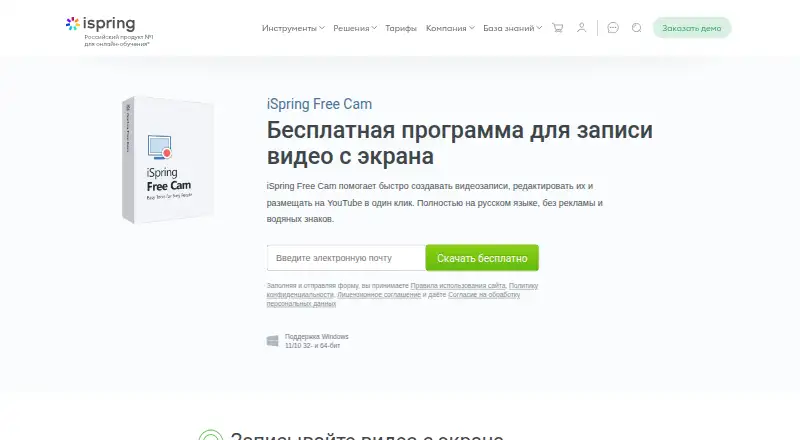
What iSpring Free Cam is
iSpring Free Cam is a free Windows application for recording and editing screen videos for tutorials and training presentations. It captures the full screen, a selected area, or an application window, while recording microphone narration and system audio. Mouse highlighting can add color to the cursor and a click sound. The built-in Russian-language editor removes unwanted segments and background noise, and adjusts volume, fades, and muted sections. Recordings save as WMV at HD 720p, and the product page says this export retains quality. The program is presented without advertising or watermarks. Users can upload recordings directly to YouTube by entering account credentials in the application. The listed plan costs nothing and includes recording, editing, and publishing on Windows 11 or 10, in 32-bit and 64-bit versions, with WMV export up to HD 720p. Download is offered through an email form. iSpring’s company page lists 24/7 technical support by phone and email.
Who it suits
iSpring Free Cam suits Windows users creating tutorials, training presentations, or instructional materials for colleagues and students. It is aimed at people who need screen capture, basic editing, and YouTube publishing.
What it does well
- Free screen recording and editing
- Captures screen areas or windows
- Records microphone and system audio
- No advertising or watermarks
- Direct YouTube upload
What to know first
- Windows only
- Maximum video quality is 720p
- Russian-language editor
Plans
| Plan | Billed and limits | Price |
|---|---|---|
| iSpring Free Cam | Free screen recording, editing, and publishing; Windows 11/10, 32- and 64-bit; WMV export up to HD 720p | Free |
As ispring.ru lists them, read 12 Oct 2026. The maker's own page has the final word.
Verdict
iSpring Free Cam covers screen capture, narration, editing, and publishing at no listed cost. Its Windows-only support and 720p maximum define the main practical limits.
Facts from iSpring Free Cam's own pages
- Audience
- The maker presents it as a tool for creating professional video tutorials and training presentations, including materials for colleagues and students. · ispring.ru, 12 Oct 2026
- Audio
- It records microphone narration and system sounds. · ispring.ru, 12 Oct 2026
- Capture
- It can record the full screen, a selected area, or an application window. · ispring.ru, 12 Oct 2026
- Company
- The iSpring company page says it has operated in the industry for 25 years and lists its office in Yoshkar-Ola, Republic of Mari El, Russia. · ispring.ru, 12 Oct 2026
- Cursor
- It can highlight the mouse cursor with color and add a click sound. · ispring.ru, 12 Oct 2026
- Download
- The maker offers a free download through a form that asks for an email address and links to its terms, privacy policy, and license agreement. · ispring.ru, 12 Oct 2026
- Editing
- The built-in Russian-language audio and video editor can remove unwanted segments and background noise and adjust audio volume, fades, and muted sections. · ispring.ru, 12 Oct 2026
- Export
- The program saves recordings as WMV at HD 720p without quality loss, according to the product page. · ispring.ru, 12 Oct 2026
- Free plan
- Yes · ispring.ru, 23 Sept 2026
- Microphone recording
- Yes · ispring.ru, 23 Sept 2026
- Supported platforms
- Windows · ispring.ru, 23 Sept 2026
- Purpose
- iSpring Free Cam records and edits screen videos for tutorials and training presentations. · ispring.ru, 12 Oct 2026
- Support
- The company page says its technical support operates 24/7 and answers by phone and email. · ispring.ru, 12 Oct 2026
- System audio
- Yes · ispring.ru, 23 Sept 2026
- Maximum video quality
- 720p · ispring.ru, 23 Sept 2026
- Watermarks and ads
- The product page describes the program as having no advertising and no watermarks. · ispring.ru, 12 Oct 2026
- YouTube
- Users can upload recordings directly to YouTube by entering their YouTube account credentials in the application. · ispring.ru, 12 Oct 2026
Where iSpring Free Cam stands on Freedom251
- Screen Recording Software#87 of 131