Freedom251 › Live Streaming Encoders
FFsplit
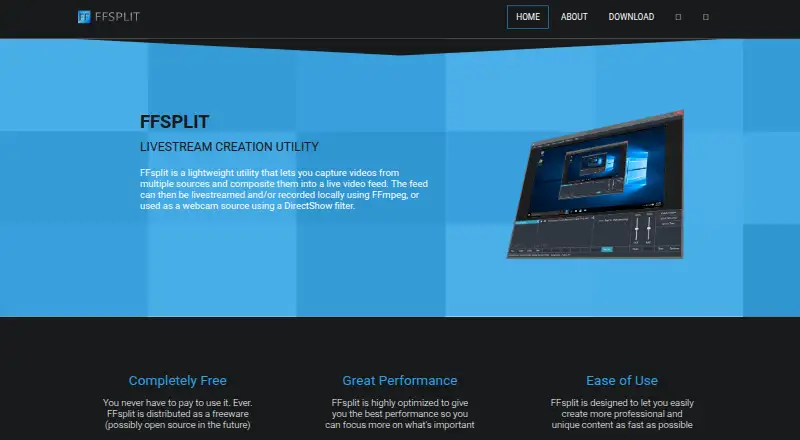
What FFsplit is
FFsplit is free Windows desktop software for capturing video from multiple sources, combining them into a live feed, and livestreaming or recording that feed with FFmpeg. The feed can also act as a webcam source through a DirectShow filter. You can capture windows and regions, add text and image layers, assign hotkeys, use push-to-talk, and adjust audio controls. Multiple instances of one source can be used, such as placing one camera in several scenes. Listed streaming outputs include Twitch, Hitbox.tv, Livestream, Dailymotion, and custom RTMP services. Local recording supports simultaneous streaming and FLV, MKV, or MP4 files. The latest listed download is FFsplit 0.7.0 Test Build 26. The project is not currently in active development. It includes simple password-storage encryption and an option to hide stream keys. The software is supplied as-is without expressed or implied warranties.
Who it suits
FFsplit suits Windows users who need a free desktop tool to combine several video sources for streaming, recording, or webcam output. It is also relevant to users who need scene controls and local recording.
What it does well
- Free plan with no payment required
- Combines multiple video sources into one feed
- DirectShow webcam output is supported
- Records FLV, MKV, and MP4 files
- Supports several named streaming services
What to know first
- Windows platform only
- Project is not in active development
- Latest listed download is a test build
- Software is provided without warranties
Plans
| Plan | Billed and limits | Price |
|---|---|---|
| Free | Capture and composite multiple video sources · Livestream or record locally · Use the feed as a webcam source | Free |
| FFsplit | Freeware · no payment required | Free |
As ffsplit.com lists them, read 22 Sept 2026. The maker's own page has the final word.
Verdict
FFsplit covers capture, compositing, streaming, local recording, and webcam output at no listed cost. Its Windows-only availability and inactive development status are important considerations before adoption.
Facts from FFsplit's own pages
- Community
- The site directs users to its Twitter account or Discord community for news and updates. · ffsplit.com, 12 Oct 2026
- Development status
- The project says it is currently not in active development. · ffsplit.com, 12 Oct 2026
- Features
- The changelog lists window and region capture, text and image layers, hotkeys, push-to-talk, and audio controls among its features. · ffsplit.com, 12 Oct 2026
- Free plan
- Yes · ffsplit.com, 22 Sept 2026
- Latest listed download
- The site links to FFsplit 0.7.0 Test Build 26 as its latest version. · ffsplit.com, 12 Oct 2026
- Multiple sources
- The changelog says users can capture multiple instances of a source, such as adding a camera to multiple scenes. · ffsplit.com, 12 Oct 2026
- Purpose
- FFsplit captures video from multiple sources, composites it into a live feed, and can livestream or record it using FFmpeg. · ffsplit.com, 12 Oct 2026
- Recording
- The changelog describes local recording, including simultaneous streaming and recording and support for FLV, MKV, and MP4 file types. · ffsplit.com, 12 Oct 2026
- Security note
- The changelog says the software added simple encryption for storing passwords and an option to hide stream keys in output settings. · ffsplit.com, 12 Oct 2026
- Streaming services
- The changelog lists integrations or output support for Twitch, Hitbox.tv, Livestream, Dailymotion, and custom RTMP services. · ffsplit.com, 12 Oct 2026
- Warranty
- The site states that the software is provided “as is” and disclaims expressed or implied warranties. · ffsplit.com, 12 Oct 2026
- Webcam output
- The live feed can be used as a webcam source through a DirectShow filter. · ffsplit.com, 12 Oct 2026
- Windows support
- The changelog identifies Windows Vista SP2 or later as supported for certain builds and notes official Windows 8 support. · ffsplit.com, 12 Oct 2026
Where FFsplit stands on Freedom251
- Live Streaming Encoders#12 of 69
- Screen Recording Software#88 of 131