Freedom251 › Home automation platforms
ioBroker
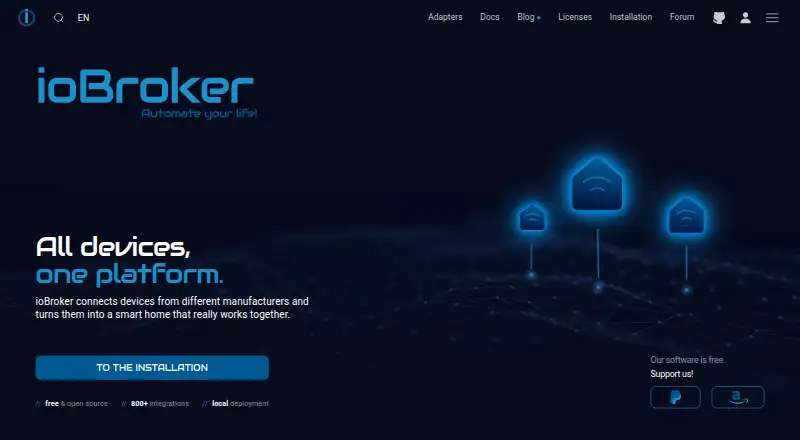
What ioBroker is
ioBroker brings devices and services from different manufacturers into one system for home monitoring, control, and automation. It runs locally on a home network and stores values, history, and rules on the user's computer, without requiring cloud storage for its own operation. Adapters connect devices, protocols, and online services; users can install only the ones they need. More than 800 adapters are available, with examples including Zigbee, Z-Wave, KNX, Modbus, MQTT, manufacturer clouds, and voice assistants. Automations can use graphical rules, Blockly, JavaScript, TypeScript, or Node-RED. The platform also supports cameras, energy monitoring, and Matter. It is available for Linux, macOS, Windows, web, API, and self-hosted use, and its open-source platform and basic functions are free. Free ioBroker.net remote access is limited to browser visualization without editing and has data-volume and functionality limits. Free vis-2 requires an internet connection on every restart; without a license, the Matter bridge can expose up to five devices to Apple Home, Google Home, or Alexa.
Who it suits
ioBroker suits households bringing devices from multiple manufacturers into one local system. Graphical tools and Blockly can suit beginners, while JavaScript, TypeScript, Node-RED, and custom logic support more advanced users.
What it does well
- Runs locally and stores values, history, and rules on the computer.
- More than 800 adapters are available.
- Automation options include Blockly, JavaScript, and Node-RED.
- Basic platform and functions are free.
What to know first
- Free remote access does not allow editing.
- Free remote access has data-volume and functionality limits.
- Free vis-2 needs internet access at every restart.
- Unlicensed Matter bridge exposes up to five devices.
Limits
Free ioBroker.net remote access is limited to browser visualization without editing and has data-volume and functionality limits. The free vis-2 license requires an internet connection at every restart, and an unlicensed Matter bridge can expose up to five devices.
Plans
| Plan | Billed and limits | Price |
|---|---|---|
| ioBroker platform | Open-source platform and basic functions | Free |
As iobroker.com lists them, read 4 Oct 2026. The maker's own page has the final word.
Getting started
- Visit the ioBroker website.
- Choose a supported environment: Linux, macOS, Windows, web, API, or self-hosted.
- Install adapters for the devices, protocols, or services you want to connect.
- Build automations with graphical rules, Blockly, JavaScript, TypeScript, or Node-RED.
ioBroker is a self-hosted home-automation platform for connecting devices and services from different manufacturers. It suits households that want to choose their own integrations and automation methods, from visual rules to code. Its breadth and local control are compelling, but remote access and some integrations have notable limits.
Overview
ioBroker runs on a home network and stores values, history, and rules on the user's computer without requiring cloud storage. That makes it a strong choice for people who want core automation to remain local, though the system depends on a computer in the home. Adapters link devices, protocols, and online services; users install only the ones they need. More than 800 adapters cover examples including Zigbee, Z-Wave, KNX, Modbus, MQTT, manufacturer clouds, and voice assistants. This range can accommodate a mixed-brand setup, but selecting integrations is part of the work.
Key features
Users can build automations with graphical rules, Blockly, JavaScript, TypeScript, or Node-RED. Visual options give beginners a way in, while scripting and custom logic suit experienced users. That flexibility is useful for complex or varied setups, but those seeking one tightly guided workflow may prefer a more focused app.
ioBroker supports Matter, Zigbee, Z-Wave, voice assistants, cameras, and energy monitoring. The Matter bridge can expose up to five ioBroker devices to Apple Home, Google Home, or Alexa without a license, a meaningful ceiling for larger setups. The free vis-2 license is checked on every restart and requires an internet connection for its adapter to start, so a wholly offline setup cannot rely on that visualization option.
Free ioBroker.net remote access provides browser visualization but not editing, and data volume and functionality are limited. The service uses an outbound connection, so users do not need to open a router port or configure DynDNS. This is a convenient route to remote viewing, but not a full remote-management solution.
Support comes through the community forum, Discord, Facebook groups, documentation, and tutorials. Community help is not contractually guaranteed, which may not suit users who need assured support.
Pricing
The ioBroker platform is free: the free plan includes the open-source platform and basic functions. It is a strong starting point for users prepared to configure their own system. The free remote-access service has viewing, data-volume, and functionality limits; the free vis-2 license needs internet access at each restart, and the Matter bridge is limited to five devices without a license. No paid plan is described here.
Platforms
ioBroker is available for Linux, macOS, Windows, web, API, and self-hosted use. Its local operation and multiple hosting options suit people comfortable running a home system; those seeking only a mobile app may find a dedicated smart-home app more direct.
Who it's for
Choose ioBroker if you want broad integration choices, local data storage, and the option to grow from graphical automations into code. It is less suited to people who want remote editing without limits, a Matter bridge for more than five devices without a license, or guaranteed support.
Pros and cons
- Pros: More than 800 adapters and support for multiple automation styles accommodate mixed-brand homes and different skill levels.
- Pros: Local operation keeps values, history, and rules on the user's computer without requiring cloud storage.
- Cons: Free remote access is limited to browser visualization, with data-volume and functionality limits.
- Cons: The free Matter bridge reaches only five devices, and vis-2 requires internet access when ioBroker restarts.
- Cons: Community support is not contractually guaranteed.
Alternatives
Home automation platforms is a useful place to compare more options. Choose Google Home if you want a free app on Android, iOS, or web and have compatible devices; some products and features may not be available in all regions. Homey may fit users who prefer its cloud plans: Homey Cloud Free covers up to five devices, while Homey Cloud Premium is $2.99 a month after that free allowance.
HomeSeer HS4 is another option for users considering paid home-automation software; its HS4 Smart Home Software plan is $149.95 a month. Apple Home is a free alternative for people with Apple devices and compatible smart-home accessories. Aqara Home, Tuya Smart, and eWeLink are other options to compare. openHAB is a free alternative with apps for Android and iOS as well as Linux, macOS, web, and self-hosted platforms.
Verdict
ioBroker is best for people who want a free, locally run hub with extensive adapter coverage and room to build automations visually or in code. Its main advantage is control over integrations and local data; look elsewhere if you need unrestricted remote editing, a larger unlicensed Matter bridge, or contractually guaranteed support.
Verdict
ioBroker offers a free local hub with a broad adapter selection and several ways to build automations. Consider its remote-access and vis-2 requirements, along with the five-device Matter bridge limit without a license.
Questions
Is ioBroker free?
The open-source platform and basic functions are free; the listed ioBroker platform plan is free.
Which platforms does ioBroker support?
It is listed for Linux, macOS, Windows, web, API, and self-hosted environments.
Does ioBroker work locally?
Yes. It runs on the home network and stores values, history, and rules on the user's computer without requiring cloud storage for its own operation.
What can I use to create automations?
Options include graphical rules, Blockly, JavaScript, TypeScript, and Node-RED.
What are the Matter bridge limits without a license?
It can expose up to five ioBroker devices to Apple Home, Google Home, or Alexa.
Where can users find support?
The project points users to its community forum, Discord, Facebook groups, documentation, and tutorials. Community support is not contractually guaranteed.
Facts from ioBroker's own pages
- Adapters
- Adapters connect ioBroker to devices, protocols, and online services, and users install only the ones they need. · iobroker.com, 4 Oct 2026
- Automation
- Automations can be created with graphical rules, Blockly, JavaScript, TypeScript, or Node-RED. · iobroker.com, 4 Oct 2026
- Camera integration
- Yes · iobroker.com, 24 Sept 2026
- Energy monitoring
- Yes · iobroker.com, 24 Sept 2026
- Founded
- 2013 · iobroker.com, 23 Oct 2026
- Free plan
- Yes · iobroker.com, 24 Sept 2026
- Integrations
- The documentation names Zigbee, Z-Wave, KNX, Modbus, MQTT, manufacturer clouds, and voice assistants as integration examples. · iobroker.com, 4 Oct 2026
- Intended users
- The site describes ioBroker as beginner-friendly through graphical tools and Blockly, while also supporting advanced scripting and custom logic. · iobroker.com, 4 Oct 2026
- Local control
- Yes · iobroker.com, 24 Sept 2026
- Local operation
- ioBroker runs locally on the home network, stores values, history, and rules on the user's computer, and does not itself require cloud storage. · iobroker.com, 4 Oct 2026
- Matter limit
- Without a license, the Matter bridge can expose up to five ioBroker devices to Apple Home, Google Home, or Alexa. · iobroker.com, 4 Oct 2026
- Matter support
- Yes · iobroker.com, 24 Sept 2026
- Platforms
- The documentation says ioBroker can run on Linux, macOS, Windows, or Docker, while the installation page requires a system that supports Node.js. · iobroker.com, 4 Oct 2026
- Purpose
- ioBroker connects devices and services from different manufacturers in one system for monitoring, control, and home automation. · iobroker.com, 4 Oct 2026
- Remote access
- Free ioBroker.net remote access is limited to browser visualization without editing and has limits on data volume and functionality. · iobroker.com, 4 Oct 2026
- Scale
- The homepage says more than 800 adapters are available for devices, protocols, and online services. · iobroker.com, 4 Oct 2026
- Security
- For remote access, ioBroker initiates an outbound connection, so the user does not need to open a router port or use DynDNS. · iobroker.com, 4 Oct 2026
- Support
- The project points users to its community forum, Discord, Facebook groups, documentation, and tutorials; it says community support is not contractually guaranteed. · iobroker.com, 4 Oct 2026
- Visualization limit
- The free vis-2 license is checked at every ioBroker restart and requires an internet connection for the adapter to start. · iobroker.com, 4 Oct 2026
- Voice assistant support
- Yes · iobroker.com, 24 Sept 2026
- Zigbee support
- Yes · iobroker.com, 24 Sept 2026
- Z-Wave support
- Yes · iobroker.com, 24 Sept 2026
Where ioBroker stands on Freedom251
- Home automation platforms#3 of 25
- Smart Home Apps#8 of 39
- Home Automation#11 of 25